Hi everyone, it’s Carol back again with another exciting update on how you manage Fields in Jira!
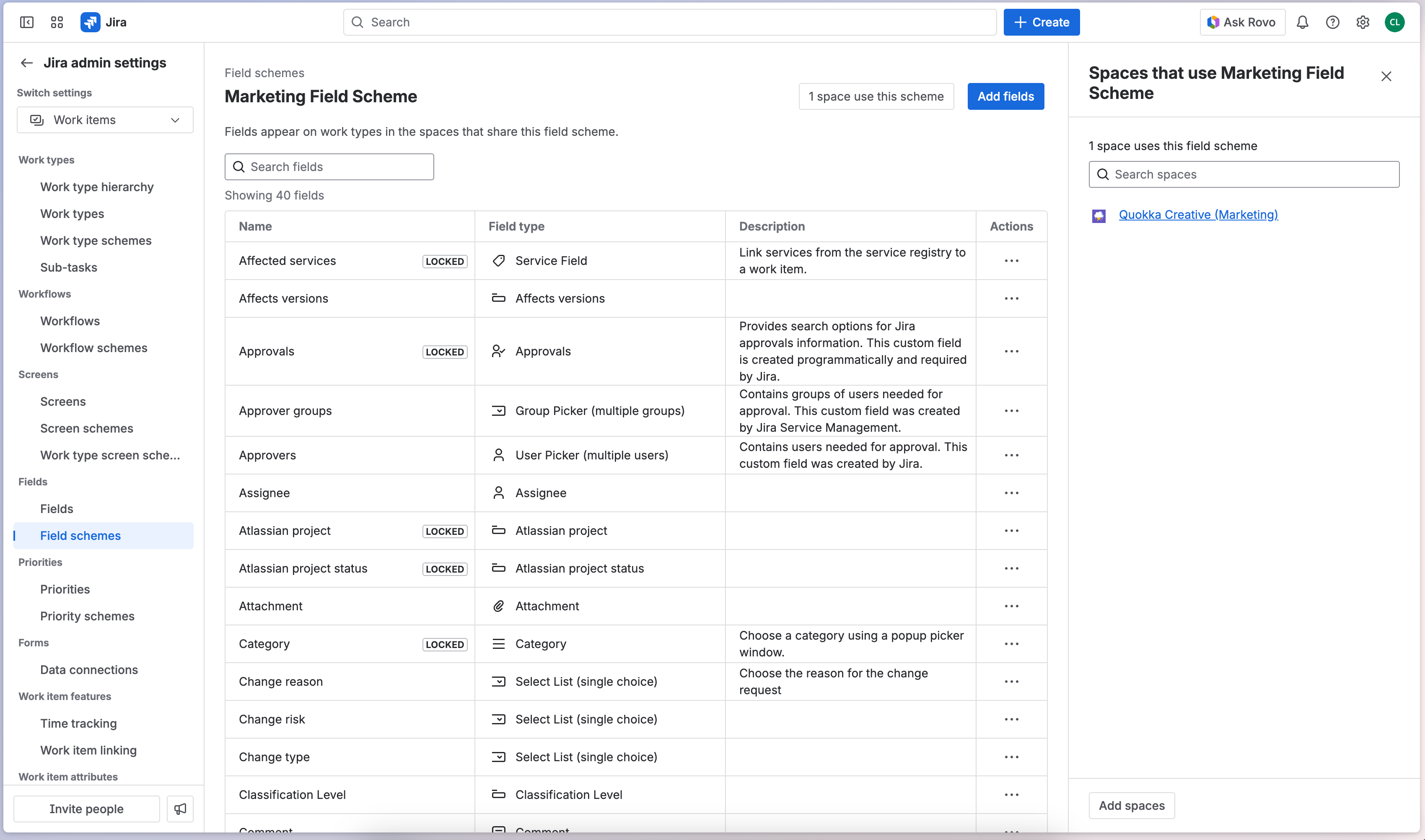
My team has already updated the UI on the Fields page and brought team-managed fields to the Fields admin screen. Soon, we will be introducing a more streamlined experience called Field schemes.
The future of fields management
What are Field schemes?
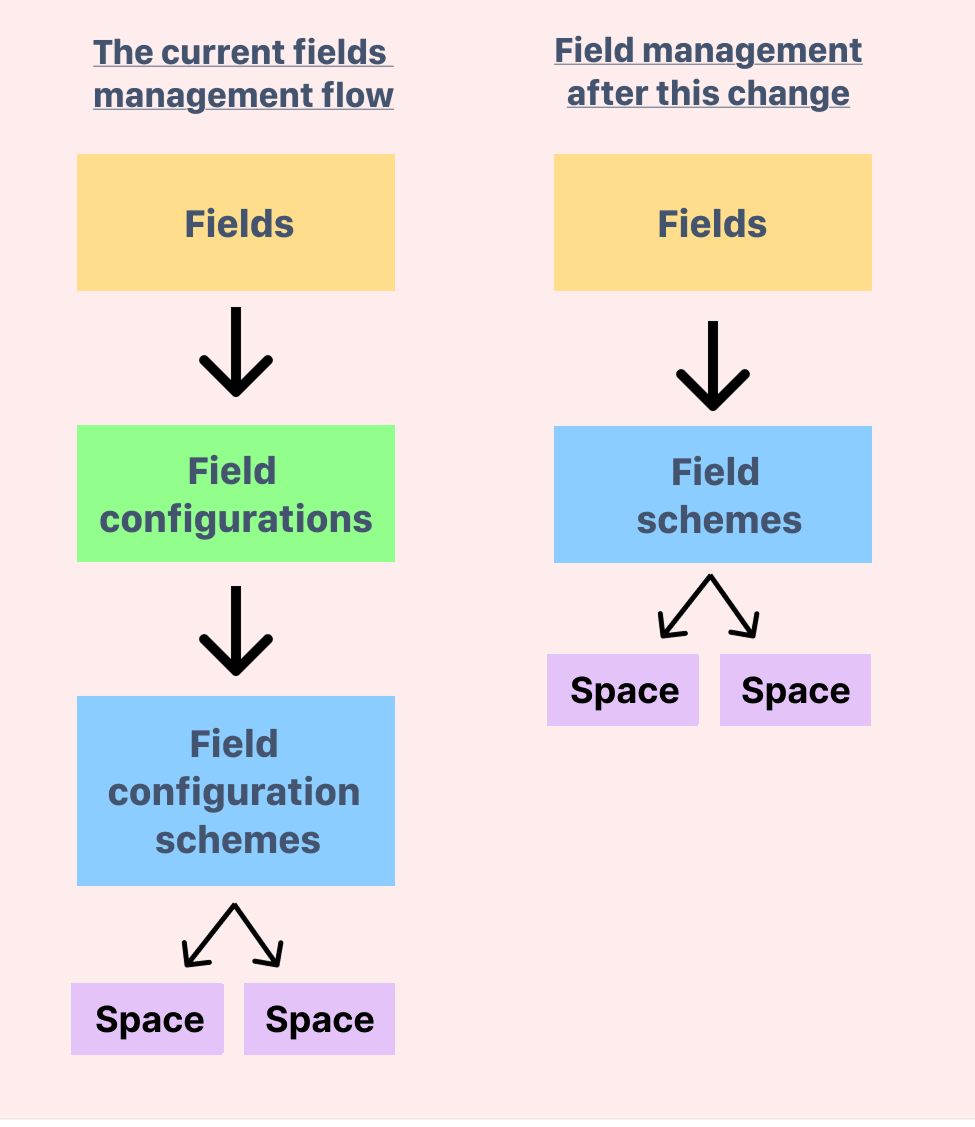
Today, fields are assigned to Field configurations, which are then grouped into Field configuration schemes to define which fields appear in each space. We recognize that this structure can be challenging to manage, and that’s why we’re simplifying this and bringing these two concepts together into a single, streamlined one called Field schemes.
In case you missed it: we’ve posted updates in the Atlassian Developer community outlining how this impacts our APIs:
Please note this also includes an update to creating new spaces, to make sure they are associated to the relevant field schemes.
Updates to how you use Field contexts
Additionally, when we roll out field schemes, we will no longer use field contexts to restrict field visibility in a given space or work item. Field contexts will continue to define a field’s default value and available options. Given contexts will no longer be used to restrict where fields are available, every field will have a global context which is always present and cannot be deleted.
Currently, admins often use Screens, Screen schemes, Work item layouts and Field contexts in a space to define what fields are available on work types. However, this approach has some drawbacks:
-
Screens only control which fields appear when creating or viewing a work item in the full page view. Removing a field from a screen doesn’t remove it from the space. If you’ve ever seen unrelated fields that appear when you are trying to filter work, this is probably why.
-
Field contexts currently have limitations that could lead to messy workarounds.
If you’ve been watching this space, this change is part of the foundation work we are doing to enable us to finally unlock the ability to set more than one field context for a single space - I’ll keep you posted when we have estimated timelines for this change.
TL;DR
-
Field schemes will become the source of truth of what work types a field can appear on for Spaces.
-
Field contexts determine default values of fields, and what options are available for users to select.
-
Screens, Screen schemes and Work item layouts determine what users see when they are creating or viewing a work item in the full page view.
|
The migration progress
How we’re planning to migrate your data
We’ve set up a migration tool that preserves the current state of your site. First, the migration tool maps your existing setup by doing the following:
-
First, it reads your current field configuration & field configuration schemes, noting:
-
the spaces in which these schemes are used
-
the fields that are associated to those spaces, and
-
the work types to which they apply
-
It then looks at your existing field contexts, identifying any work types or spaces that don’t have field contexts.
Once it has mapped your current setup, the migration tool:
Timelines and what to expect
We’ve been in early access with a small group of customers and will open this up more broadly with our Open Beta in January 2026. If you’d like to join, please fill in this form and we’ll be in touch in January. If you’re already in the early access program, you’re all set – we’ll roll out the changes to you automatically.
We’re targeting to start progressively rolling out to all customers from April 2026. Joining the Open Beta helps you get ready early and gives us valuable feedback to make the transition as smooth as possible.
Thank you again for your support and interest – please feel free to leave any questions or comments below.
Sign up now


![Photo of Jaime Capitel [Sngular]](https://avatar-management--avatars.us-west-2.prod.public.atl-paas.net/initials/JC-2.png)


