Artificial intelligence has already reshaped the way teams use Jira. From smart issue triage to suggested field values, to low-code rule builders in Automation for Jira (A4J), AI is making it easier than ever to streamline repetitive work.
But most teams still run into the same set of questions:
-
What exactly should we automate next?
-
Where in our workflow are we losing the most time?
-
Which steps cause rework or unnecessary loops?
-
If AI is generating automation… how do we know it’s the right automation?
This is the missing piece for most organisations: AI can help build automations — but AI traditionally hasn’t been able to analyse your actual Jira workflows, identify the real problems, and tell you what to automate and how to automate it.
That’s where Process Mining + AI changes the game.
🔍 AI today: Great at building automation, not great at knowing what to automate
Automation in Jira has become incredibly accessible:
-
Automation for Jira (A4J) provides thousands of rule combinations.
-
ScriptRunner, JMWE, and JWT offer deep workflow logic and scripting.
-
And generative AI can now suggest Jira expressions, build automation snippets, or explain rules.
But all of this depends on a critical assumption:
👉 You already know the workflow problem you're trying to fix.
In reality, most teams don’t.
Teams usually spot only the symptoms — slow resolution, bouncing between statuses, repeated reopenings — but not the underlying workflow patterns causing them. Because Jira doesn’t natively show you how work actually flows.
This is where Process Mining fills a major blind spot.
Process Mining for Jira: Understanding how work truly moves
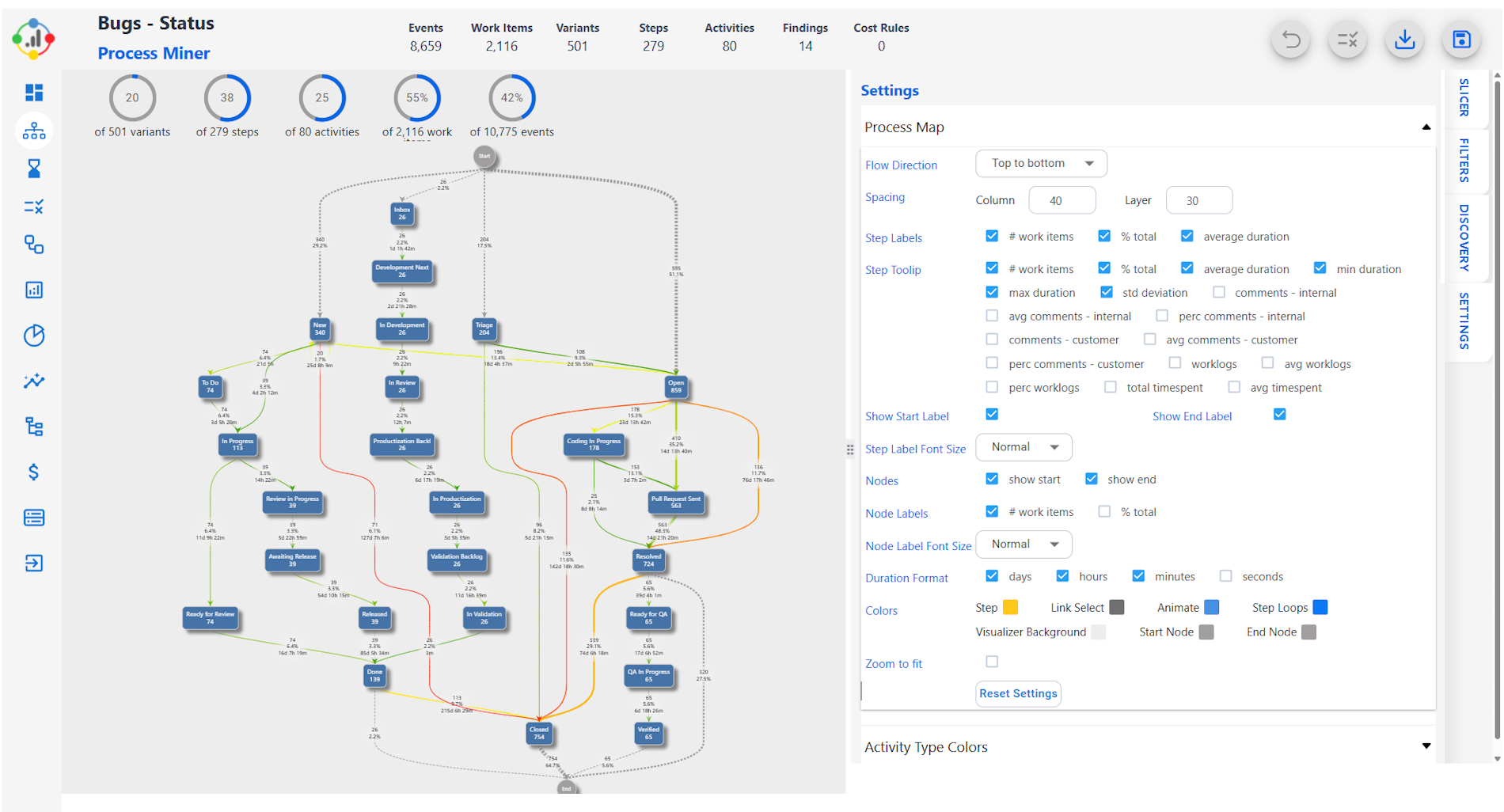
Process Mining reveals the execution path of every issue, based on your real Jira history — steps, durations, rework, loops, deviations, variants, bottlenecks.
You move from guessing… to knowing.
“Work in Progress → Pending → Work in Progress” happens 418 times and adds 3–5 days of delay each time.”
“162 issues follow a complex variant with more than 8 steps.”
“973 incidents take more than 7 days to go from Resolved to Closed.”
These insights simply aren’t visible in standard Jira reports.
For example, a Process Mining view (like the one below) shows actual paths, delays and transitions:
When you combine this with AI, you unlock an entirely new capability.
🤖 AI + Process Mining: AI that doesn’t just automate — it tells you what to automate
This is exactly why Metricus built the AI Process Optimizer for Jira — a new approach that uses Process Mining, best-practice workflow analysis, and AI-generated recommendations to identify:
The result?
AI that doesn’t just generate an automation rule — it tells you whether the rule is worth creating, why it matters, and what the measurable impact will be.
📊 Step 1: Mine your Jira data and expose real process metrics
The dashboard shows real operational metrics that matter — not just counts of issues, but actual workflow behaviour.
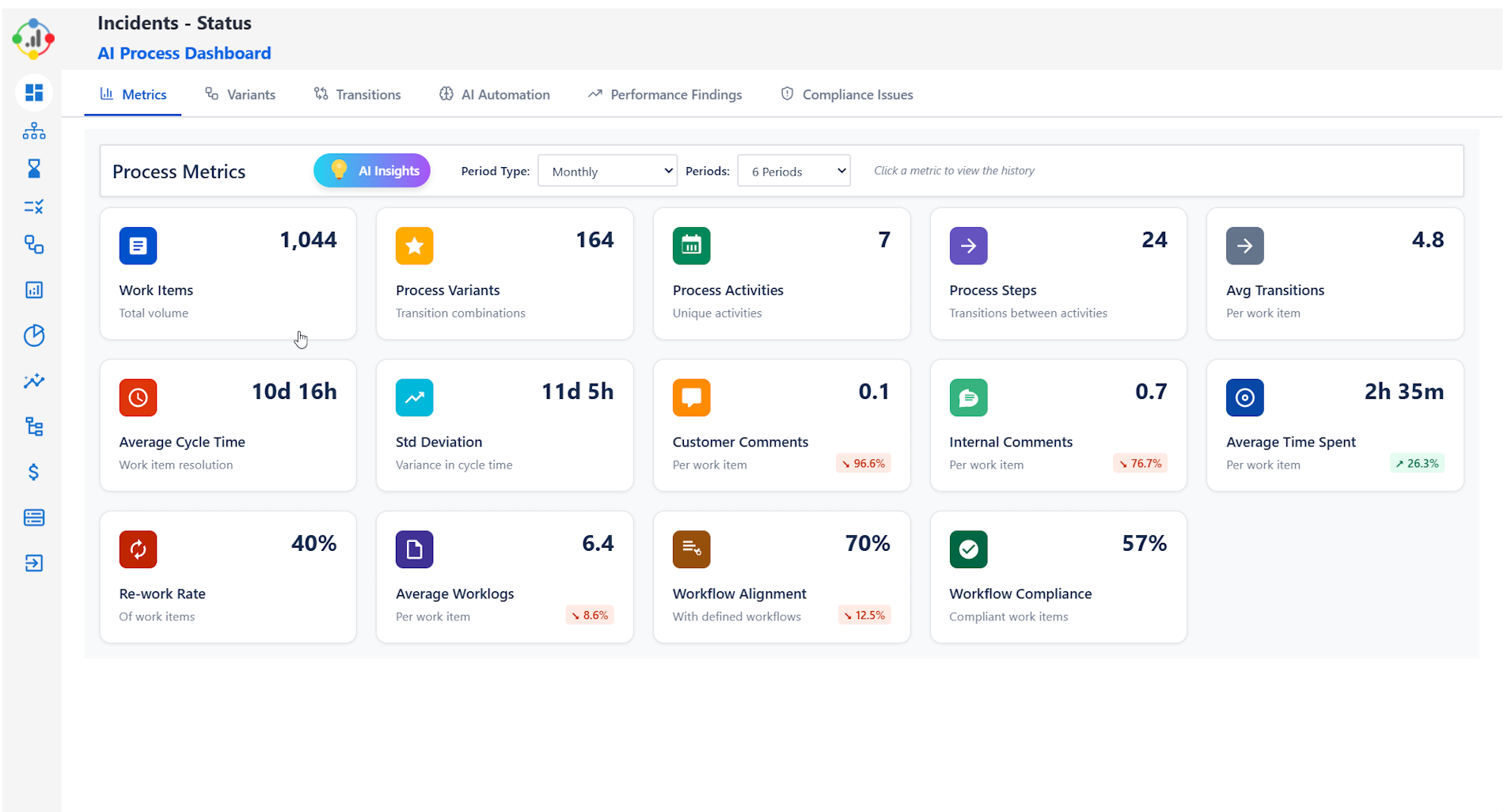
Teams immediately see things like:
These are the leading indicators of workflow health — and they’re all derived directly from actual Jira activity.
🔎 Step 2: Identify workflow variants & problematic transitions
Process variants show the many different paths your issues take — often hundreds of them. This is where complexity hides.
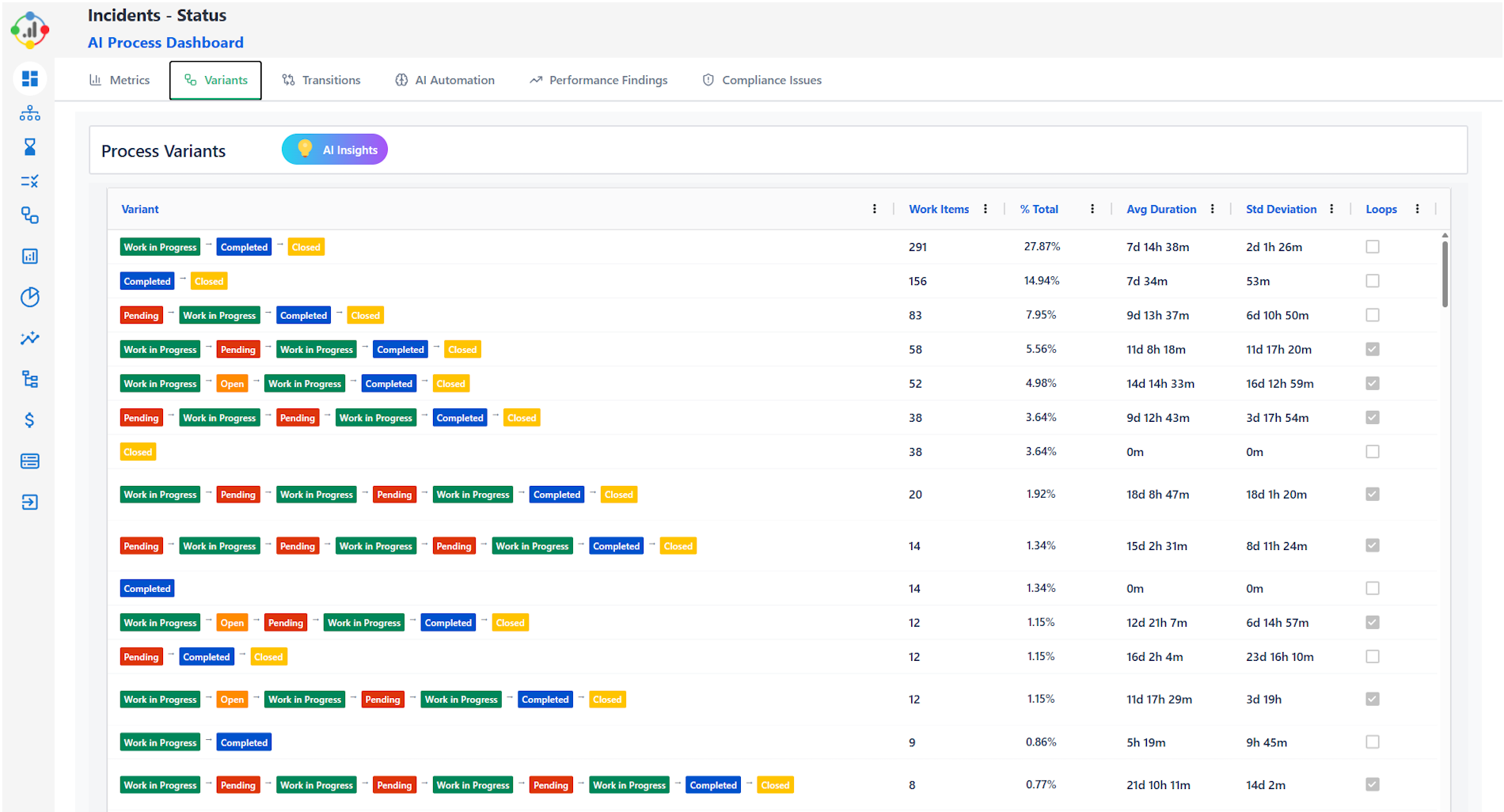
AI Process Optimizer highlights:
Then, transitions are analysed for volume, duration and deviation:
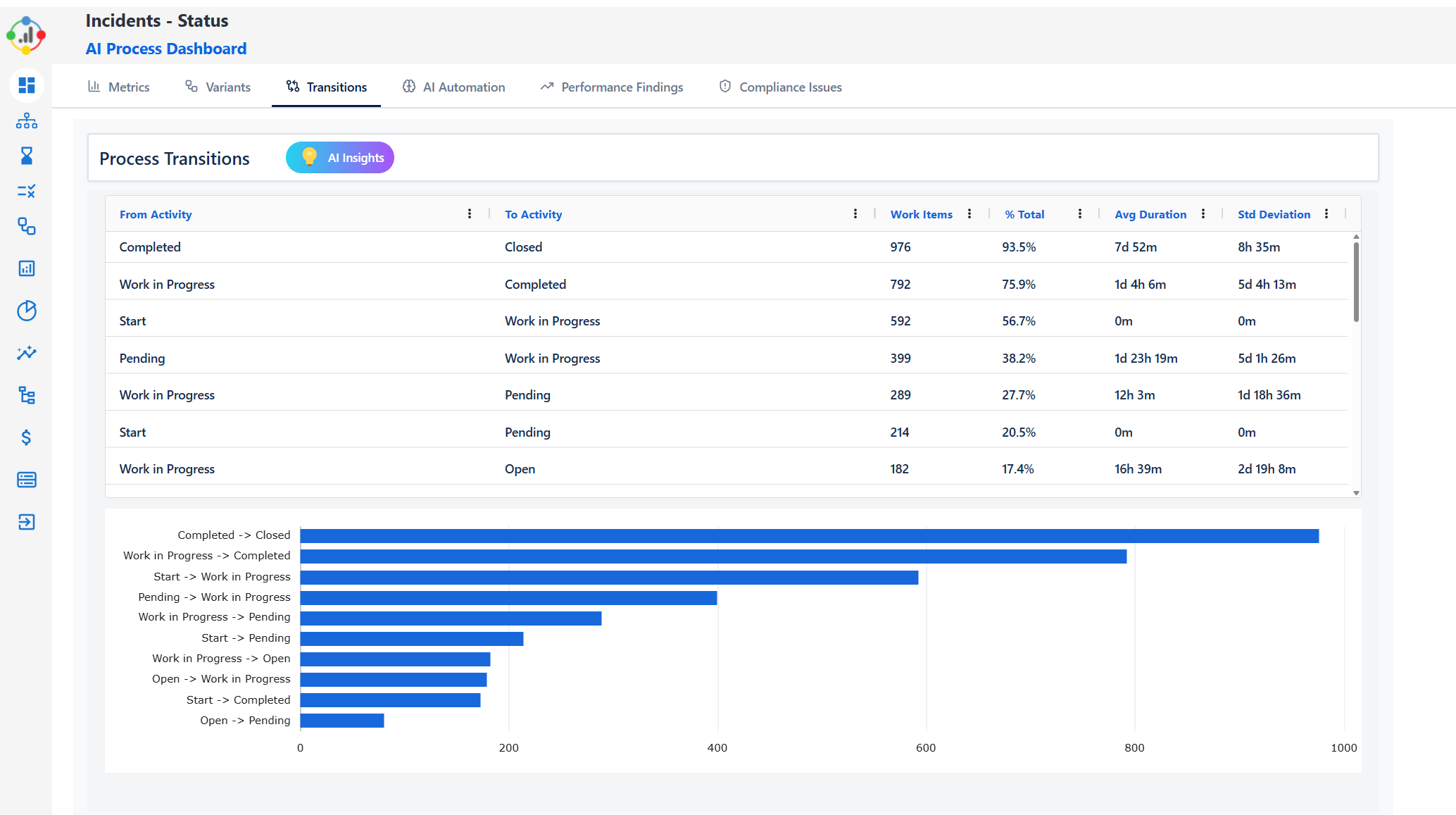
Instead of guessing which transitions to optimise, you get concrete data.
💡 Step 3: AI Insights — root causes and improvement recommendations
AI then performs a structured analysis:
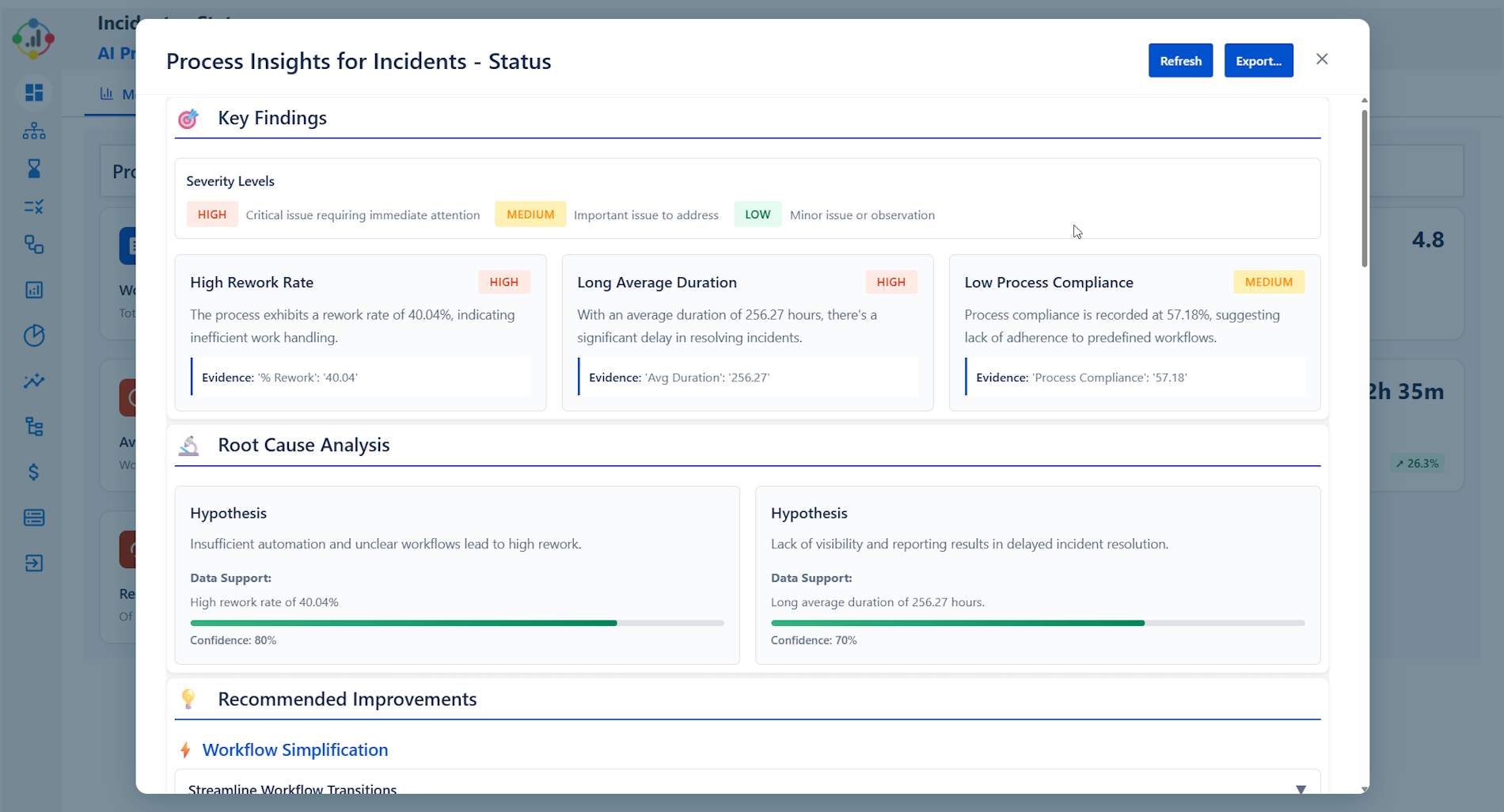
This transforms raw data into a manager-ready narrative.
⚙️ Step 4: AI-generated Automation Packs (A4J, ScriptRunner, JMWE)
This is where the “what to automate and how” becomes actionable.
For any detected workflow issue, the app generates automation packs complete with:
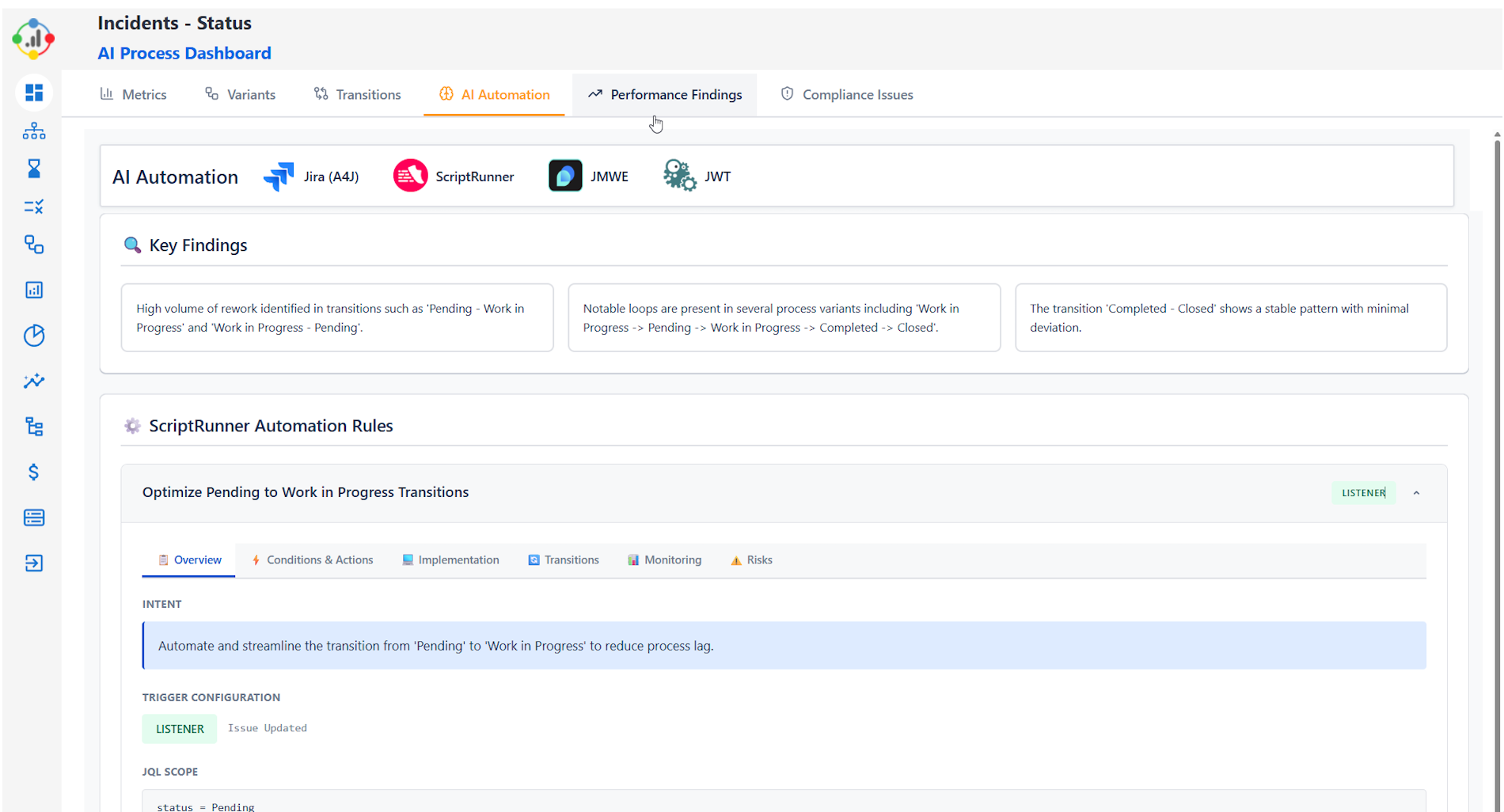
For example:
“High rework in Pending → WIP transitions”
→ AI generates an A4J rule or ScriptRunner listener to streamline the transition, enforce field completeness, or notify assignees.
“Issues re-opened multiple times”
→ AI produces rules to prevent regressions or safeguard validations before a status change.
📉 Step 5: Track performance findings and measure impact
The Performance Findings panel quantifies each issue:
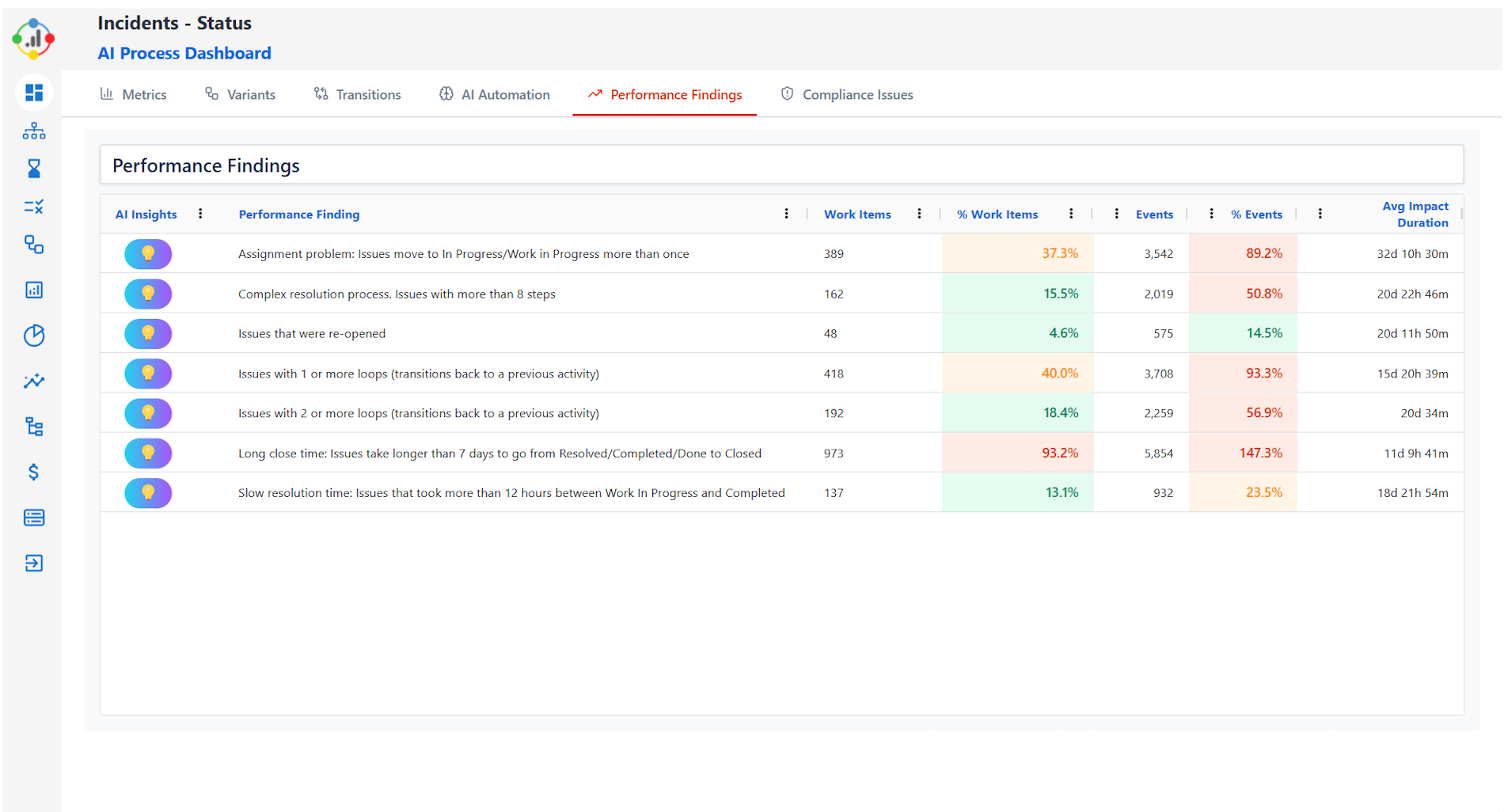
Including:
-
% of work items affected
-
Average delay introduced
-
Total event volume
-
Impact duration
-
Loop count
-
Resolution impact
This makes it easy to prioritise the highest-value improvements.
🔬 Step 6: Dive deeper into activity-level duration analysis
Activity heatmaps reveal where time is being lost at a step-by-step level:
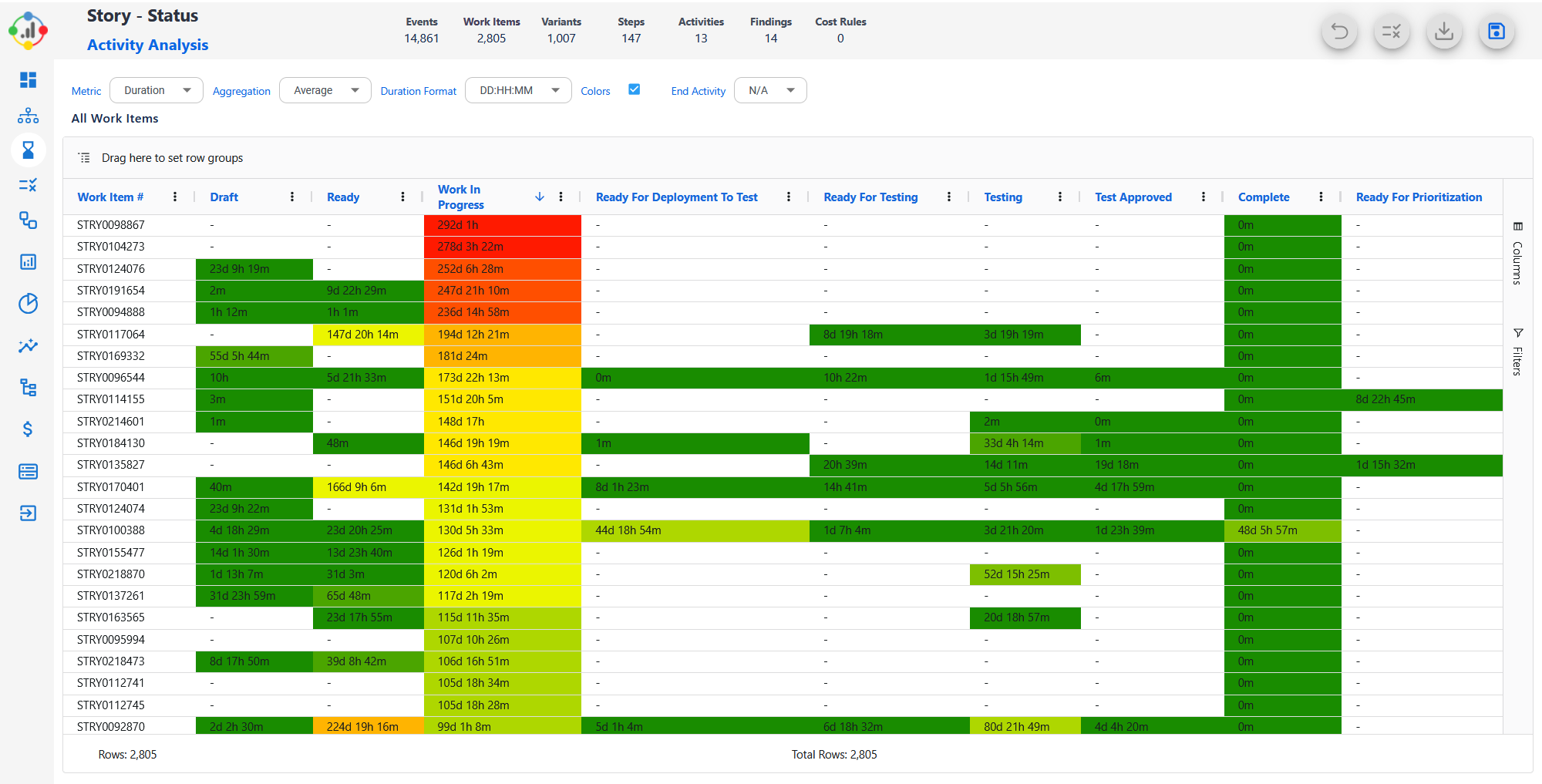
Teams immediately see:
This feeds back into the optimisation loop.
🚀 What this means for Jira teams
Most organisations try to automate without truly understanding their workflows. As a result:
-
They automate the wrong steps
-
They miss high-value opportunities
-
They keep legacy workflow problems hidden
-
They rely on intuition instead of data
But when AI is paired with real workflow intelligence, the automation becomes:
-
Targeted
-
Justified
-
High-impact
-
Low-risk
-
Easier to implement
You’re no longer guessing where to optimise — AI is showing you the roadmap.
🌟 Introducing: AI Process Optimizer for Jira
Process Mining + AI Insights + Automation Packs, all inside Jira
The app brings together everything teams need to improve performance, compliance and efficiency — using your actual Jira history as the source of truth.
✔️ Process Mining
✔️ Workflow Variants
✔️ AI Insights
✔️ Automation Packs (A4J, ScriptRunner, JMWE)
✔️ Performance Findings
✔️ Compliance Issues
✔️ Activity Analysis
✔️ Atlassian-styled dashboards
✔️ Designed for ITSM, DevOps, Engineering, PMO & Service Delivery
If you're trying to scale, streamline or modernise your Jira operations, this is the next evolution.
🙋♂️ Want to try it?
👉 AI Process Optimizer for Jira — Atlassian Marketplace
https://marketplace.atlassian.com/apps/1230330
