Hey admins! 🚀
We’re thrilled to announce a major upgrade to your connector management toolkit: Time-Based Ingestion is now live for the Google Drive and SharePoint synced connectors! This was a highly requested feature from customers who want more control over their data and faster onboarding with Rovo connectors.
Why time-based ingestion?
Ever wanted to connect your GDrive or SharePoint, but worried about syncing a decade’s worth of files? Or maybe you just want to index the most relevant, recent content—without waiting for a full scan.
With Time-Based Ingestion, you can now:
-
Choose a start date for indexing—only files modified after that date will be ingested.
-
Reduce risk by limiting exposure of legacy data and permissions.
-
Accelerate onboarding by focusing on the most relevant, recent content.
How does it work?
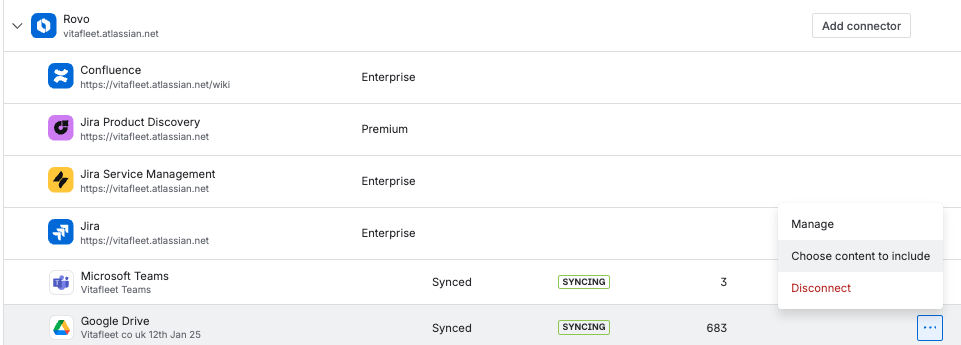
As an org admin, you’ll see a new option in your connector management screens for GDrive and SharePoint:
-
Select 'Choose content to include'.
-
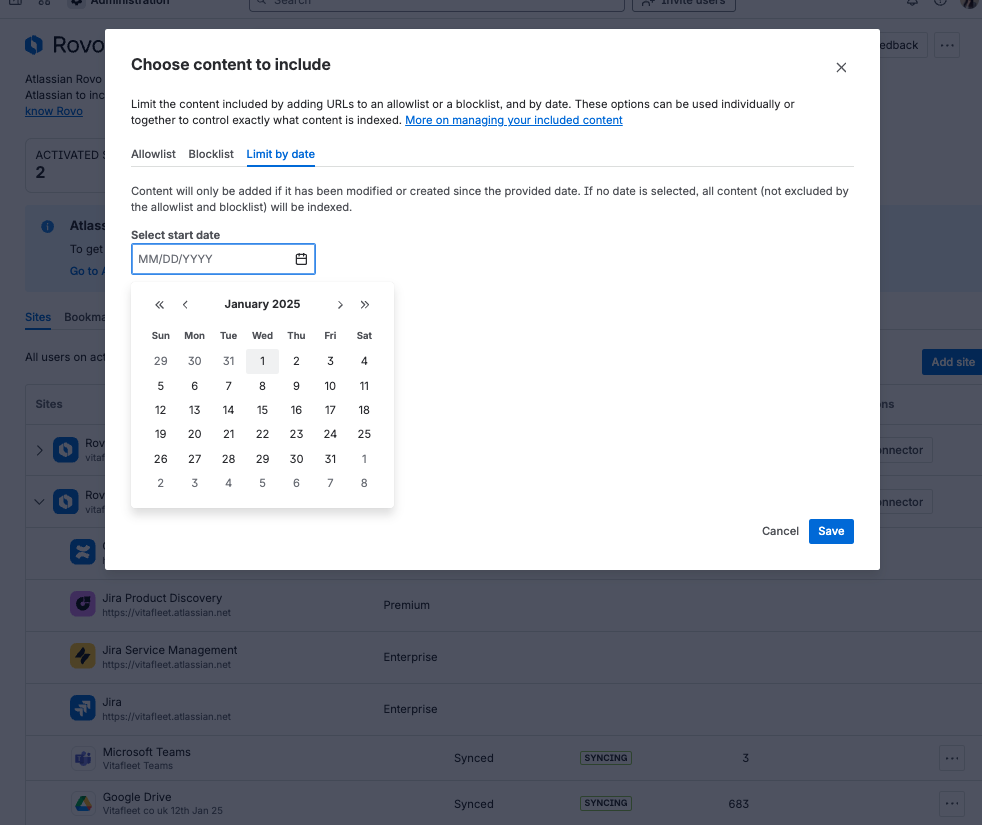
Navigate to the ‘Limit by date’ tab.
-
Set a start date—pick the earliest modification date for files you want indexed.
-
Adjust the date to expand or narrow your window, as needed.
-
Remove the time filter—trigger a full scan if you want to re-index everything.
Ready to get started?
Check out our admin guides for the Google Drive and SharePoint synced connectors:
We want your feedback!
Are you using time-based ingestion or allowlist? What time windows work best for your organization? What other ingestion controls would you like to see? Let us know your thoughts—we’d love to hear from you!
Elizabeth Lee
Product Manager, Rovo


