Have you ever tried setting up SAFe (Scaled Agile Framework) or another agile framework in Jira, only to hit that wall?
“Wait, where do Features and Capabilities go? Jira only gives me Epic > Story > Sub-task!”
For many teams, the solution is to rename Epics to Features. 😬 It feels quick. It feels easy.
But it’s one of the most risky Jira hacks you can make.
Why renaming epics can break more than it fixes
Renaming epics is like putting duct tape on a leaking pipe. It hides the problem but the water damage could still be spreading. Here’s what actually happens:
- Automations can fail: JQL filters, dashboards, or reports that reference Epic silently stop working
- Marketplace apps could break: Apps might depend on Jira’s default Epic structure
- Global chaos: Rename is instance-wide, not project specific. Your feature could suddenly show up everywhere.
- Integrations can misfire: External tools expecting “epic” may not know what “feature” is.
- Updates could get messy: Future Atlassian releases may overwrite your custom naming.
Bottom line: you haven’t created a SAFe hierarchy.... you’ve just renamed a label!
The right way to scale agile in Jira
Instead of risky hacks, you need a future-ready hierarchy solution. One that works with Jira - not against it.
Option 1: Jira Premium (Plans)
- Add hierarchy levels above Epics like initiative, capability, or feature
- Map your new level with your desired work type
- Great if your organisation already uses Premium
Option 2: Hierarchy for Jira (Game changer!)
Want full flexibility by adding hierarchy levels above and below the Epic and more….
🪜 Insert custom levels anywhere. Add features between stories and epics, or capabilities above epics using linked relationships.
👀 Visualise everything. Get a full SAFe-style tree from Portfolio Epics down to Sub-tasks
⚡ Set up in minutes. No renaming, no hacks, no broken automations
….And the the results: your perfect SAFe issue hierarchy
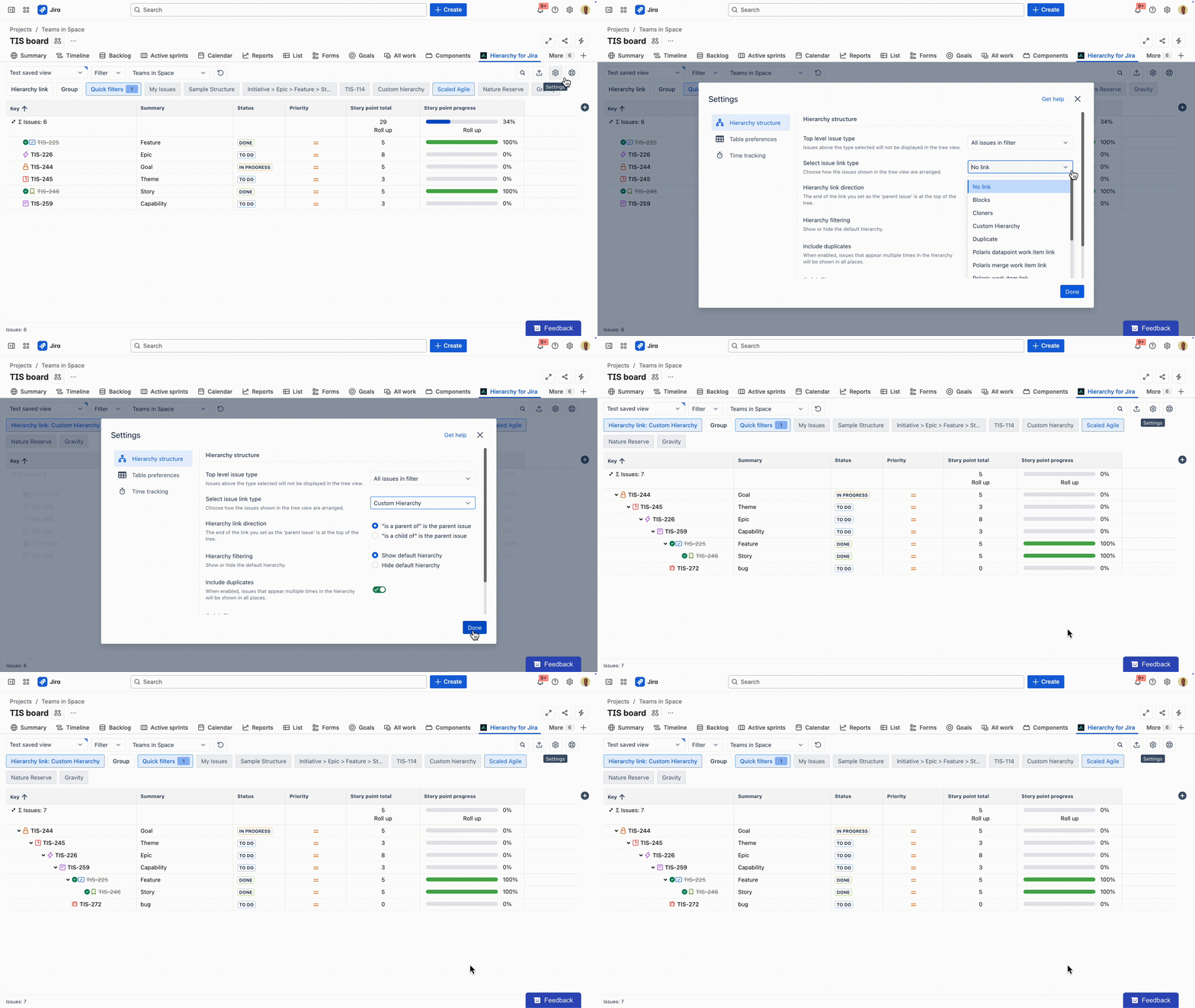
Want to know how...?
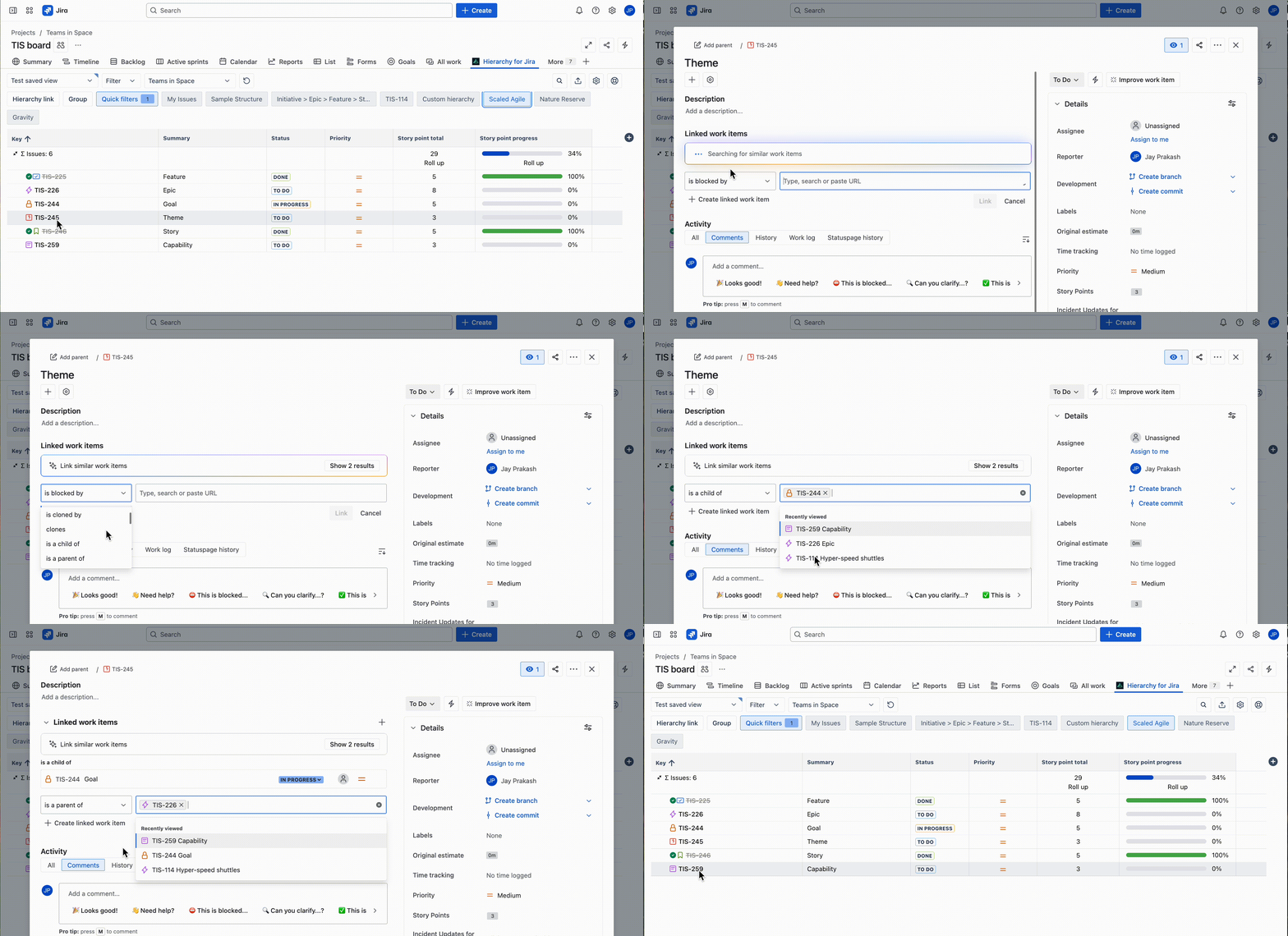
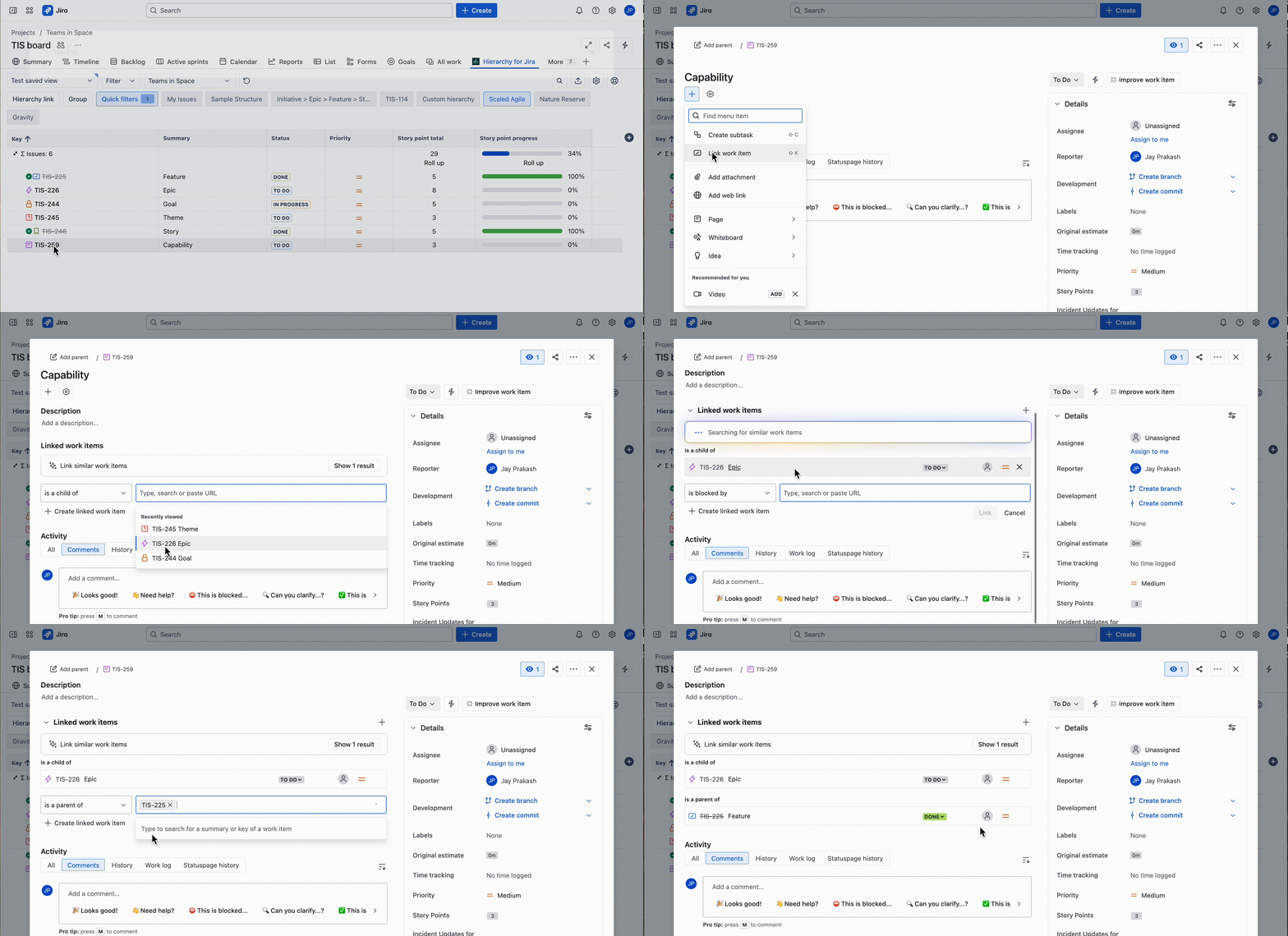
Link your desired work items
(i) Theme
(ii) Capability
(iii) Story

Before vs After: how it looks
|
|
Old way: renaming epics
|
Future-ready way: custom hierarchy
|
|
Epics
|
Renamed to Feature
|
✅ Keep Jira defaults
|
|
Features
|
Tracked manually
|
✅ Real Jira issue type
|
|
Visibility
|
Fragmented, inconsistent
|
✅ Full tree view
|
|
Maintenance
|
Constant firefighting
|
✅ Future-proof
|
Why teams enjoy using Hierarchy for Jira
“Hierarchy for Jira allows you to go into the product [Jira] and actually add levels in between both the story and the epic, which really solves the problem.” - Robert Nadon, Lead Atlassian Architect, Forty8Fifty Labs.
The results can speak for themselves
🚀 20% faster workflows for project managers
⏰ 10% time saved for developers
🎯 Zero broken dashboards, automations, or integrations!
Takeaways
Renaming Epics feels like the easy way out, but it can actually create more work later.
If you’re scaling Agile in Jira, do it right from the start:
→ Keep Jira’s native structure intact
→ Add true hierarchy levels with Hierarchy for Jira by linking your work items
→ Give your teams visibility without breaking anything
Try Hierarchy for Jira for free for 30 days - you can install it from the Atlassian Marketplace!
Have you ever renamed Epics?
Share your story below to help save other teams from the same headaches!


