With Rovo, Atlassian has introduced a whole new way to deliver support. One that’s conversational, intelligent, and designed to help users get answers before a ticket is even created.
Let’s take a closer look at how Rovo-powered service agents work in Jira Service Management and how they can dramatically improve your support experience — for both customers and internal teams.
🤖 What Are Rovo Service Agents?
Rovo service agents are AI-powered virtual agents embedded into Jira Service Management. Customers can interact with them via help chat, asking questions in natural language.
Instead of jumping straight to a request form or waiting in a queue, users get instant answers from:
-
Your connected knowledge base (like Confluence)
-
Configured flows and actions for handling common issues
-
(Optionally) a service request if the issue can’t be resolved in chat
The result?
✅ Faster resolutions
✅ Reduced ticket volume
✅ A better overall support experience
🛠️ Getting Started with a Virtual Agent
Setting up your first Rovo-powered virtual agent is surprisingly easy:
-
Go to your JSM project settings → Virtual Agent
-
Enable the feature
-
Connect your knowledge sources (Confluence, Jira, etc.)
-
Create a Rovo virtual agent using the no-code Rovo Studio
-
Customize the responses and tone to match your support style
No coding required and it fits neatly into your existing support flow.
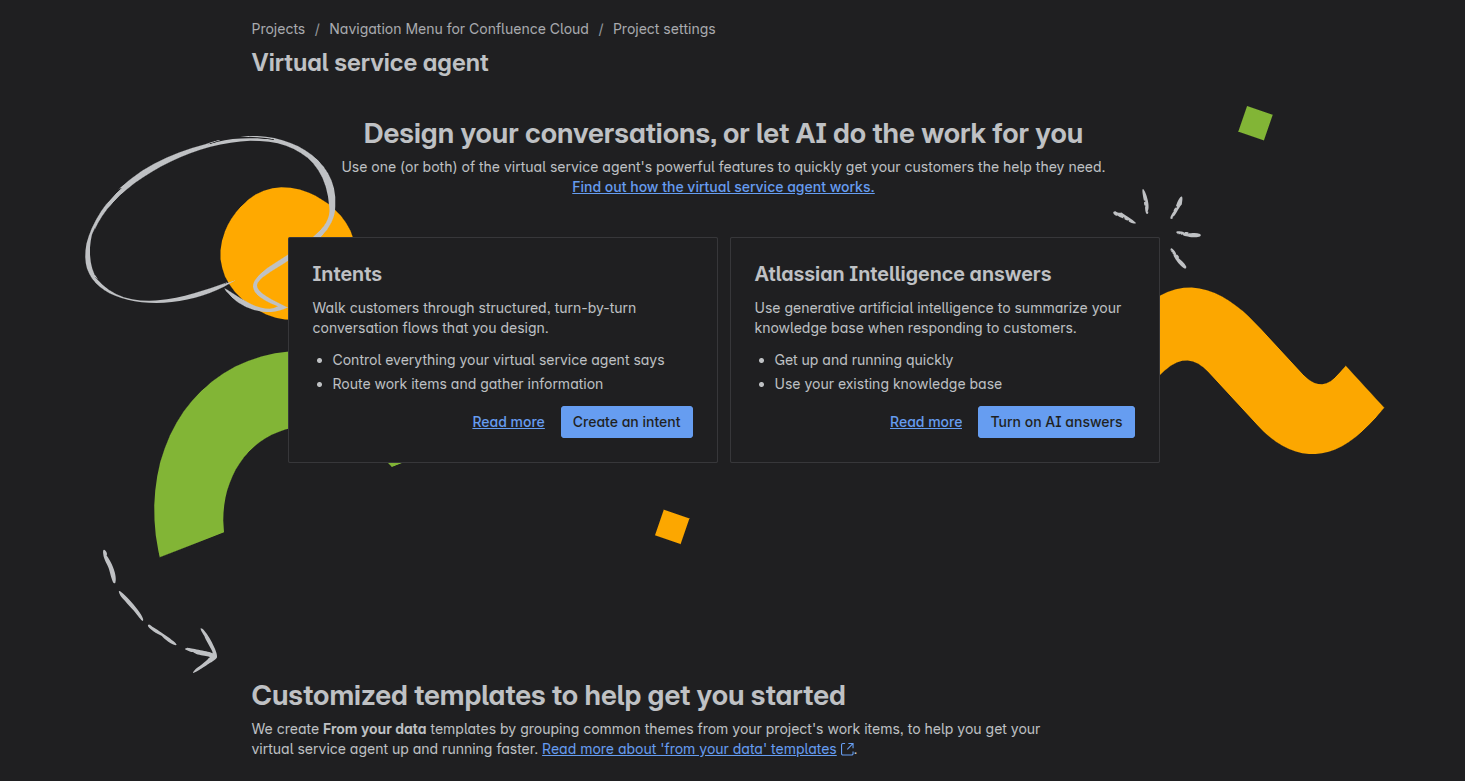
🎯 Design Intents to Handle Repetitive Requests
To take it a step further, you can define intents — structured conversations that tackle specific issues.
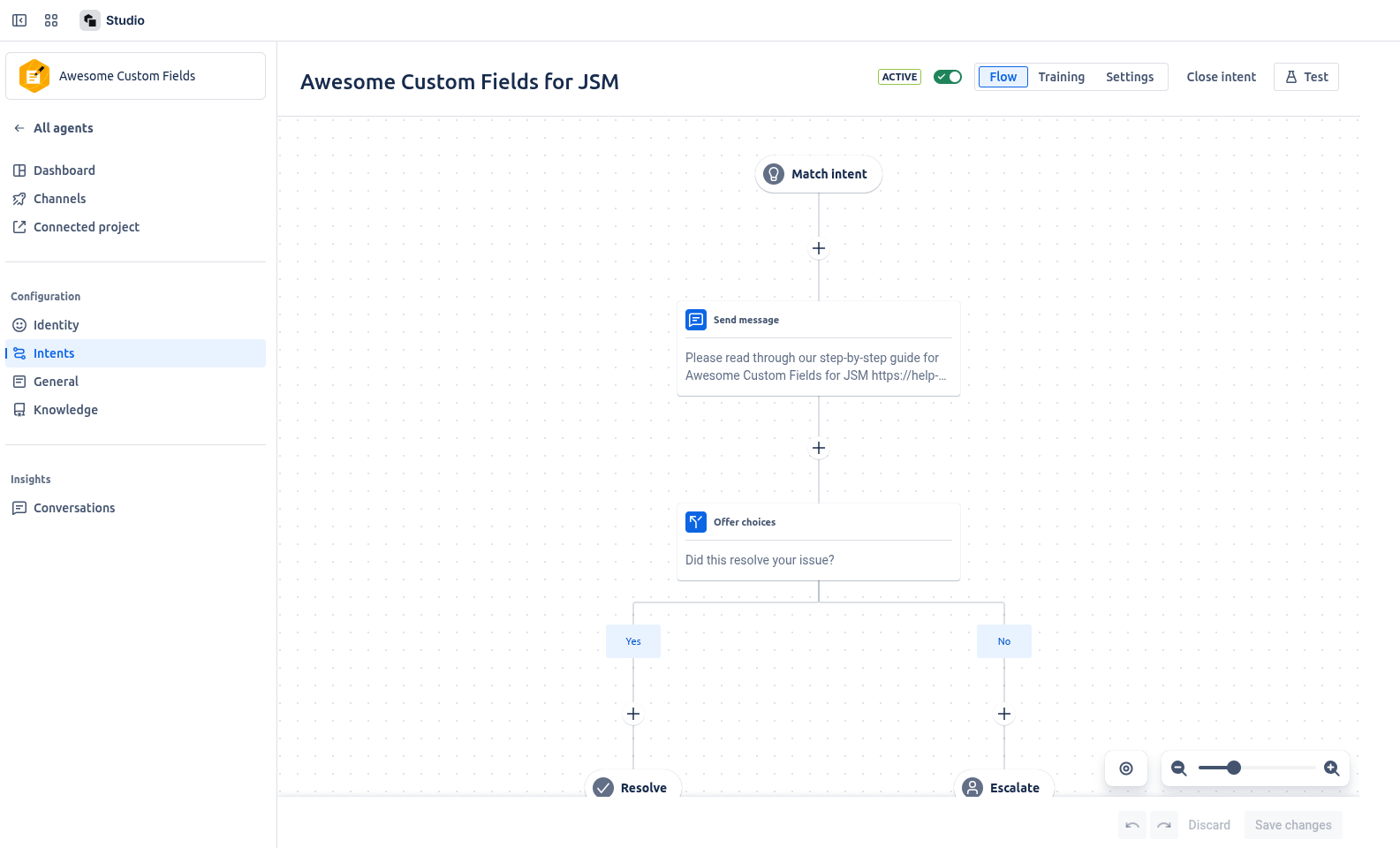
Each intent is tied to a category of common problems (e.g. “Wi-Fi issues”, “password reset”, “VPN access”), and you define the flow:
-
Recognize key phrases and trigger words
-
Ask targeted questions
-
Provide links, resources, or next steps
-
Escalate only when needed
For example:
User: "I can't connect to Wi-Fi"
Virtual Agent: “Are you on a company device or guest device?” → “Have you tried resetting your adapter?” → [Provides help doc]
If unresolved → auto-create a service request with all answers already filled in
This structured approach saves time for both end users and support teams.
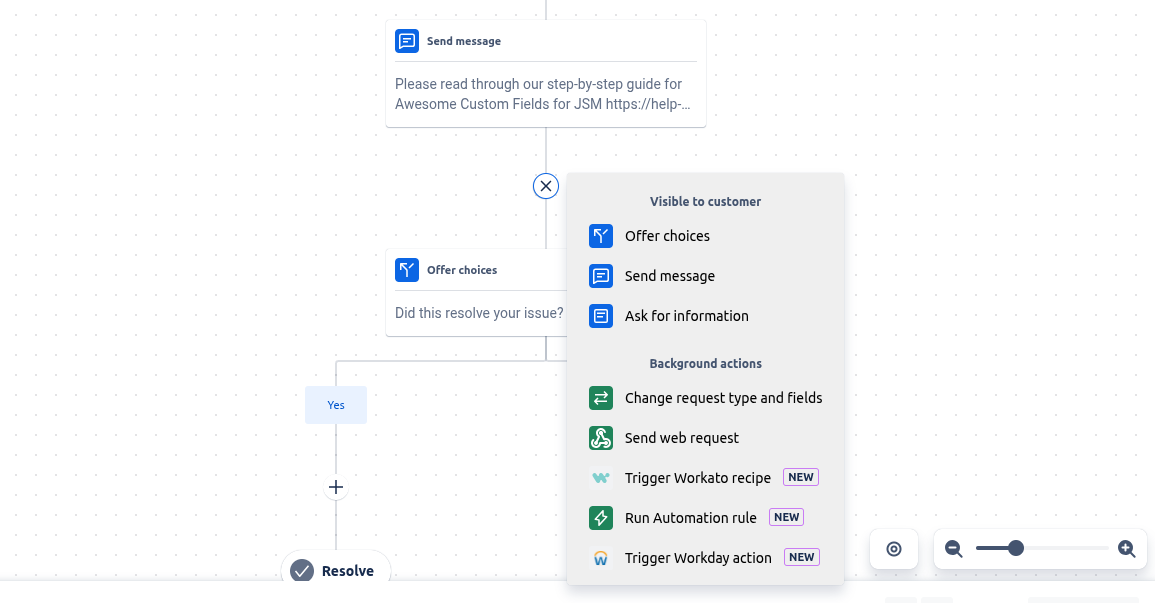
Example flow
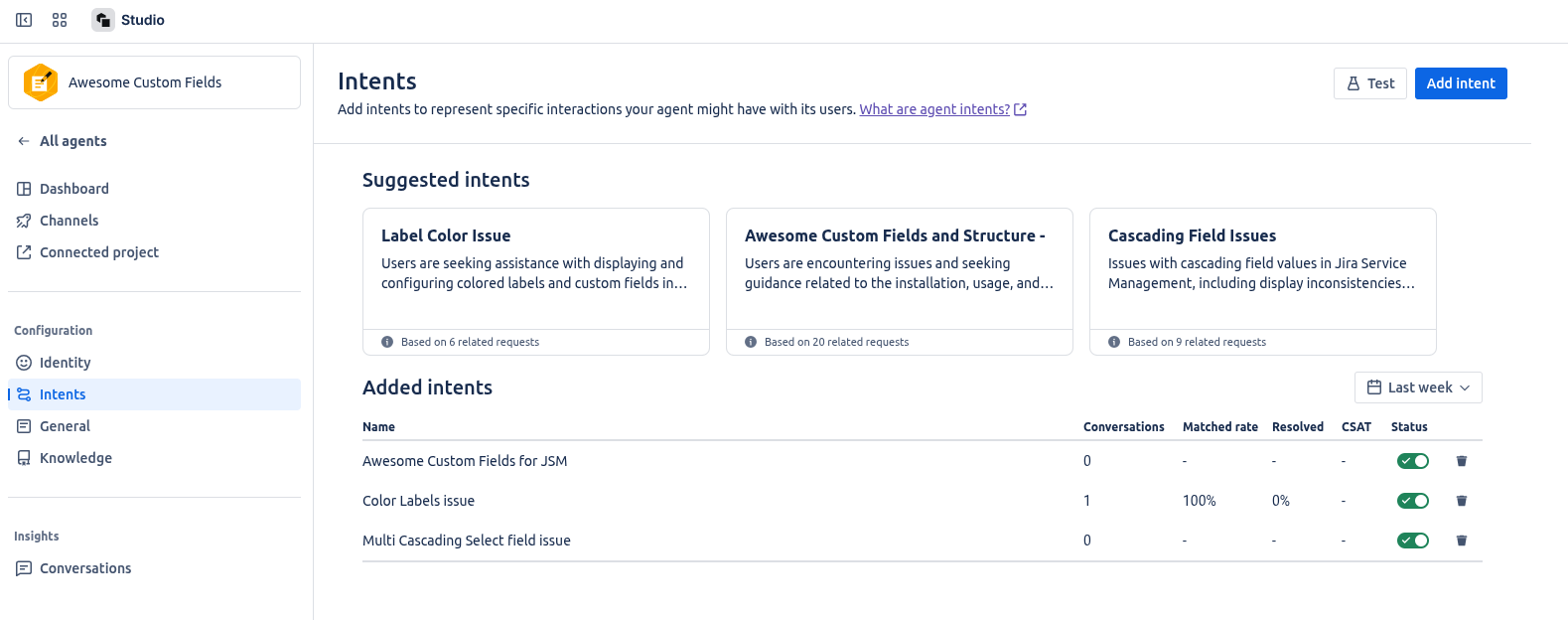
💡 Bonus: Intent Suggestions from Rovo
You don’t have to guess where to start.
Rovo will analyze your historical service requests and suggest the most common topics worth turning into intents.
This is a great way to identify:
-
High-volume, repetitive tickets
-
Easy-to-automate scenarios
-
Opportunities to shift support left
🎬 Finally the chat in action
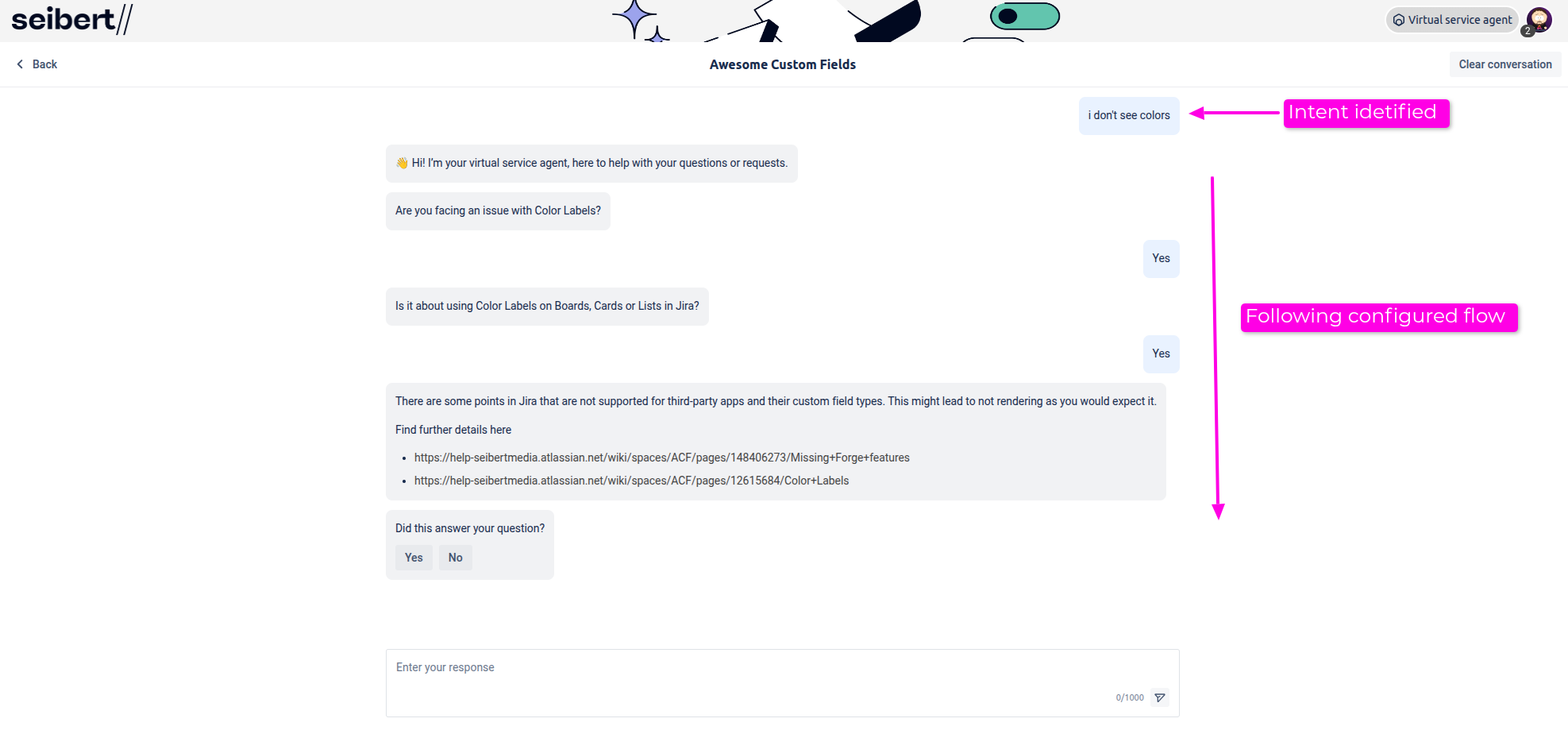
🔄 When It Can’t Be Solved in Chat…
Even when the virtual agent can't fully resolve the issue, it still provides value:
This improves triage and reduces back-and-forth - human agents can start solving right away.
💬 Have you deployed your first Rovo service agent yet?
What’s your most common support topic and could an intent solve it?
Let’s share experiences and maybe templates too.
![Photo of Paul Pasler [Seibert]](https://avatar-management--avatars.us-west-2.prod.public.atl-paas.net/557058:16d1f9bb-612b-43a6-ac1b-8857c60c5182/e35f4b50-5f2f-4df0-87f3-7d1be5a76df6/128)