You’ve put in the effort to build a useful, attractive Company Hub in Confluence - but your colleagues aren’t engaging with it. You update the content, maybe even send reminders… and still, silence.
I recently saw this exact question in the Atlassian Community. The author asked whether there’s a way to notify users when the Hub is updated, beyond sending another “hey, check the Hub” email. And it’s a great question - but it opens the door to a bigger conversation.
Low engagement with your Hub isn’t just a technical issue. It’s often a mix of two things: a content problem and an adoption problem.
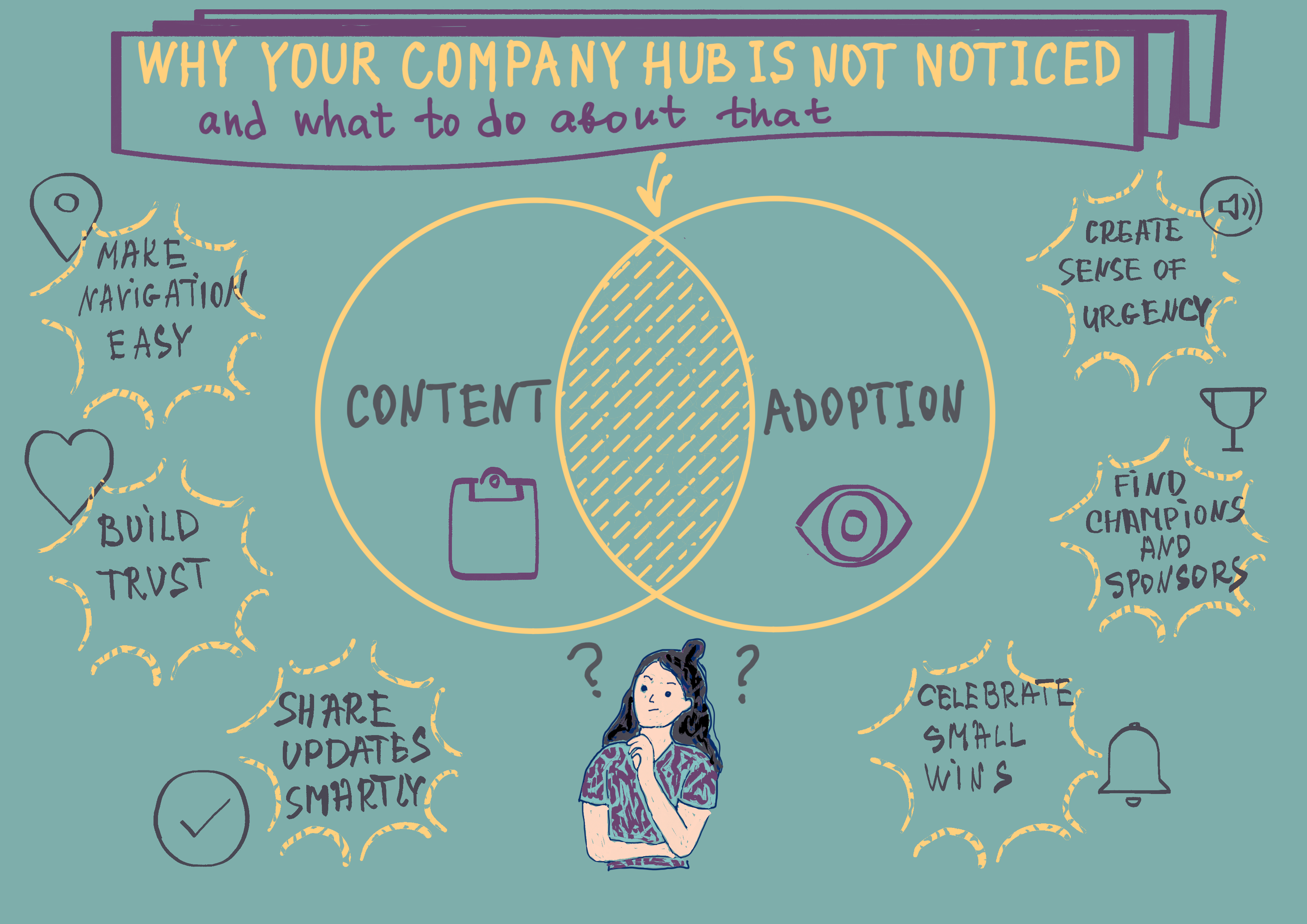
1. The Content Problem: Is the Hub Easy to Find, Use, and Trust?
Even the best content won’t get traction if people can’t find it, navigate it easily, or understand why it matters. Here are some ways to tackle this side of the problem:
✅ Build Trust in the Hub
Your teams will only return if they know they’re getting the most accurate, up-to-date information. Your Hub needs to be a single source of truth - not one version among many.
This is where Marketplace apps like Workflows for Confluence by AppFox can help. With workflows in place, only approved content gets published to the Hub. This adds structure and accountability, helping teams trust that what they’re reading is current and reliable.
✅ Make Navigation Effortless
- Use a clear homepage layout with obvious entry points.
- Group related content together and avoid overwhelming users with too many options.
- Use navigation macros like [Child Items], [Content Tree], and [Excerpt] to guide users.
- Use Marketplace apps like SubSpace Navigation for Confluence by Communardo to streamline navigation
✅ Help Teams Stay Updated
- Use apps like Workflows for Confluence to trigger status and label changes when key content is updated.
- Add a “What’s New” section using the [Filter by Label] macro.
- Set up Slack/Teams integrations to surface fresh updates where people already work.
✅ Share Updates Smartly
Instead of saying “check the Hub,” tell people what to check and why it matters:
- “The new expense policy is now live — find it on the Hub.”
- “We’ve added a new onboarding checklist — link in Slack.”
- Share summaries in newsletters or internal chat, with deep links to relevant pages.
If users know what to expect and where to find it, they’re far more likely to return.
2. The Adoption Problem: Are People Willing to Use It?
Even with perfect content and notifications, adoption can still lag if people aren’t on board. This is often due to resistance to change - and that’s normal.
Here’s how to work with that resistance rather than against it:
🔥 Create a Sense of Urgency
Help people understand why the Hub matters:
-
Is it the new single source of truth?
-
Does it solve a pain point (like outdated policies or scattered info)?
Make it clear that using the Hub saves time and prevents mistakes.
👥 Find Champions and Sponsors
Support from leadership and team influencers is key.
-
Ask your CEO or department heads to reference the Hub regularly.
-
Recruit team leads to test the Hub, give feedback, and spread the word.
When people see respected voices using and promoting the Hub, they’ll follow.
🏆 Celebrate Small Wins
Don’t wait for a full rollout to show progress.
- Share success stories (“We cut onboarding time by 2 days thanks to the Hub!”).
- Highlight teams who are actively using it.
- Thank contributors and keep the momentum visible.
Final Thought
Creating a Company Hub goes beyond simply publishing pages. It requires building new habits across the organisation. That means focusing on both the content itself and the culture around how people engage with it. With the right structure, visible champions, and a few small wins to build momentum, the Hub can become a trusted, go-to resource for your team.
What success have you guys had with internal company hubs? I’d love to know what’s worked for you, how you’ve encouraged adoption from your teams, and any tools that’ve helped you. Share in the comments - let’s help other Community members create great internal spaces for their companies.


