Hi Jira Community!
We’re bringing a splash of color to Jira. I’m excited to announce thattheming is gradually rolling out to all software projects  .
.
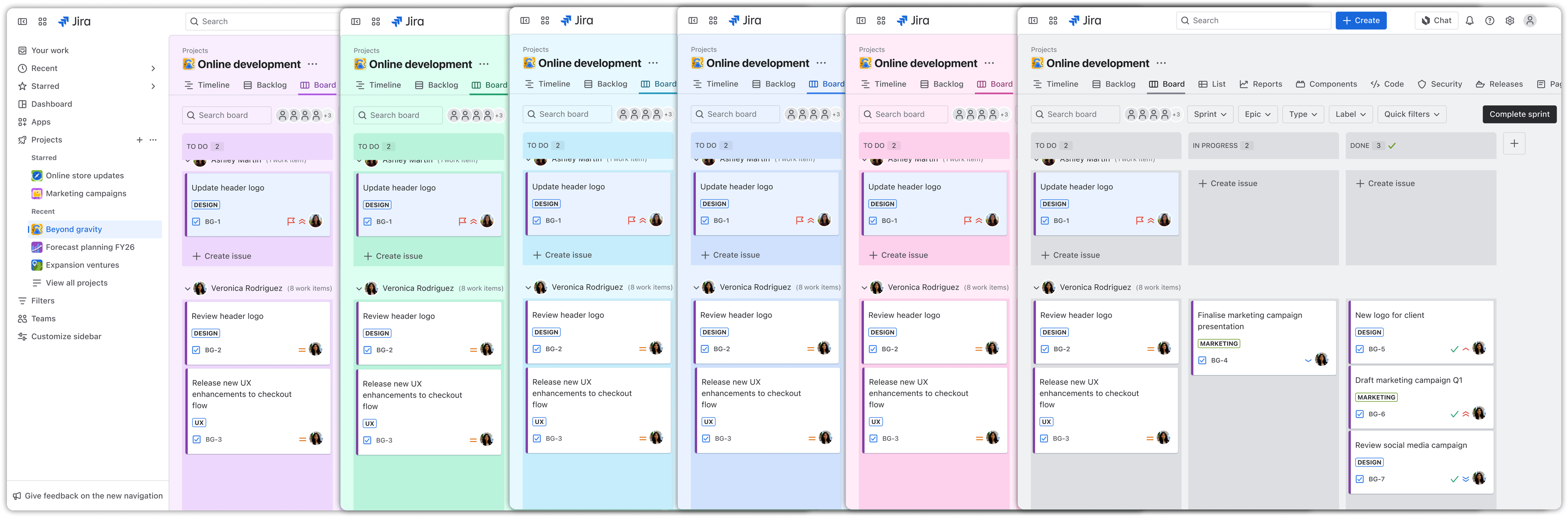
Project admins can customize their teams' projects with a selection of solid colored backgrounds to make every project that much more engaging to work in.
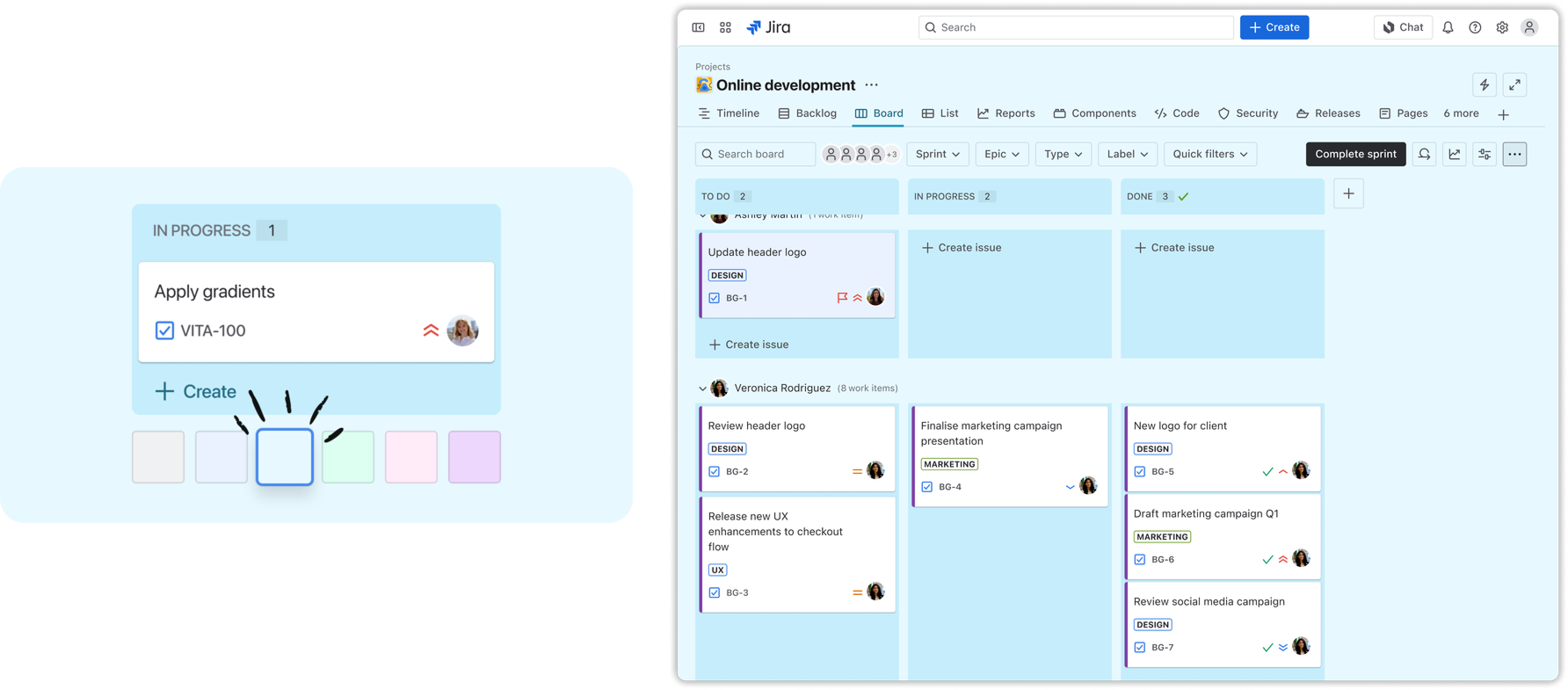
 How to set a theme
|
To set a theme, you must be a project admin. You must also have the new navigation enabled to access theming.
Theming is available in the following views, with more coming soon:
- Summary
- All Work
- Board
- Timeline
- Backlog
- List
|
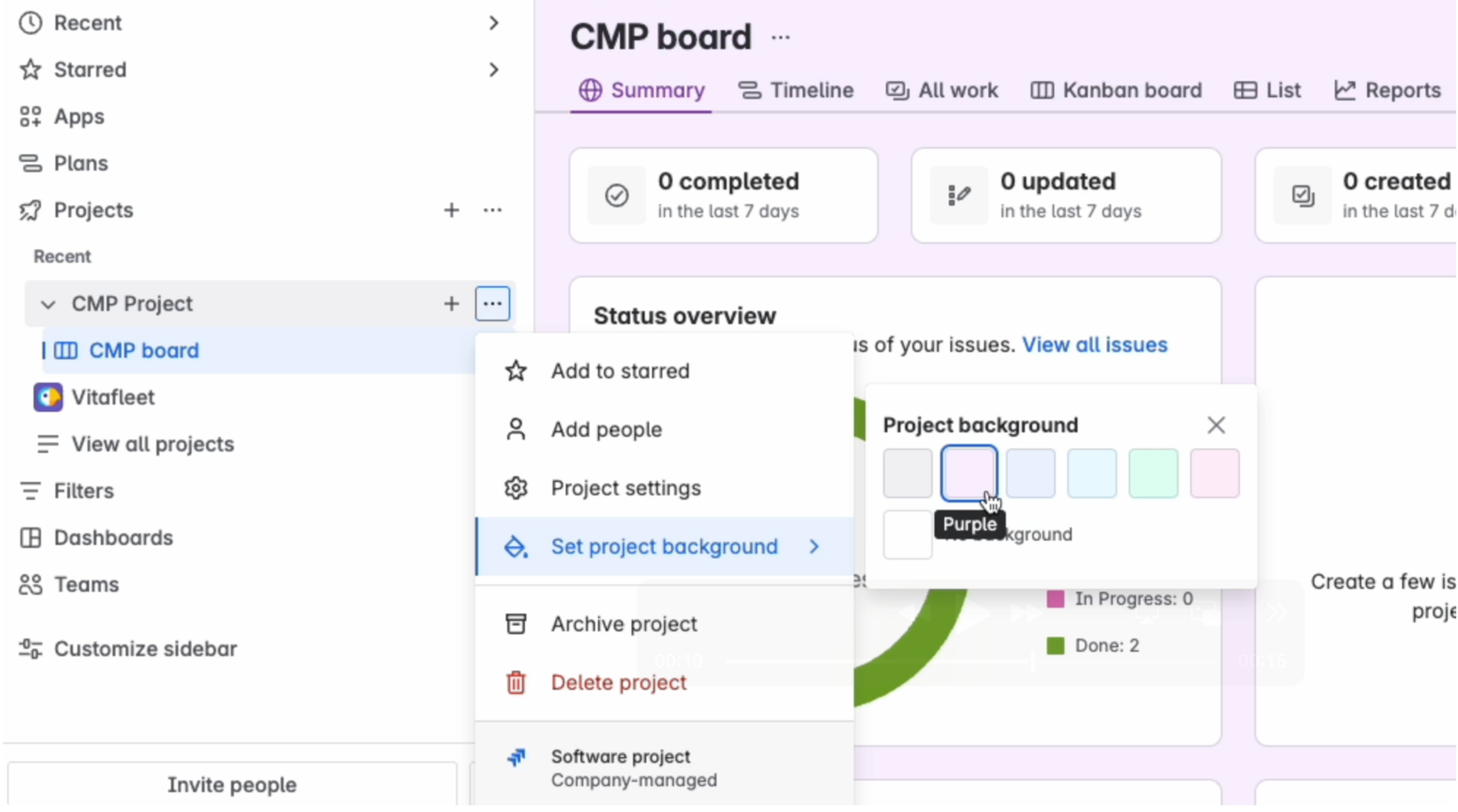
To set a theme:
-
Open a project that you would like to theme.
-
Go to a board in a company-managed project, or a supported view in a team-managed project.
-
Hover on the project or board name in the sidebar.
-
Select More Actions ( ) that appears next to the project name.
-
Select Set project background.
-
Select your preferred theme.
 We’d love to hear from you
If you’re interested in shaping the future of personalization and theming in Jira, we’d love to hear from you.
Book a time to chat with the team 🗓️ or drop your feedback below. We’re excited to hear what you think!


![Photo of Susan Hauth [Jira Queen]](https://avatar-management--avatars.us-west-2.prod.public.atl-paas.net/initials/SH-3.png)