I've recently started using git, Bitbucket, SourceTree and Xcode after years of being away. For the repo in question, I have two branches, master and develop. I use git commands from both the terminal (macOS) and Xcode. I work in the develop branch and occasionally merge develop to master.
Recently, I committed some changes in Xcode on the develop branch. Then I went to the terminal pushed with either 'git push' or 'git push origin develop.' Next, I realized that 'git branch' showed that my current branch was master. To fix this, I changed the branch to develop and merged from master to develop:
git checkout develop
git merge master
git push origin develop
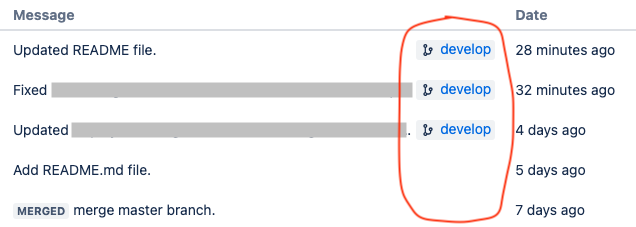
I thought I fixed the problem and made several commit/pushes on develop. Now when I look at my develop commits in Bitbucket, I see a develop branch icon to the right of the message like this.
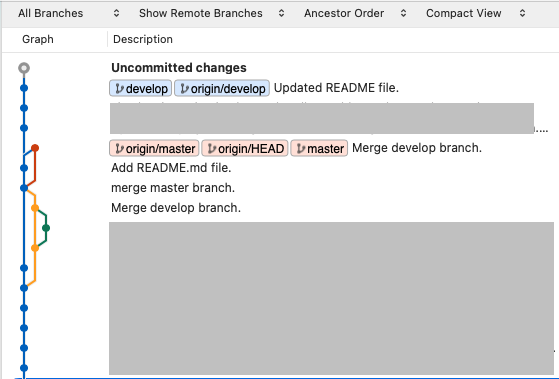
Here's what the History looks like in SourceTree.
Can anyone help me understand what's going on and how to fix it? I think that I need a refresher course in git so, if you have references for that, that would be great as well. Thank you.

