Summary
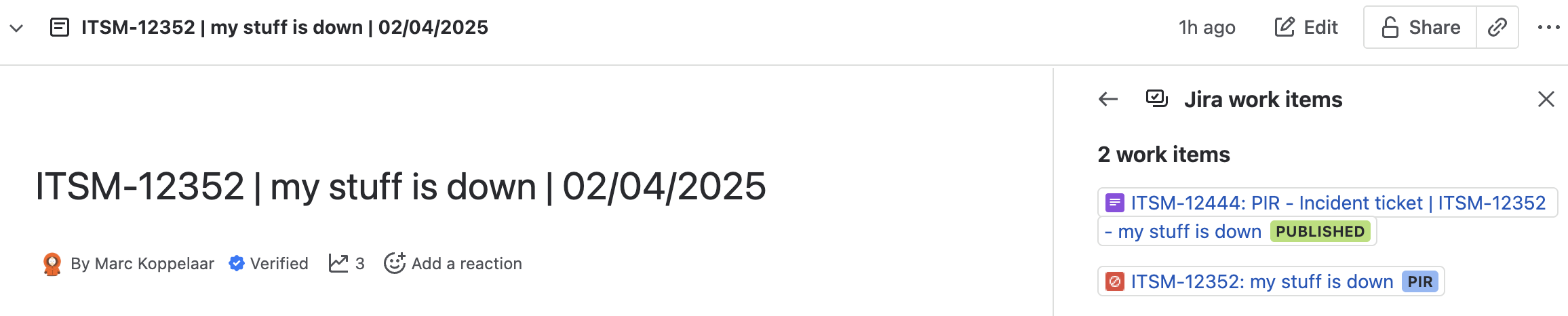
Recently, I encountered a requirement to automate Jira work item(s) based on the page status value of a linked Confluence page.
While Confluence automation offers an action to address Jira work item, the action in automation relies on JQL and there for acts on more issues then the linked Jira work item on the Confluence page
Also the Jira work item(s) are not placed on the page via a Smart link or Jira issues macro.
Environment
Automation for Confluence and Jira Rest API
Context
This automation rule is based upon setting Confluence Page to page status "Rough Draft" and to transition the related PIR issue to status "Draft"
The rule can be adapted to your required requirements.
Solution
The below steps will help you to update the work item "status" related to the corresponding "page status".
- Create a confluence automation rule that triggers when the page status is changed and select the required page status.
- Create a variable
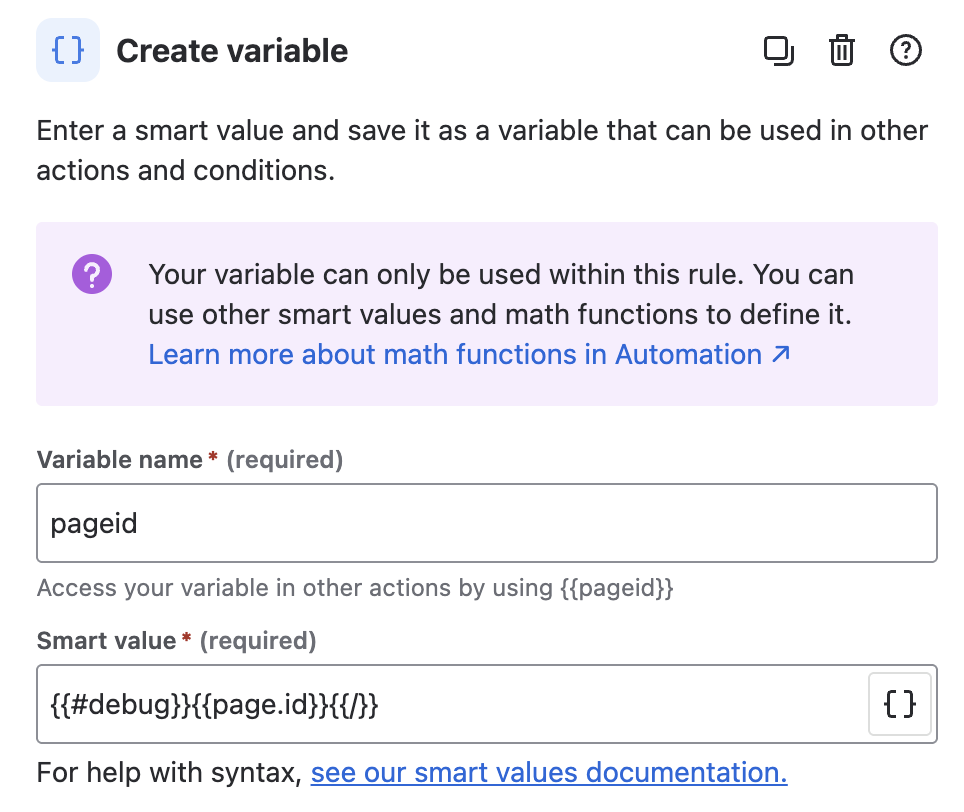
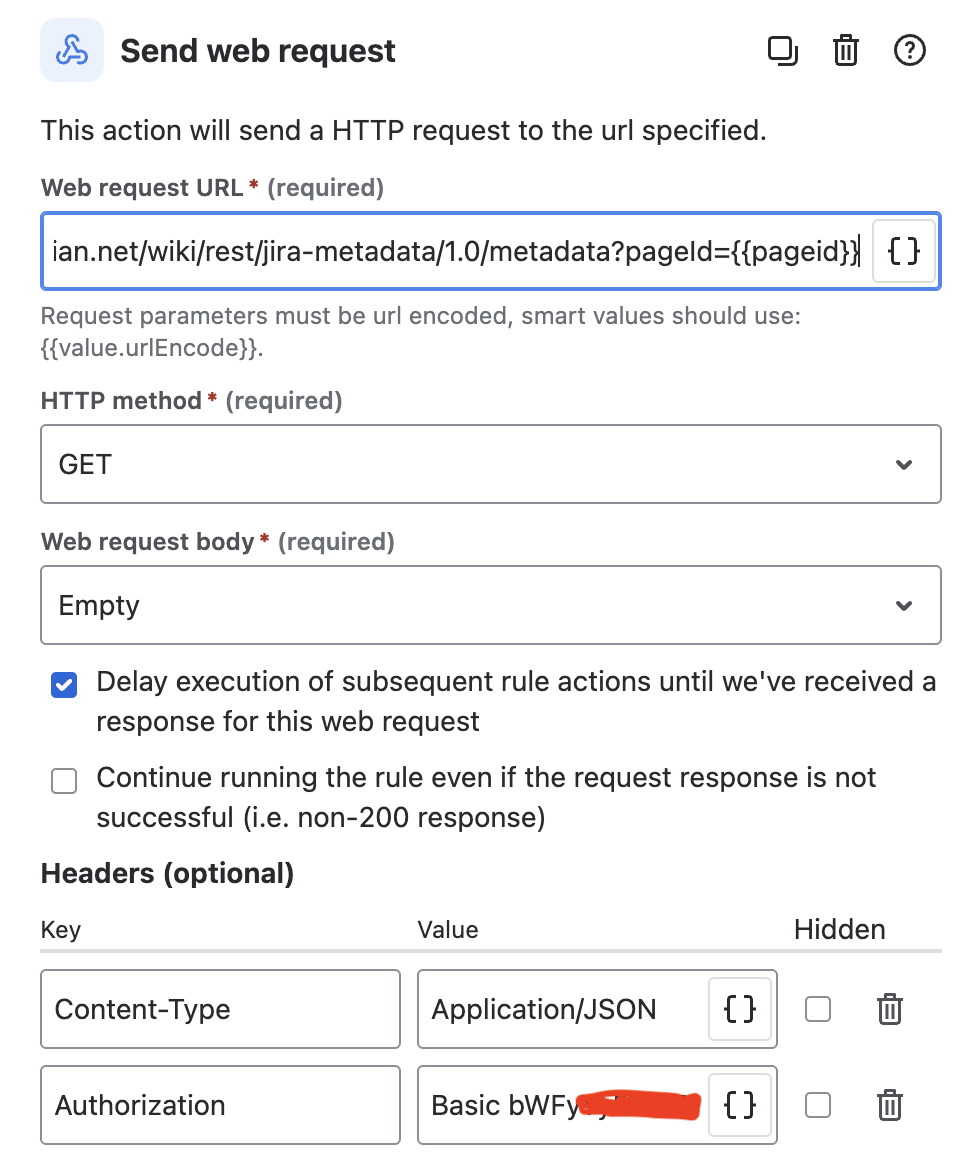
The {{#debug}}<smart-value>{{/}} is there to also directly log the page id in the automation log. Add a Send web request action to get the Jira work item(s) where the Confluence link is set using and old server Rest API
In the Authorization header make sure that you add the keyword Basic followed by the base64 of your emailaddress:APItoken. So if the base64 of the emailaddress:APItoken is AB12XY45 then to the Authorization header add the value Basic AB12XY45
Add the following Web request URL:
https://<Cloud site URL>/rest/api/jira-metadata/1.0/metadata?pageId={{pageid}}
Add the Content-Type and "Application/JSON" header
Check the option "Delay execution of subsequent rule actions until we've received a response for this web request" as the response contains the Jira work items linked to the Confluence page
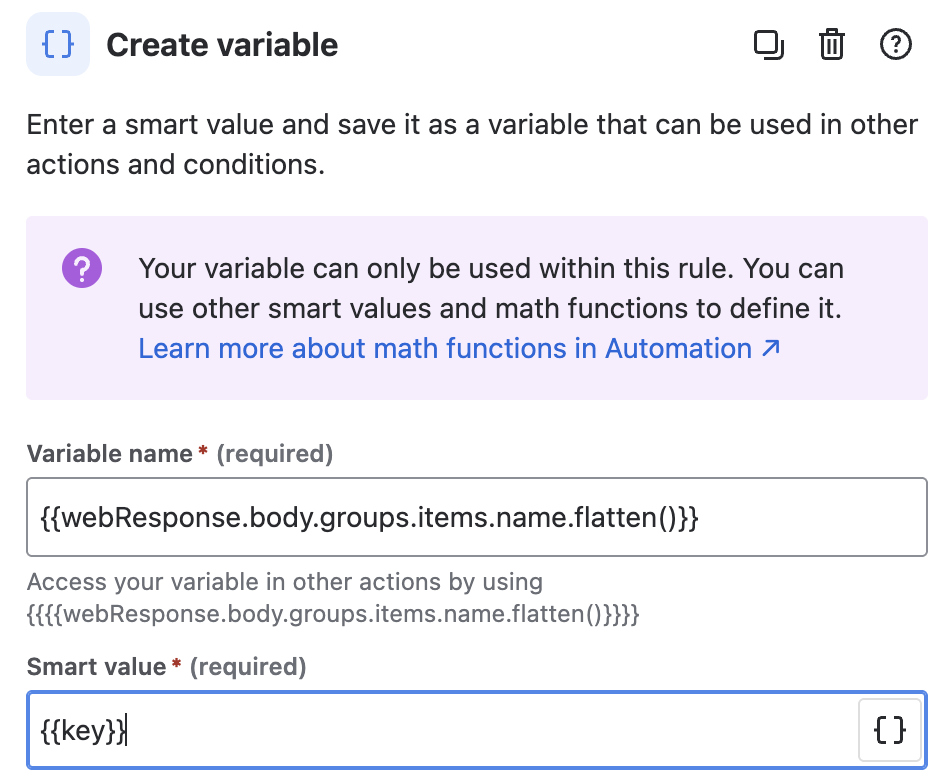
- Create a variable or create an advanced branch The acton you choose is based upon if there are multiple issues linked to the Confluence page.
For both count that they are based on the following smart value:
{{webResponse.body.groups.items.name.flatten()}}- Variable
- Advanced Branch
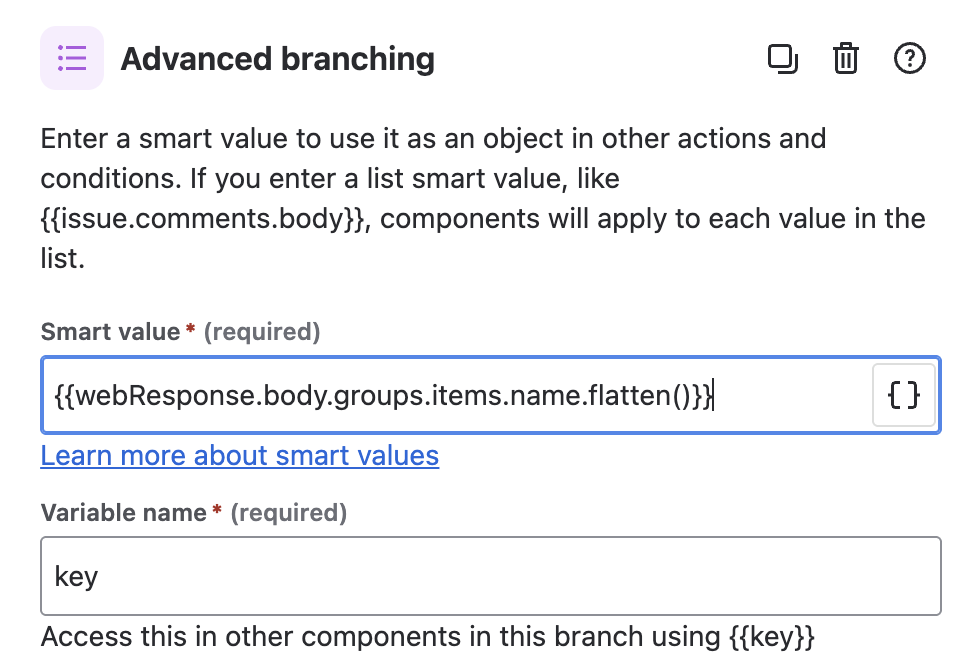
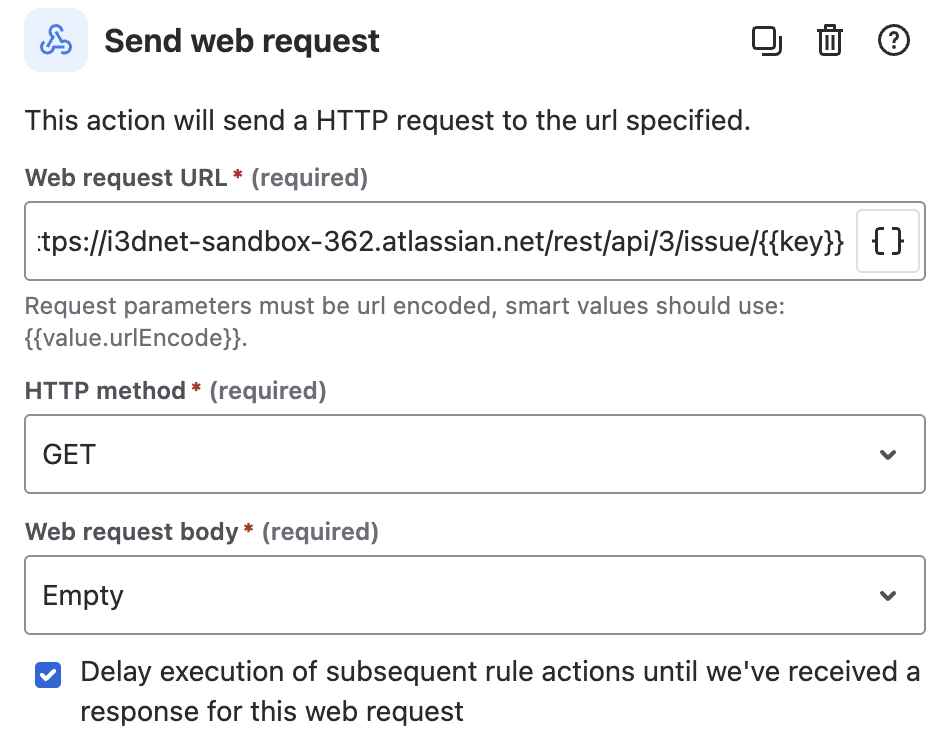
- Add a Send web request action to get the Jira work item(s) using the latest Jira Cloud API.
Use the same headers as set in step 3
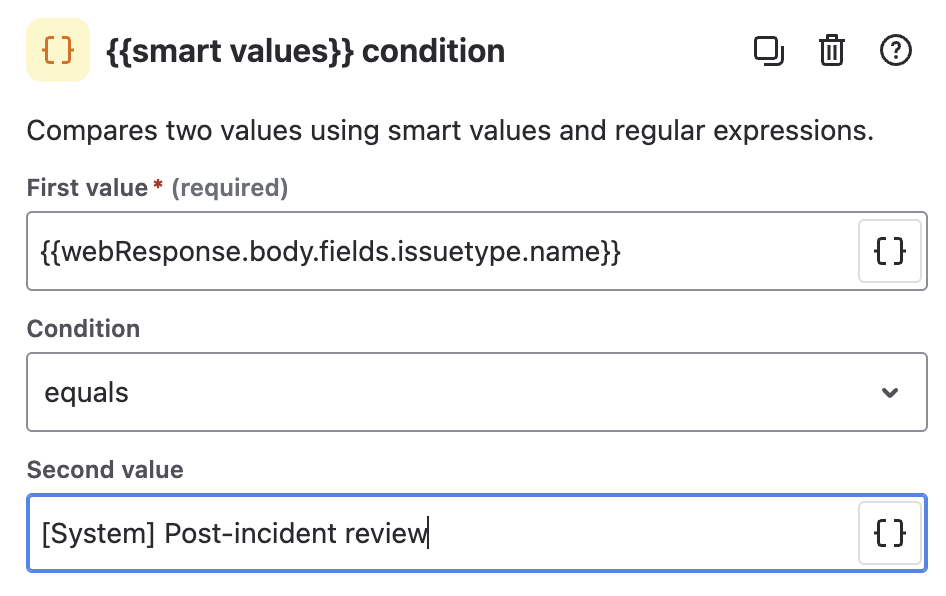
- Optional is to add a condition to make sure you will act on the right work item(s)
In my case I want to transition only the linked PIR work item. This based on the result of the response of the Web Request
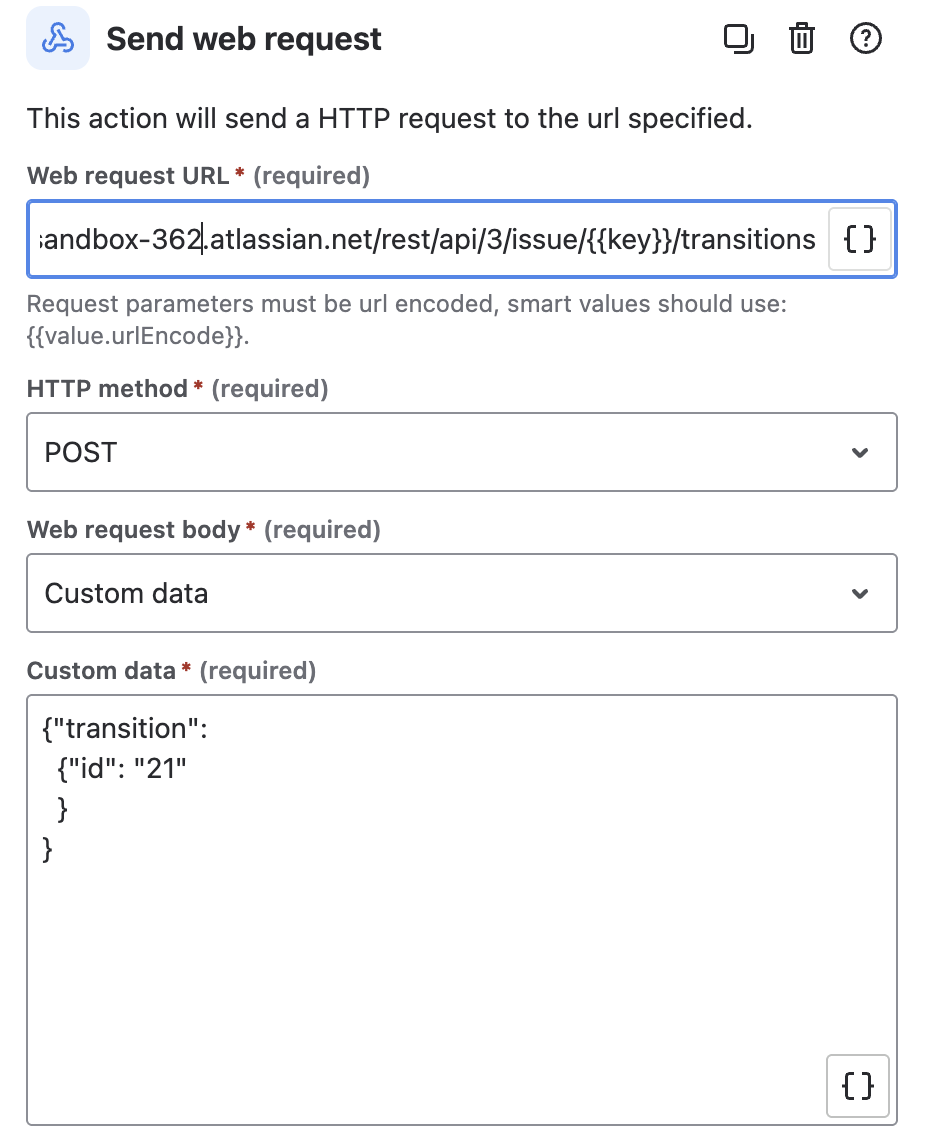
- Add a Send web request action to post the Jira work item(s) required transition using the latest Jira Cloud API.
Use the same headers as set in step 3
In my case I wanted based on the trigger transition the issue to status "Draft", in my instance this is the transition id "21"
- Publish the rule by giving it a name.


