|
Update on October 13, 2025
We've introduced new settings to give you more control over notifications for failed email requests.
By default, notifications for failed email requests are sent to all listed admins of a project. With the new settings, you can select to send notifications to a specific email address or even turn them off entirely.
In addition, we've introduced a new setting that lets you decide whether customers are informed when their requests fail due to access restrictions or self-signup being disabled.
To update these settings:
- From your service project, go to Project settings > Channels and self service > Email.
- Select Edit for an existing email address, or Add Atlassian email or Add external email for a new one.
- Choose whether to send notifications to all project admins, a specific email address, or no one.
- To manage notifications for customers, turn on or turn off the Notify customers toggle.
- Save your updates.
|
Summary: If you’ve set up your Jira Service Management project to receive requests from an email address, it may sometimes happen that your email requests are not processed as expected. These email requests fail due to reasons like misconfiguration or network problems.
To help track these failures, we’ll immediately let project admins know via email when we can’t create a work item or connect to their email account. In some cases, customers will also get notified if their request doesn't go through successfully.
What’s new?
We are excited to announce that project admins will now receive notifications whenever email requests are not processed successfully.
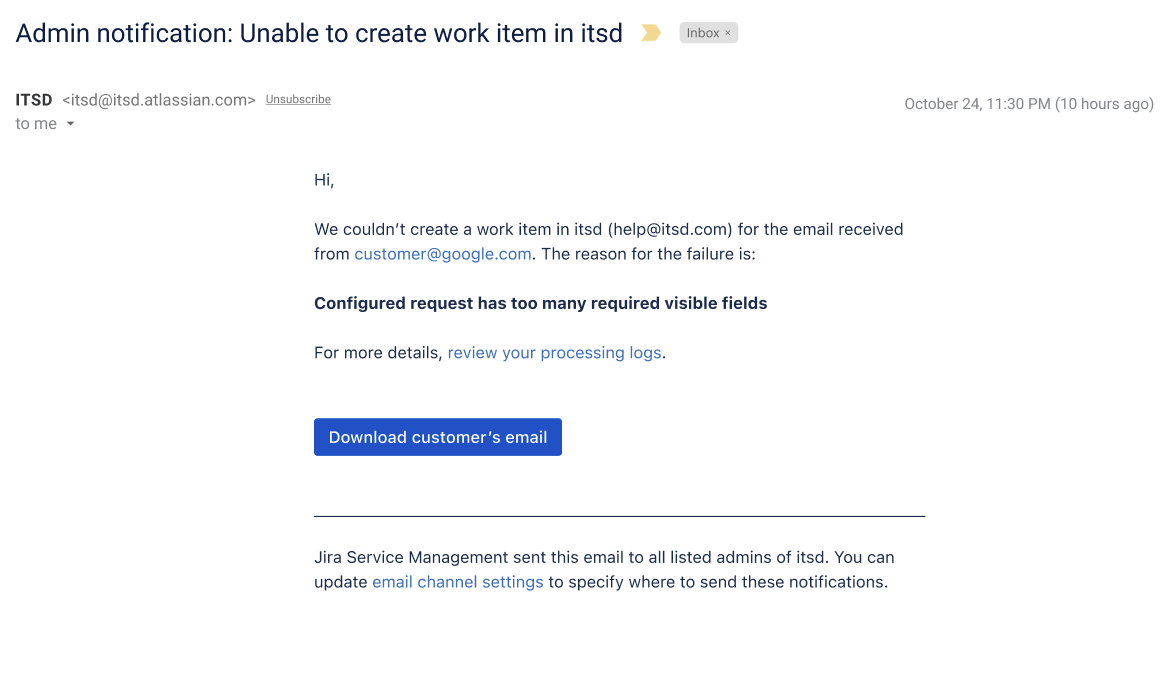
Previously, project admins had to search through processing and connectivity logs to find out if a work item corresponding to a customer’s email was successfully created in a project. However, with this new change, admins will receive a notification right in their inbox with a link to download customer’s email.
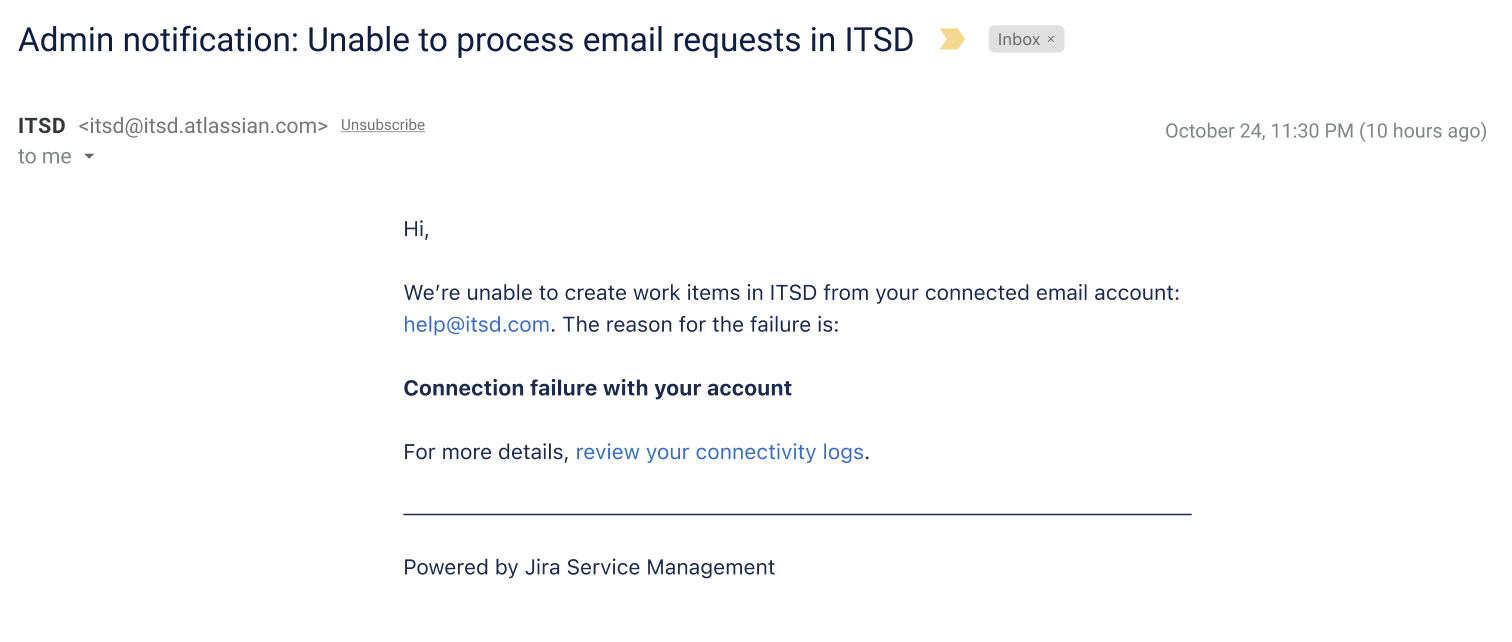
Project admins will now also receive an email when one of their connected email accounts has connectivity issues so they can take immediate action and provide a smooth experience to their customers.
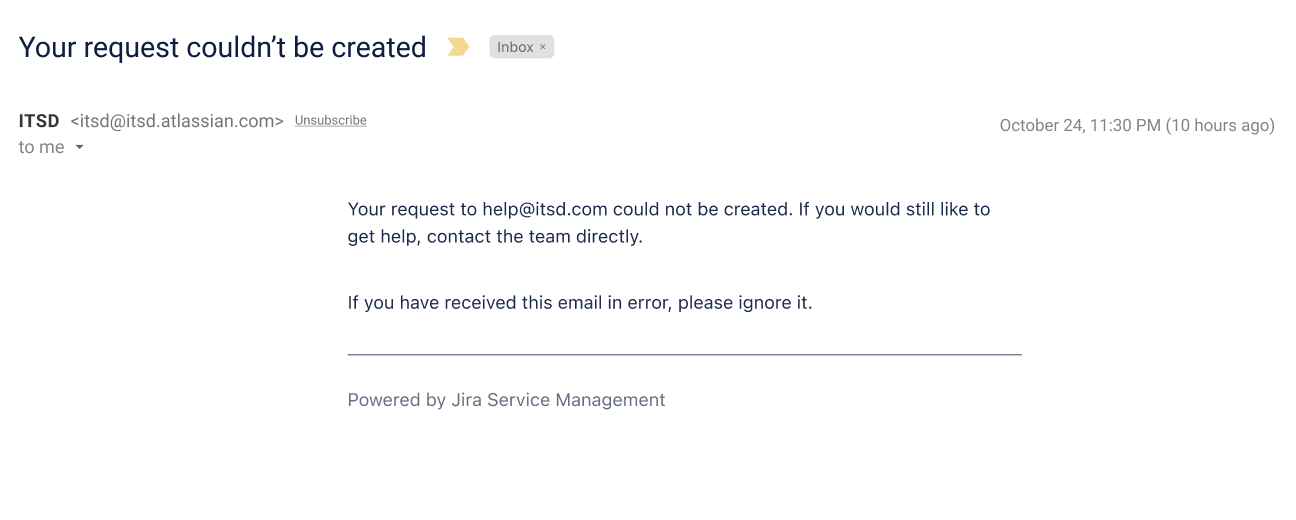
In cases where self-signup is disabled or a customer doesn't have access to a service project, we will also notify the help seeker so they are aware their request was not processed.
Note: This feature is only available for company-managed products.
Specify who receives notifications
By default, all listed project admins will receive these notifications. There is also an option to send these notifications to a specific email address instead of all admins.
To update the email address for existing connected accounts:
-
From your service project, go to Project settings, select Channels and self service, and then select Email.
-
Select Edit against the required.
-
Enter the email address of your choice in Error notifications email address.
-
Select Save.
To add the email address for a new email account:
-
From your service project, go to Project settings, select Channels and self service, and then select Email.
-
Select Add Atlassian email or Add external email.
-
Enter the email address of your choice in Error notifications email address.
-
Select Create or Add.
Questions or feedback?
If you have any questions or would like to provide us with feedback, please comment on this article, and we will respond as soon as possible.


