Hello, Whiteboards Enthusiasts! We hope you had a wonderful holiday season. As we step into the new year, we're thrilled to introduce a bunch of new updates we’ve made over the last few months to Confluence Whiteboards. Dive in and explore what's new!
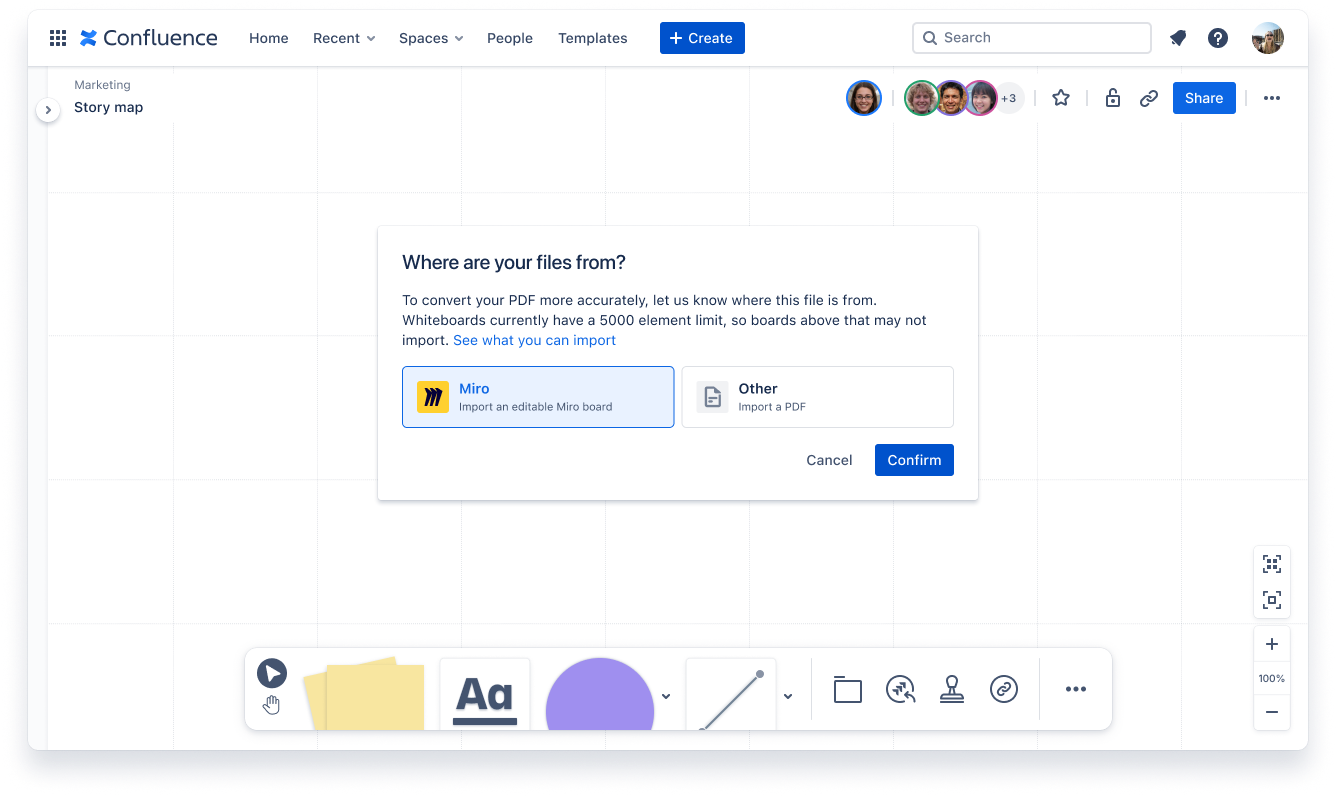
Miro Whiteboard Importer
Bring your Miro content to Confluence whiteboards and collaborate seamlessly with your team. Import your whiteboards from Miro into Confluence to unlock features like smart connectors, smart sections, real-time editing, and experience brainstorming and collaboration like never before. Plus, keep everything organized with your whiteboards conveniently stored alongside your other Confluence content. You can read more about how to export your Miro files here!
Voting Improvements
We know we’ve already told you about voting, but wanted to share the great news that you can now run anonymous voting sessions and mark yourself as done to help make facilitation even easier!
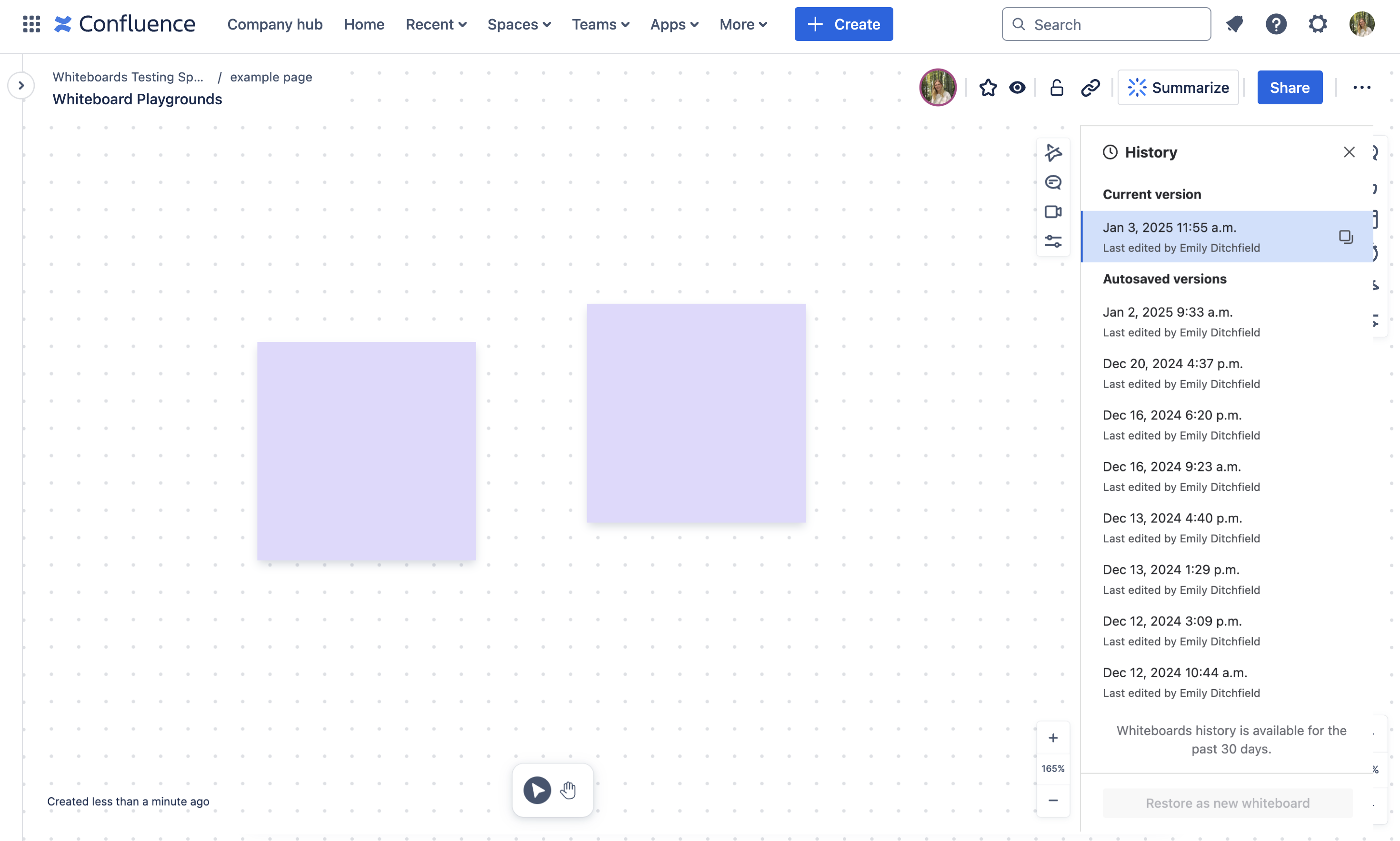
Whiteboard History
Ever accidentally deleted content or added things to your whiteboard you just didn’t need? We’ve been working on making our experience smoother by introducing a history feature that allows you to track changes and revert to up to 30 days worth of previous versions of your whiteboard.
Sticky Note Authors
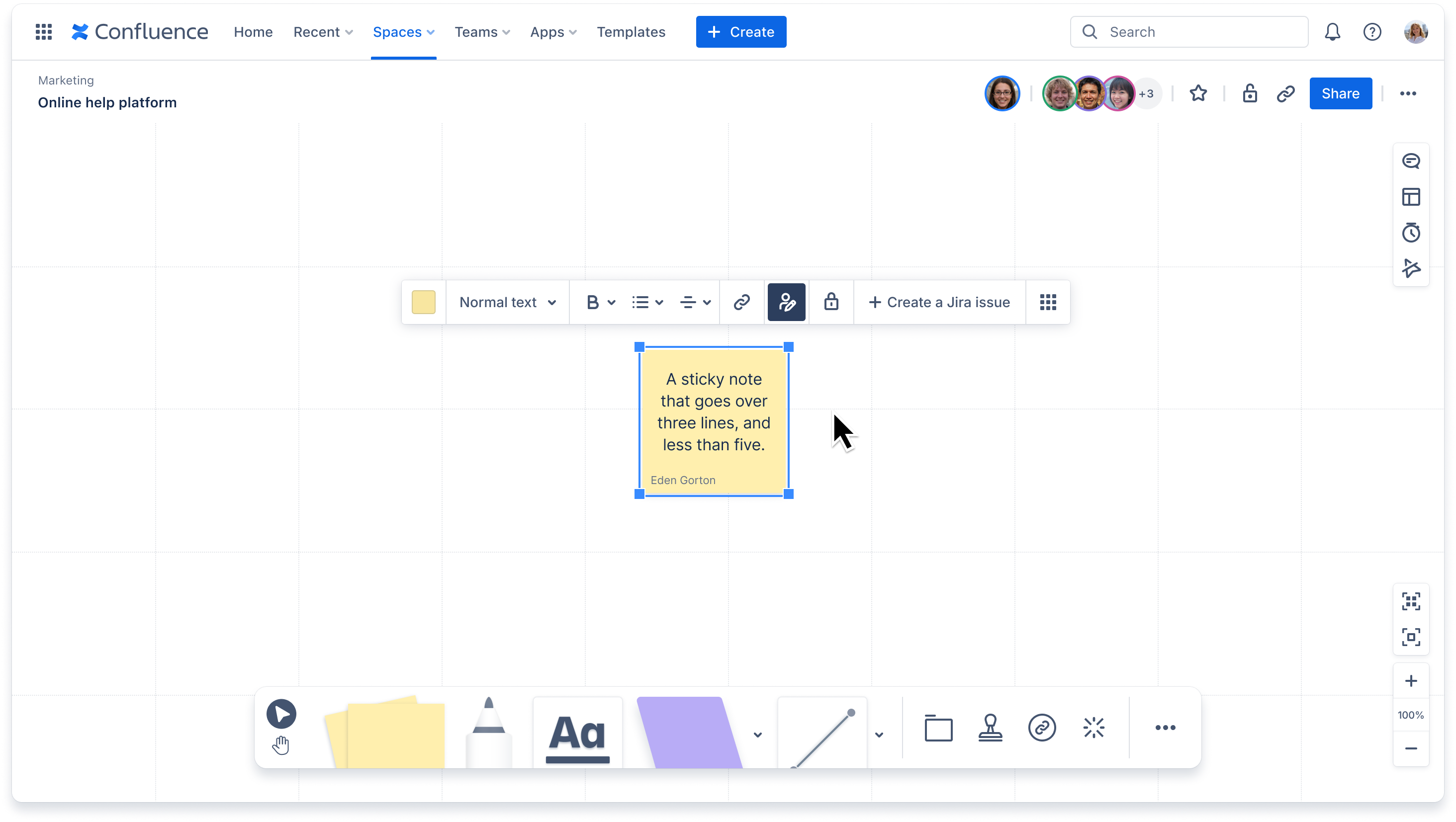
You’ll be able to identify who added each sticky note with our new author feature, making collaboration more transparent.
Public Editable Links
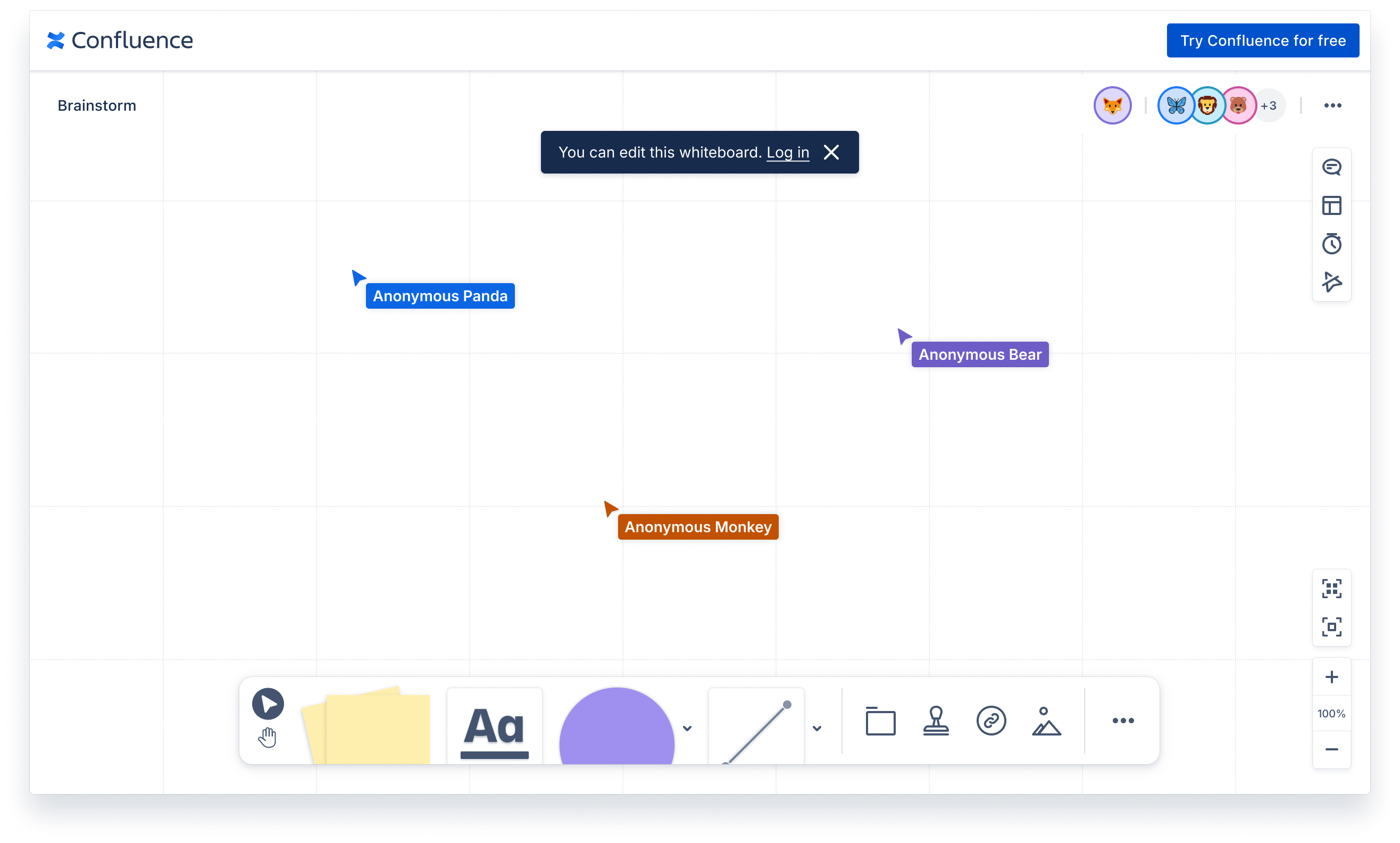
We’re enhancing our public links capabilities and making it possible to edit them too, allowing external partners or clients to contribute without needing a Confluence account.
Shapeable Lines and Moveable Line Labels
Customize your lines however you need (even making them curvy!) and move the label around to better represent relationships and data flow in your diagrams.
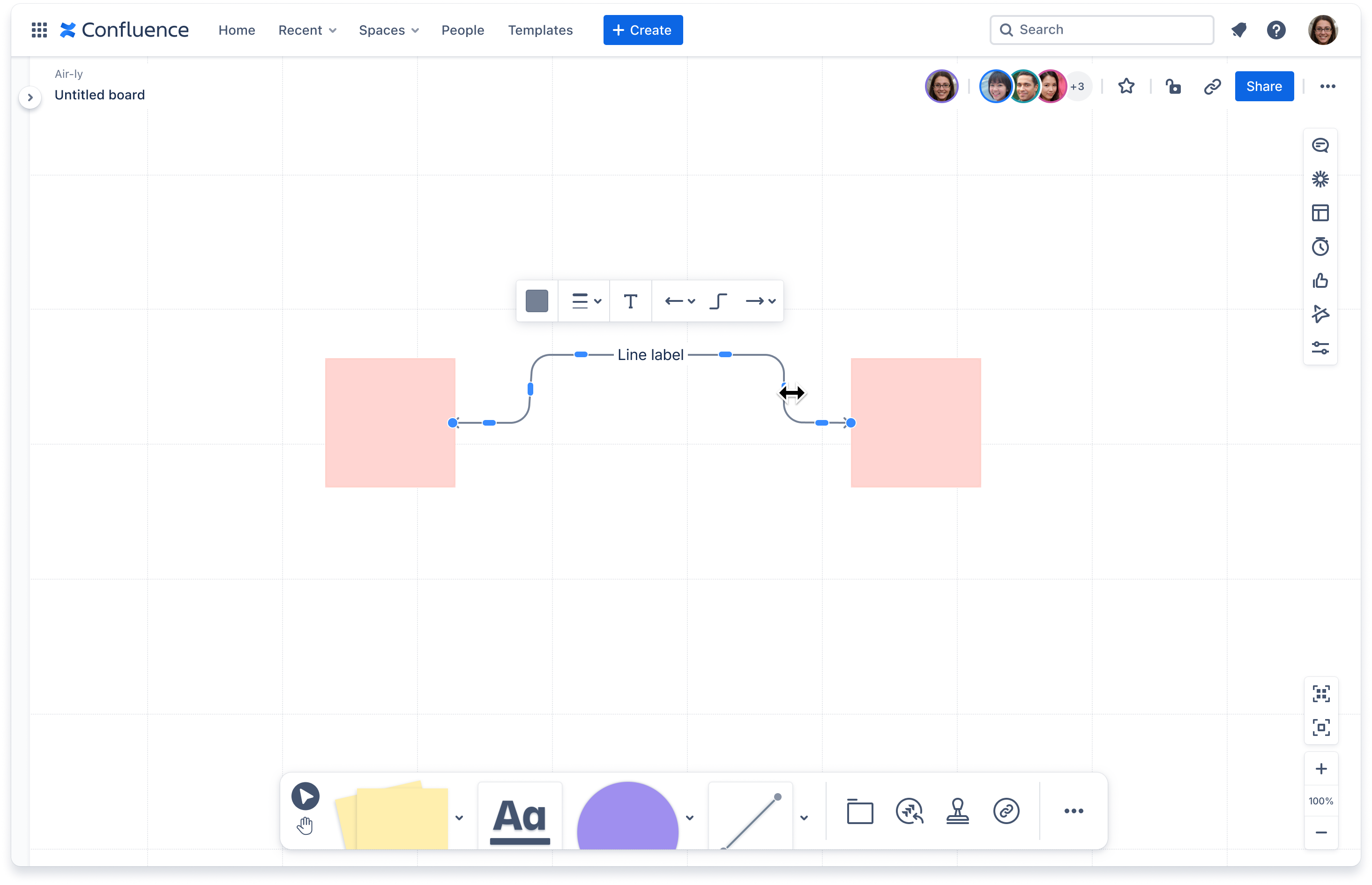
We’ve also been looking at making even small experiences better for you all! Some of the improvements we’ve made over the last few months include:
-
stopping smart sections from actioning on page load
-
making section titled easily draggable
-
Enabled Confluence level shortcuts to be available on whiteboards when you’re not updating text
As well as…
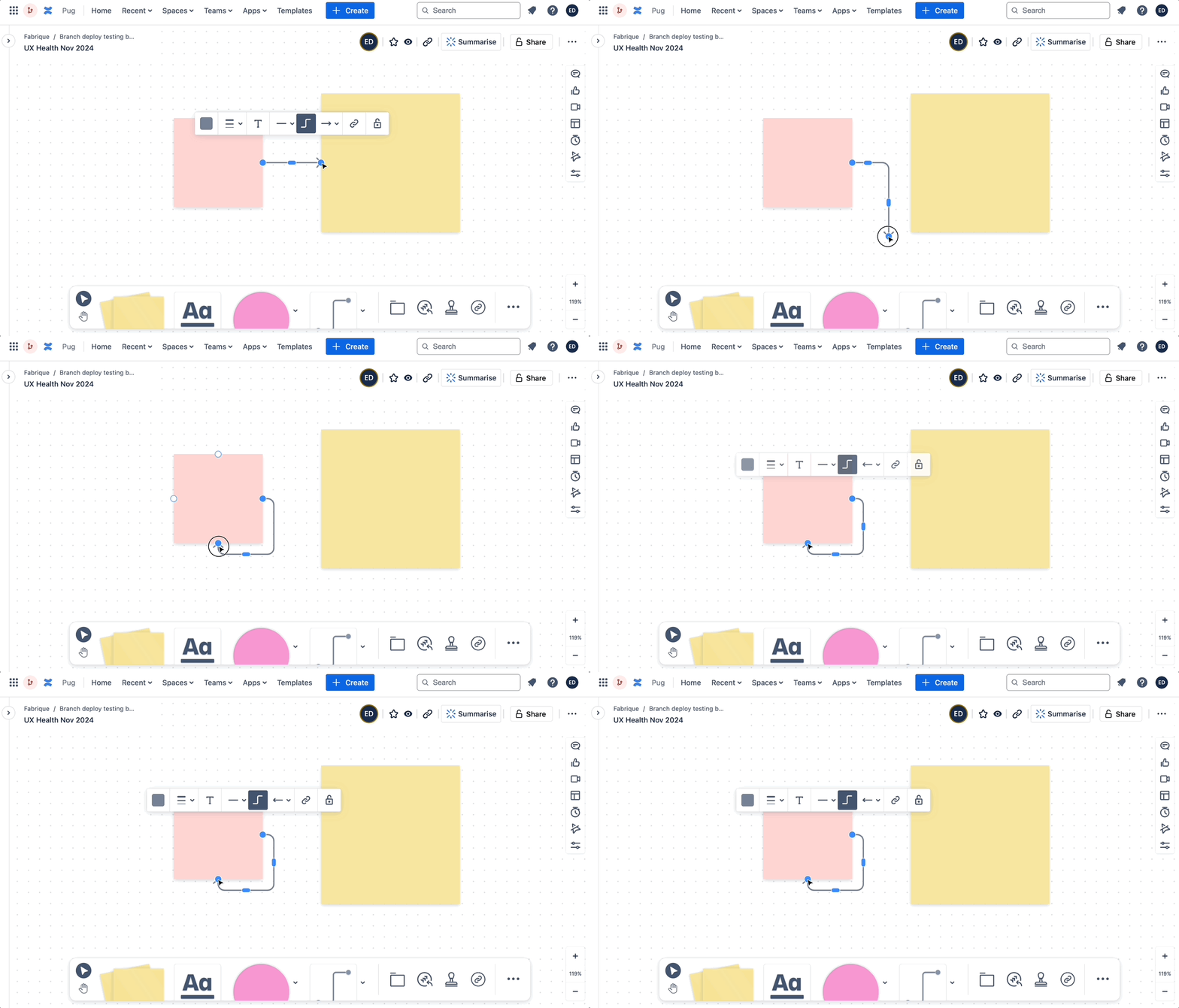
Line Snapping Improvements
We now lines are super important and sometimes you just need a bit more flexibility so we:
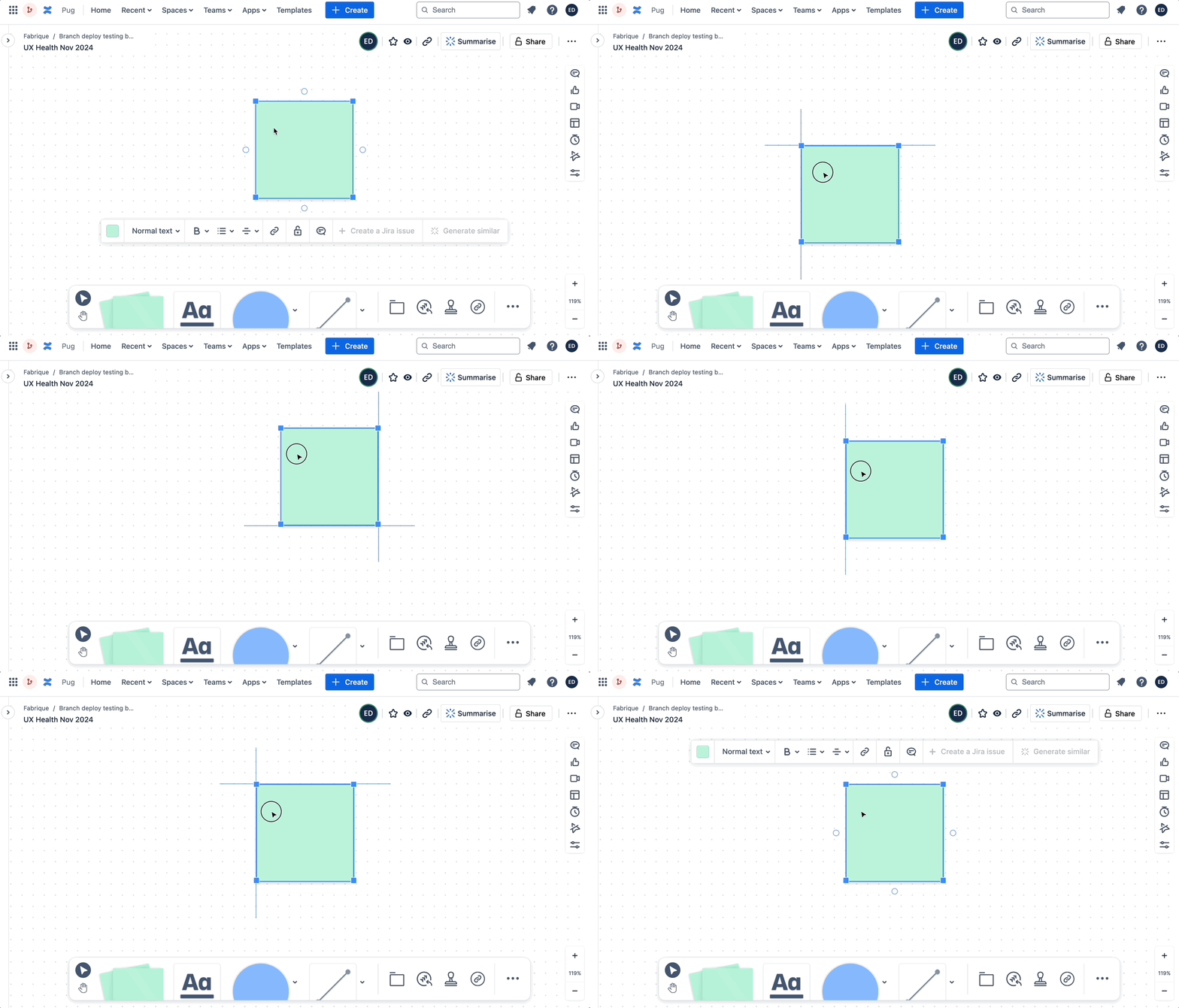
Snap to Background (holding down shift)
Enhance your design precision by snapping elements to the background grid when holding down the shift key.
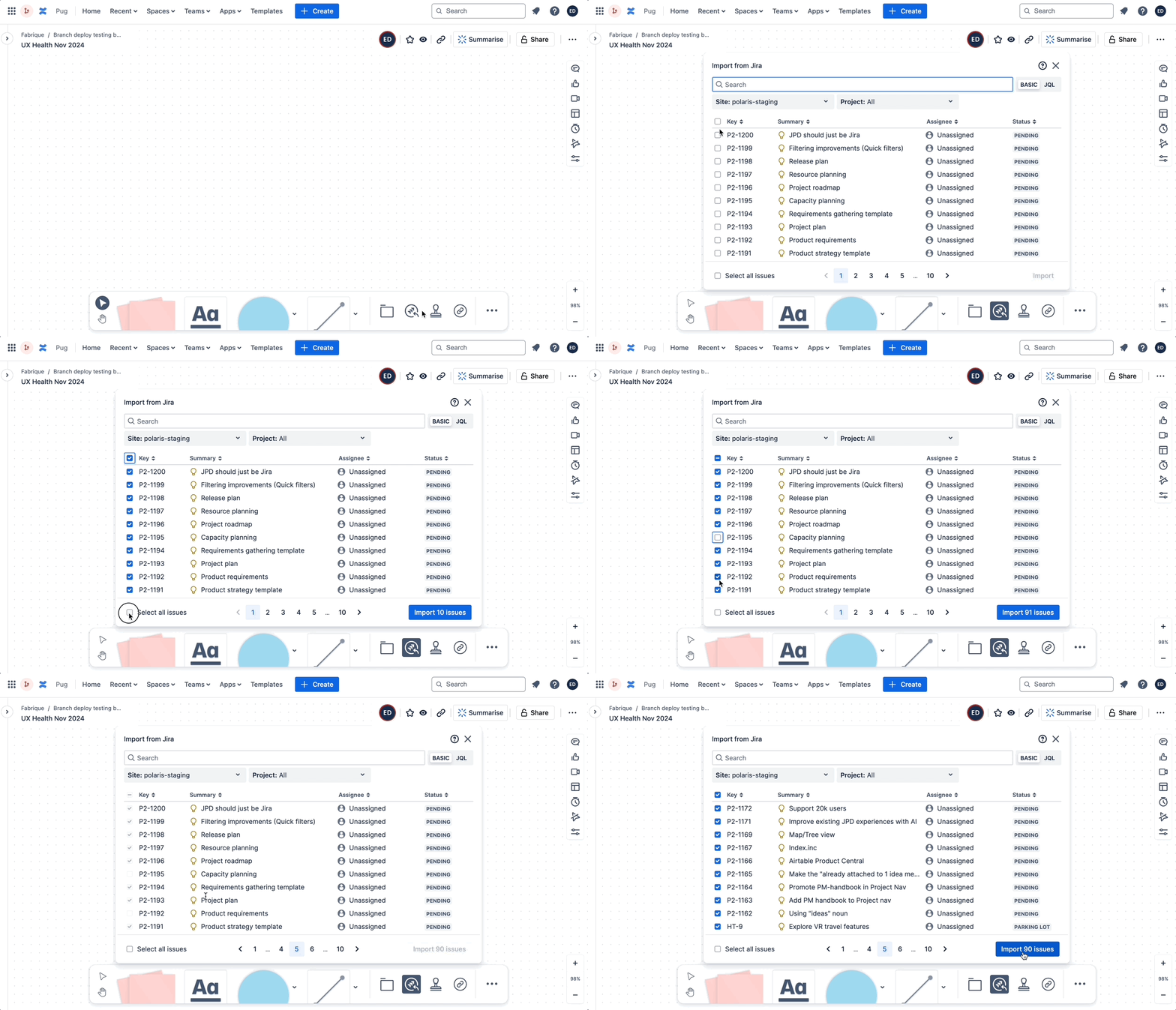
Import All Jira Issues
Easily import all your Jira issues (up to 1000 issues) into Confluence whiteboards with the simple check, making it simpler to work visually through your planning and prioritisation.
Zoom Improvements
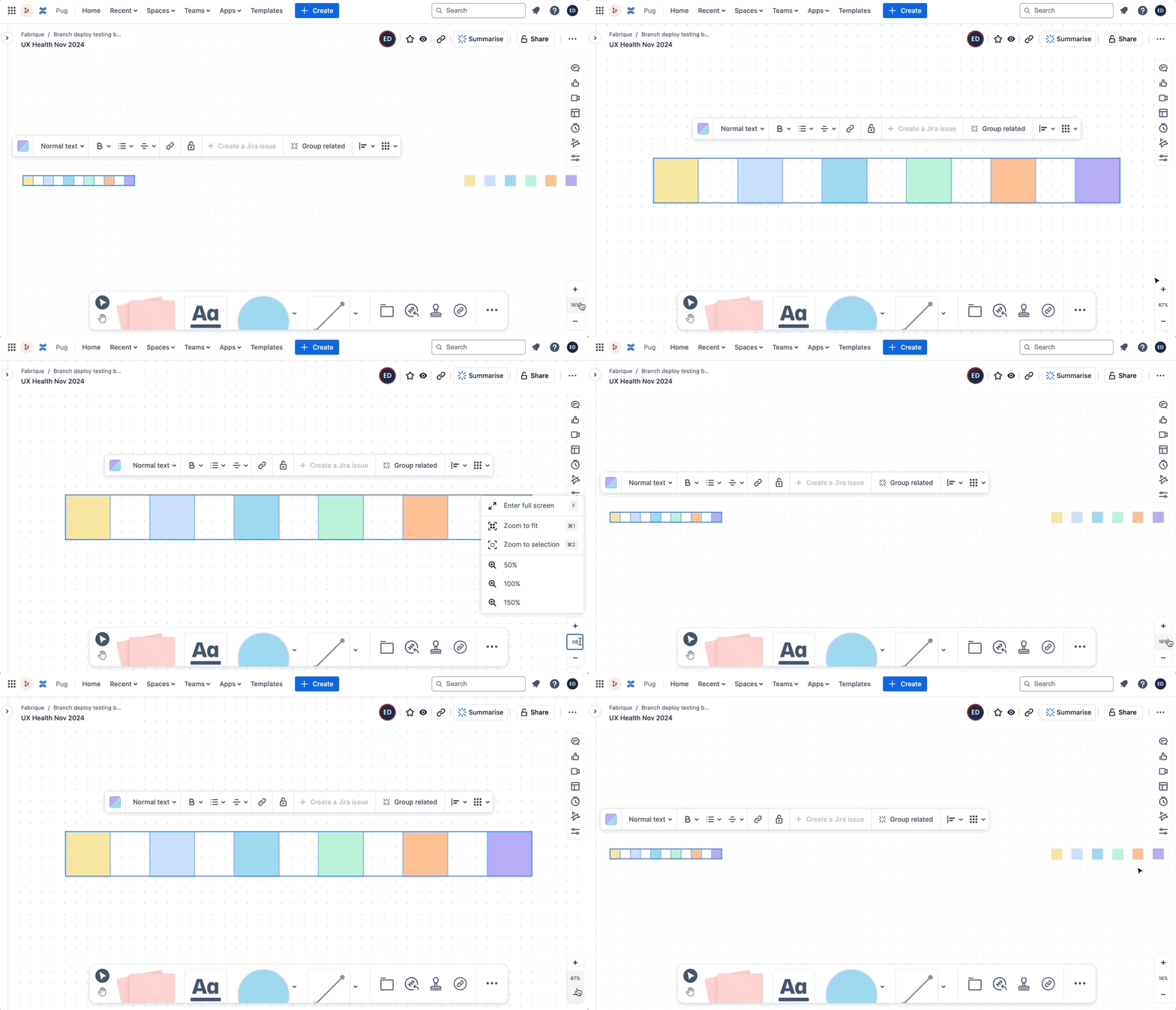
Experience sleeker zooming capabilities, allowing you to focus on the details or get an overview of your entire whiteboard effortlessly without cluttering your screen with more buttons.
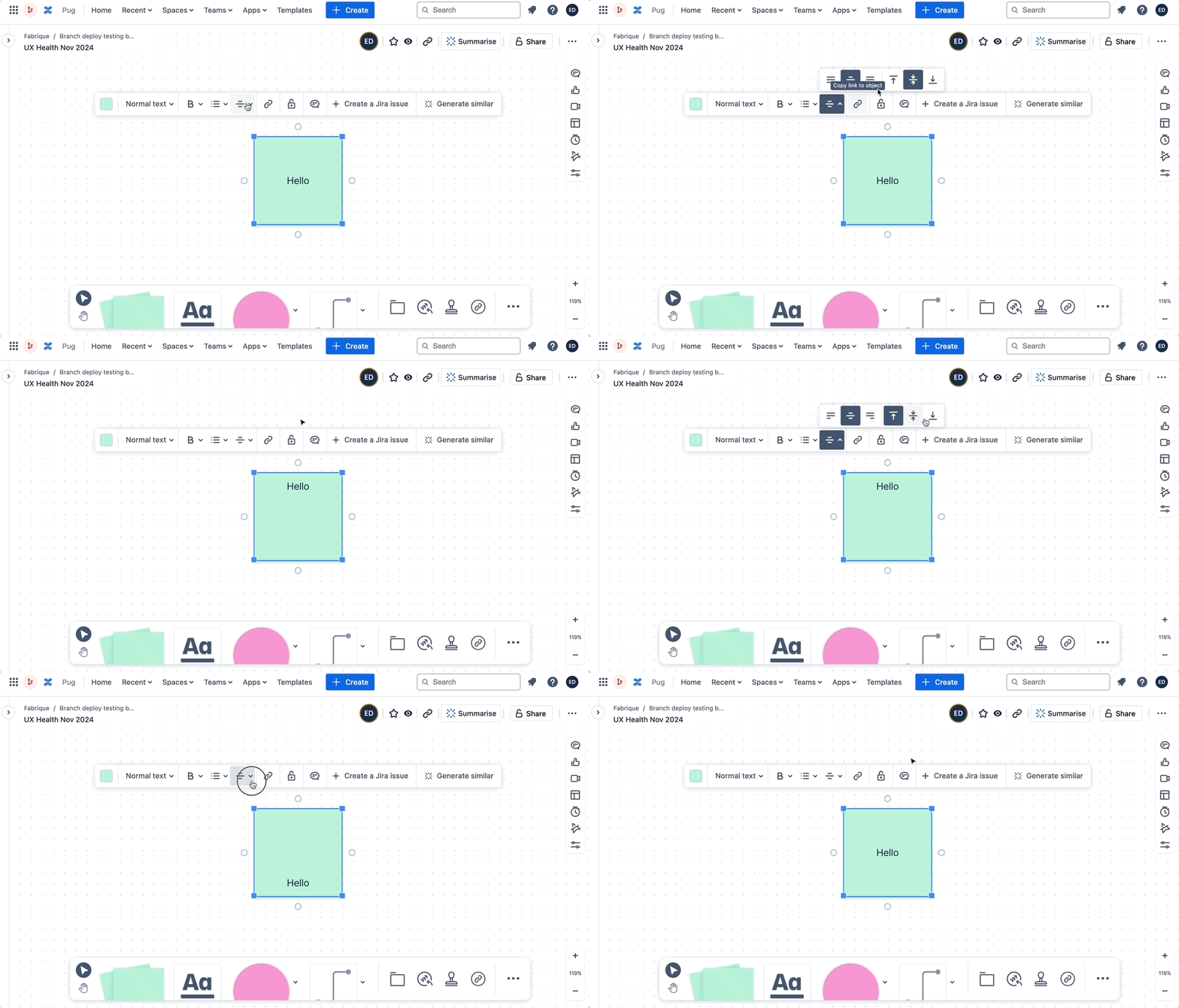
Vertical Text Alignment
Align your text vertically to better fit your design needs and improve the readability of your whiteboards.
Some of these features are still waiting for their release tracks date for our bundled users, so if you don't quite have the capability yet check with your admin if you get bundled or continuous releases!
We hope you enjoy these new features and improvements! Let us know any feedback.


