We are excited to announce the launch of Baselines for Confluence on Confluence Cloud! For nearly a decade, this app has been available for Jira Server and Data Center, and now, the Cloud version brings the same powerful features to teams using Confluence Cloud. Baselines for Confluence is designed to provide teams with tools to manage and track changes to their Confluence content, ensuring improved version control, transparency, and auditability.
What is Baselines for Confluence?
Baselines for Confluence enables users to create snapshots of their Confluence spaces. These snapshots capture specific versions of pages and attachments at a particular point in time, ideal for teams that:
Key Capabilities and Use Cases
-
Snapshot Creation: Create baselines for your Confluence spaces, either by selecting content based on a specific date or by explicitly choosing individual document versions.
-
Date-Based Baselines: Automatically include the latest versions of all pages, blog posts and attachments as of a specific date.
-
Item Version Selection: Manually select individual items and their versions for inclusion in the baseline.
-
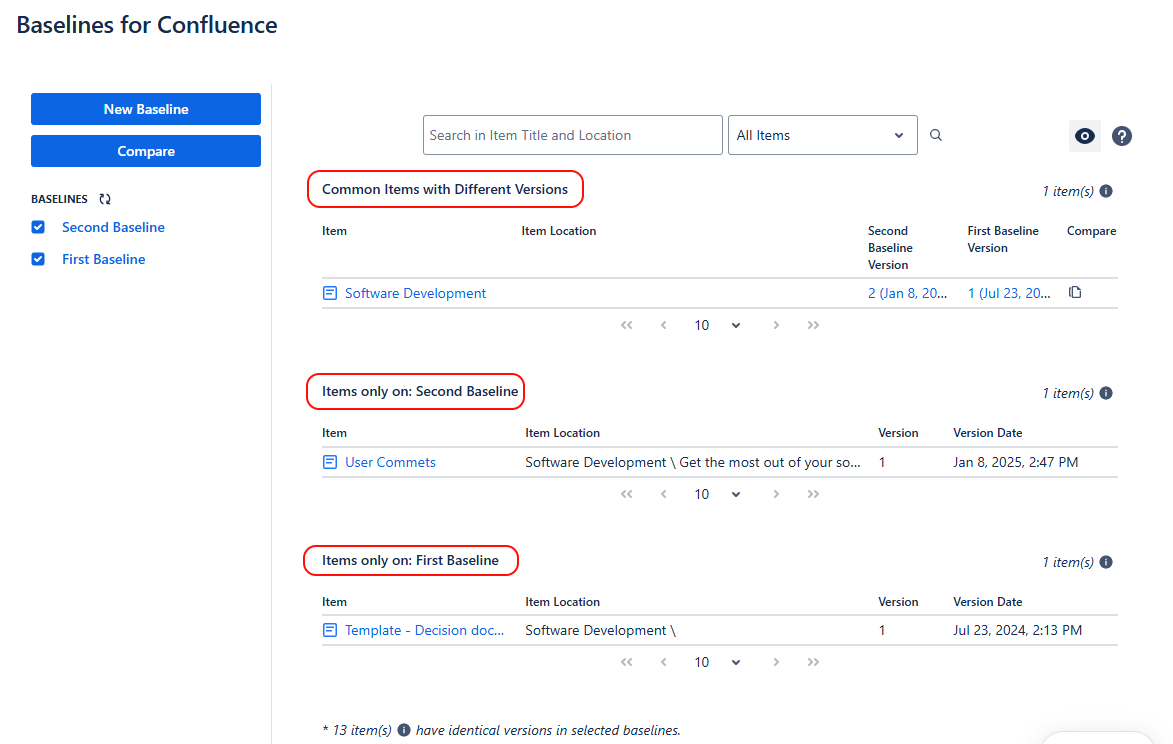
Change Comparison: Compare two baselines to find differences in content. Easily identify added, removed, or updated pages and attachments.
-
Access Historical Records: Retrieve baselined versions of content for audit or review purposes.
- Customizable Scope: Choose to include all items in a space or specific subsets of pages, blogs and attachments, depending on project needs.
-
Data Security and Residency: Built on Atlassian Forge, ensuring compliance with Atlassian’s data residency standards. Learn more about data residency on Atlassian Forge.
How does it work?
Creating a Baseline
When creating a baseline, you have two main options:
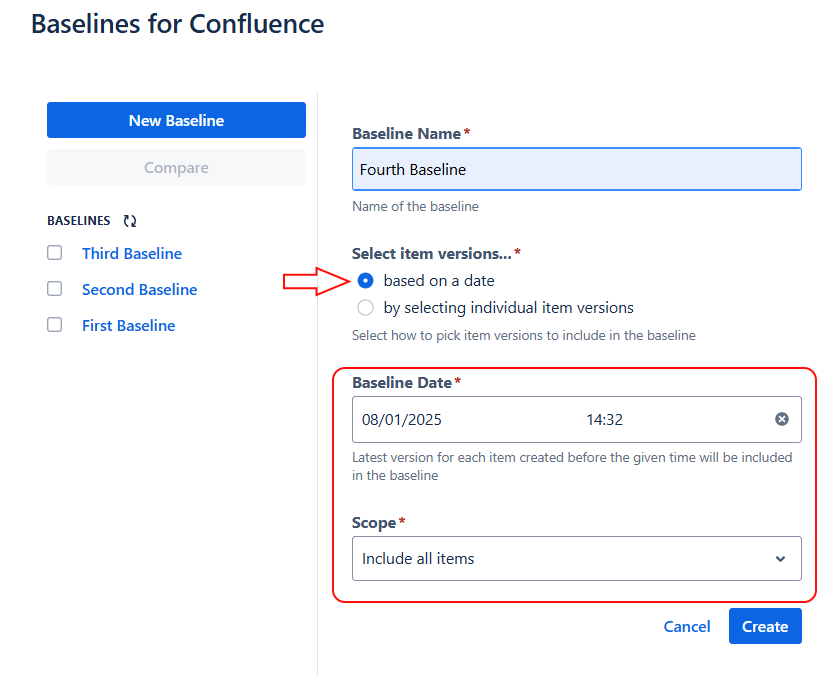
1. Based on a Date
This option allows you to select file versions based on a specific date. The app automatically includes the latest version of each document that was available before the given date.
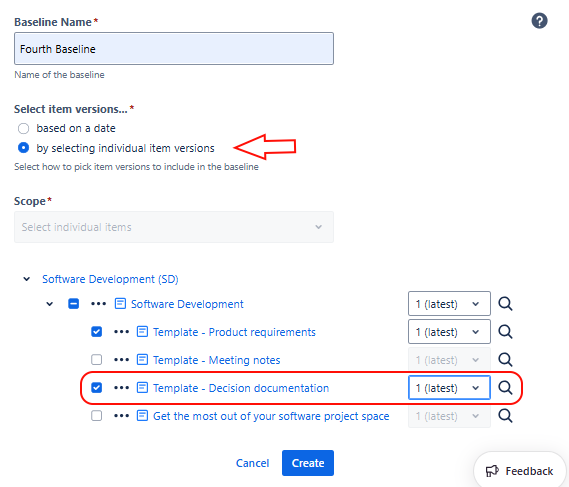
2. By Selecting Individual Item Versions
This option provides granular control by allowing you to select specific versions of individual items and attachments.
Viewing a Baseline
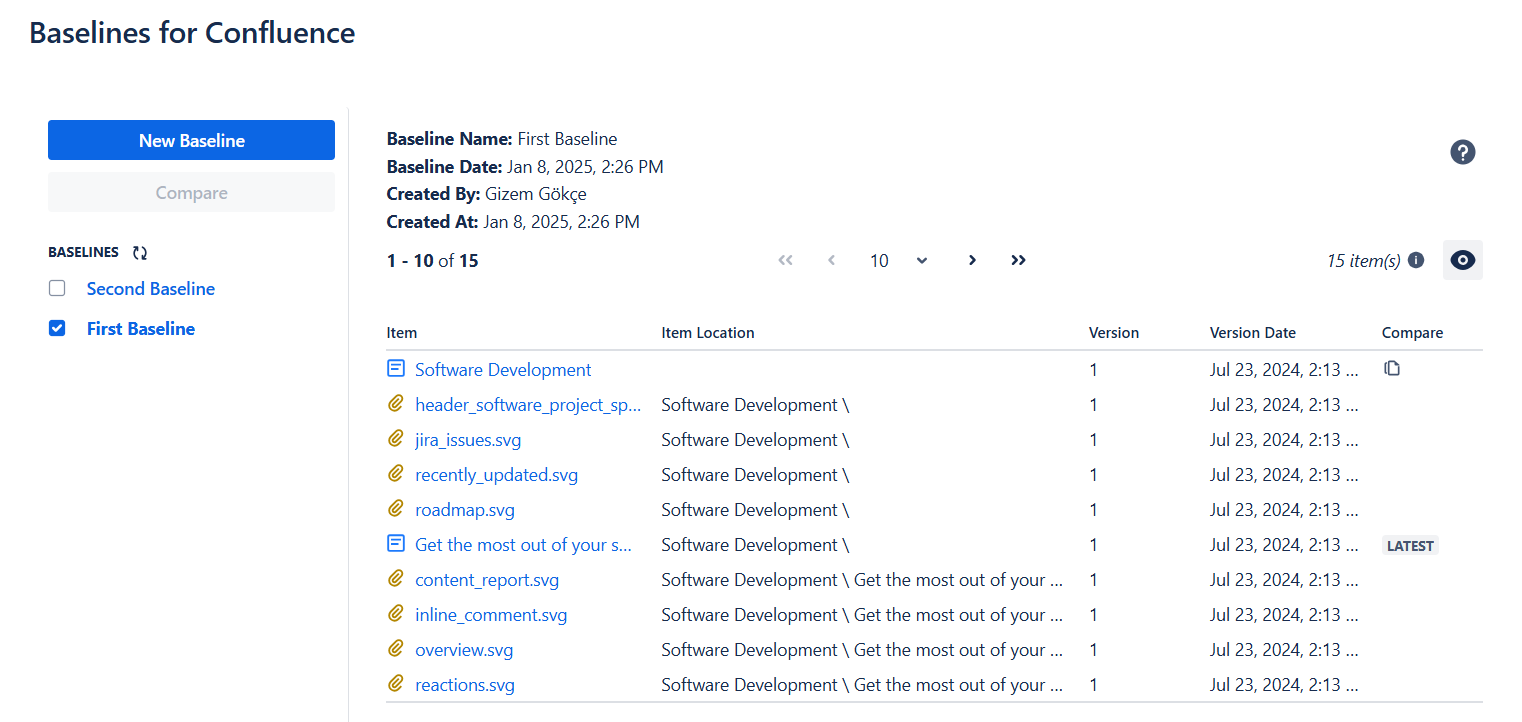
Baselines for Confluence allows you to view the items (pages, blog posts and attachments) included in a baseline, with details like version, location, and the option to compare with the latest version; in addition, you can directly access the document version within the baseline.
Using Baselines for Comparison
Baselines for Confluence allows users to compare two baselines to identify changes. Users can navigate directly to document versions or use the "Compare" button to review specific item differences.
Check out Baselines for Confluence on the Atlassian Marketplace, install the app and start capturing and comparing your content in a whole new way!
For detailed instructions and usage guidelines, visit the Baselines for Confluence Cloud Documentation.
If you have any further questions or need assistance, feel free to reach out to our friendly support team at appsupport@obss.tech.