Concept Relates To
|
Application Type
|
Jira Service Management
|
|
Deployment Type
|
Jira Cloud
|
What is shown?
The Portal-only customers page where you can manage all customer accounts in a JSM application.
What can we learn?
In Jira Service Management, a “customer” is an unlicensed, internal or external user, who requests support from the customer portal. While customer accounts are visible from the People and access page in a Jira Service Management (JSM) project, there’s a different, global place to manage these accounts. Here are screenshots of these two pages and how to access them.
Viewing Project-specific Customer Accounts
Use the People and access page to view project-specific customers and remove them from a specific support project.
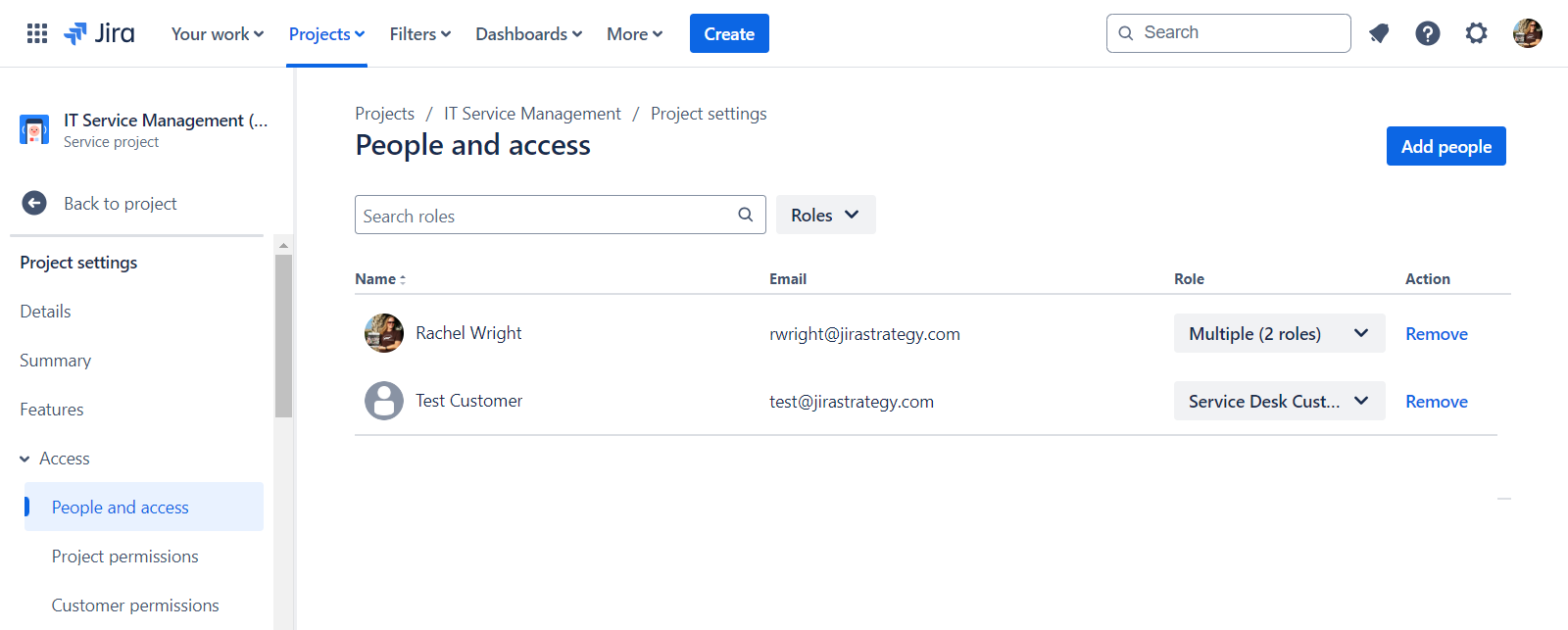
Visit: Project > Customers
Visit: Project settings > Access > People and access
Managing Customer Accounts
Use this global admin area to reset passwords, revoke access, and delete accounts.
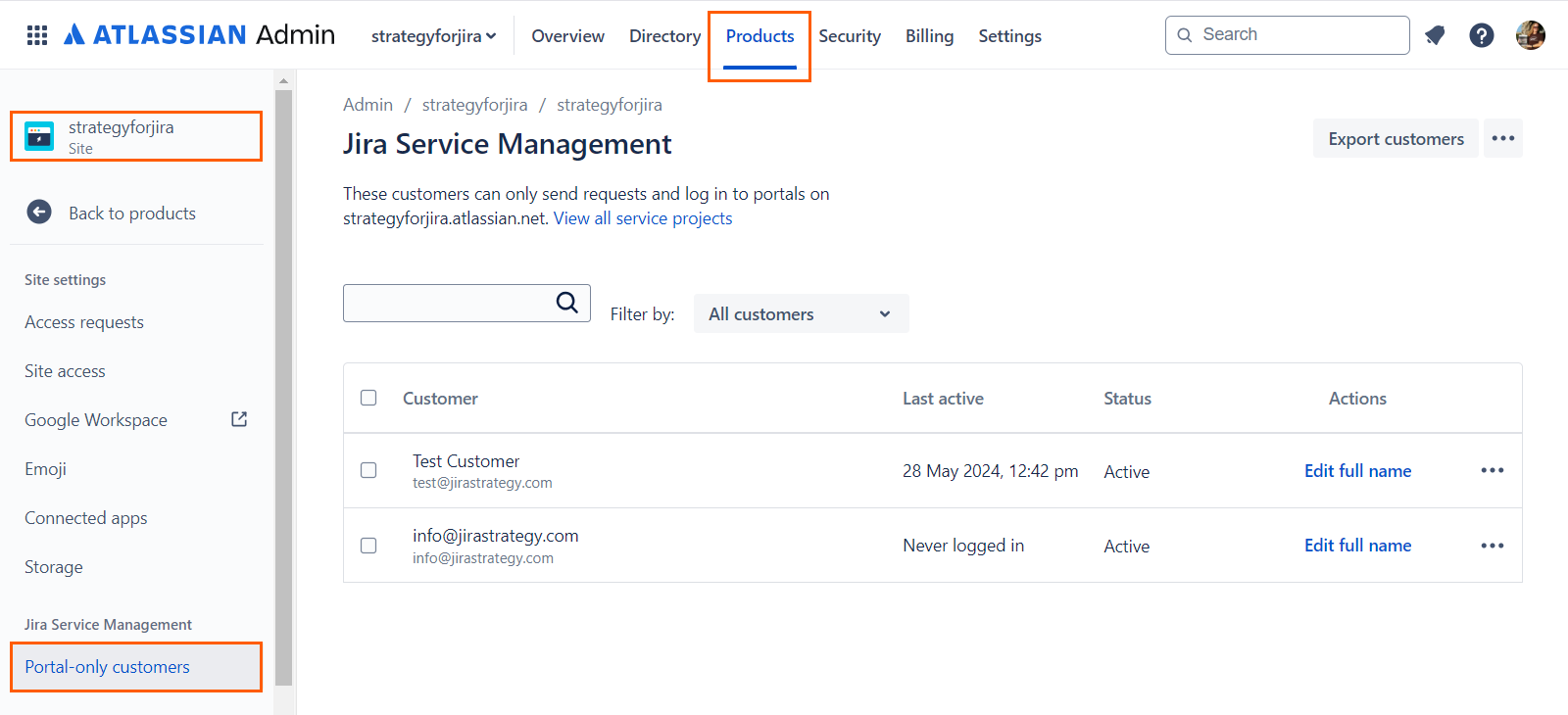
Portal-only customers page
Manage customer accounts from admin.atlassian.com. I have a hard time finding this page. Here’s how to locate it.
Visit: Admin > User management > Products (top nav), Your site name (bottom left sidebar) > Portal-only customers (left sidebar)
Back to intro and image list

