Concept Relates To
|
Application Type
|
Jira Work Management, Jira Software, Jira Service Management
|
|
Deployment Type
|
Jira Cloud
|
What is shown?
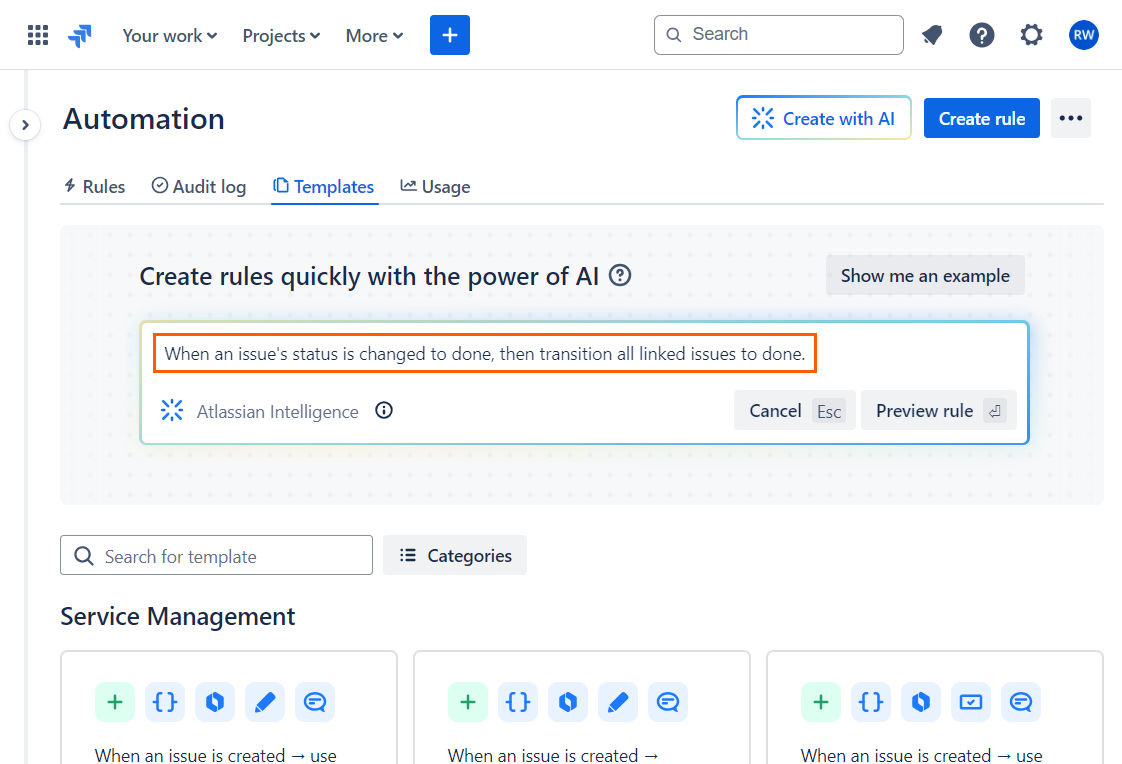
An instruction turned into an automation rule by Atlassian Intelligence (AI).
Visit: Admin > System > Global automation
Visit: Project settings > Automation
What can we learn?
In the previous article, we examined creating JQL statements with AI. Similar functionality is available for building automation rules too.
I typed “When an issue's status is changed to done, then transition all linked issues to done.” and AI created a rule with a trigger, branch, an an action.
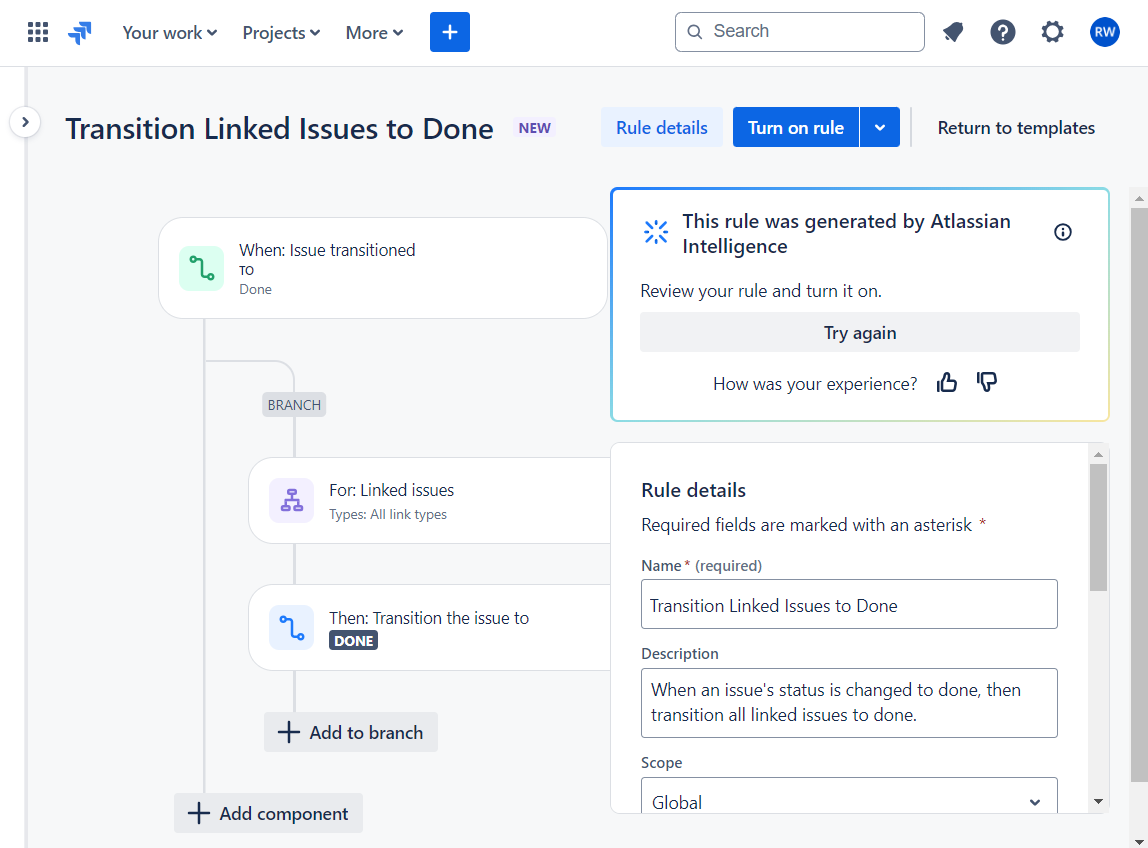
Here are the specific settings that were automatically created:
-
Rule details
-
Name: Transition Linked Issues to Done
-
Description: When an issue's status is changed to done, then transition all linked issues to done.
-
Scope: Global
-
Owner: Rachel Wright
-
Trigger → Issue transitioned.
-
Branch → Branch rule / related issues
-
Action → Transition issue
The only thing missing is an instruction to set a resolution value in the action. I added it in under 30 seconds.
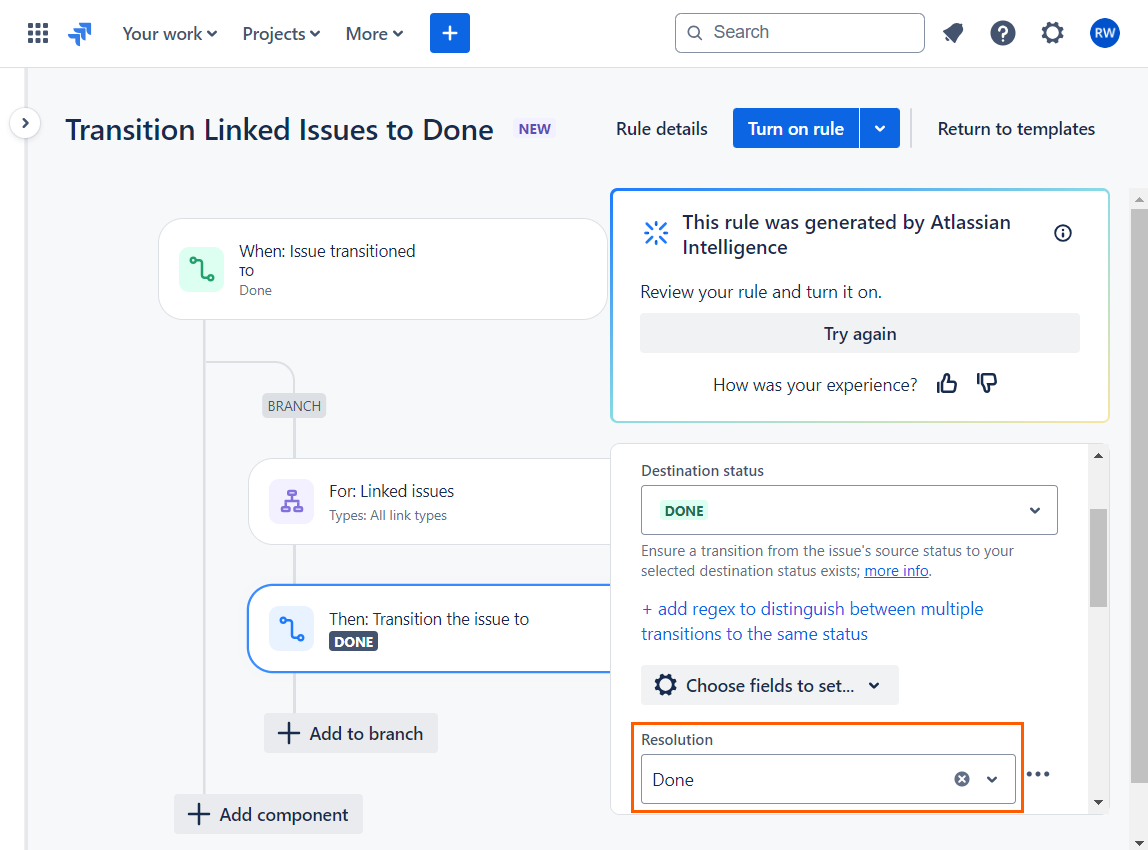
Setting the resolution field to “Done” in the “Transition issue” action
Atlassian is adding new AI capabilities all the time. See the documentation for updates and details.
Back to intro and image list
