This article helps build a solution using Jira Automation and Confluence REST API to link a newly created Confluence page with a Jira issue.
For instance, When a confluence page is created using Jira Automation, the page link should be added to the Jira issue.
Adding the Confluence page link into the Jira issue.
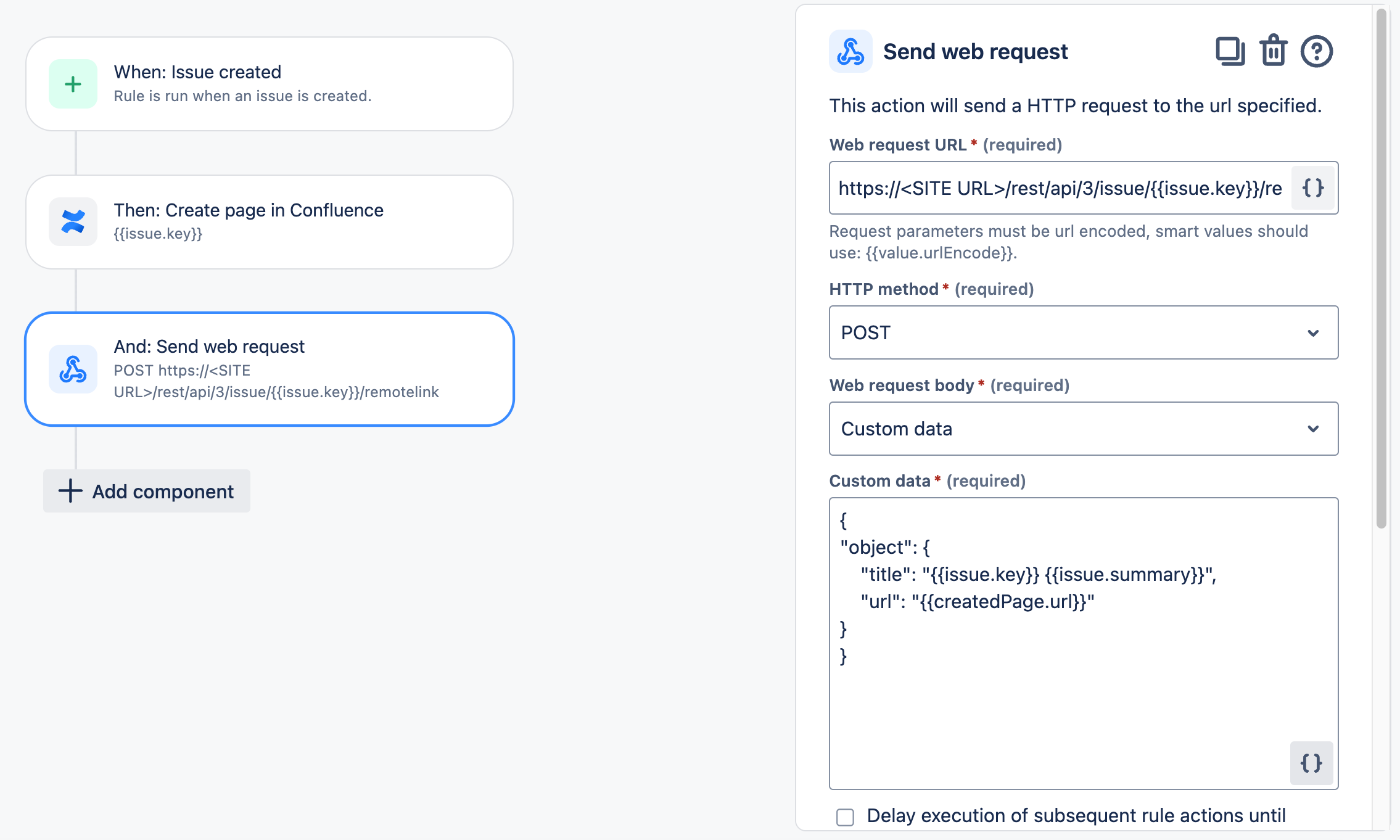
This can be done using the Create or update remote issue link API endpoint, here's an example of the request:
URL: https://<SITE_URL>/rest/api/3/issue/{{issue.key}}/remotelink
Method: POST

Web request body:
{
 "object": {
        "title": "{{issue.key}} {{issue.summary}}",
        "url": "{{createdPage.url}}"
           }
}
Headers:
Alternatively, you can add the smart value that includes the page URL in a comment or a field:
{{createdPage.url}}
Illustration:
Thank you for reading and Happy Automation!
Other related articles:
Jira Automation: Updating a Confluence page with information from Jira issues


