Internal events are the heartbeat of company culture—whether it’s welcoming new employees, celebrating big wins, or bringing everyone together for a holiday party. But managing these events? That’s where it can get tricky.
Let’s explore how Confluence Cloud and Mantra make organizing events easier, faster, and more engaging.
🤔 What Are Internal Events?
Internal events are activities or gatherings designed for employees—like team-building workshops, training sessions, or company celebrations.
🔑 Why Are Internal Events Important?
Internal events keep your team connected and motivated. Here’s why they matter:
- Team bonding: Break barriers and build stronger connections.
- Engagement: Happier, more involved employees are more productive.
- Communication: Events ensure everyone stays aligned and informed.
- Motivation: Engaged employees are more driven to contribute.
Organizing them, though? That’s where the challenge begins.

🚩 Common Challenges with Internal Event Management
Managing internal events can be overwhelming:
- Tracking RSVPs: Juggling attendance and requests like dietary needs can get messy.
- Last-minute updates: Communicating changes quickly is tough.
- Multiple locations: Keeping remote or multi-office teams in sync isn’t easy.
💡 Simplify Event Management with Confluence + Mantra
With 32,870 companies worldwide using it, Confluence has become the go-to tool for team collaboration, knowledge sharing, and organizing work.
Now, imagine taking that same platform and supercharging it with a seamless internal event management solution. That’s exactly what Mantra does.
Mantra, a social intranet solution, is fully integrated into Confluence, giving you everything you need to create, manage, and communicate events—all in one place.
🛠️ Step-by-Step: Manage Internal Events with Mantra
1️⃣ Get Started with the Event Dashboard
Head to Mantra’s Events Dashboard.
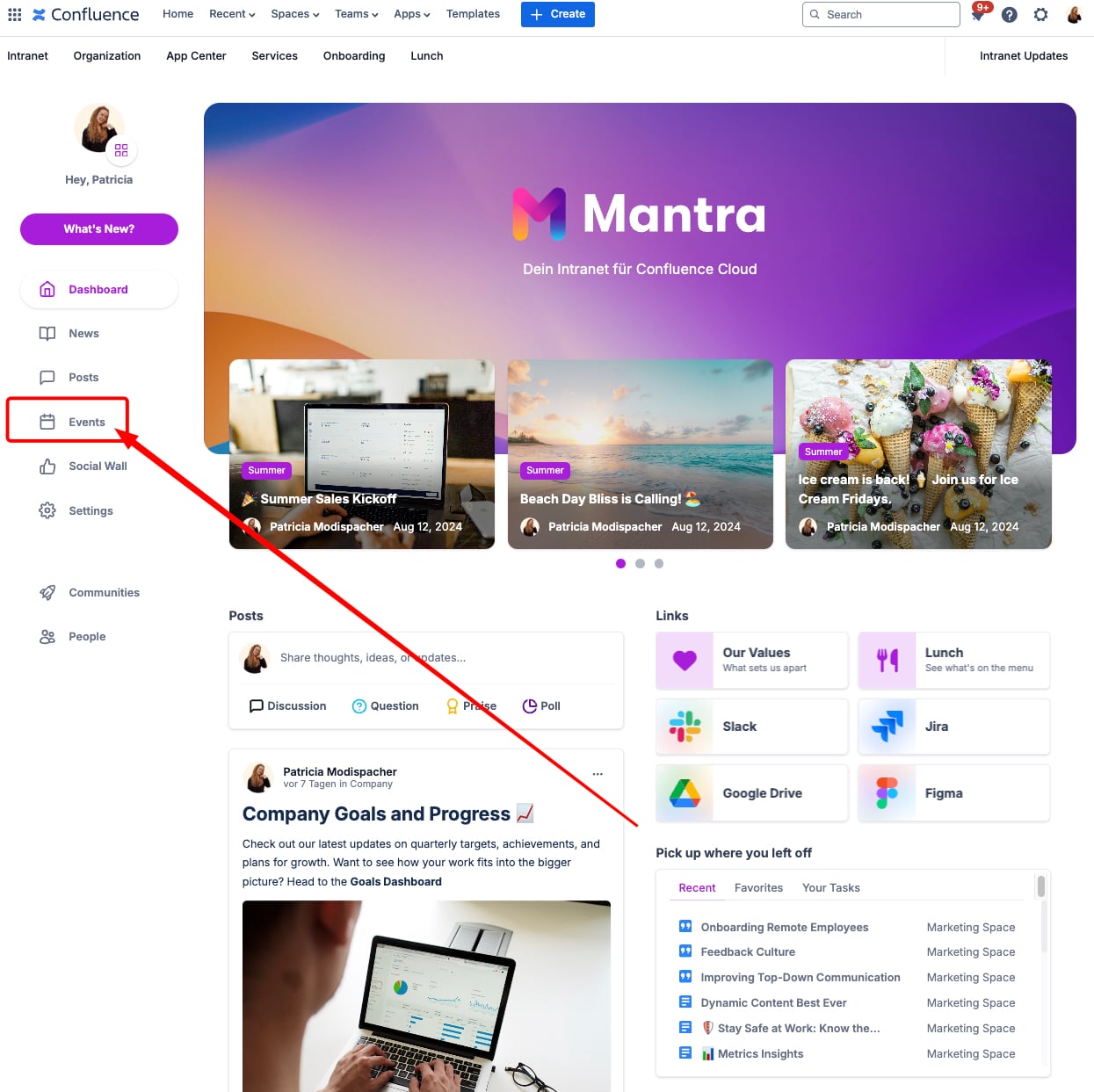
Here, you'll see upcoming and past events.
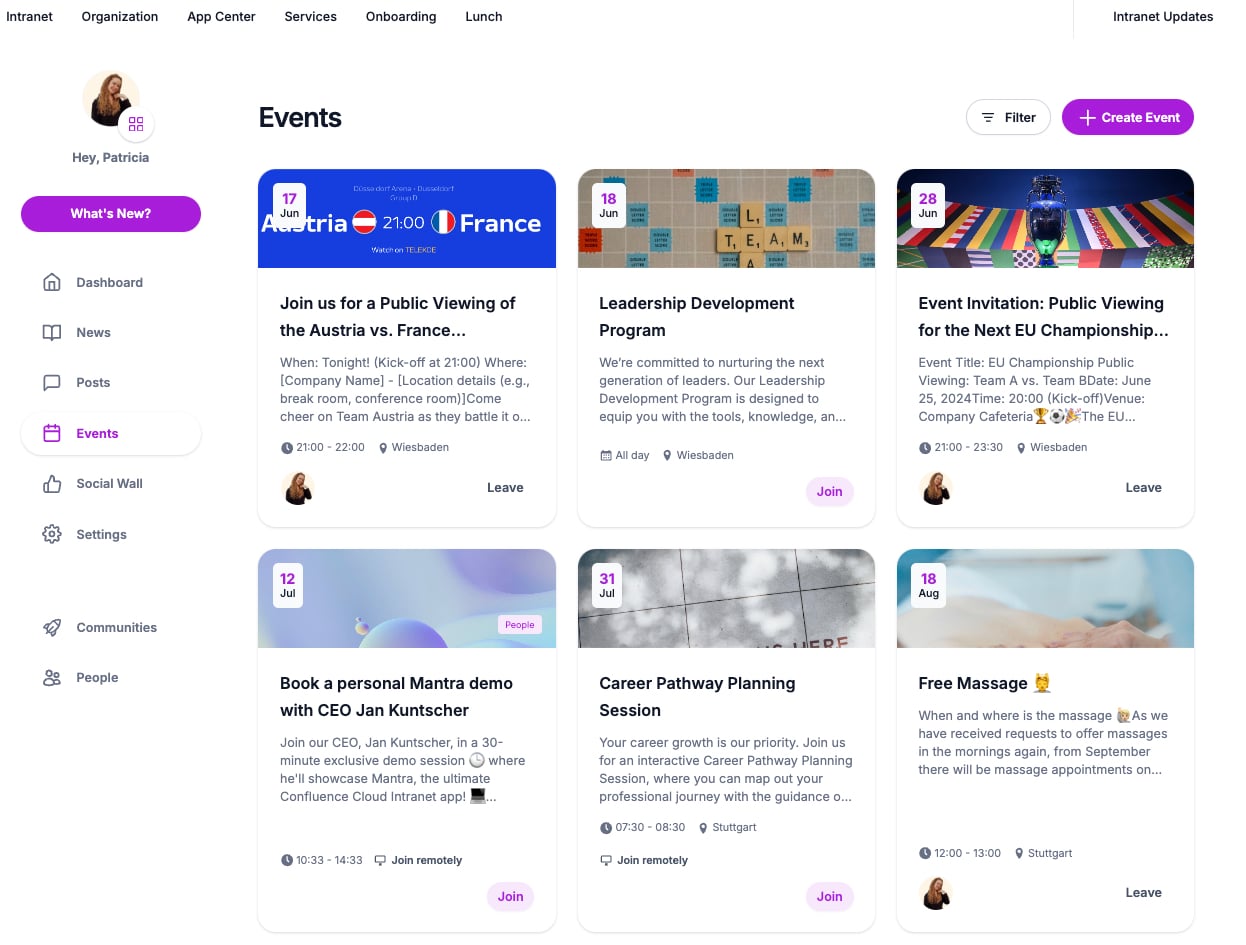
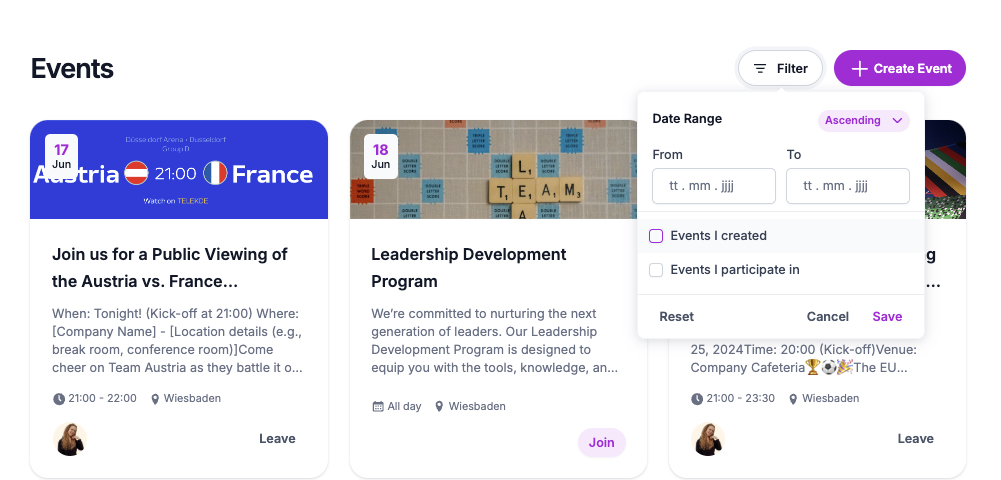
Filter events by date or participation to stay organized.
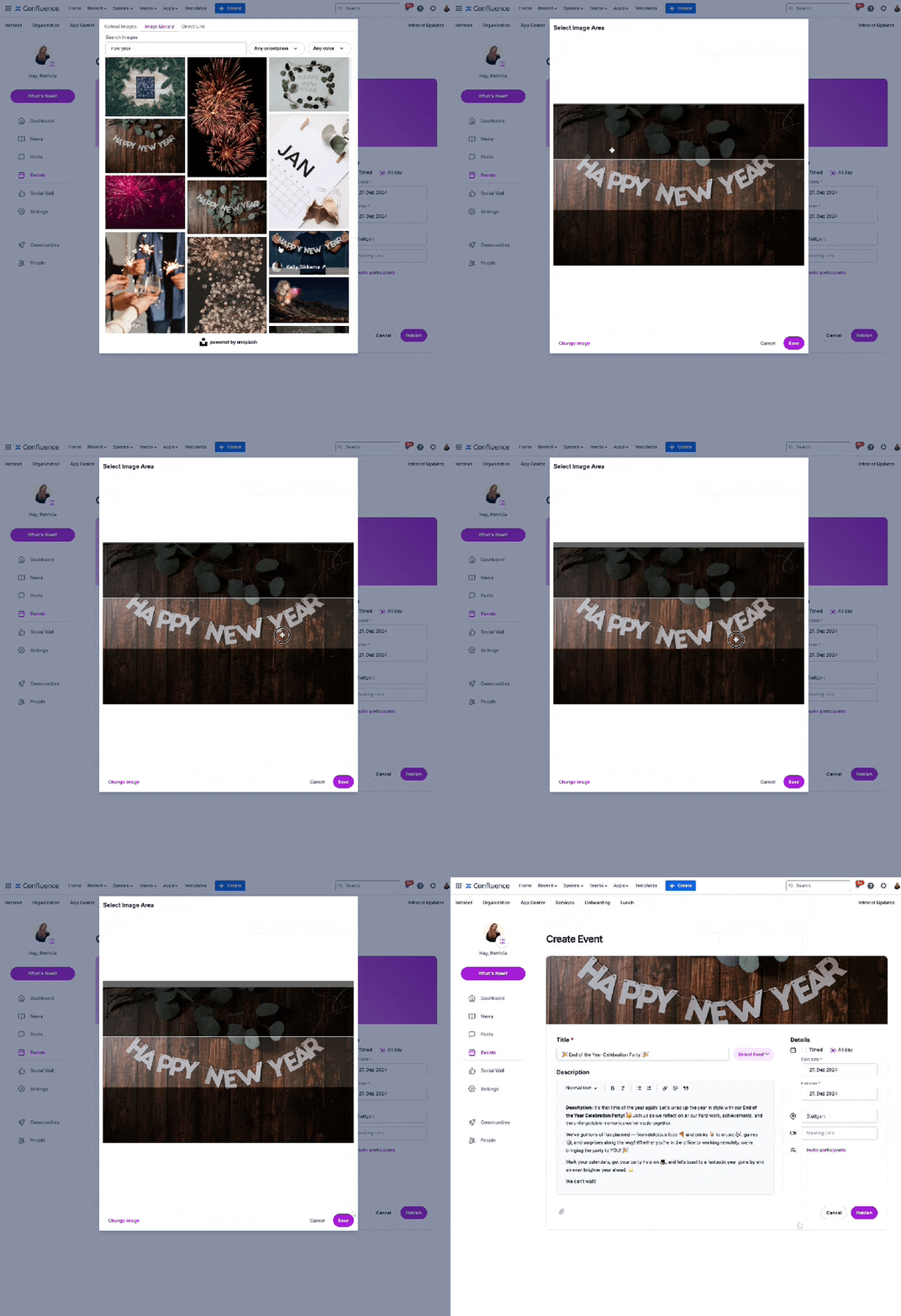
2️⃣ Create Your Event
Click Create Event, then:
- Add a catchy title and a detailed description.
- Set the date, time, and location (or meeting link).
- Upload attachments like agendas or slides.
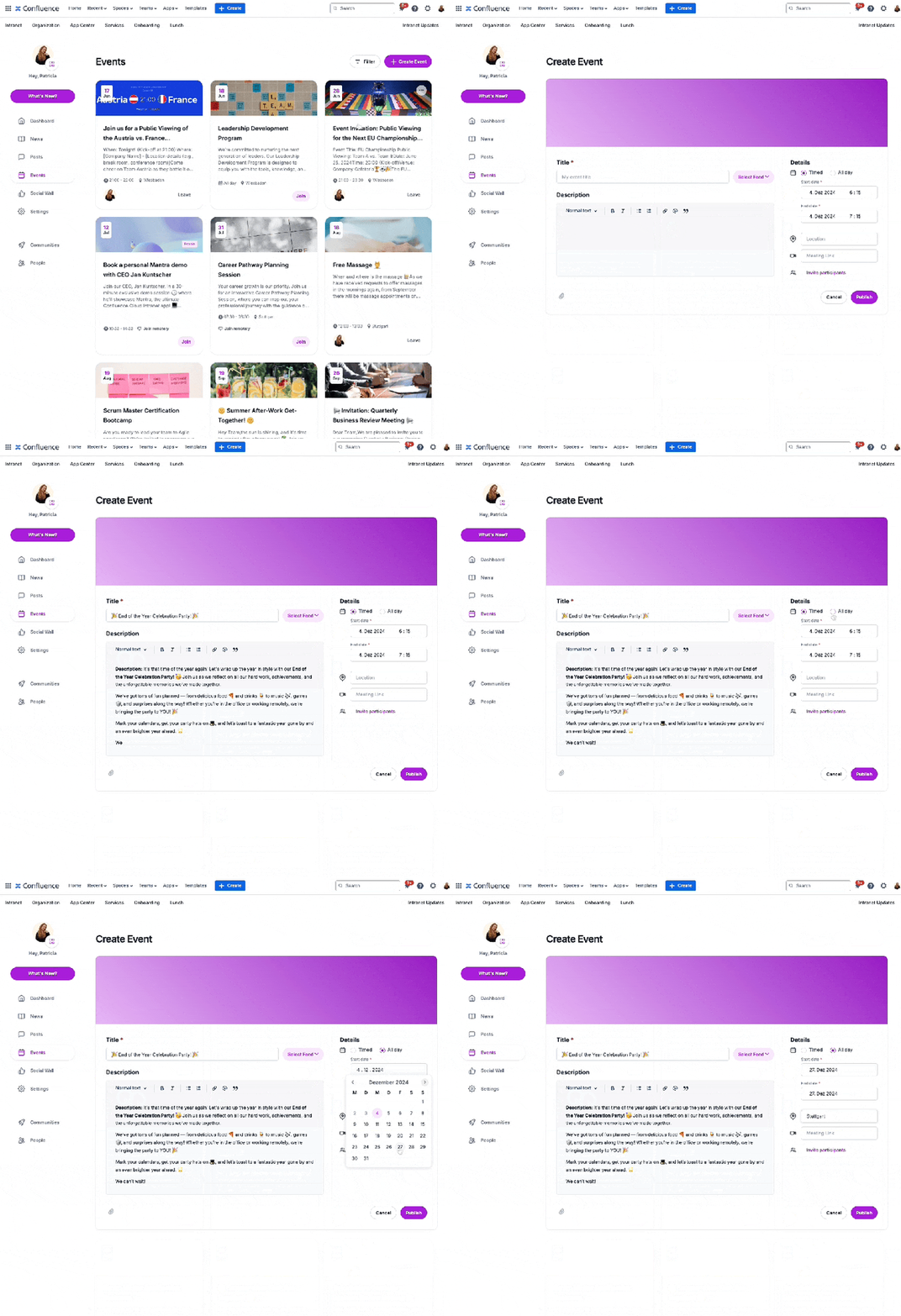
- Add a custom header image for a standout look.
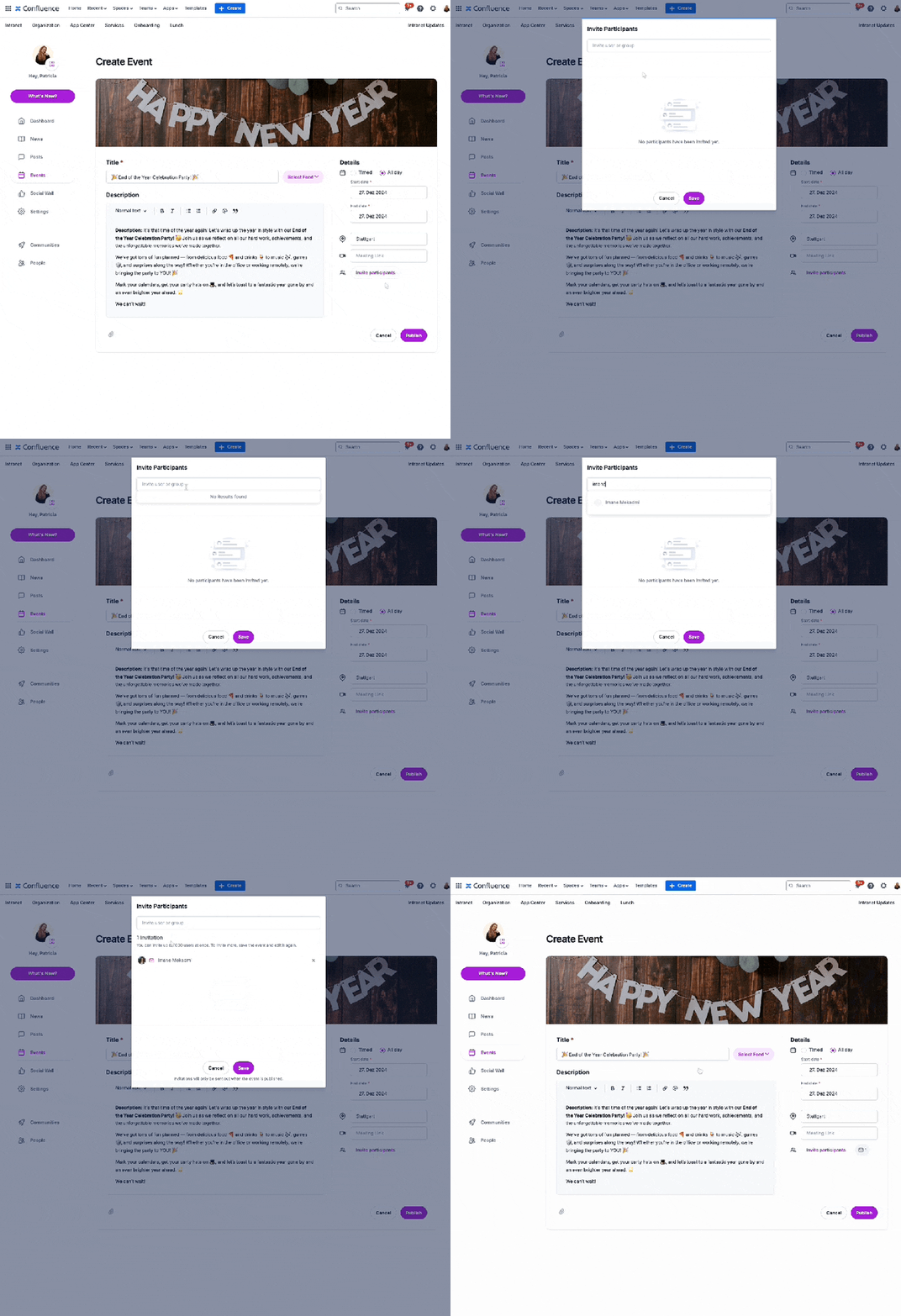
3️⃣ Invite Participants
Search and invite individuals or groups from your Confluence directory. Mantra automatically sends invitations, and participants can RSVP in real-time.
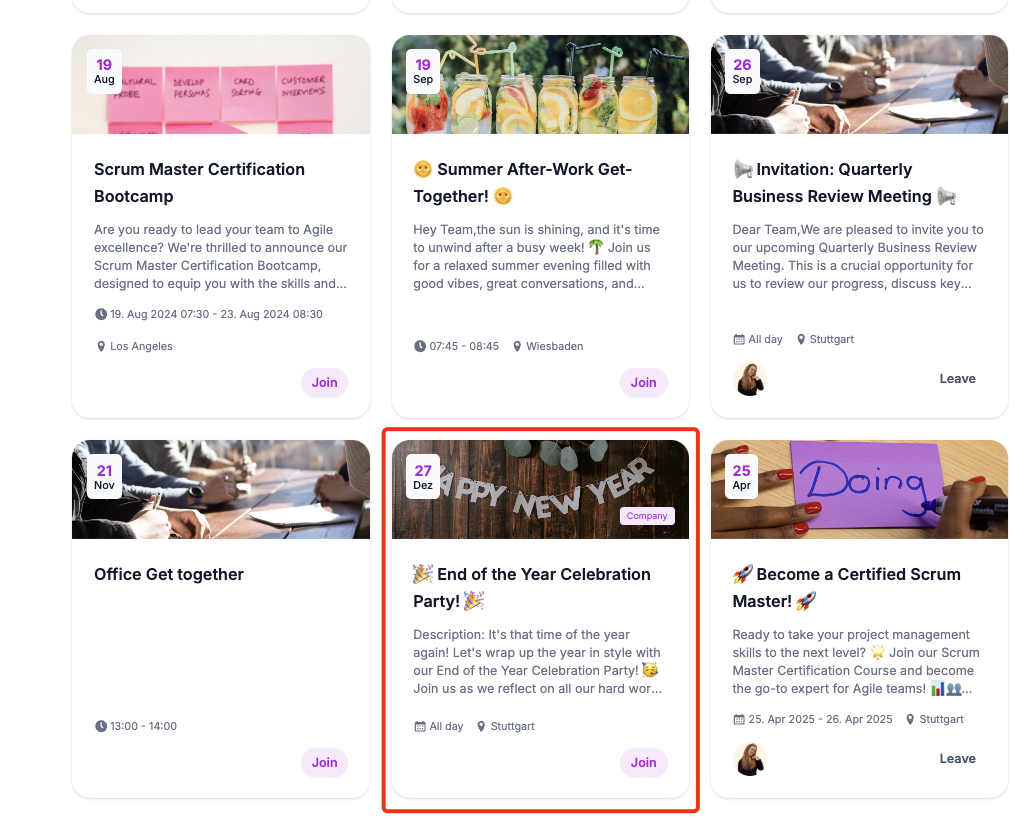
4️⃣ Publish and Sync Calendars
Publish your event, and participants will receive calendar invites synced with Google or Outlook, ensuring no one misses it.
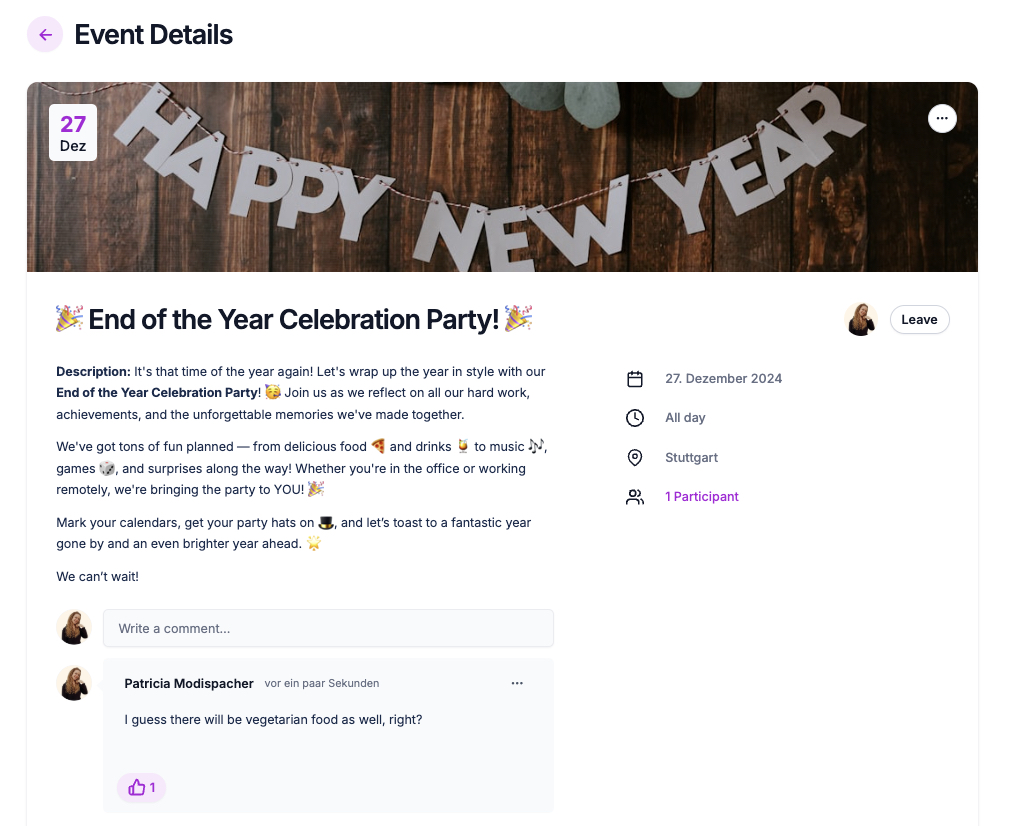
5️⃣ Track Participation
Easily monitor who’s attending, who declined, and who hasn’t responded. Use comments for questions and real-time interaction.
6️⃣ Manage Changes with Ease
Need to update event details? Mantra makes edits seamless and ensures participants are notified instantly.
🌟 Why Choose Mantra for Internal Events?
Mantra takes the stress out of event planning. Here’s why it’s perfect for your team:
- Fully integrated into Confluence Cloud.
- Real-time RSVP tracking and updates.
- Streamlined communication with participants.
- Keeps everything in one place—no external tools needed.
With Mantra, you’ll focus less on logistics and more on creating events that inspire and connect your team.
Ready to Elevate Your Event Planning?
✅ Try Mantra for free today and see how easy internal event management can be!
📅 Book a demo for a personalized walkthrough of its powerful features.
Have you planned your New Year's party already?
