Recently the eagerly awaited GPG key verification mark feature made it's debut in Bitbucket Cloud. I've been signing my commits for quite a while now, and I was quite excited, hoping to see the verified sign on all my commits.
However, I'm facing issues trying to add the GPG key of my primary email alias into the list of GPG keys in the bitcucket account settings. My process is as below:
1. Add email alias of the my signing key's email to my accout.
2. Verify the alias
3. Add GPG key via Settings -> Bitbucket Personal settings -> GPG keys -> Add GPG key.
However, I get the following error:
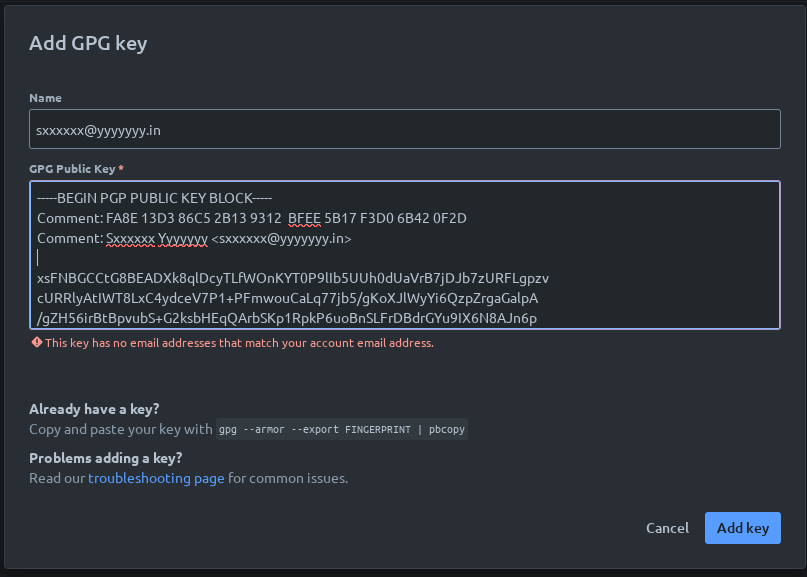
(Email redacted to discourage spammers).
I've tried both with the output of `gpg --armor --export FINGERPRINT` (which contains no comments) as well as the fingerprint as exported by the keyserver I use to publish my public key (keys.openpgp.org; contains the comments as above). In both the cases, I get the same error of no email address in the key, matching my email address.
My questions on this are as follows:
- Is the GPG module not checking against the email aliases of the account?
- Given that `pbcopy` a part of the command to copy the key, are the documentation creators Atlassian support staff or Apple Sales staff?
Regards,
Sam


