Scenario: Users that are not Jira Admins don’t get the option to edit permissions or share dashboards. Note: Data Center Community version LTS
Troubleshooting: The Global permissions have “Create Shared Objects” and “Manage Group Filter Subscriptions” with User/Groups “jira-users” and “jira-service-desk-users” which are the AD groups for Service Desk and Software for Jira.
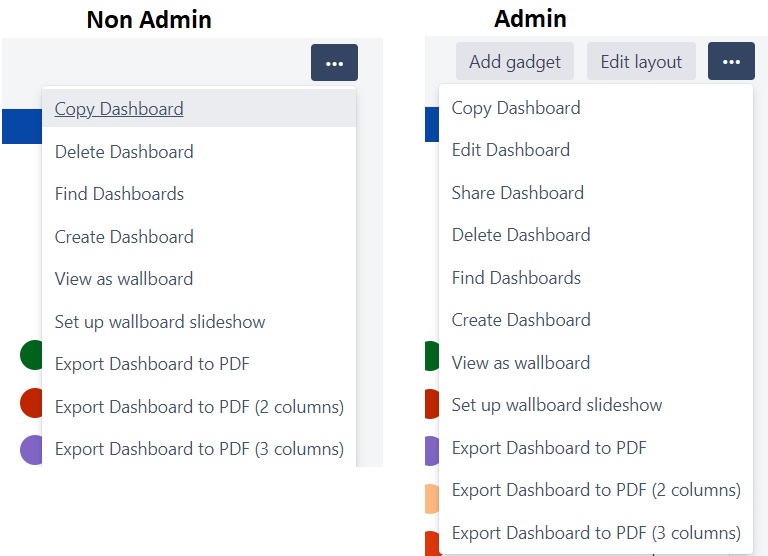
You impersonate any user; you create dashboard you don’t get the option to change editors and viewers. Create the dashboard and click on the 3 dots and dropdown doesn’t show Edit and Share Dashboard.
If you repeat the process Jira admins can see these options.
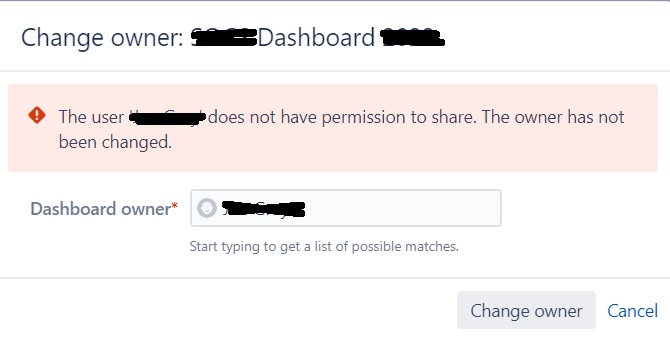
Additionally, if you go to System --> Share Items --> Dashboards; Find a dashboard change the owner (admin) to a non-admin you get:
“The user '<non admin user>' does not have permission to share. The owner has not been changed.”
Anyway, to set up to have non admin users share/edit dashboard permissions?
Images:
1 – Dashboard in Shared Items
2- Dashboard dropdown options non-admin vs admin
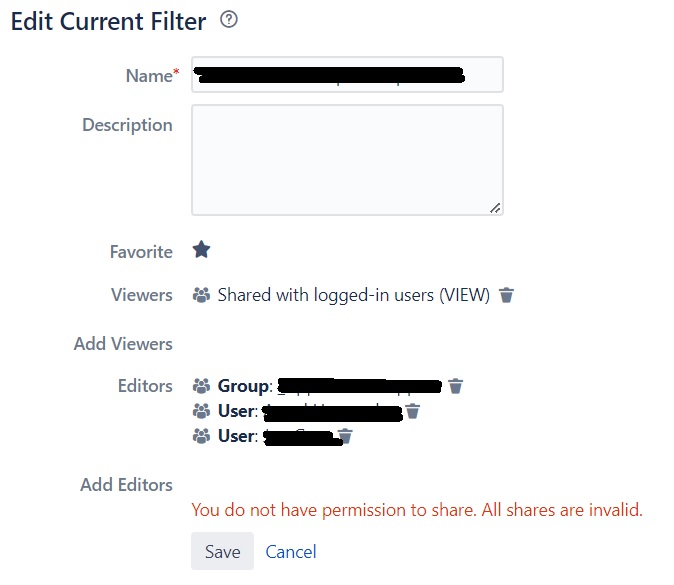
3 – Filter Edit permissions
4 – Global Permissions