Smart Link list view is a feature available in Confluence and Jira that allows you to insert a list of items from various sources into any editor surface in Atlassian products. You can do this by pasting a URL of search results or using available Smart Link list view tools. The feature does not store data, but instead syncs displayed information from the source link.
We’re adding functionality that lets you edit the summary straight from the Smart Link without having to leave the context of the page you’re in. The summary field will then automatically get updated in Jira without any extra effort.
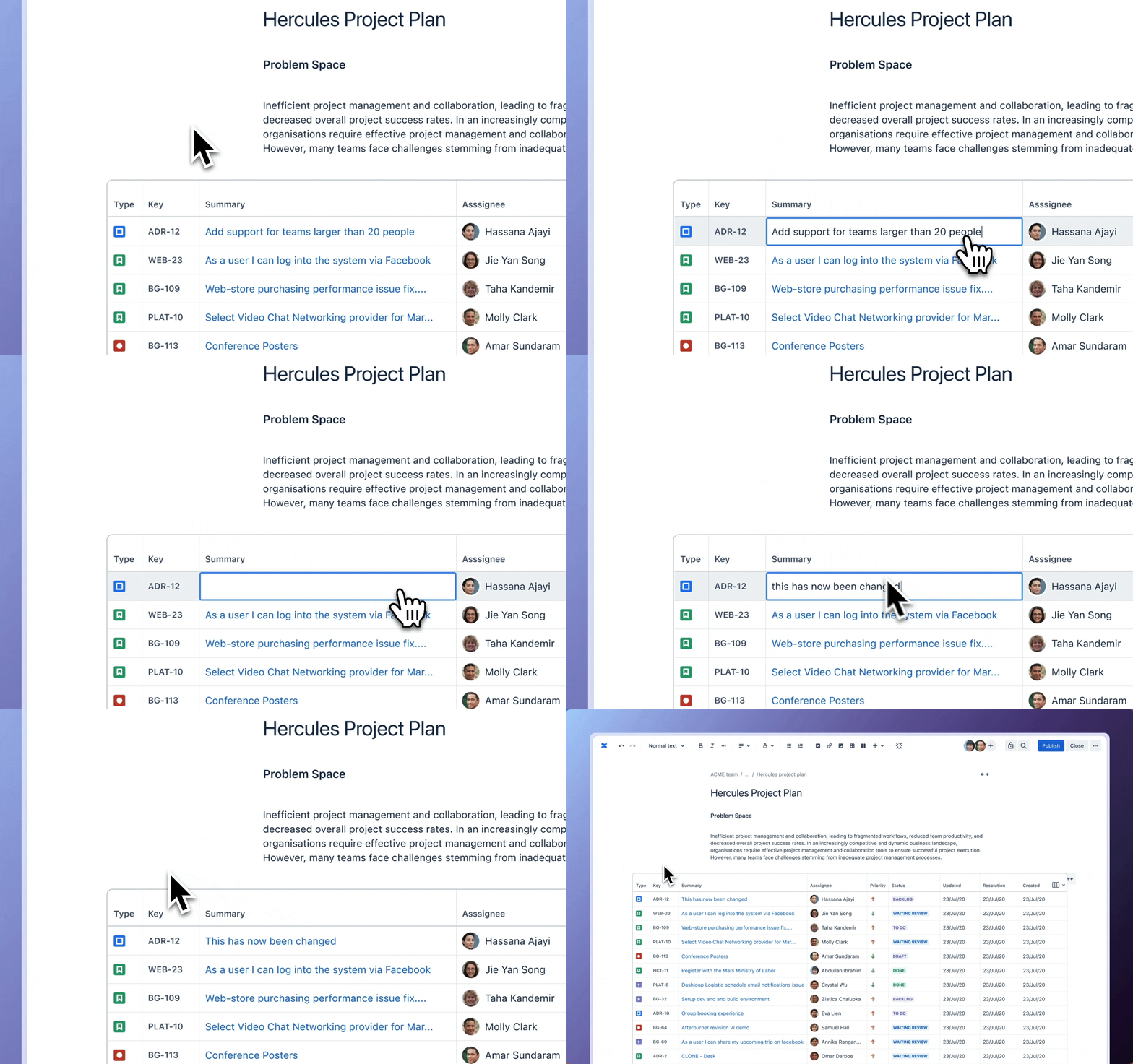
What fields are editable at the moment?
This first release will let you edit the Summary, and we’re looking at making this feature available for additional fields soon.
When can you expect this?
We're aiming to get this feature out to our users as soon as possible, with planned rollout starting September 2024.
Use Smart Link list view to display work items
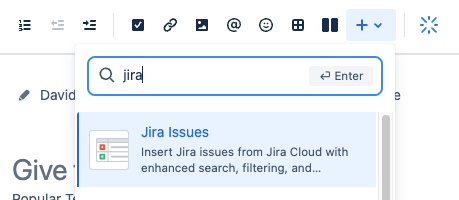
Select the + menu in the toolbar, search for "Jira," and pick “Jira Issues”
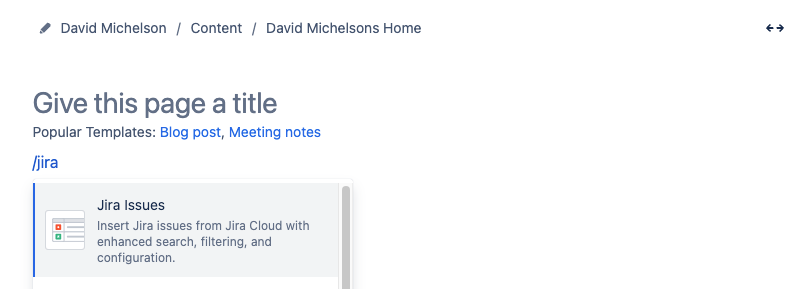
Or, just type "/jira issues" directly in the editor and pick “Jira Issues”
You need the right permissions and field setup to edit the Summary
To edit the summary or any other field, you need to ensure:
If you can’t edit the field, reach out to your Jira project admin, ask about the field setup, and send a permission request.


