Hi everybody,
I'm facing the following problem, I have created a function in js to open a dialog with a form, this dialog contains the following parameters: parentIssueId, issueTypeId, issueTypeName.
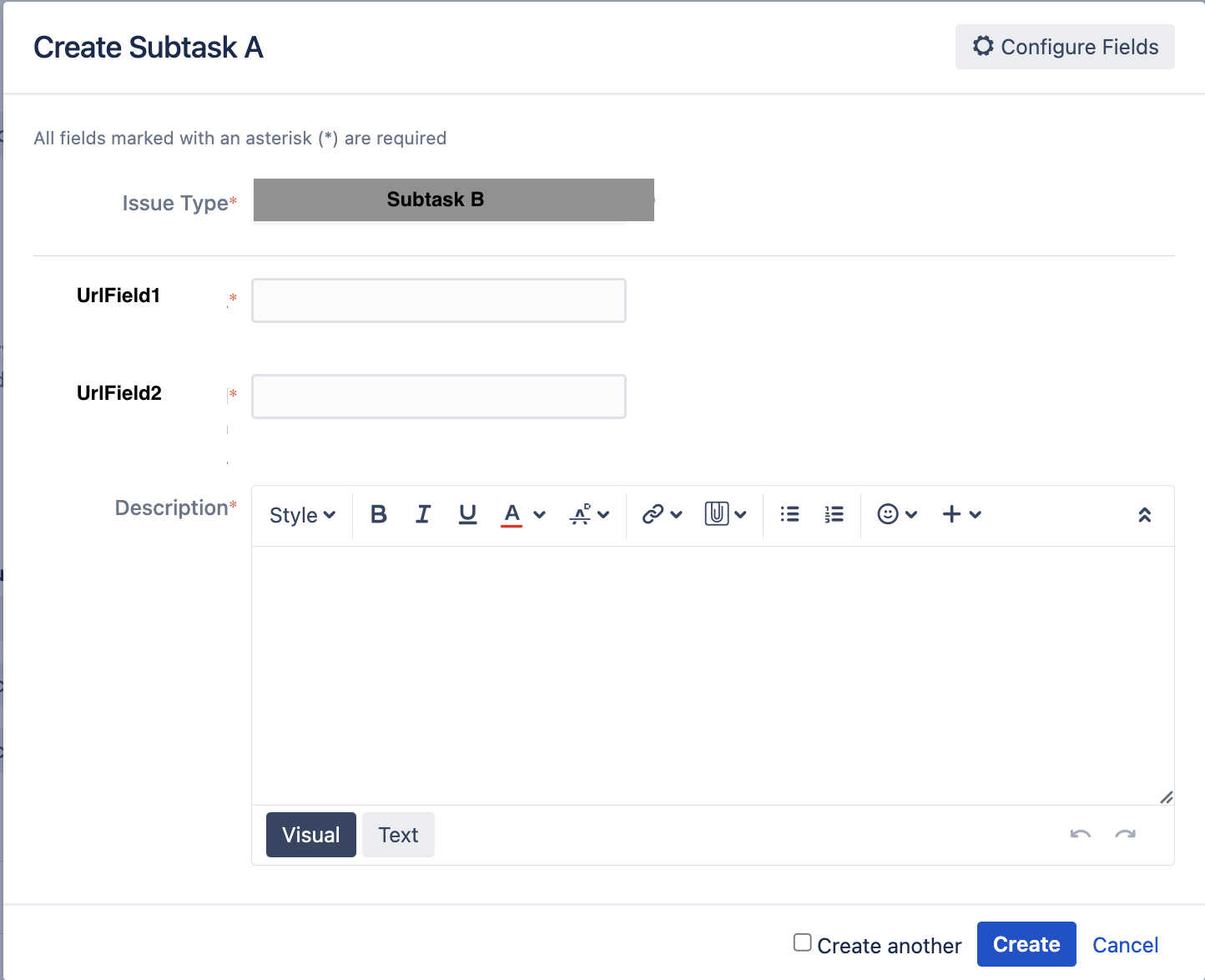
When onClick on the subtasks in onDemand form, it should show me all the fields contained in each issue type, but it only takes the last one.
On one side I attach the js code and my .vm(html):
function createSubtaskDialog(parentIssueId, issueTypeId, issueTypeName) {
var createSubtaskFactory = require('quick-edit/form/factory/create-subtask');
var createForm = createSubtaskFactory({ parentIssueId: parentIssueId, issueTypeId: issueTypeId });

    createForm.bind("contentRefreshed", function () {
        setTimeout(function () {
            AJS.$("#issuetype-field").val(issueTypeName).attr('disabled', true);
            AJS.$("#issuetype-field").siblings(".select2-chosen").text(issueTypeName);
            AJS.$("#issuetype-single-select > span").hide();
        }, 0);
    });

    createForm.asDialog({id: "create-subtask-dialog"}).show();
}
<div id="issue-detail-create-sub-tasks-panel" class="module toggle-wrap">
<ul class="sub-task-help">
#foreach($subTaskIssueType in $subTaskIssueTypes)
#set($normalizedIssueType = $$subTaskIssueType.name.replaceAll(' ', '').replaceAll('-', '').toLowerCase())
#set($labelProperty = "gtaas.webPanel.subTasks.$normalizedIssueType")
#set($helpProperty = "gtaas.webPanel.subTasks.${normalizedIssueType}.help")
#set($hasHelp = $i18n.getText($helpProperty) != $helpProperty)
<li class="#if(!$hasHelp)no-help#end" id="subtask-$subTaskIssueType.id">
<a id="$normalizedIssueType" href="#" onClick="createSubtaskDialog('$issue.id', '$subTaskIssueType.id', '$subTaskIssueType.name')">
<button class="aui-button">
Create $i18n.getText($labelProperty)
</button>
</a>
#if($hasHelp)
$i18n.getText($helpProperty)
#end
</li>
#end
</ul>
</div>
To give more visibility to the problem, I attach some screenshots with the explanation:
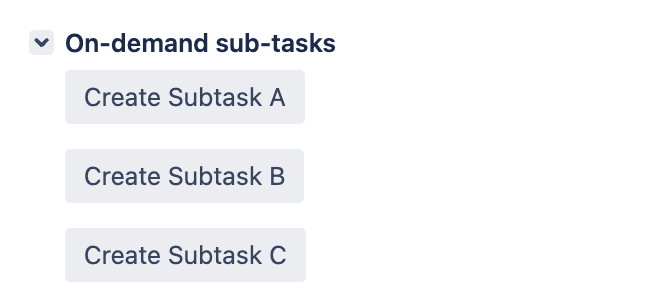
1- We have the list of the following subtasks, when we onclick it shows us the following dialog
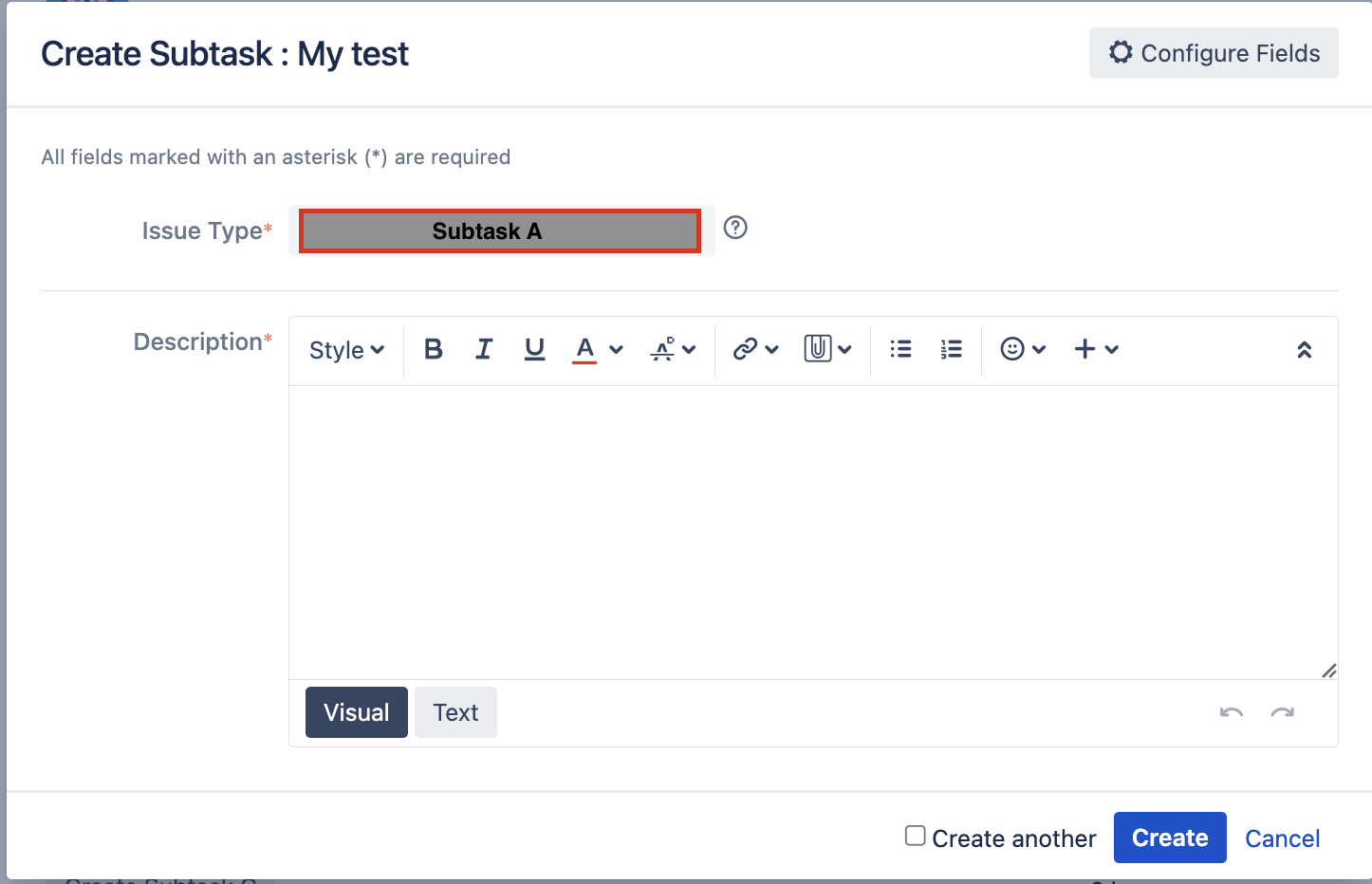
2- For subtask A has only one description field, that subtask cannot be changed in value.
If we go back to the previous screen and onClick on another subtask, not for example B or C, which have other fields, it will show the same field as A.
3- One thing that has made me realize this is, if I create a subtask from the button More.
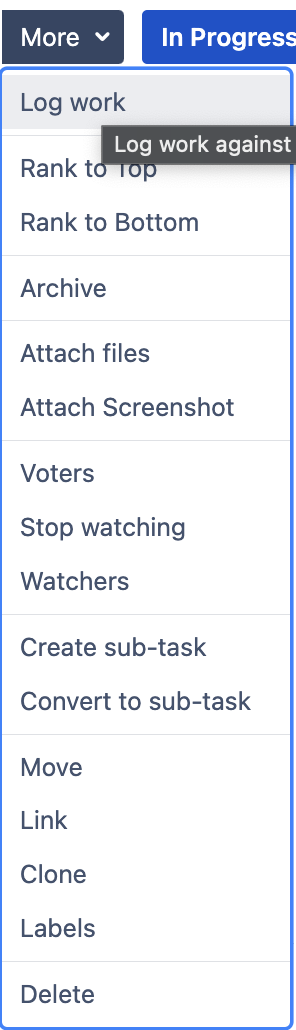
4- We have the list of the following subtasks, when we onclick it shows us the following dialog.
It opens another dialog but this time the type of issue if I can choose the subtask, here it loads the correct fields.
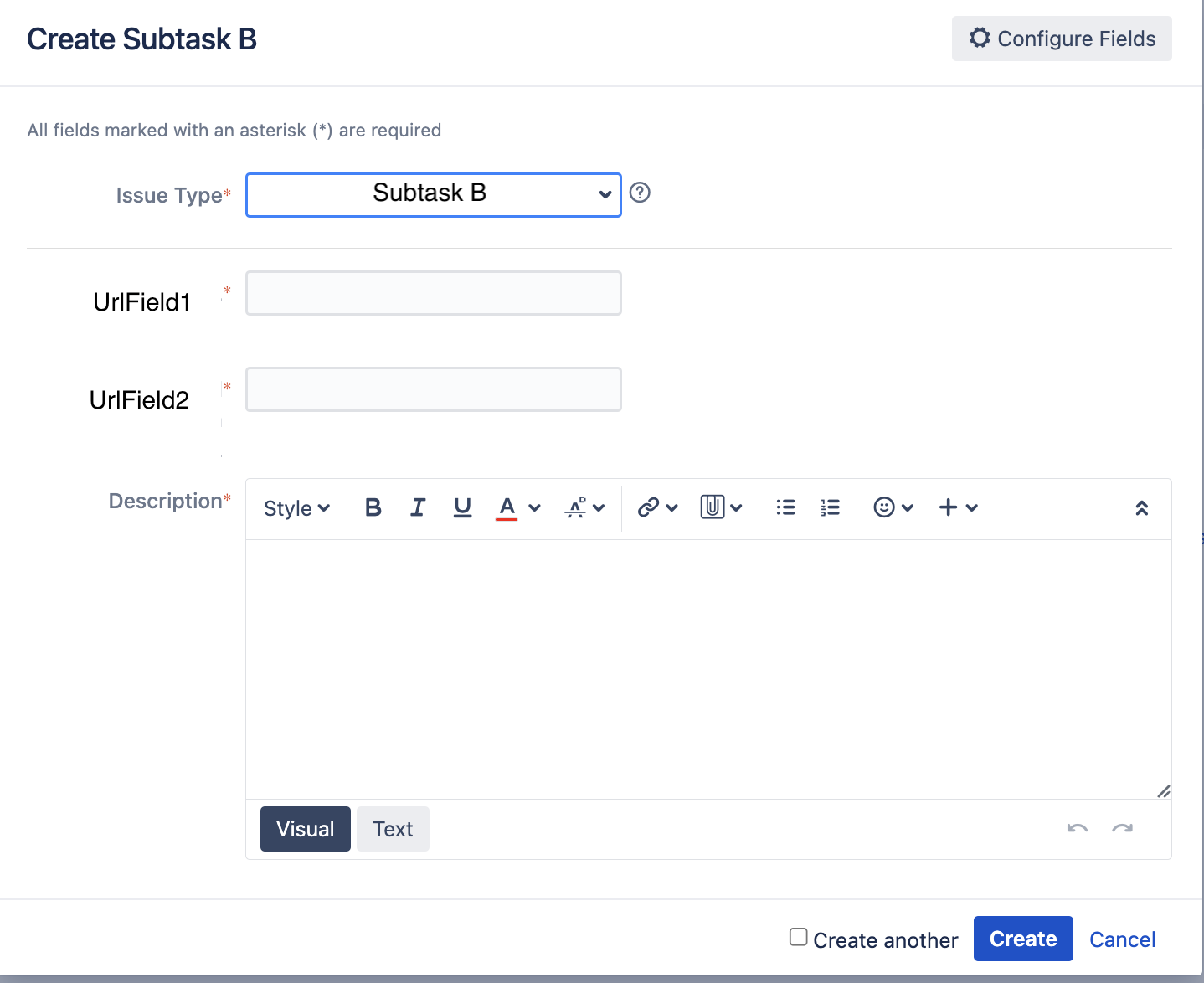
5- But without creating the subtask from More, we cancel the dialog.
We create again a subtask onDemand, the A for example.
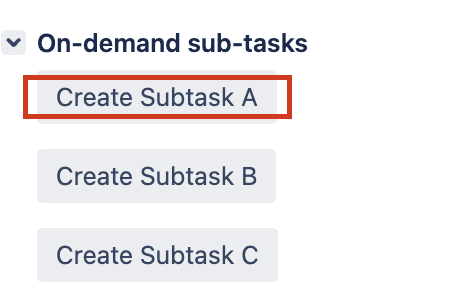
6- And subtask A paints the fields of B (there is an editing error, in the issue Type it is A, not  .
.
I hope my case is not too complex for resolution.
Thanks
