Hi there!
This is my first post here guys so if anyone needs anything extra I can add then by all means, feel free to tell me!
Right now, I have proposed to my team that we migrate from Webpack to Vite and they had accepted now, after finally doing the migration steps, we now have one problem, that even though doing yarn dev (vite) or doing yarn build-only (vite build) then yarn preview (vite preview) the website works perfectly, in both cases, the icons load and the website runs with flying colors!
However, when I try to use my current CI/CD bitbucket-pipelines.yml file so I can build and deploy my website, I get a blank page after it's done specifically I get the image provided when I open up the console.
This is my currect bitbucket-pipelines.yml file
options:
  max-time: 10
definitions:
  services:
      docker:
         memory: 3071
image: node:18.12.0
pipelines:
   custom:
        deploy-stage:
              - step:
                   name: Deploy to Azure
                   deployment: staging
                   script:
                        - chown -R 165536:165536 $BITBUCKET_CLONE_DIR
                        - pipe: microsoft/azure-static-web-apps-deploy:main
                        variables:
                             APP_LOCATION: "$BITBUCKET_CLONE_DIR/"
                             API_TOKEN: $deployment_token_stage
                             SKIP_APP_BUILD: 'true'
                             APP_BUILD_COMMAND: yarn run build-only --mode=stage
                             DEVELOPMENT_ENVIRONMENT: stage
I get this error when I deploy:
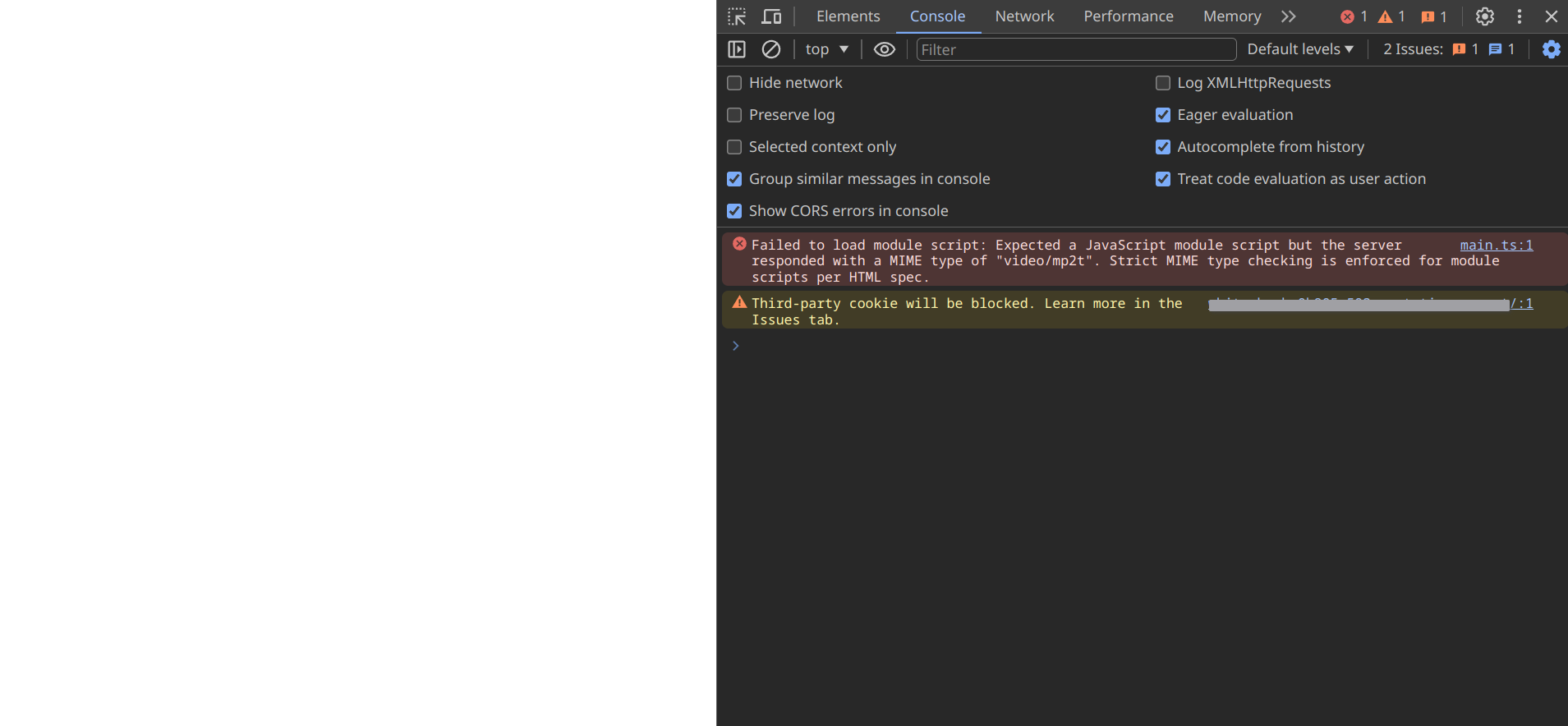
There are the scripts I am using in the package.json
"scripts": {
"dev": "vite",
"build": "run-p type-check \"build-only {@}\" --",
"preview": "vite preview",
"build-only": "vite build",
"type-check": "vue-tsc --build --force",
"lint": "eslint . --ext .vue,.js,.jsx,.cjs,.mjs,.ts,.tsx,.cts,.mts --fix --ignore-path .gitignore", "format": "prettier --write src/", "storybook": "storybook dev -p 6006", "build-storybook": "storybook build" },
And finally this is my vite.config.ts
import { defineConfig } from "vite";
import vue from "@vitejs/plugin-vue";
import path from "path";
export default defineConfig({
  plugins: [vue()],
  resolve: { alias: { "@: path.resolve(__dirname, ./src"), },
  extensions: [".mjs", ".js", ".ts", ".jsx", ".tsx", ".json", ".vue"], },
  server: { host: true, port: 8080, strictPort: true, },
  preview: { port: 8080, strictPort: true, },
  base: "./",
 });
Would appreciate any help!
Thank you very much

