The fix versions in Jira are specific to a Jira project. However, the intent to create, plan, and visualize a Go-Live Release runs across multiple Jira projects.
Jira Epics and stories built across multiple Program(s)/Agile Release Train(s) in different Program Increment/Quarters need to be clubbed to form Major/Minor Release.
To add further, not all the Jira Epics stories might be part of the Major/Minor release, but some specific ones.
This can be handled in Jira Align; however, before we go there, it's important to note that we don't need(also not recommended) to sync fixed versions from Jira to Jira Align. Fix version being Jira Project specific stay in Jira, and Group Releases( being referred to as Major/Minor stay in Jira Align).
What does Group Release look like in Jira Align?
- It's a view of a timeline on which you can plot your releases
- These releases might be work items viz. features & stories
- Features & stories might have been completed in past quarters/PI(s)
- Option to choose which selected features & stories would be part of the release
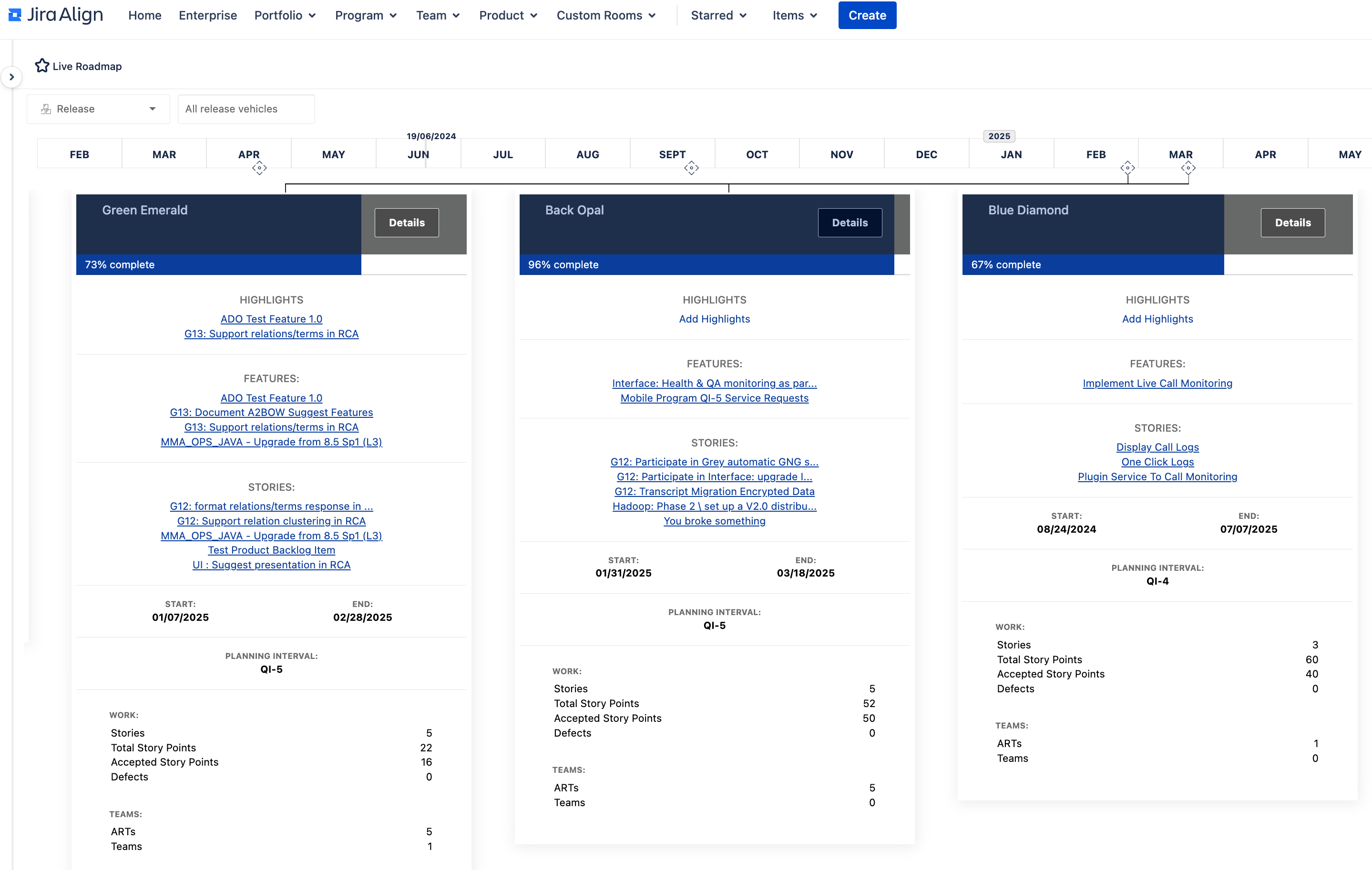
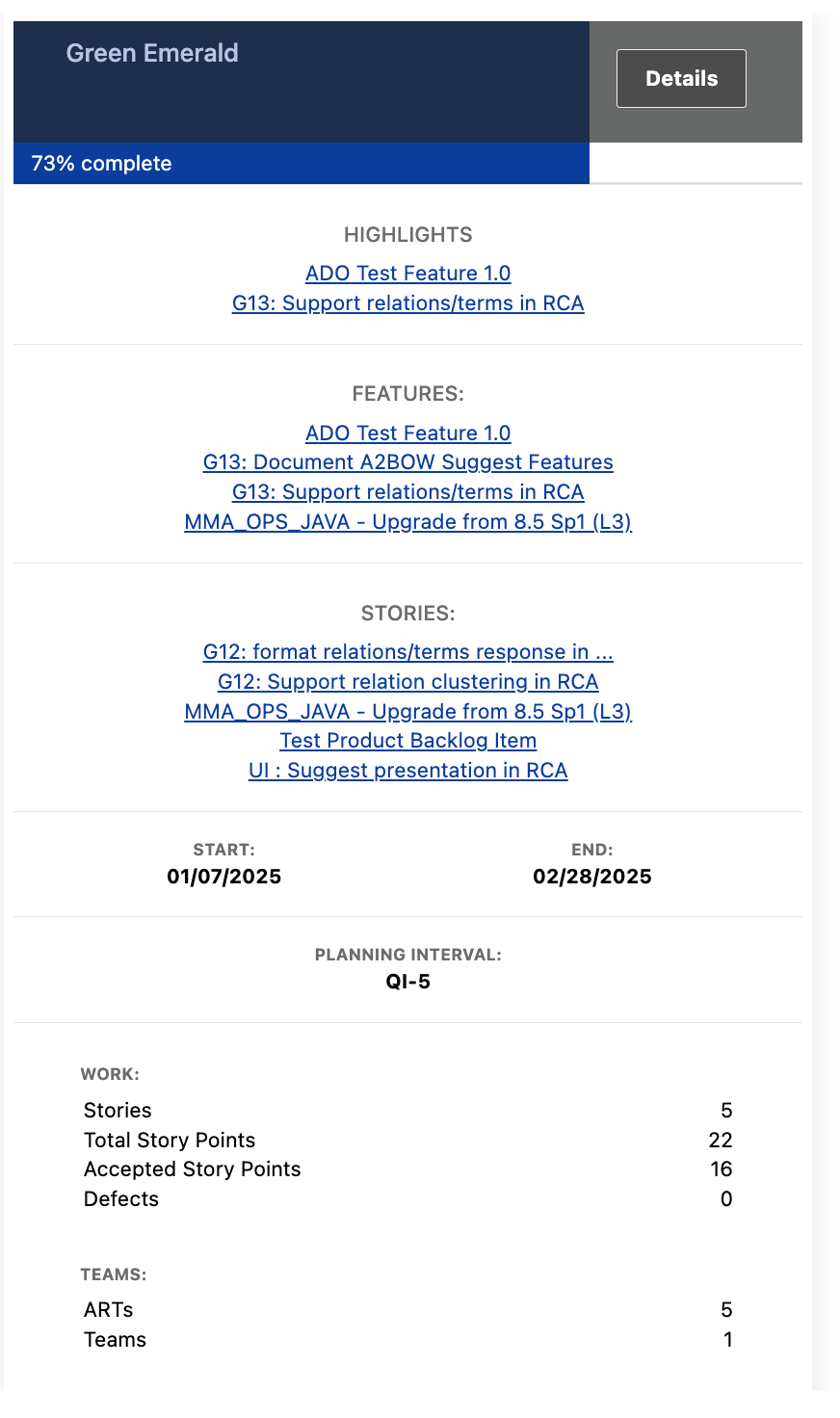
What does Group Release showcase?
- Completion status of work items
- One can choose what are the highlights of the release, specific Features, and/or specific stories
- Start and end date of release
- Which PI/Quarter is this release scheduled
- Count of stories that are part of the release, along with total and accepted story points
- One can also list the defects that might have been fixed as a part of the release
- Also how many Programs/ARTs & how many specific teams are contributing to this release
Visualization while creating a Group Release
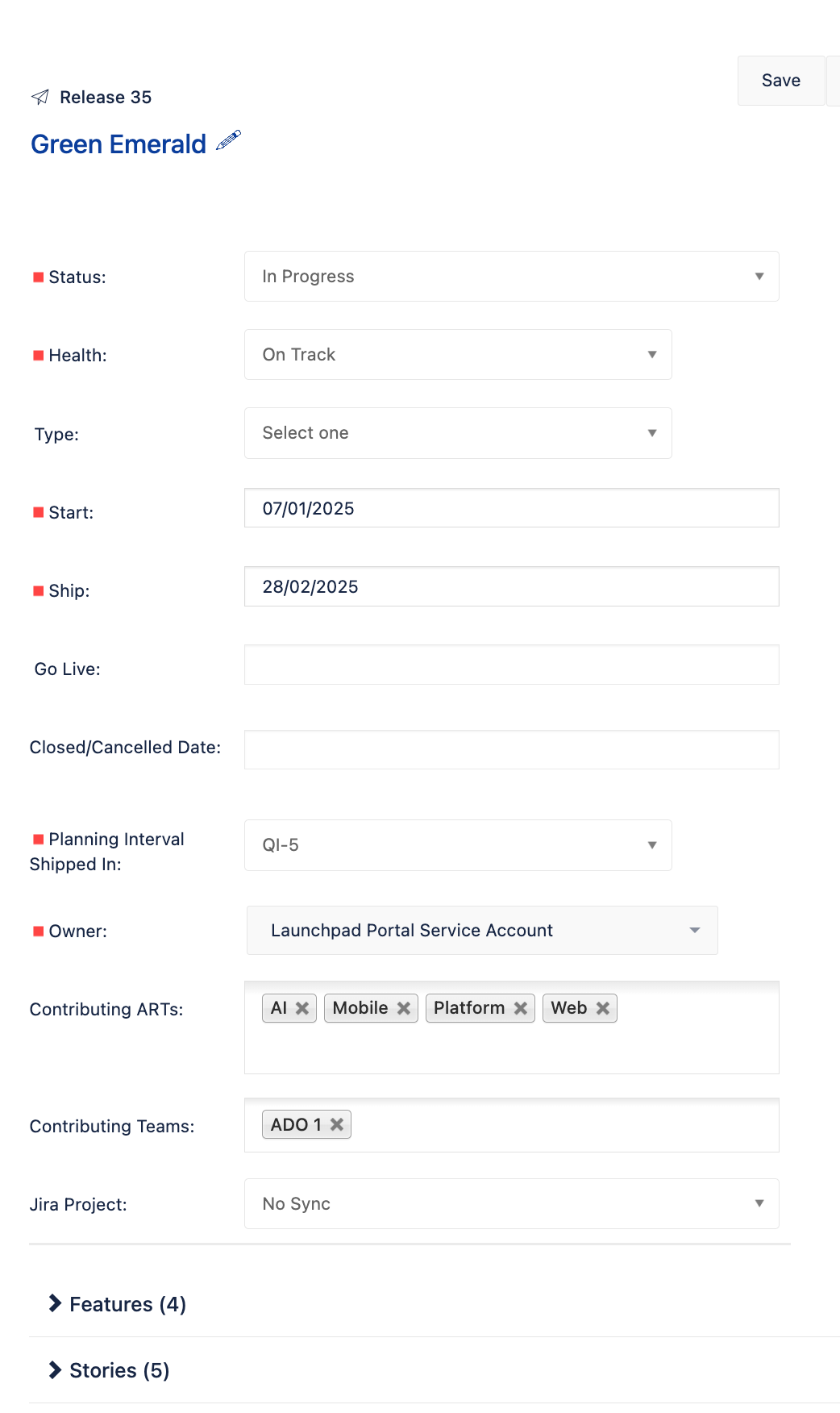
Option to choose type of Release - Major/Minor/Support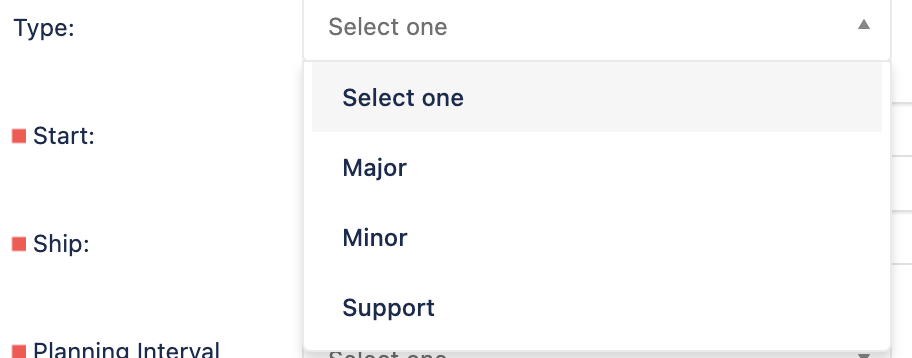
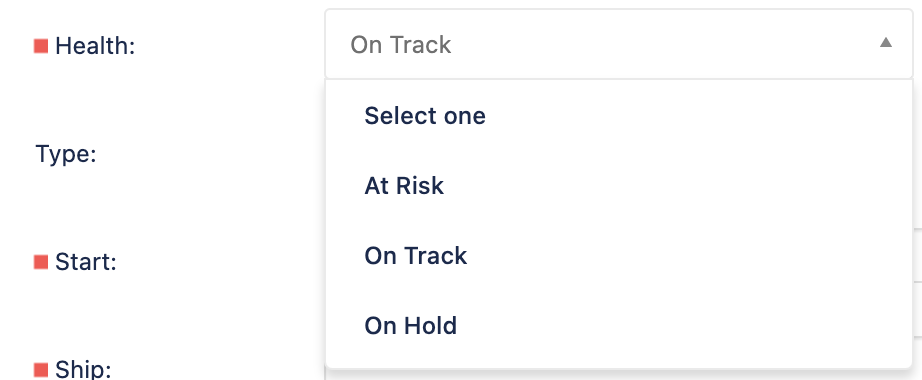
Option to update health of release - At Risk/On Track/On Hold
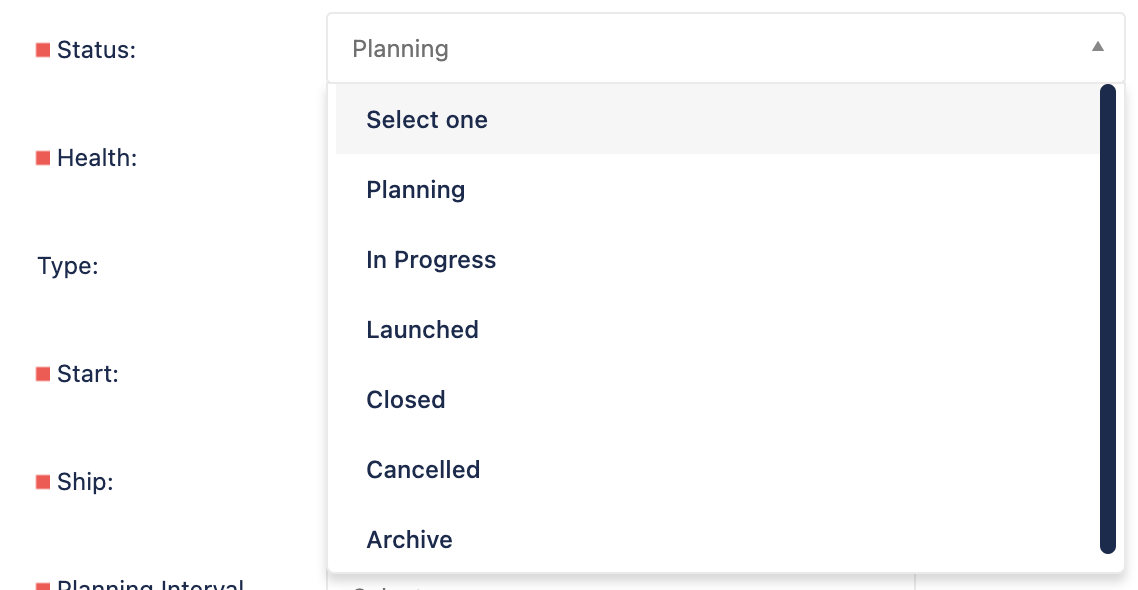
Option to set the Status
- When you plan you see start and end dates
- When Launched is opted, you would see Go-Live date
- Also the option to Cancel or Archive as well
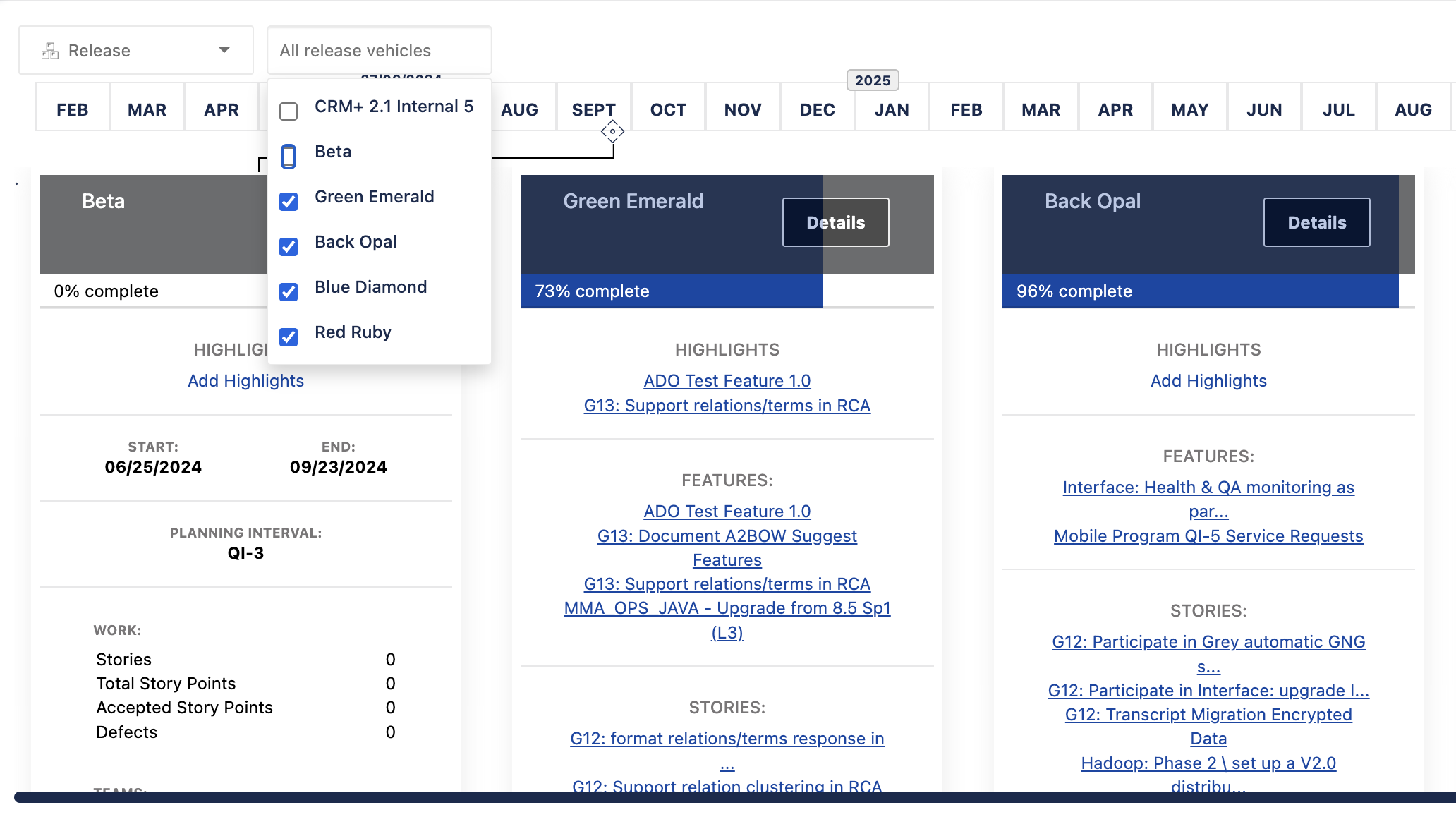
Can we filter the Group Release content?
On the timeline view, you can select which of the Group Release you wish to visualize.