After that technical information, here’s a picture of a dog with a pancake on its face:
Image: A dog with a pancake draped over it’s face.
Now let’s get back to the nitty gritty…
What is a child issue?
Epics get broken down into multiple child issues. Child issues are small, discreet pieces of work. Completing each child issue within an epic means you’re getting closer to the epic’s finish line.
Child issues can be different types:
Read more about issue types, including the differences between each one.
(Here's a juicy nugget of info: if you're on a Premium plan, you can create an additional issue level above epics, called initiatives. In this scenario, epics are child issues of initiatives. Read more about initiatives and epics.)
What about a child issue's child issue?
Yes, you can add another layer beneath child issues, of even smaller pieces of work. These new issues are also called child issues (see diagram below), and their type is subtask.
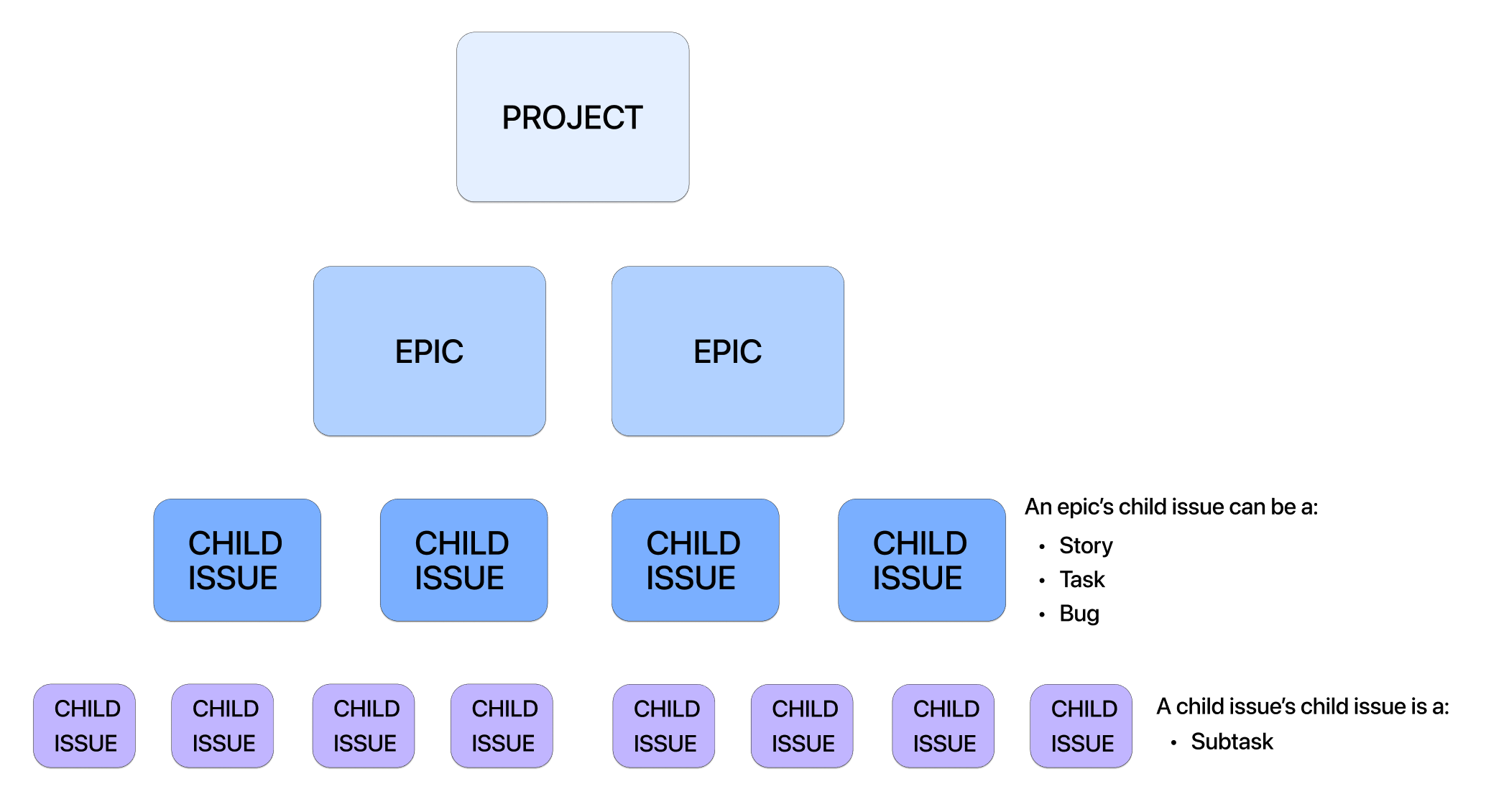
Image: Issue hierarchy showing all four layers: project, epics, child issues, and additional child issues (subtasks).
A simplified real-world example
Here’s how issues might look if someone built an app in a Jira software project:
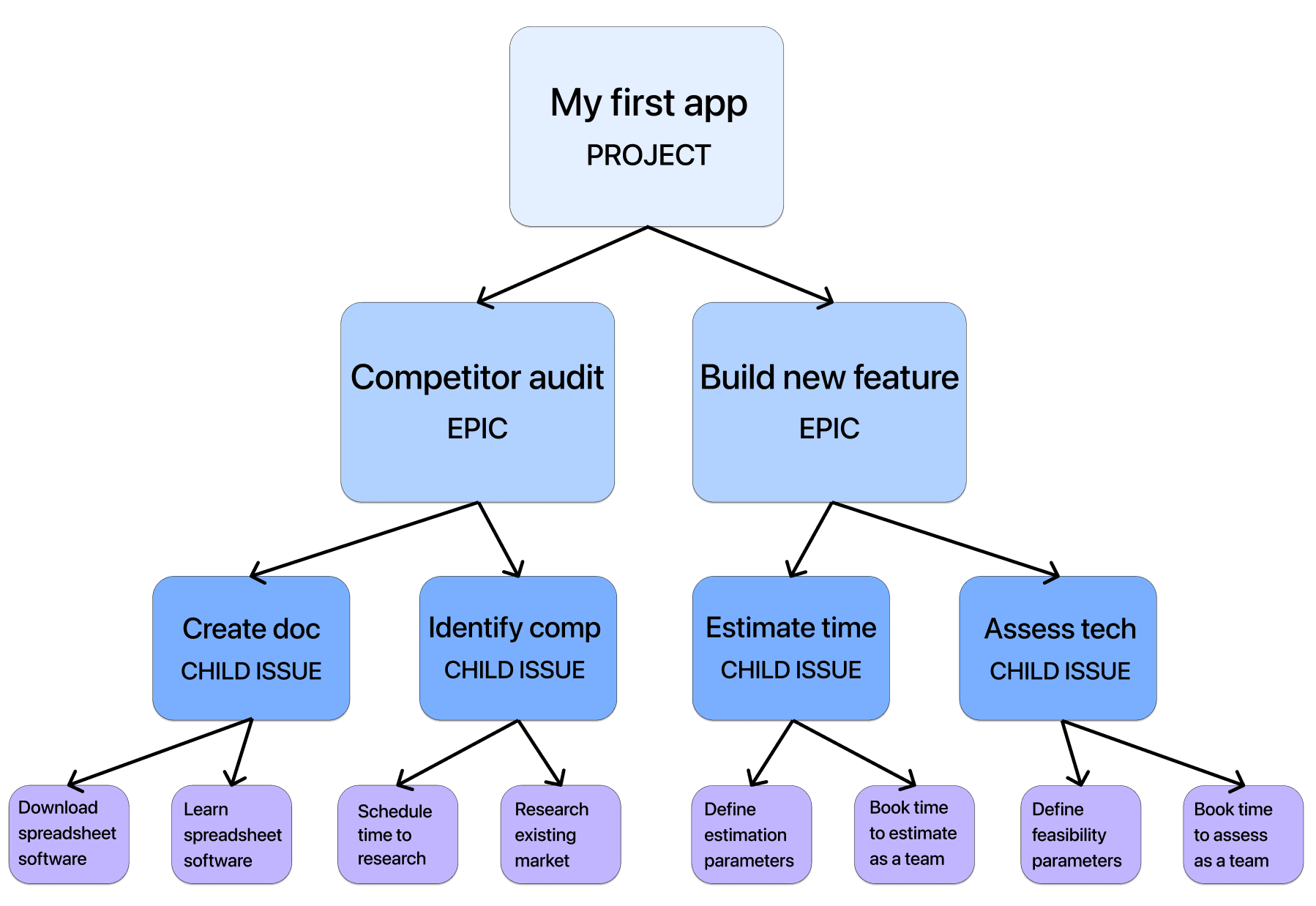
Image: Example of an issue hierarchy demonstrating an app’s development.
On the timeline in Jira
Here’s how those issues above would look on the timeline in a software project, with start and end dates added as schedule bars:
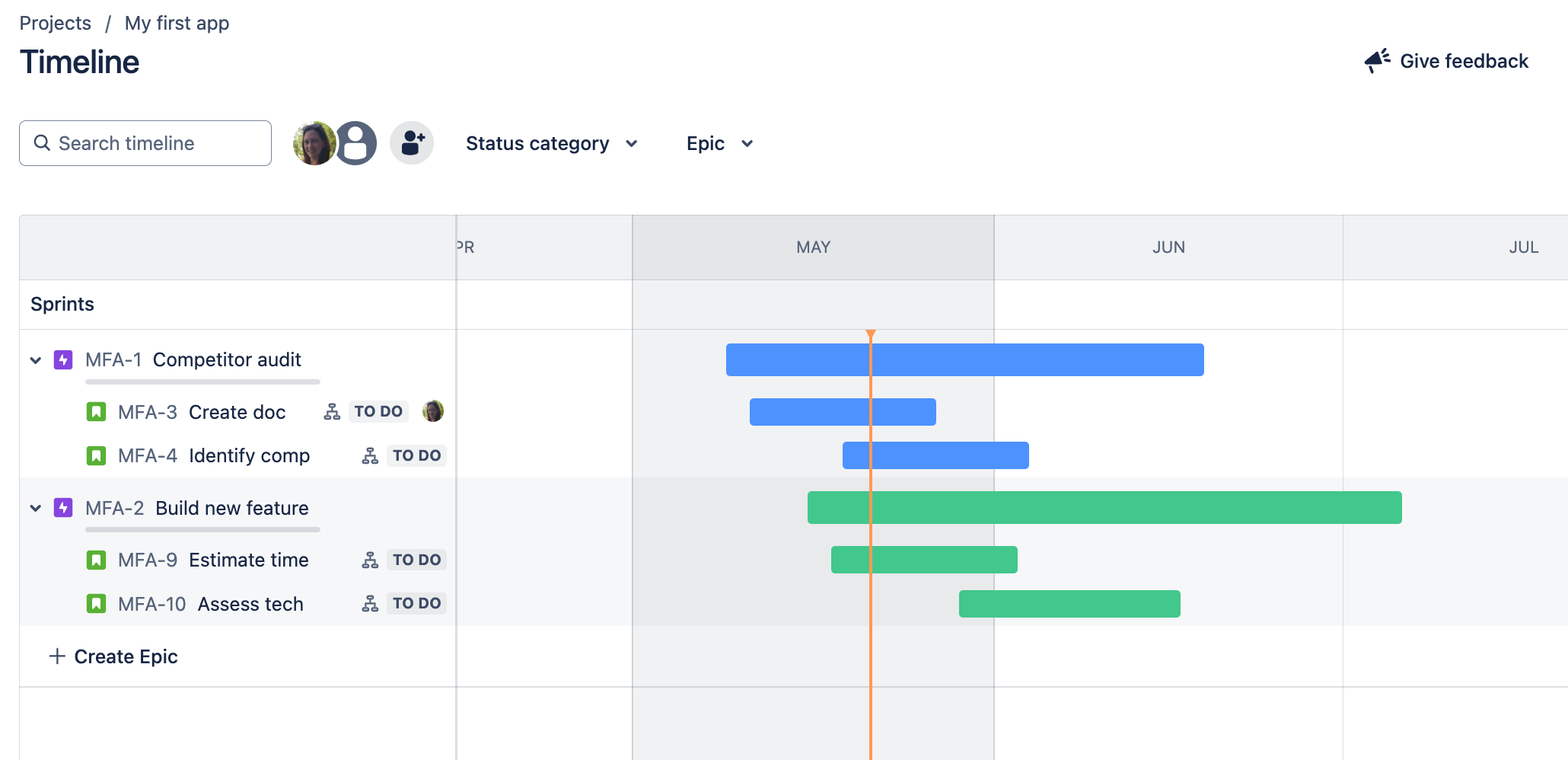
Image: The above example’s issues would look like this on the timeline in a Jira software project.
Each child issue under each epic has an icon (circled below) indicating that it has additional child issues within it. Hovering over the icon reveals how many:
Image: The child issue icon is circled, indicating that this child issue has additional child issues.
If one issue depends on another...
There’s a lot more you can do on the timeline, including adding dependencies between issues. Discover how to use dependencies, or simply explore more about using the timeline.
Seeing something different in your project?
-
As mentioned earlier, if you’re using Plans (on Premium), your Jira admin may have added an extra layer of issues above epics. Contact your Jira admin for clarity.
-
Can’t see anything called epics? Admins can change the epic name in the issue hierarchy, so epics may be called something entirely different in your project. Contact your Jira admin for clarity.
-
Business projects don’t have epics by default (but Jira admins can add them).
-
Service projects don’t have epics.
Want to learn more? Check out this in-depth look at Jira’s issue hierarchy.
Hopefully you’re feeling a bit like this now:

Image: Happy dog with flower in mouth.
Got a question? Ask us below!


