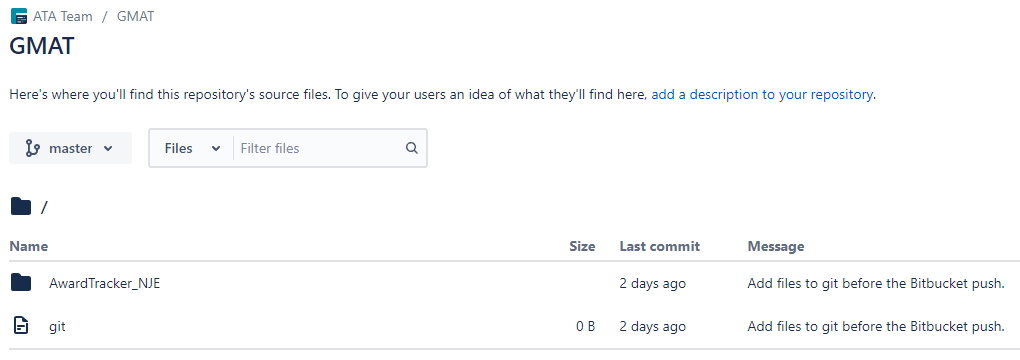
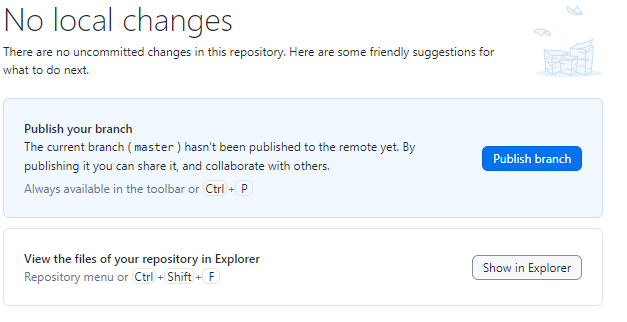
I have a GitHub repository that is out of sync with the code on my desktop (see attachment 1). So I need to push my desktop code to GitHub. I found this article: https://www.theserverside.com/blog/Coffee-Talk-Java-News-Stories-and-Opinions/How-to-git-push-an-existing-project-to-Bitbucket. In GitHub Desktop I opened 'Repository --> Open in Command Prompt' and performed the following:
cd  \Award Tracking Application - restart 20240407\Award Tracking Application
git init
git add .
git config --global user.email "xxxxxxxxxx@xxxxxl.com"
git config --global user.name "xxxxxxxxxxxr"
git commit -m "Add files to git before the Bitbucket push."
git remote add source https://Glyndwr@bitbucket.org/ATA_Team/gmat.git
git push -u -f bitbucket master
The push returned an error:
fatal: 'bitbucket' does not appear to be a git repository
fatal: Could not read from remote repository.
Please make sure you have the correct access rights
and the repository exists.
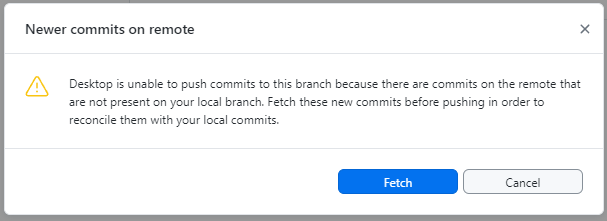
So I returned to the GitHub Desktop to do the push (see attachment 2). However, that gave an error message that I needed to perform a fetch first (see attachment 3). So I clicked on "Fetch". Then retried the Publish. However the same error message that I needed to perform a fetch first is displayed.
I have checked the repository and the files that I need uploading from my desktop are not there.