On this page https://confluence.atlassian.com/adminjiraserver/archiving-an-issue-968669980.html
- By default, you must be a Jira Administrator or Jira System Administrator to archive or restore issues. However, an administrator might grant you the global Archive Issues or the Archive Issues for a Project permission, as well as the Restore Issues or the Restore Issues for a Project permissions. The Archive and Restore per project permissions allow you to archive and restore issues in a specific project. By default, these permissions are not enabled.
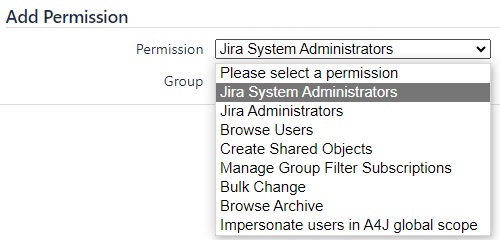
There is no global permission for this type. see screenshot permission.png
Furthmore, right-click on an issue shows an Archive button, but this permission has not been granted via the permission scheme. When clicking, this results in the following error:
You must have global administrator rights or the archive issue project permission to archive this issue.
What is going on here?