I'm working on creating my first Bitbucket Pipe (https://bitbucket.org/dillan/spectral-pipe) and following the steps described in the documentation. When attempting to release I go to merge into `master` when trying to Push and Tag the release.
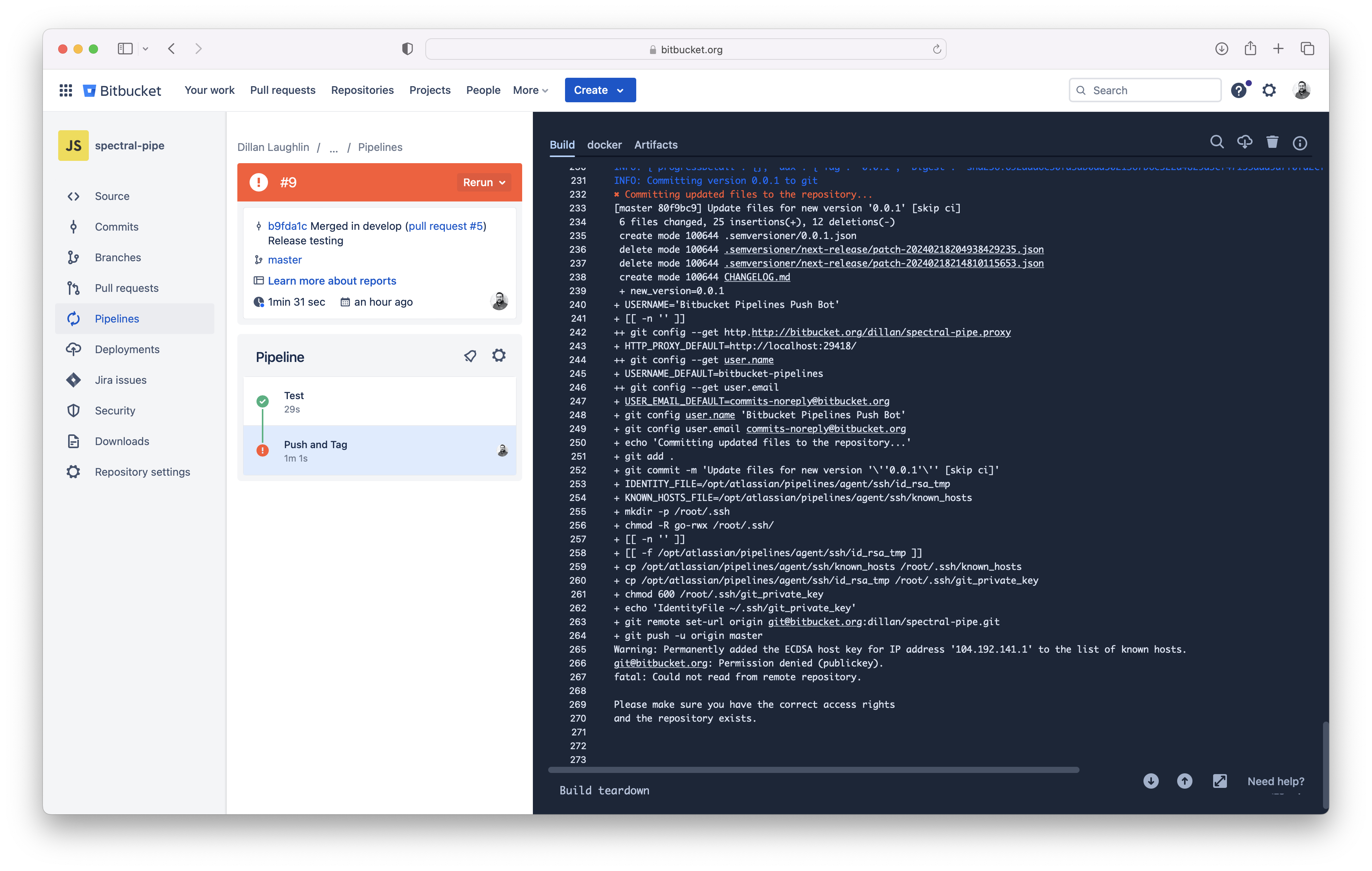
It successfully goes to Docker Hub, but changes (e.g. CHANGELOG.md, pipe.yml) are not being committed back to the repository, failing with the following pipeline error.
/bitbucket-pipelines.yml
image:
name: atlassian/default-image:3

test: &test
step:
name: Test
script:
- npm install -g bats
- chmod a+x test/*.bats
- bats test/test.bats
services:
- docker

push: &push
step:
name: Push and Tag
image: python:3.10
script:
- pipe: atlassian/bitbucket-pipe-release:5.6.0
variables:
REGISTRY_USERNAME: $REGISTRY_USERNAME
REGISTRY_PASSWORD: $REGISTRY_PASSWORD
IMAGE: myImage/$BITBUCKET_REPO_SLUG
services:
- docker

pipelines:
default:
- <<: *test
branches:
master:
- <<: *test
- <<: *push
According to the bitbucket-pipe-release README Details section, I should:
Configure repository ssh key pair and it will be safely used in pipeline to push to current repository.
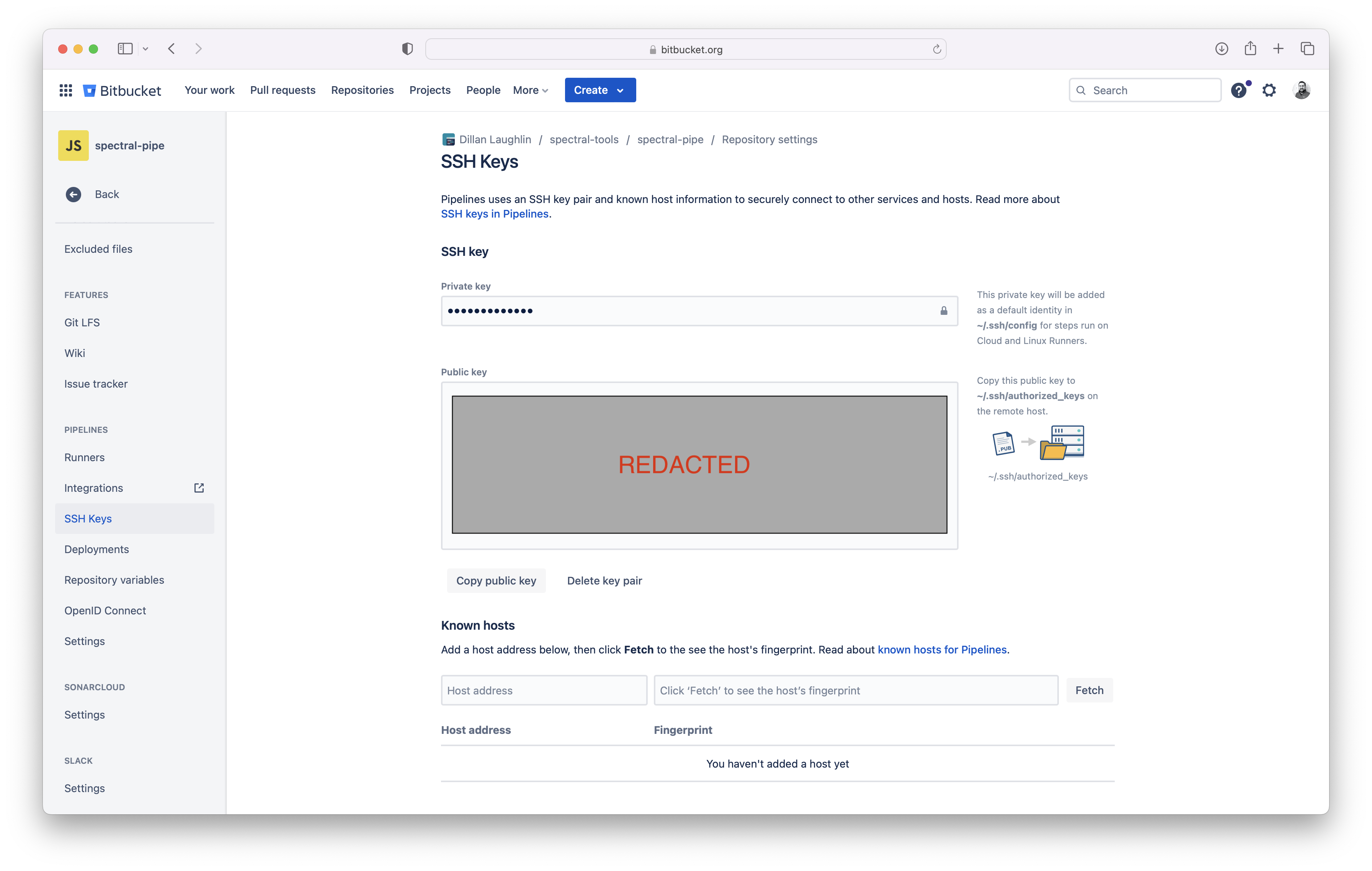
I've done so in Repository Settings > Pipelines > SSH Keys as shown below:
I double checked, and I do have a `master` branch created. How can I address this issue so that the changes are committed back to the repo and the pipeline can complete successfully?

