Level 1: What is a Jira Project?
Have you ever worked on a project and felt like it was just too much to handle all at once? We've all been there! That's why Jira is here to help. In Jira, we like to think of a project as a 🪄 magical container that can hold all of your tasks and help you keep track of them. These tasks are called "issues," but don't worry - they're not as scary as they sound! By organizing and tracking your issues in Jira, you and your team can work together towards achieving your goals more efficiently and stress-free.
Jira Software is an amazing tool for teams to track and resolve bugs, launch new features, and so much more. Projects are highly configurable and can be easily customized to fit your team's unique way of working, regardless of your organizational structure, workflow, or level of agile maturity.
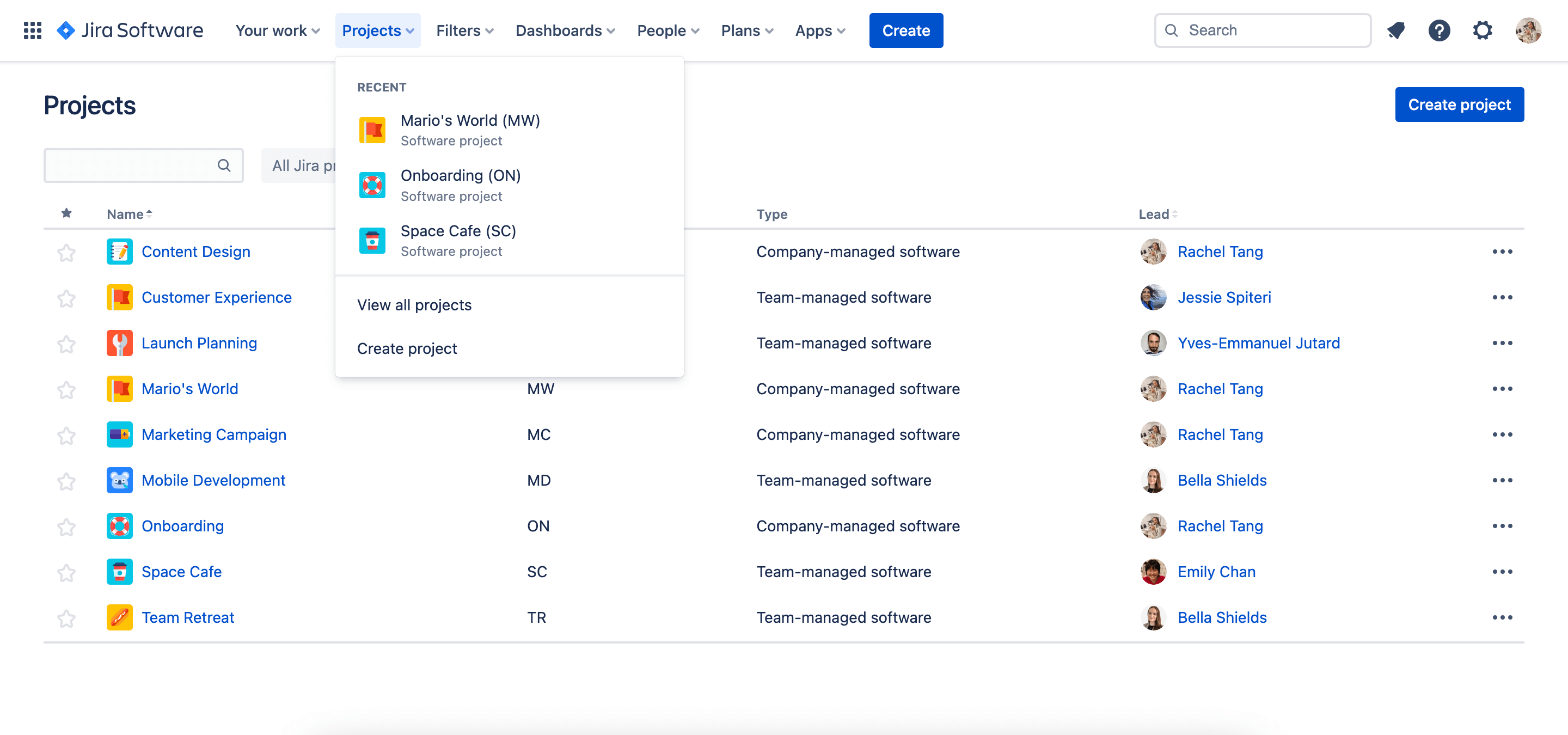
Your projects are in the top navigation in the “Projects” drop-down.
Ready to Level Up? Press START ▶️

When it comes to any project, there are always a bunch of tasks that need to be done, people who are making things happen, and processes that help move that work forward.
In Jira, projects are like big goals that have been broken down into bite-sized pieces of work called 'issues.'
Jira Software makes it easy for teams to plan and track work together so that you can get more done. Plus, you can invite your teammates to your Jira project and work together seamlessly.
To ensure your team is always on track, Jira projects follow a process or workflow that helps manage issues from start to finish. Don't worry; these workflows can be customized to match your team's unique way of working.

Level 2: Choose Your Adventure
Templates
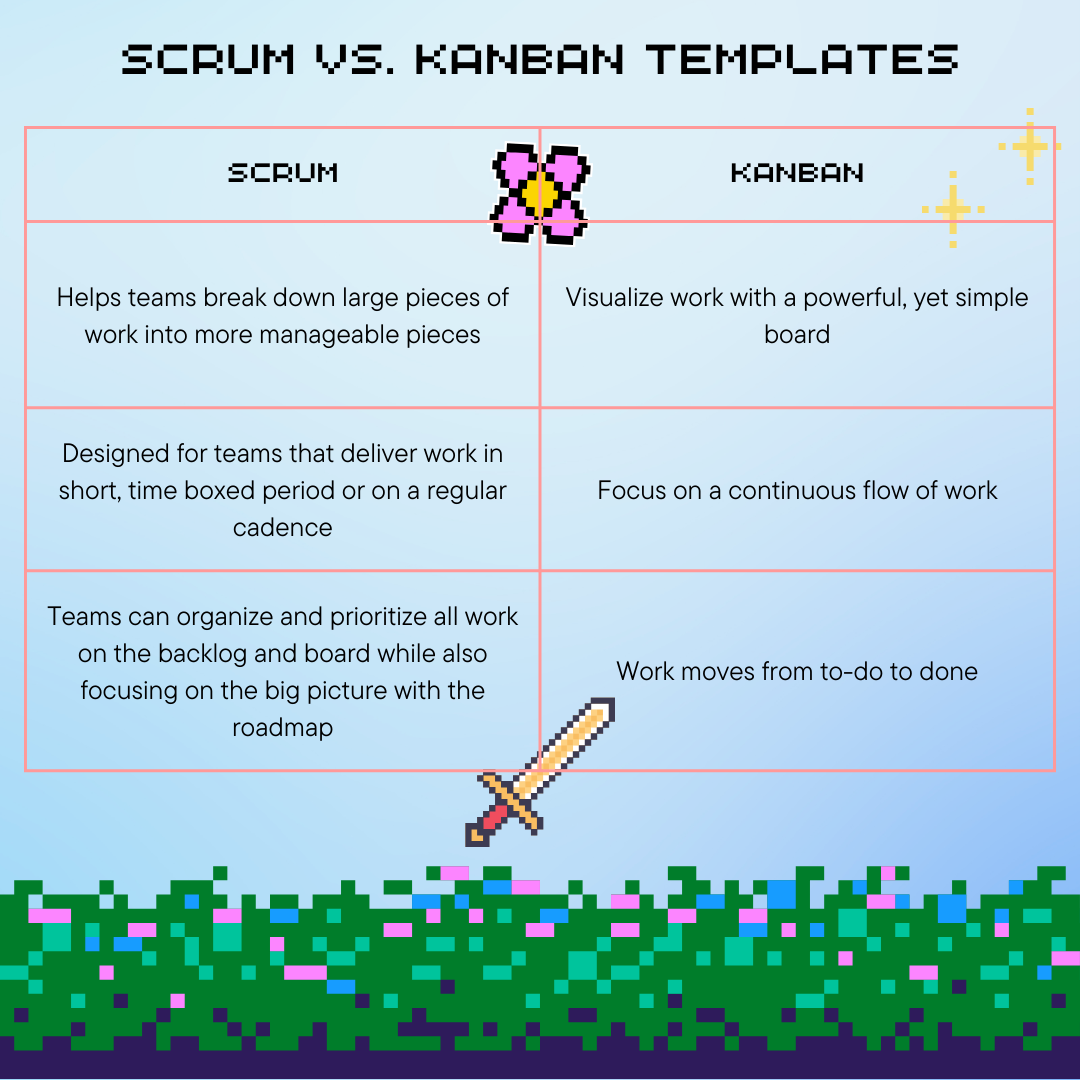
If you're looking for a quick and easy way to set up a project and jump right in, Jira has got you covered with several project templates that are tailored to specific teams or use cases. These templates come with pre-configured issue types, workflows, and other relevant features so you can get started right away. If you're not sure which template to use, the Kanban and Scrum templates are two of the most popular ones. You can check out the Jira templates library for more information.
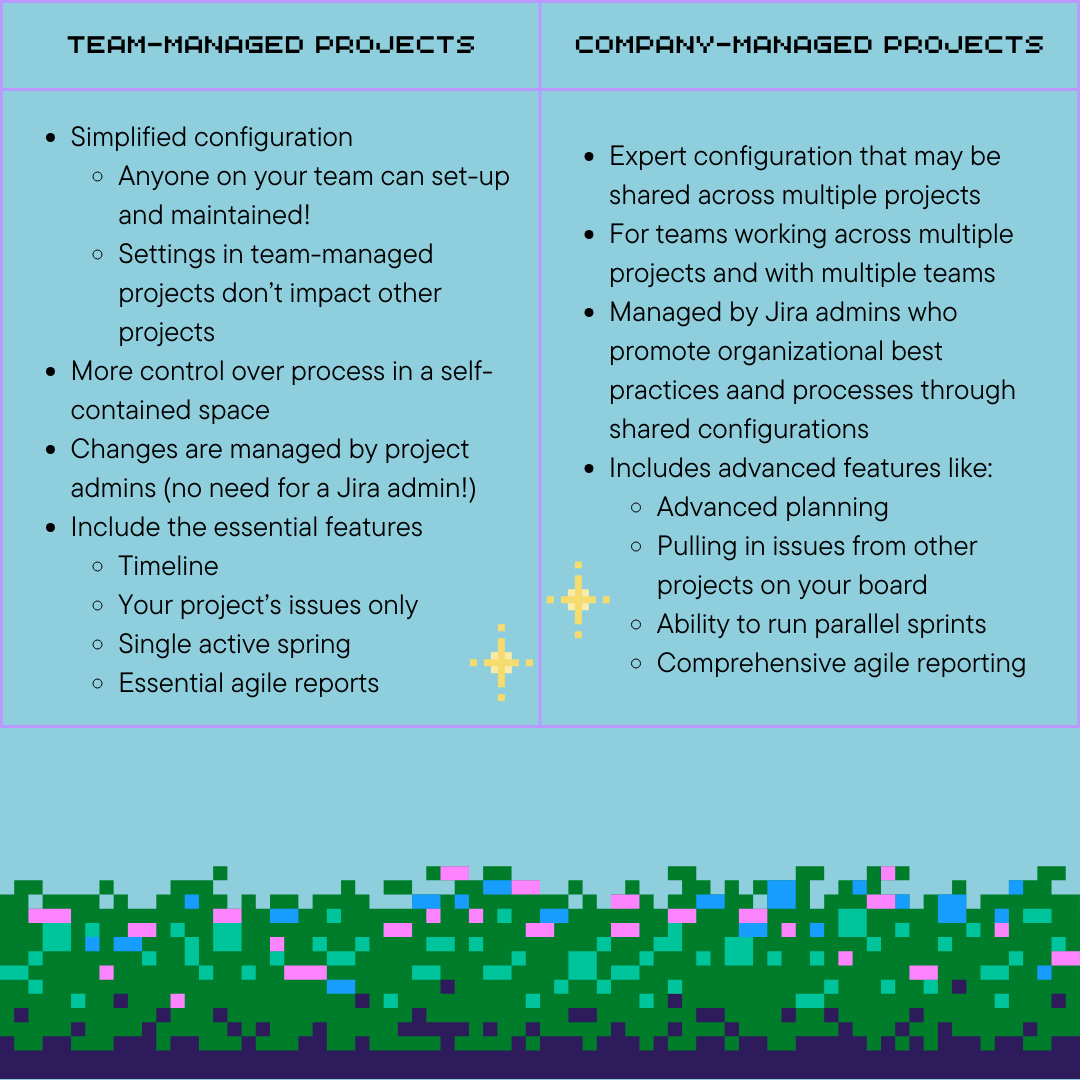
Project Types
Unlock New Skills: Create Your First Project!
Select ‘Create Project’ from the top navigation in the ‘Projects’ drop-down.
Note: You won’t see this option if you don’t have the permissions <LINK> to create projects
Map Your Adventure: Defining the Journey to Project Completion
While there's no one-size-fits-all approach to structuring projects in Jira, it's crucial to remember that Jira projects are built for ongoing efforts, not single-shot endeavors. This guide outlines key strategies to help you decide how to best organize your project in Jira:
- By Team: A popular method that mirrors your existing social structure. Ideal for smaller teams and straightforward permission management. Imagine dedicated "team channels" within your workflow, streamlining access and collaboration.
- By Business Unit: Group projects by broader units like Marketing or IT. This aligns similar work types, simplifying workflow and issue type (think specialized tools for different tasks) setup. Picture categorizing your project map by department, each focusing on distinct activities and goals.
- By Product: If you're in software development and leverage Jira's release and versioning system, consider organizing by releasable products or feature groups sharing a release cycle. This resembles organizing your project based on specific objectives or "levels" you need to conquer.
Remember, these are starting points! You can get granular or broad, like segmenting your product structure by individual features (think dividing your main objective into smaller sub-tasks).
Key Considerations:
- Project Scope and Complexity: Larger, more intricate projects might benefit from a hybrid approach, combining multiple structures.
- Team Dynamics and Collaboration Style: Choose a structure that fosters communication and transparency within your team.
- Reporting and Visibility Needs: Ensure your chosen structure facilitates clear reporting and visibility for stakeholders.
Remember: Experimentation is key! Different structures may suit different projects. Be flexible and adapt based on your specific needs and team preferences.
By taking these considerations into account and exploring the available options, you can create a project structure in Jira that empowers your team, streamlines workflows, and ultimately leads to project success.
For an even more detailed explanation for how to get started (without this gamified flair!), check out this fantastic Jira Software Getting Started Guide!


![Photo of Thorsten Letschert [Decadis AG]](https://us.v-cdn.net/6038660/uploads/avatars/d9/37/nd937b41897bc7e1dae3229cd2762ac70.png)


