The Activity Stream Gadget presents a concise overview of recent activities within specific Jira projects or involving particular individuals that capture your interest. Think of it as a Facebook feed tailored for your instance!
In this article, we’ll explore how to Streamline your activity feed to see what matters most.
You’ll also get recommendations for good practices and tips that will make this feature a real asset for your team. See below , we have some tips for you !
How to configure Activity Stream Gadget ?
From your Dashboard, you’ll see a window with “Drag your gadgets here or add a new gadget”.
-
Click on Add a Gadget
-
Use the search bar to find “Activity Stream”
-
Add it directly on your Dashboard
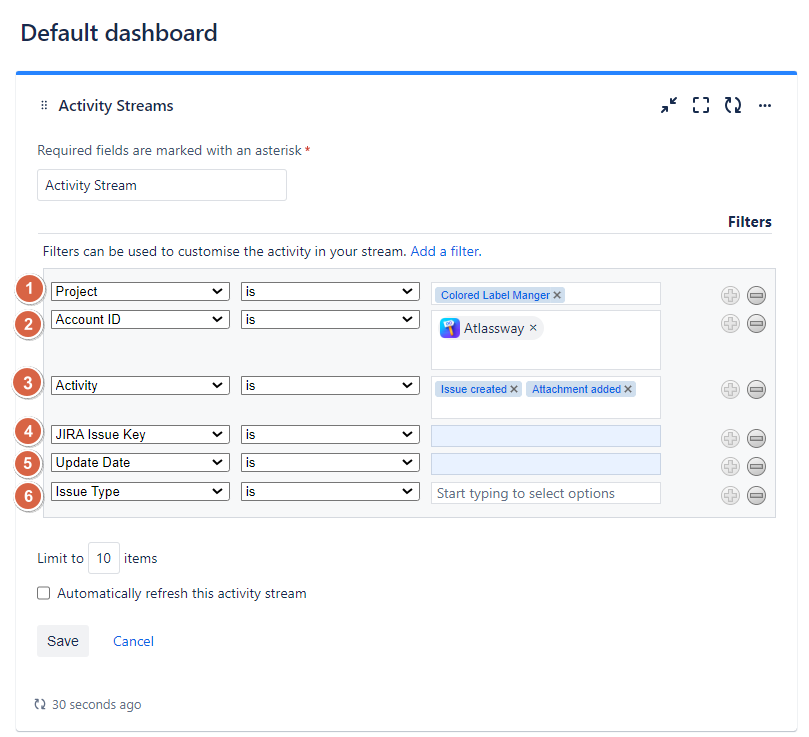
You can search and filter activity based on :
- Project
- Account ID (User)
- Activity
- Jira Issue Key
- Update Date
- Issue type
Use case
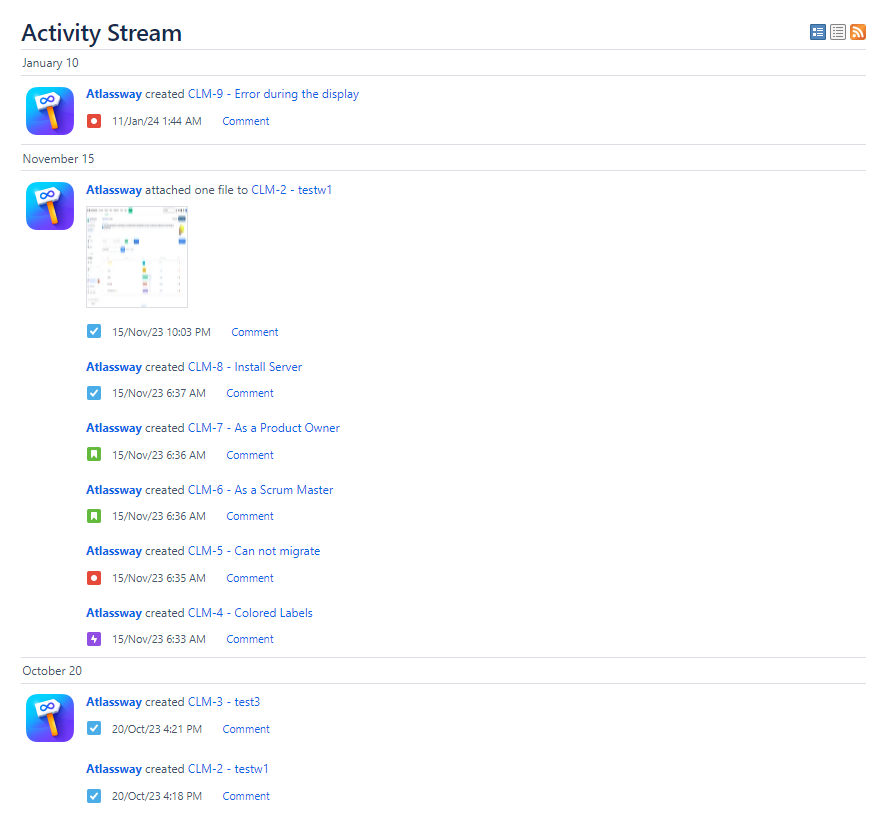
We configured the Activity Stream Gadget to display all issues and attachments created by the user 'Atlassway' in the Colored Label Manager project.
Result
Constraints
Activity Stream restricts your ability to undertake the following actions:
-
See only what matters most
-
Tailor streams for each team, enabling users to focus on specific activities associated with filtered issues
-
Filter your activity feed by time range or any other custom field
-
Restrict your activity feed to issues related only to activities of certain users/groups
-
Make your dashboard more informative with color highlighting
The effectiveness of filtering your activity stream
The Custom Team Activity Stream Gadget serves as a valuable and free resource, offering advanced functionality by supporting JQL queries for more precise results.
Good practices
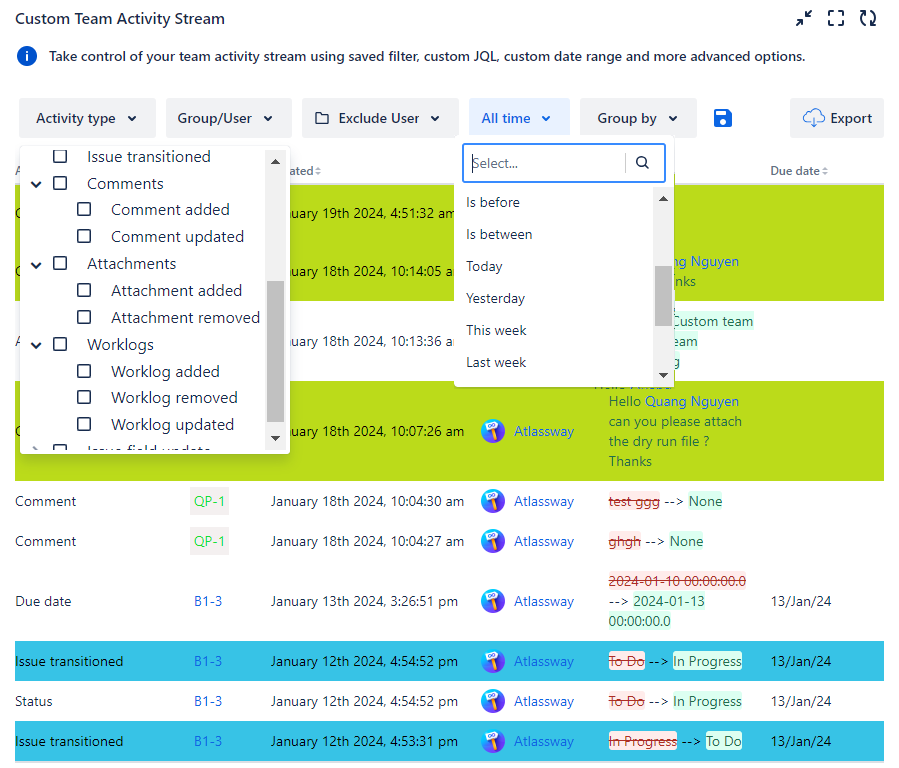
For optimal utilization of the advantages offered by the Team Activity Stream Gadget, consider sharing the following recommendations with your team:
-
Utilize (JQL / Basic search) to narrow down your activity feed, focusing solely on issues associated with the activities of specific users or groups.
-
Establish dedicated streams for each team, enabling users to exclusively view activity related to specific filtered issues.
-
Preserve your filter selections by clicking on save button to maintain a consistent view of your gadget, preventing unnecessary time wastage
-
Using different colors to highlight multiple activities at the same time makes it easy to identify related issues effortlessly
Whether you are managing multiple teams or working on complex projects, the Custom Team Activity Stream Gadget empowers you to streamline your Jira experience, fostering improved collaboration and efficiency within your teams.
Follow our Customers use-cases to make this feature a real asset for your team.
Get your free trial now
👉 Visit Atlassian Marketplace
🙌 Kindly like, and share this article with new beginners



