Hello everyone!
Have you ever wanted to display a progress bar in your JSM to your customers? I've built a solution that might work for this problem using Unicode symbols. This has been a highly requested feature, so I'm hoping this workaround might help others out.
I used a Unicode progress bar generator, and found that these symbols display the best on Windows and Mac. You can find the symbol generator here.
Preface
This solution can be adapted in any way that fits your needs. In this example, the progress bar is posted in the comments, but you can also place it in the description if desired. In our instance, we use it for specific tickets that we want the customer to view the status of, and it also includes the summary of the recently 'done' sub-task to keep it clear for the customer. Feel free to customize it in whatever fashion suits your needs. For example:
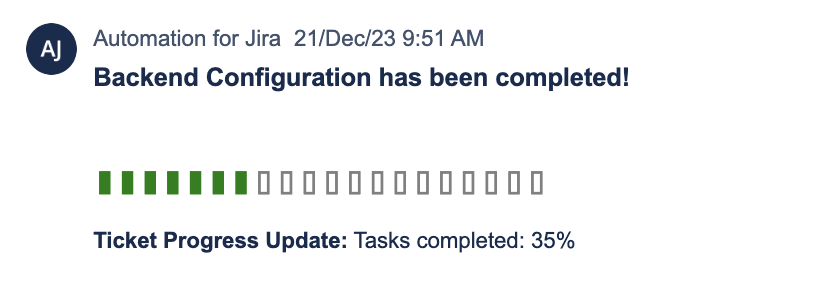
Before we create the automation, we'll need to create a custom number field and insert in to the desired project. This field will be used to 'host' and 'convert' the number for the automation. In this example, the custom field is called 'task percentage.' I wasn't able to find a solution that did not include creating a custom field.
Solution
I'm a little extra sometimes and changed the font color in the lookup table, but not necessary 
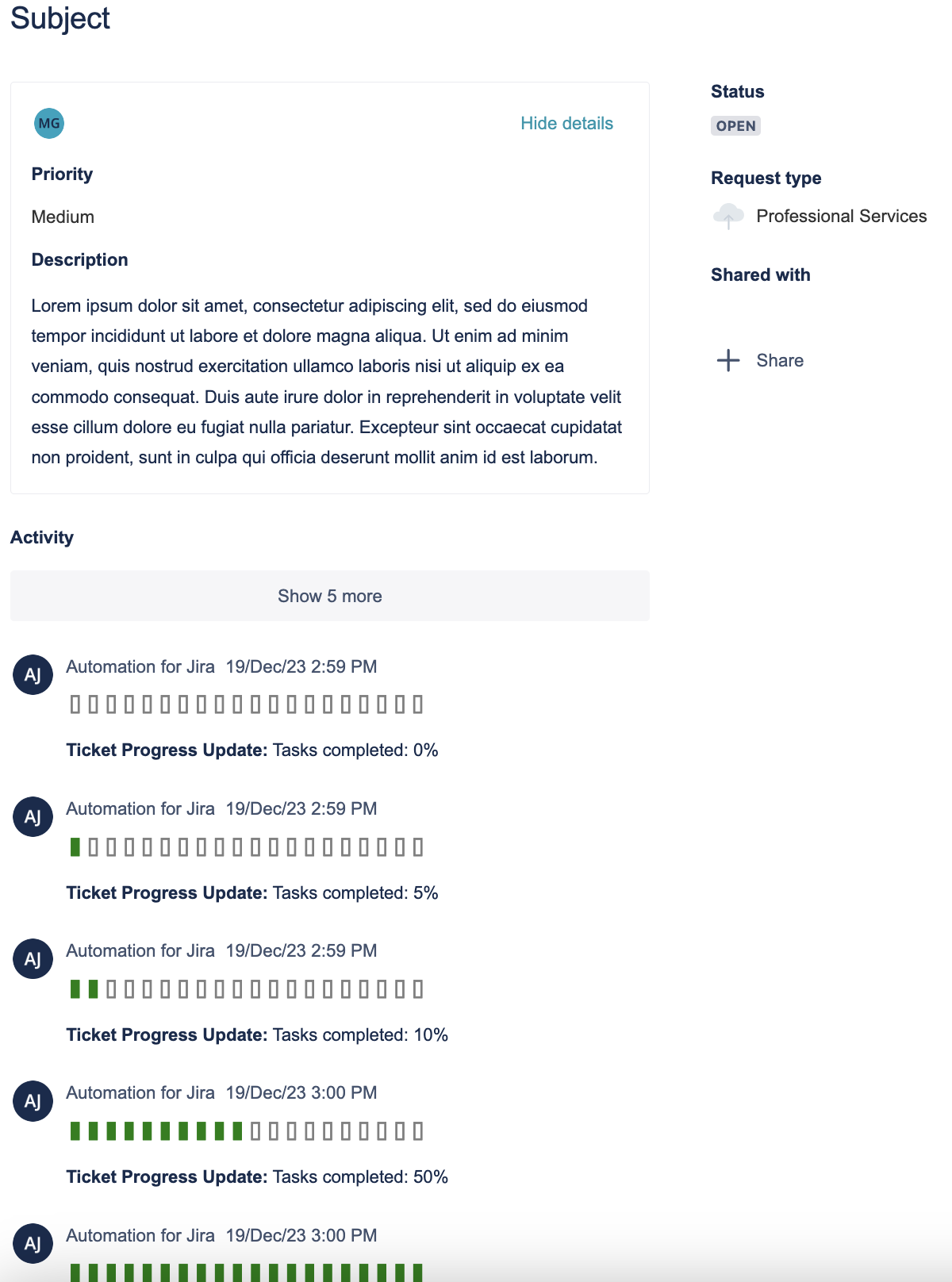
Automation Steps:
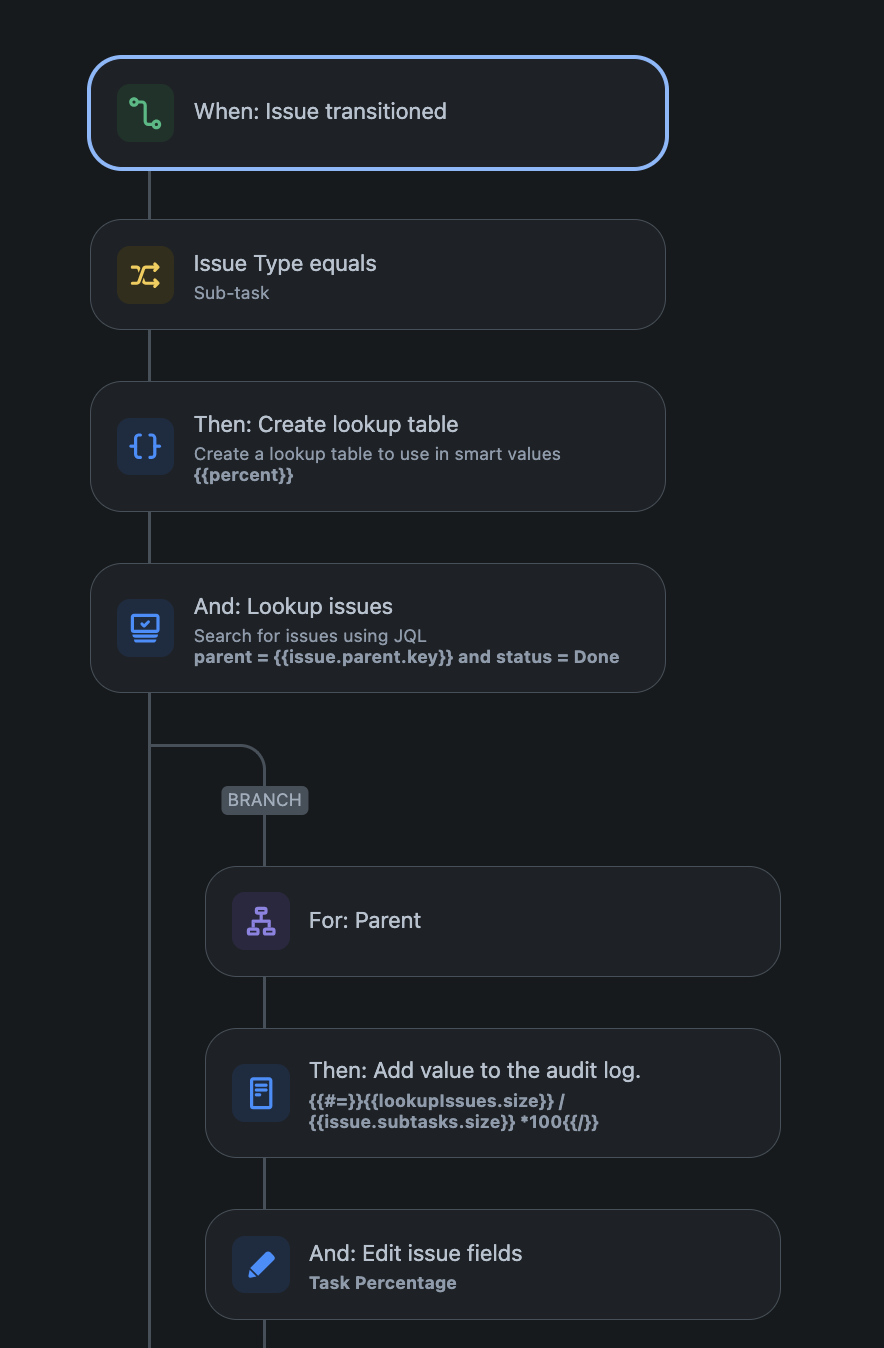
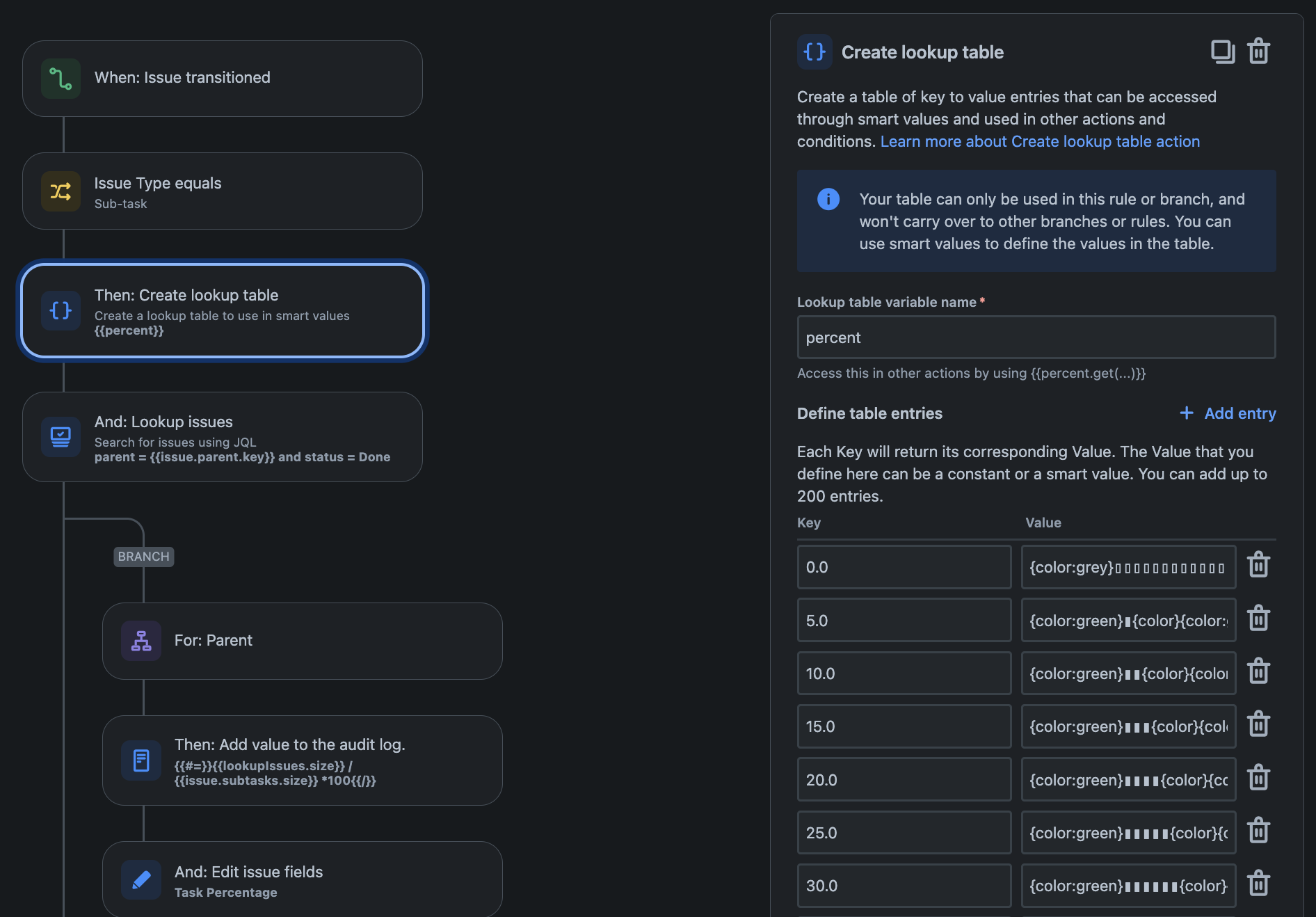
- When: Issue transitioned
- Then:
- Create lookup table {{percent}}
- You'll need to create a lookup table from 0.0 to 100.0. I did increments of 5. The automation will round later.
{“key":"0.0","value":"{color:grey}▯▯▯▯▯▯▯▯▯▯▯▯▯▯▯▯▯▯▯▯{color}"},

{"key":"5.0","value":"{color:green}▮{color}{color:grey}▯▯▯▯▯▯▯▯▯▯▯▯▯▯▯▯▯▯▯{color}"}

{"key":"10.0","value":"{color:green}▮▮{color}{color:grey}▯▯▯▯▯▯▯▯▯▯▯▯▯▯▯▯▯▯{color}"}

{"key":"15.0","value":"{color:green}▮▮▮{color}{color:grey}▯▯▯▯▯▯▯▯▯▯▯▯▯▯▯▯▯{color}"}

{"key":"20.0","value":"{color:green}▮▮▮▮{color}{color:grey}▯▯▯▯▯▯▯▯▯▯▯▯▯▯▯▯{color}"}
...
- Lookup issues
- Parent = {{issue.parent.key}} and status = Done
- Branch ↴ For: Parent
- And: Edit issue fields
- Task percentage field: {{#=}}{{lookupIssues.size}} / {{issue.subtasks.size}} * 100{{/}}
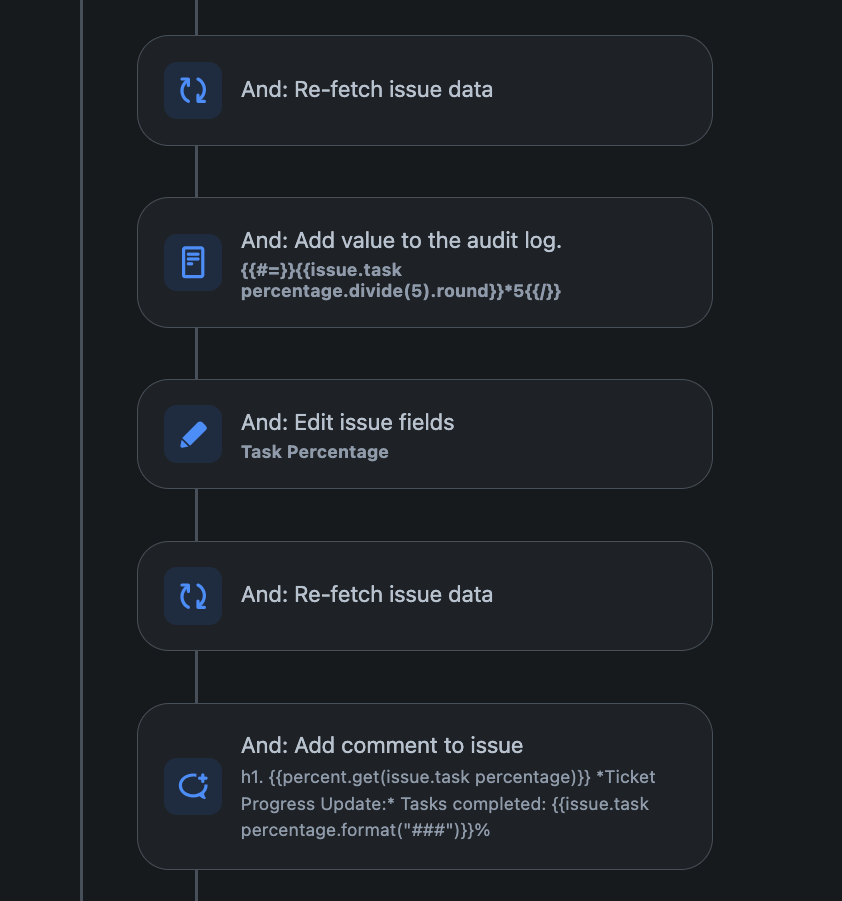
- And: Re-fetch issue data
- And: Edit issue fields
- {{#=}}{{issue.task percentage.divide(5).round}}*5{{/}}
- And: Re-fetch issue data
- And: Add comment to issue
- h1. {{percent.get(issue.task percentage)}}
Ticket Progress Update: Tasks completed: {{issue.task percentage.format("###")}}%
This automation will create a visual representation of the progress bar and update the ticket's status accordingly. Feel free to tweak the steps based on your specific requirements.
I hope this helps! Let me know if you have any questions or suggestions for improvement.