Hi everyone! 👋
As a follow-up to my previous article How to distribute content to multiple spaces, I’m excited to share with you more advanced use cases for automating the publishing process in Confluence.
Now, you can enable auto-sync to create and keep pages in sync, it works for both internal and external sites!
Consider the following scenarios:
Cross-functional knowledge sharing
Many teams maintain a corporate wiki by creating “master” content, i.e. product updates, and then broadcast this information to different destinations. This process ensures that all teams have access to important information at all times, right from their workspace. At the same time, it reduces the time required for sharing and maintaining content in multiple places.
For external collaboration
Another common request for cross-space publishing is coordinating content sharing between in-house works and the client’s side. Your team can draft project pages and get internal approval before sharing them with the client directly on their Confluence site.
Why use Space Sync for Confluence?
Think of this app as a no-code, simple automation tool for cross-space content publishing within Confluence.
Once you've established synchronization between spaces, internally or across different Confluence instances, permitted users can "push" any page to a destination space. The app takes care of publishing that page on your behalf.
Need to update this page? Simply ‘push’ the changes again to keep the versions in sync. That way, you only have to create a single piece of content and distribute it more efficiently.
The new auto-sync capability takes it to the next level! You can now keep those pages synced automatically without manually pushing changes each time. The result is a more streamlined and automated approach to content management that enhances collaboration, eliminates friction, and accelerates knowledge sharing.
As a side note, it’s important to remember that the content management processes should reflect how your Confluence is structured.
📑 Below, I'll show you exactly how this app works:
Use case: Share project proposal to external client site
So, your client also uses Confluence as their intranet? That’s great! You can skip all the back-and-forth emails to get approval on the next project.
Here’s your internal page, which requires a final sign-off before sending it over to the client:
Beforehand, make sure that you’ve prepared relevant page statuses for the approval workflow, for example:
🟡 Draft
🔵 Ready for review
🟢 Approved
For the first step, you’d need space admin access to create the sync destination and configure necessity permissions.
Unlike conventional document sharing, it’s easy to collaborate across different Confluence instances with the @mention ability. Your client can share feedback and collaborate directly on the page without leaving their Confluence site.
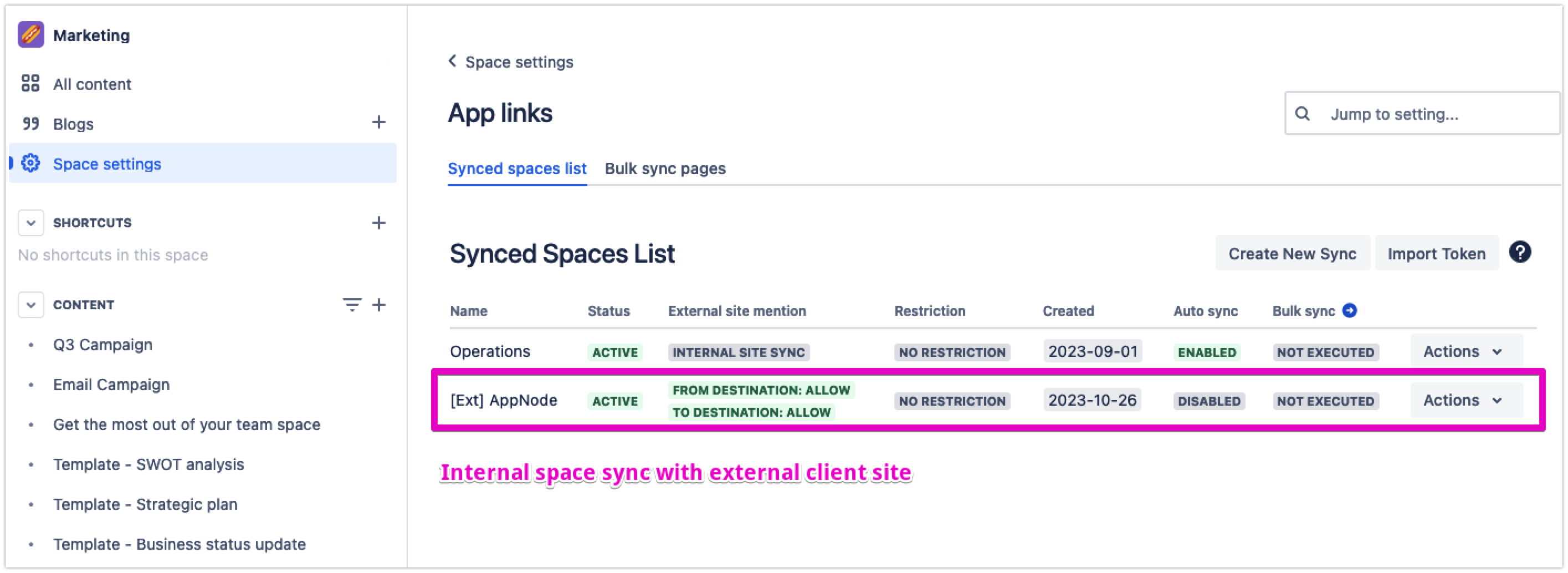
Next, all you have to do is enable the auto-sync function to automate the publishing process to the client’s space:
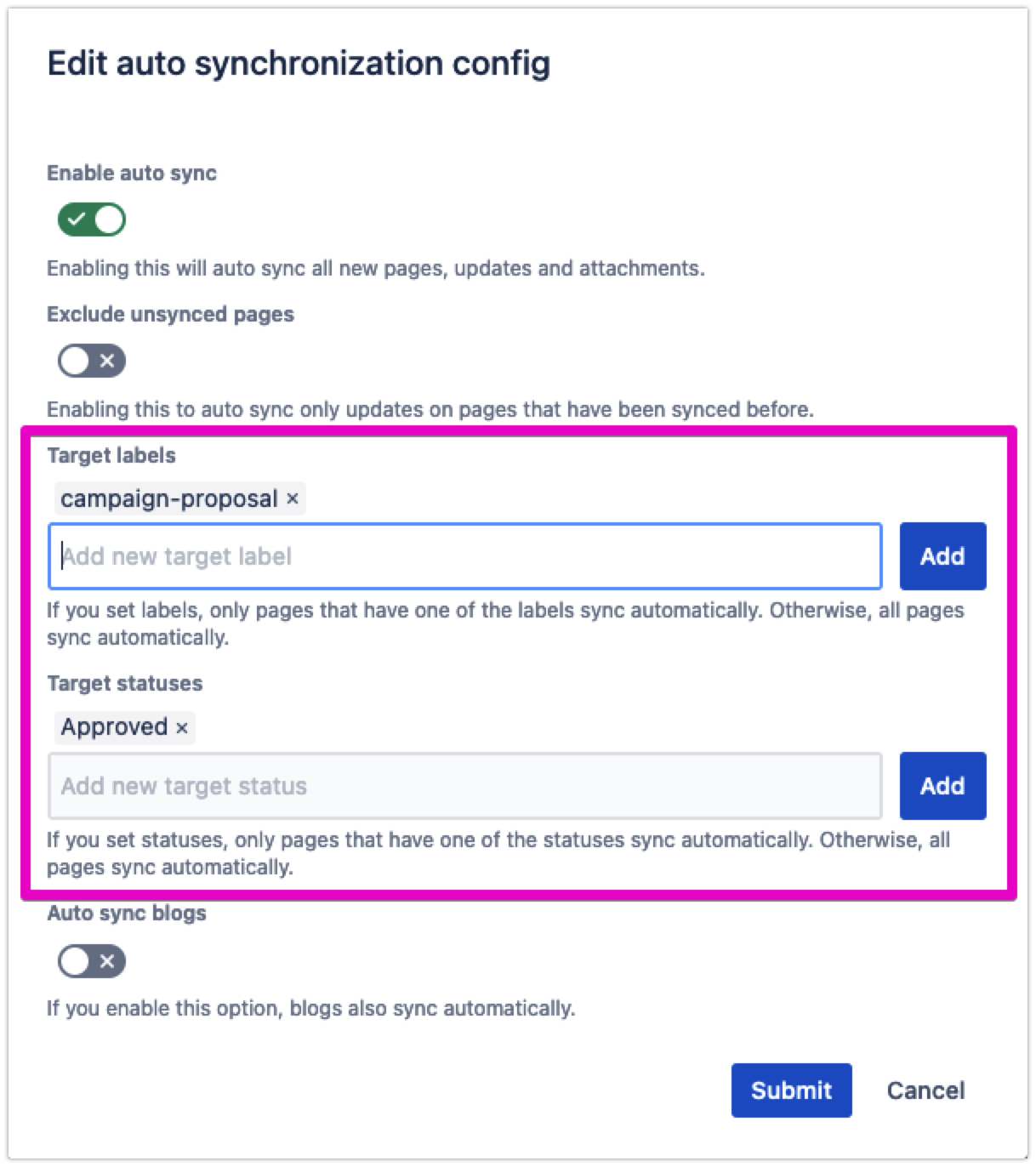
From the app configuration console, you’ll immediately see the sync status. Select Configure auto sync.
Go ahead and turn on the auto-sync function. Then, apply the additional rules, for instance, by page label and status.
It essentially means that whenever you create or update a page with the status Approved, the app will automatically publish the latest content over to the synced space(s).
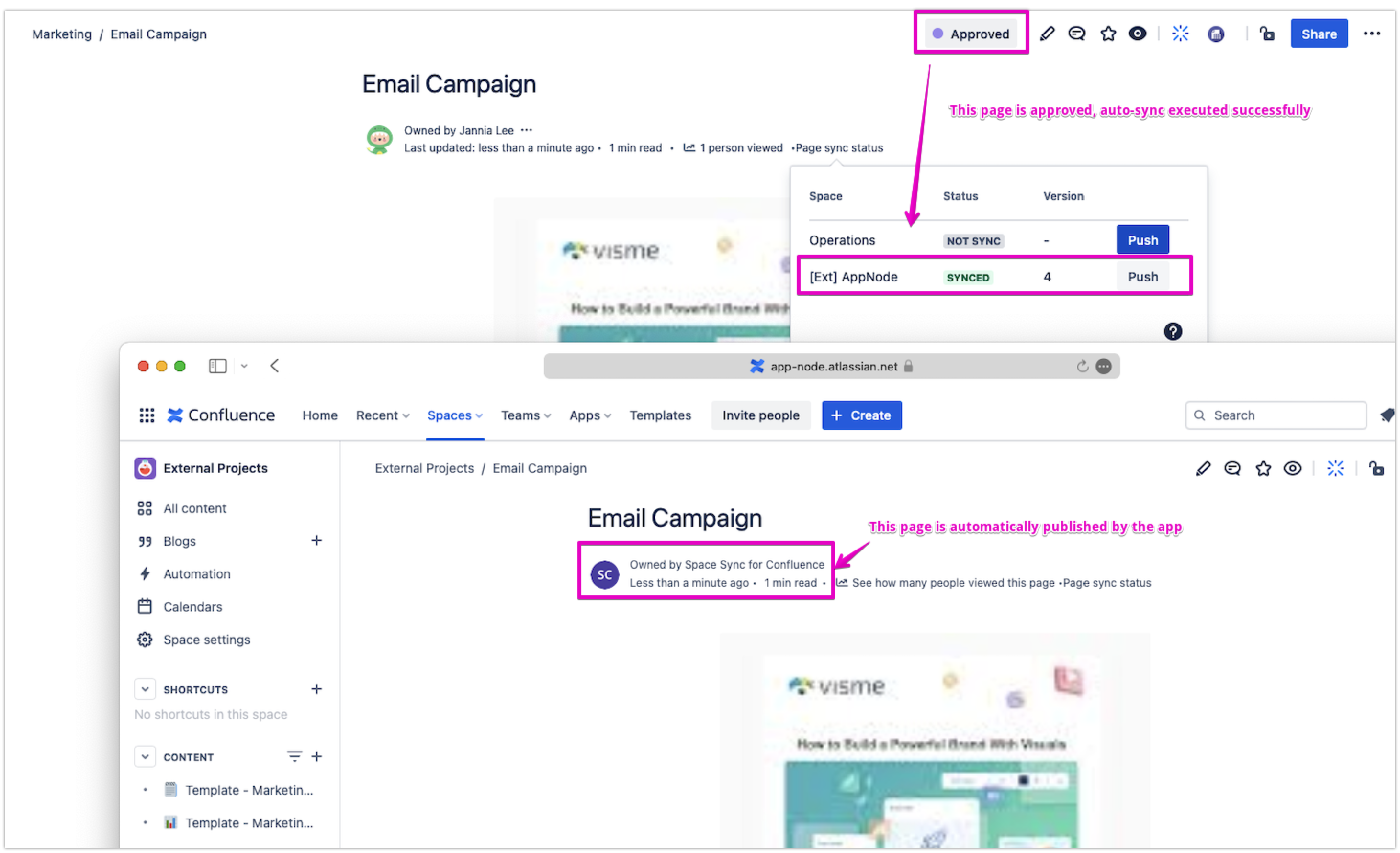
That’s it!
Use case: Create a master documentation draft from your internal space and publish it over to a public site
When you write technical documentation for your product, you’ll likely need to go through some review processes.
Just like the use case above, you can streamline this process by syncing content between your draft space (staging site) and the public space (production site). Both these spaces are from within the same instance.
There are several benefits:
-
It’s easier to coordinate the documentation content right from the internal release doc
-
You can flexibly draft and organize your documentation pages without affecting the production site
-
When you create a new draft under a parent page, the synced page will retain the hierarchy as well
You can use this app to turn your Confluence into a versatile content management system in many more ways. Explore features like bulk sync to copy the entire space to your desired destination. It’s that simple!
Try it for free from the Marketplace: Space Sync for Confluence Cloud
Thank you for reading!


