Hi Atlassian Community,
I’m John, a Product Manager focused on improving the experience of admins within Confluence Cloud. I’m excited to share that you can now delete your content items in bulk!
We're striving to enable efficient content management in Confluence Cloud, and we believe that the capability to bulk delete content items is a foundational content curation tool that, frankly, we've been overdue to add to Confluence's toolkit.
How to delete content in bulk from your page tree
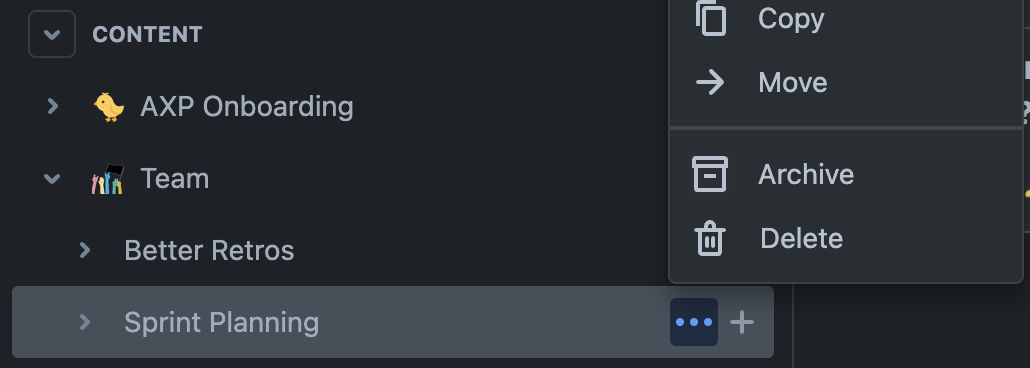
First, click on the three dot menu of the parent content item that you'd like to delete the branch of:
Next, after clicking the Delete option, make sure that the box next to the Include nested pages option is checked:
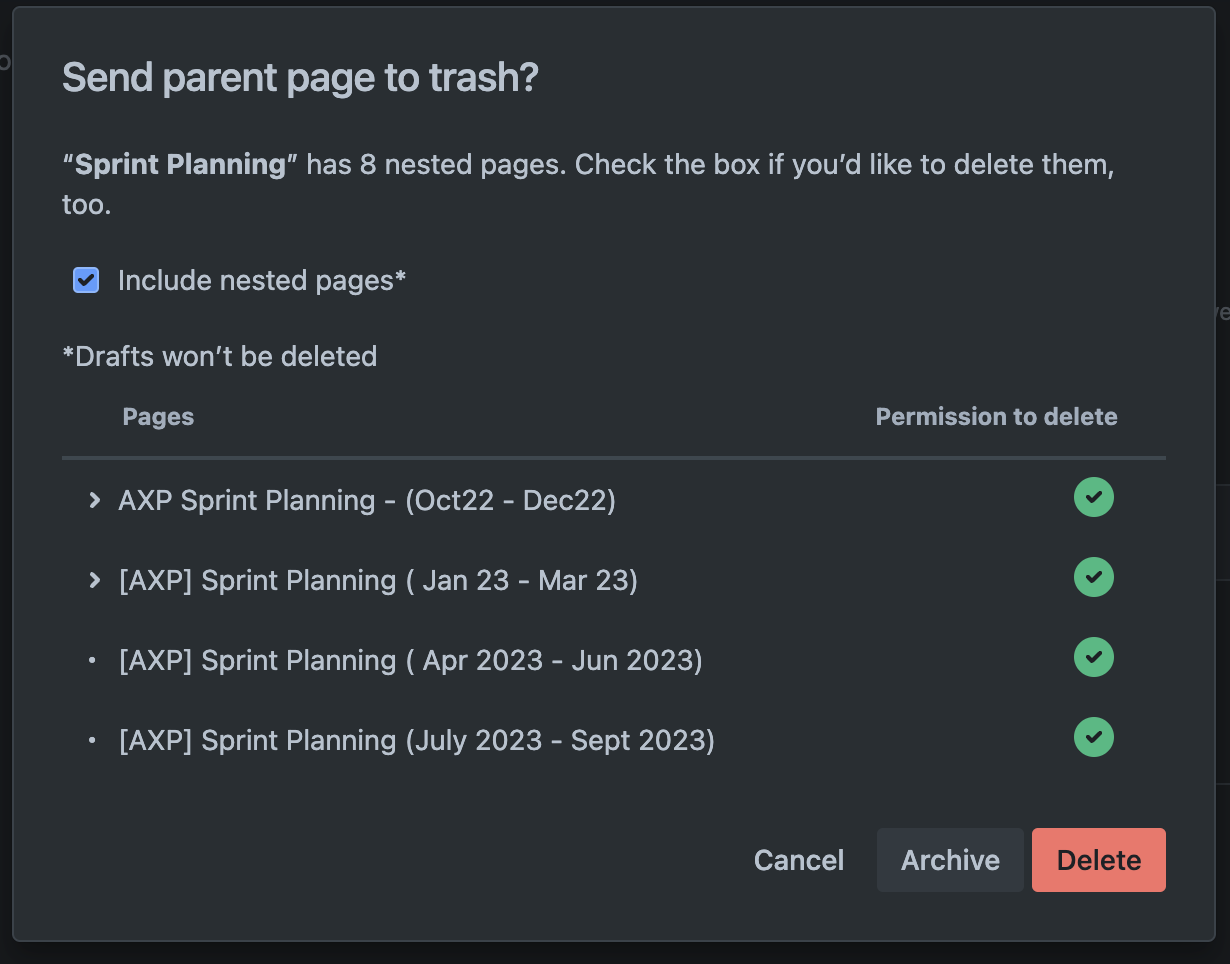
Finally, click the delete button and voilà! Your parent content item and the items nested beneath it will have been deleted!
How to delete content in bulk from the Manage Page Tree feature
- note: the Manage Page Tree feature is only available to space admins on our Premium or Enterprise editions
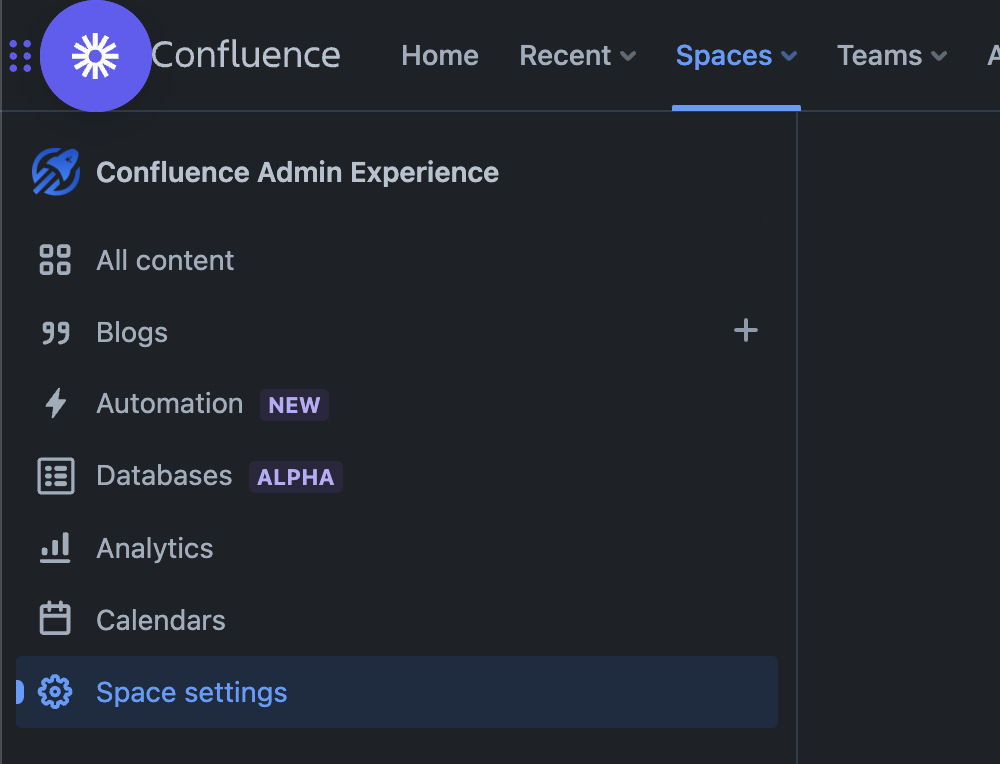
First, navigate to your Space Settings from the left nav:
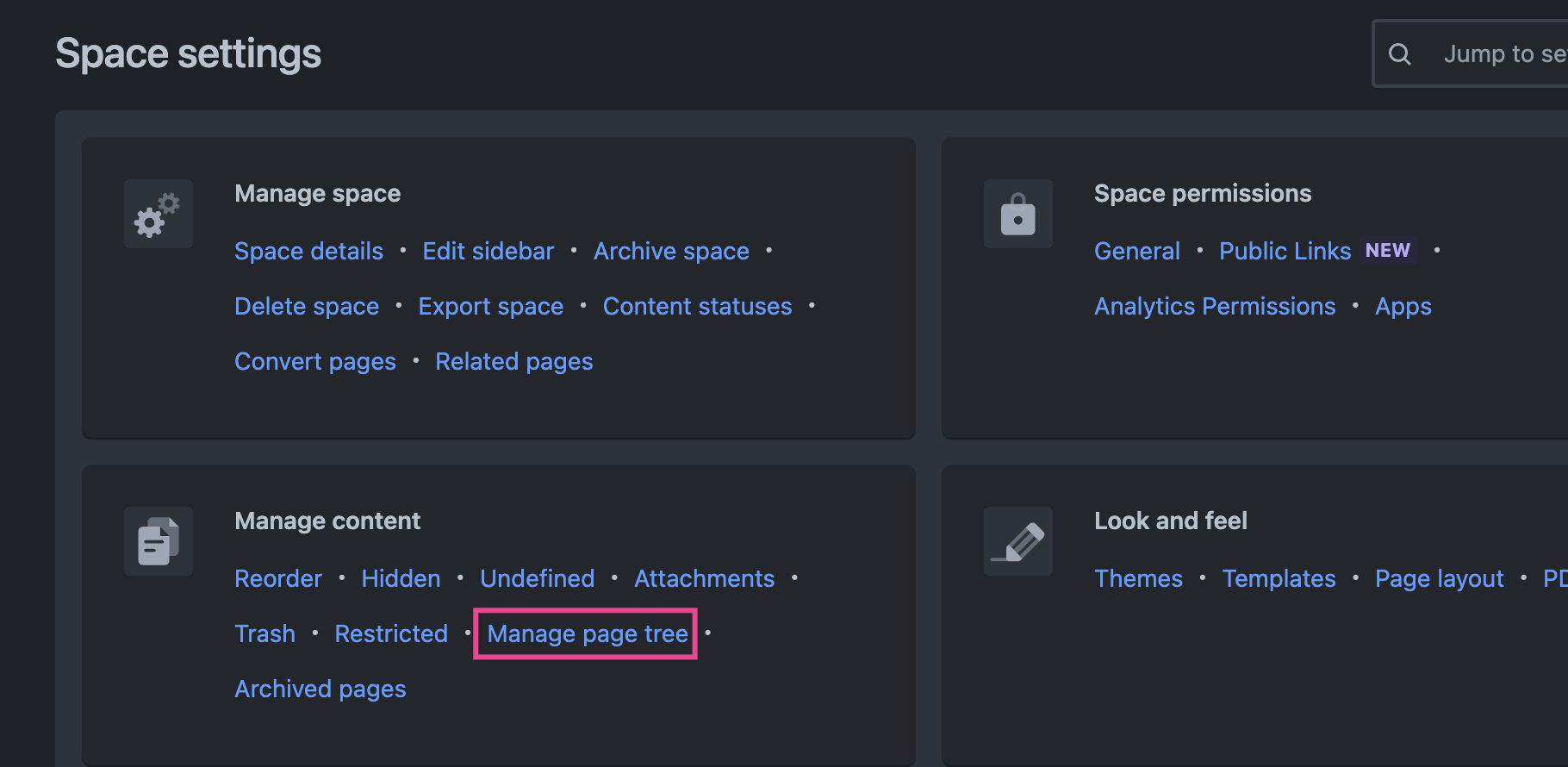
Then, within the Manage Content within Site Settings, click to enter the Manage Page Tree feature:
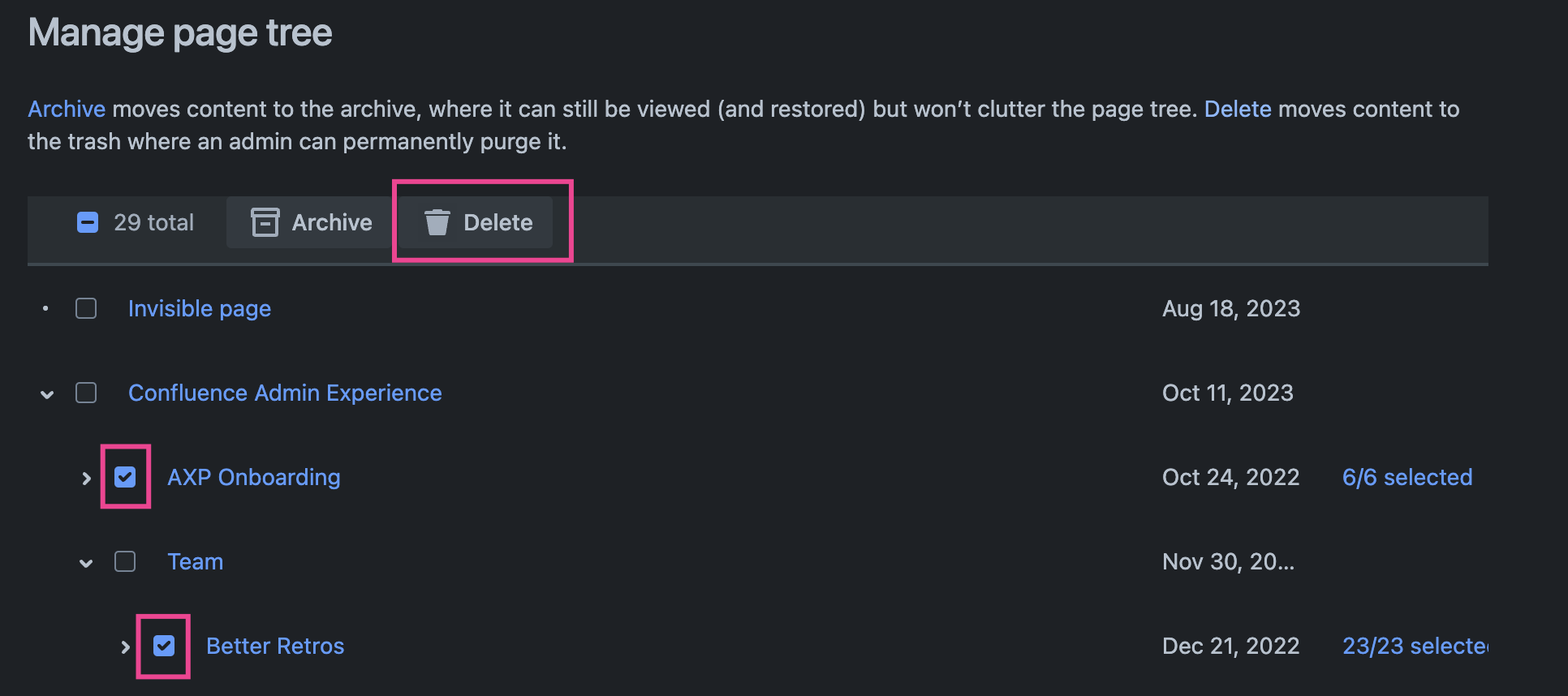
Once within the Manage Page Tree feature, check the boxes for the branches of your page tree that you'd like to delete, and then click the delete button towards the top of the page:
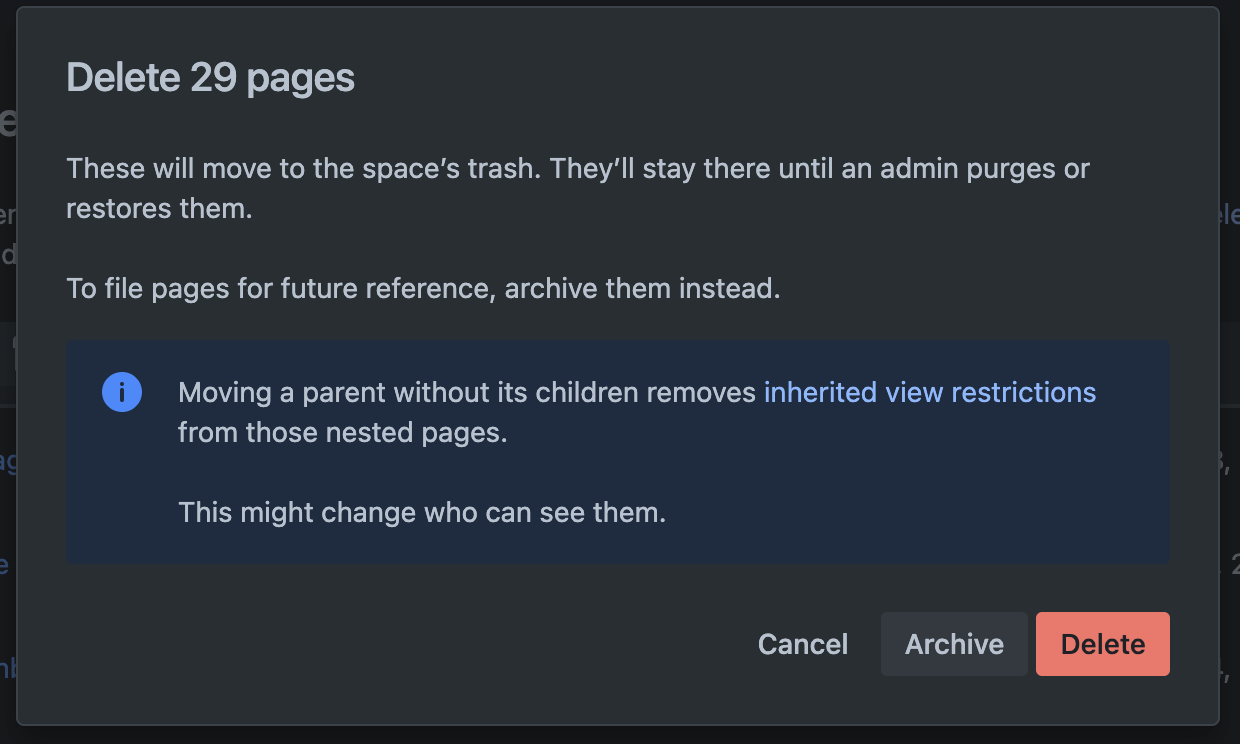
Then, click the delete button and all of the selected content will have been deleted:
FAQs
Which editions of Confluence Cloud is this available to?
- From the content tree: Customers on our Standard, Premium, and Enterprise editions
- From the Manage Page Tree feature: Customers on our Premium and Enterprise editions
Can all users delete content in bulk?
- From the content tree: End users will be able to bulk delete content items that they've been granted delete permissions for
- From the Manage Page Tree feature: Only admins will be able to access the feature
Are there limits to the number of items I can delete at a time?
- Yes. Bulk delete jobs are currently limited to a maximum of 100 content items per job
When can I start deleting my content in bulk?
- Now! Bulk delete capabilities have been fully rolled out to our customers


![Photo of Rodrigo [Elevatic]](https://avatar-management--avatars.us-west-2.prod.public.atl-paas.net/62d2c0f75d6f5fd2c3db7427/7b76aeb3-1134-4339-b9da-e24647d995c7/128)


