Hi community,
I have just upgraded my customers Jira Data Center instance from 8.20.11 to LTS 9.4.9. On the pre-logon System Dashboard there is the Introduction Gadget as well as the Login Gadget strored. Since we did the upgrade, the Gadgets will overlapp, which means, the Introduction Gadget is in front and covers the Login gadget:
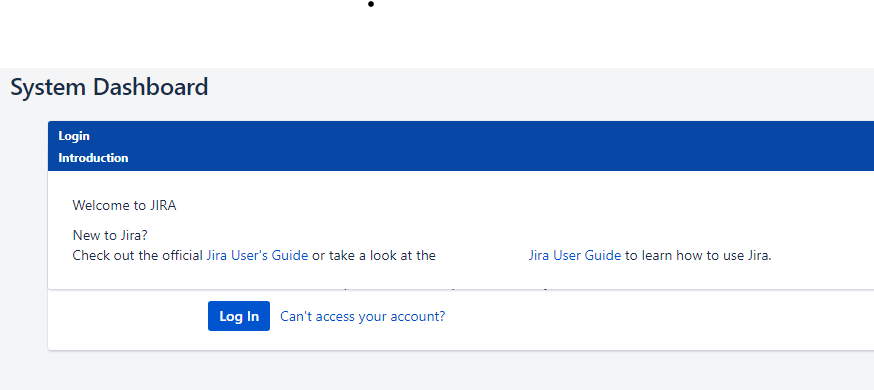
Before I can use the login gadget, I need to maximize the Login Gadget so that it will be in the front.
This happened also in out test environment and I have tried several combinations to update the System Dashbaord without success.
After I maximize the login Gadget, it looks like it was displayed before the upgrade and as it should:
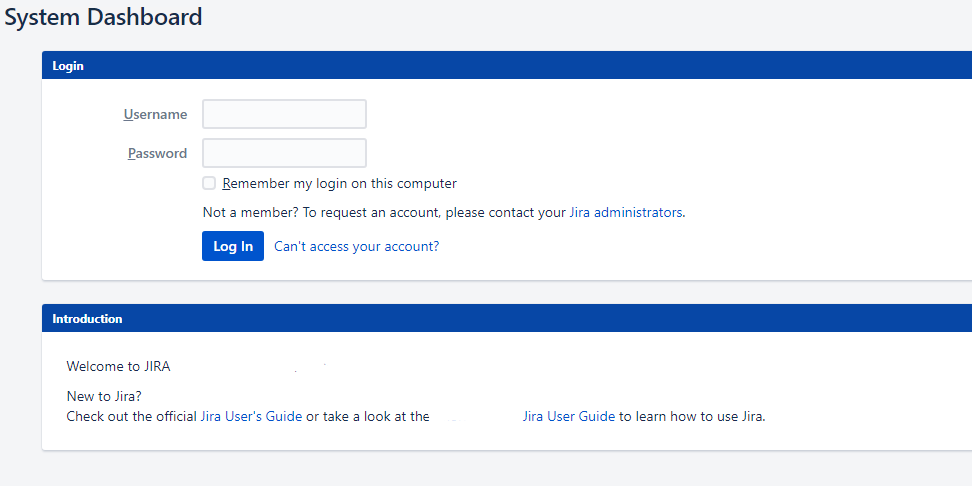
How can I update the way they are displayed?


