We have an internal incident ticket where automation and internal teams will create incident tickets using 'Affected services' field to indicate which services are affected then indicate on a checkboxes custom field `Impacted Services` where the same values names are available from both `Affected services` and `Impacted Services`. This allows cloning the ticket into downstream customer facing portals who have the indicated affected services in their contract and display the field to them in their respective tickets. This is in an effort to workaround the limitation of 'Affected services' not usable by unlicensed service management users (aka customers).
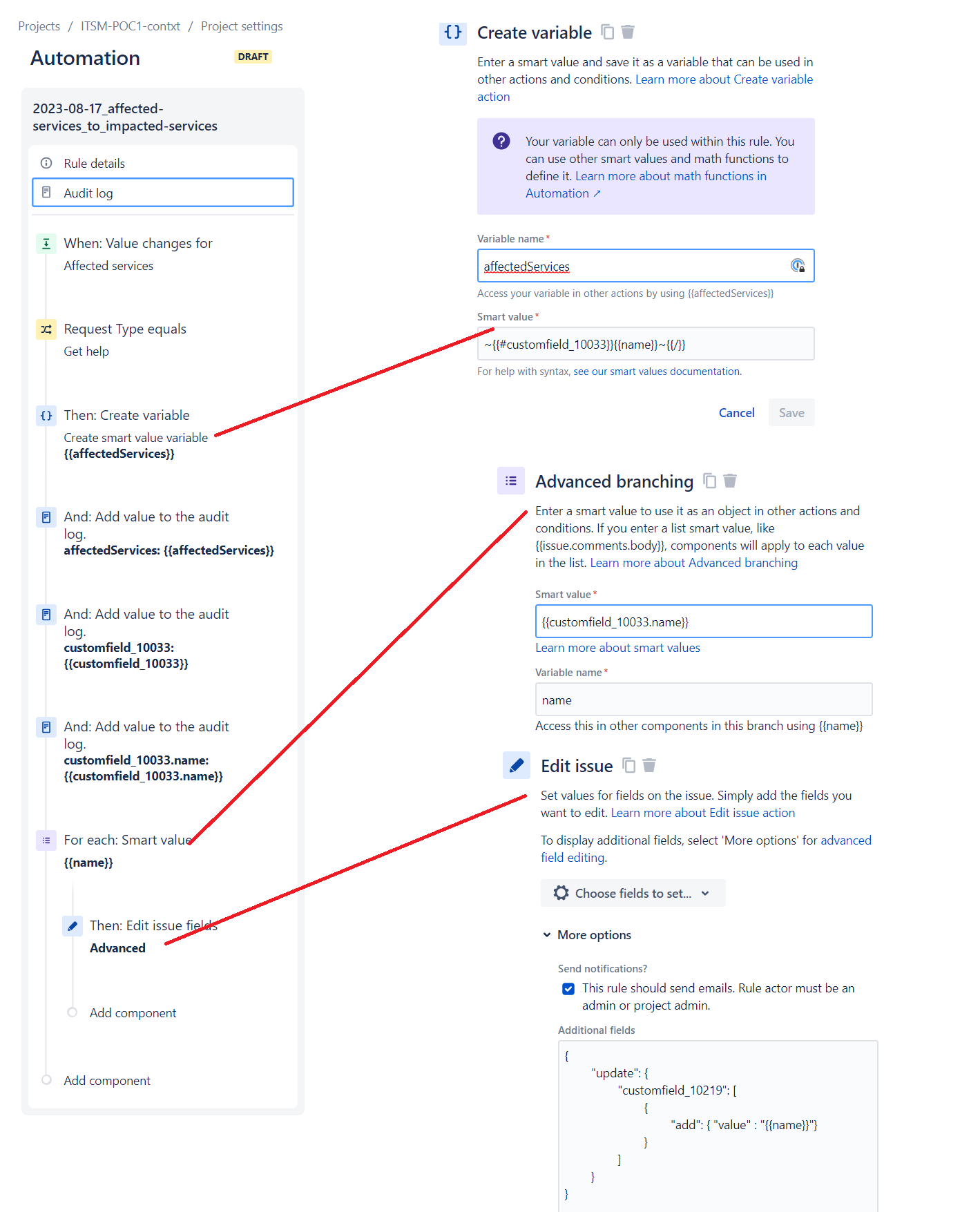
The problem I'm facing is using the "Advanced Branching" automation block to iterate over each name of an 'Affected services' value. When I capture the 'Affected services' as a smart value it is replacing each value of the 'Impacted Services' field, it thinks the field is empty each time it iterates on to the next value.
Am I using this correctly? Why doesn't it add the new values instead of starting empty each iteration? Is there some other way I can capture the list of all values from one field and transpose them to another field? I've tried the same with 'Labels' and it behaves the same starting with an empty 'Labels' value for each iteration.
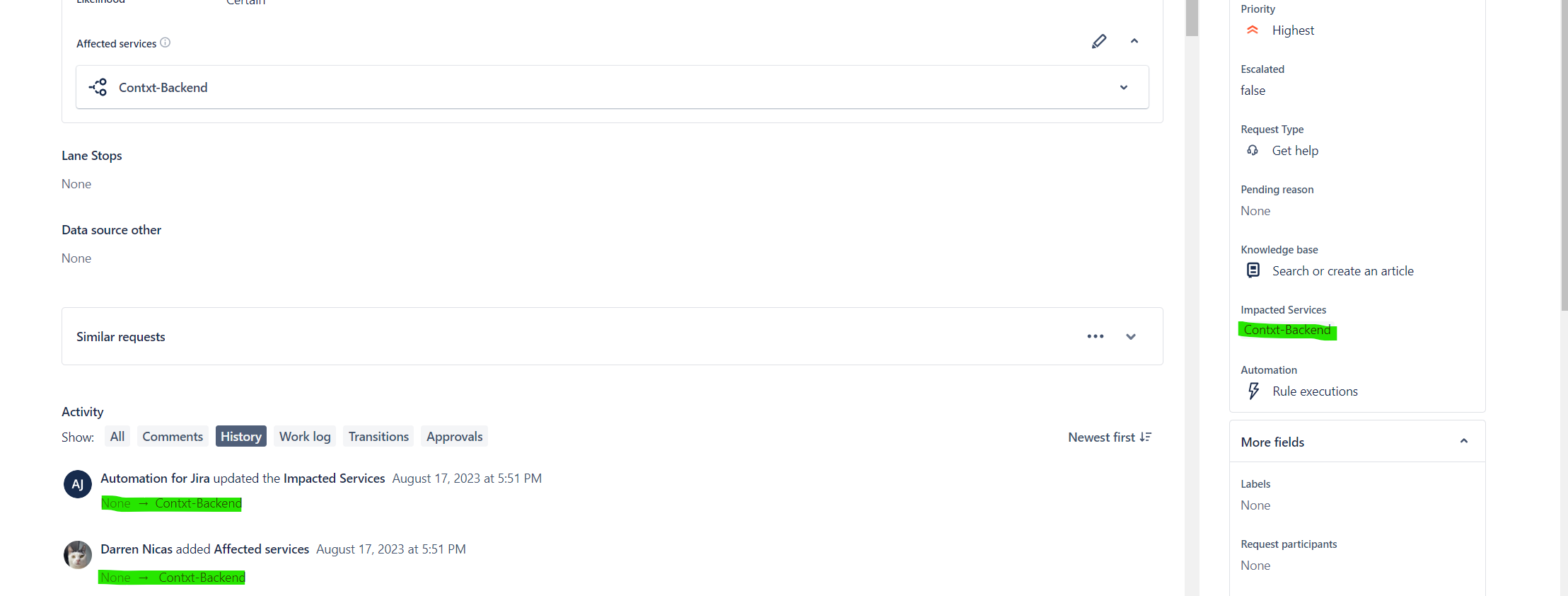
Here you can see it works fine with only 1 `Affected services` selected:
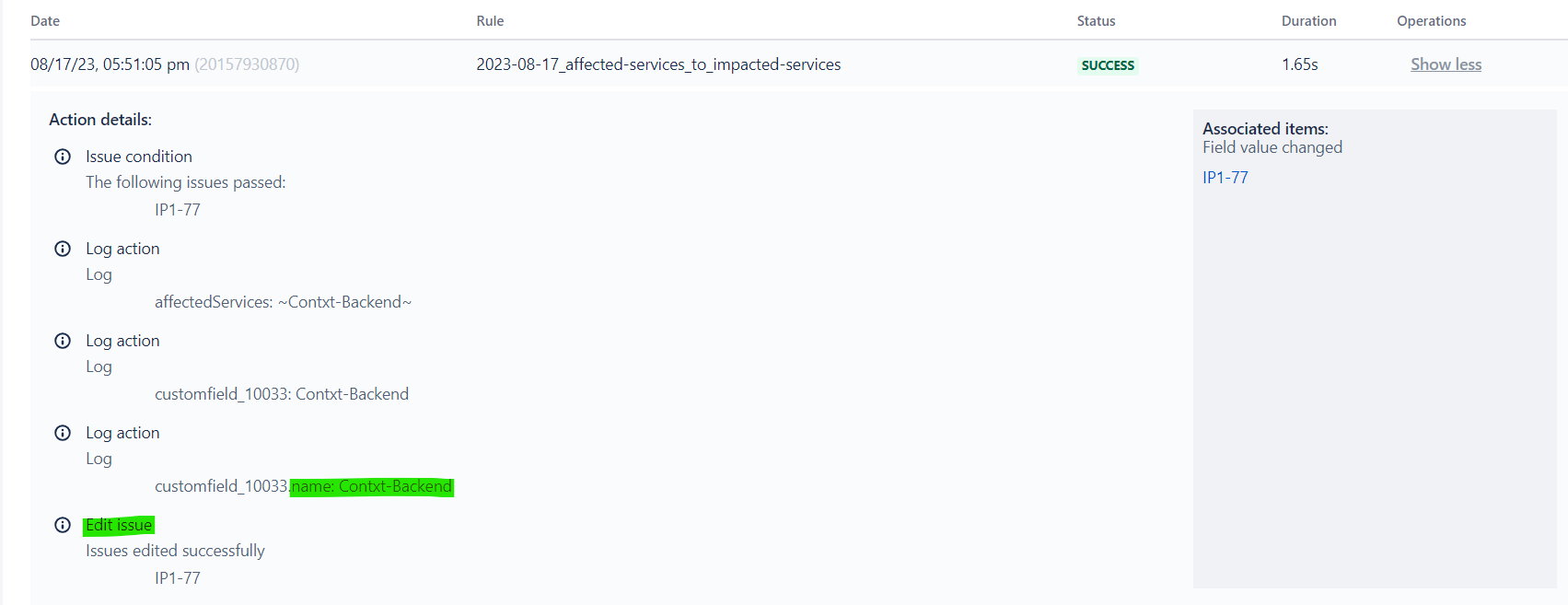
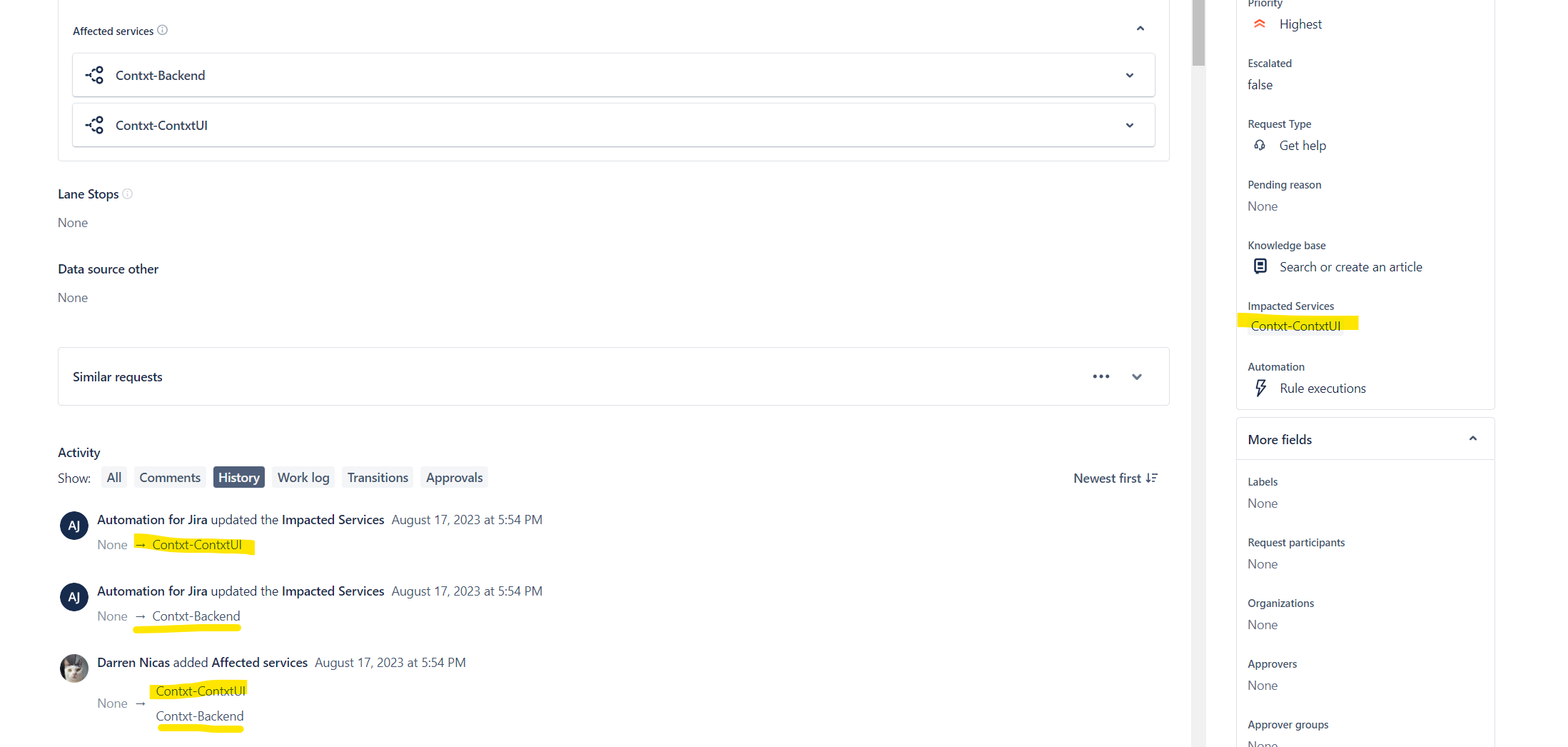
If I select more than 1 `Affected services` value it exhibits the unintended behavior, where you can see it tries to set the value twice, each time starting with a value of "None".
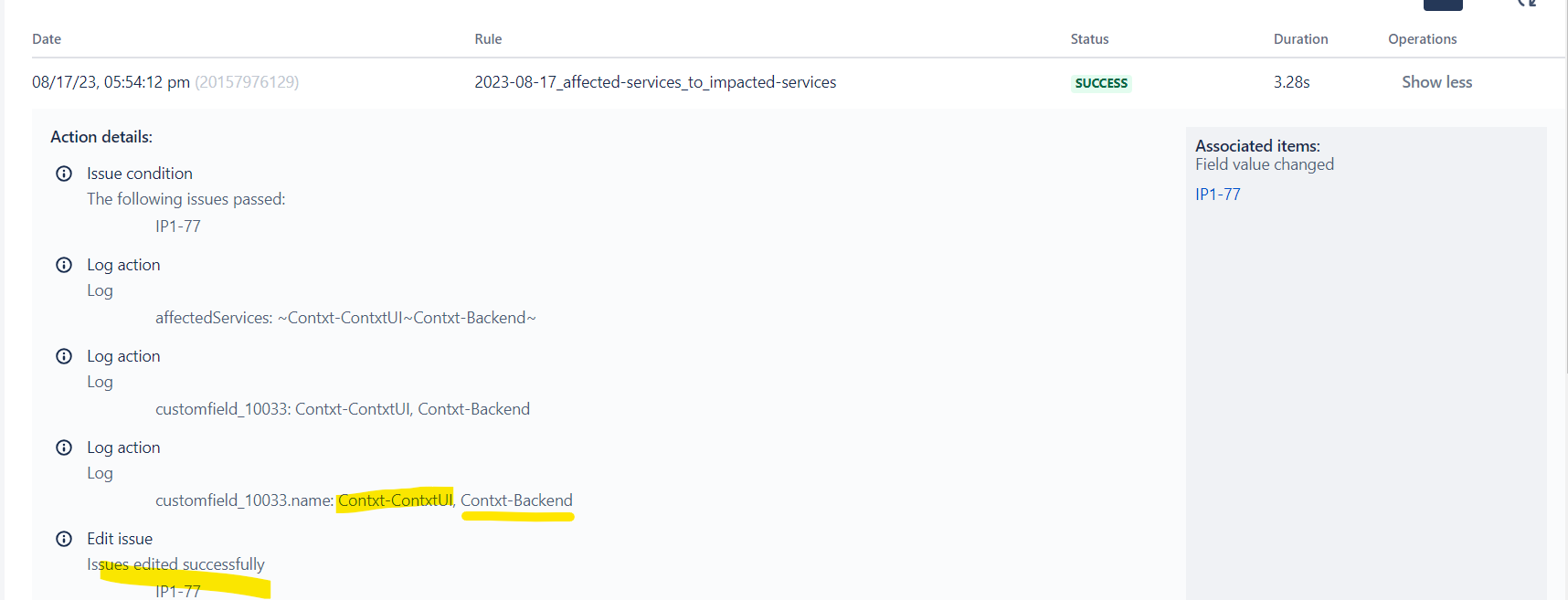
Here are some screenshots of the rule, the smart values and logging are just for debugging, the trigger is editing the issue to make for easier testing, but the same behavior is observed with create issue trigger as well.