Summary
When working with JSM Incidents there is no way to automatically link Opsgenie Alerts to JSM Incidents. Or is there?
With the new Incident REST API and the Opsgenie Alerts API, we can GET Alerts and also link alerts using two API requests.
Automation Rule configuration:
- Manual Automation Trigger
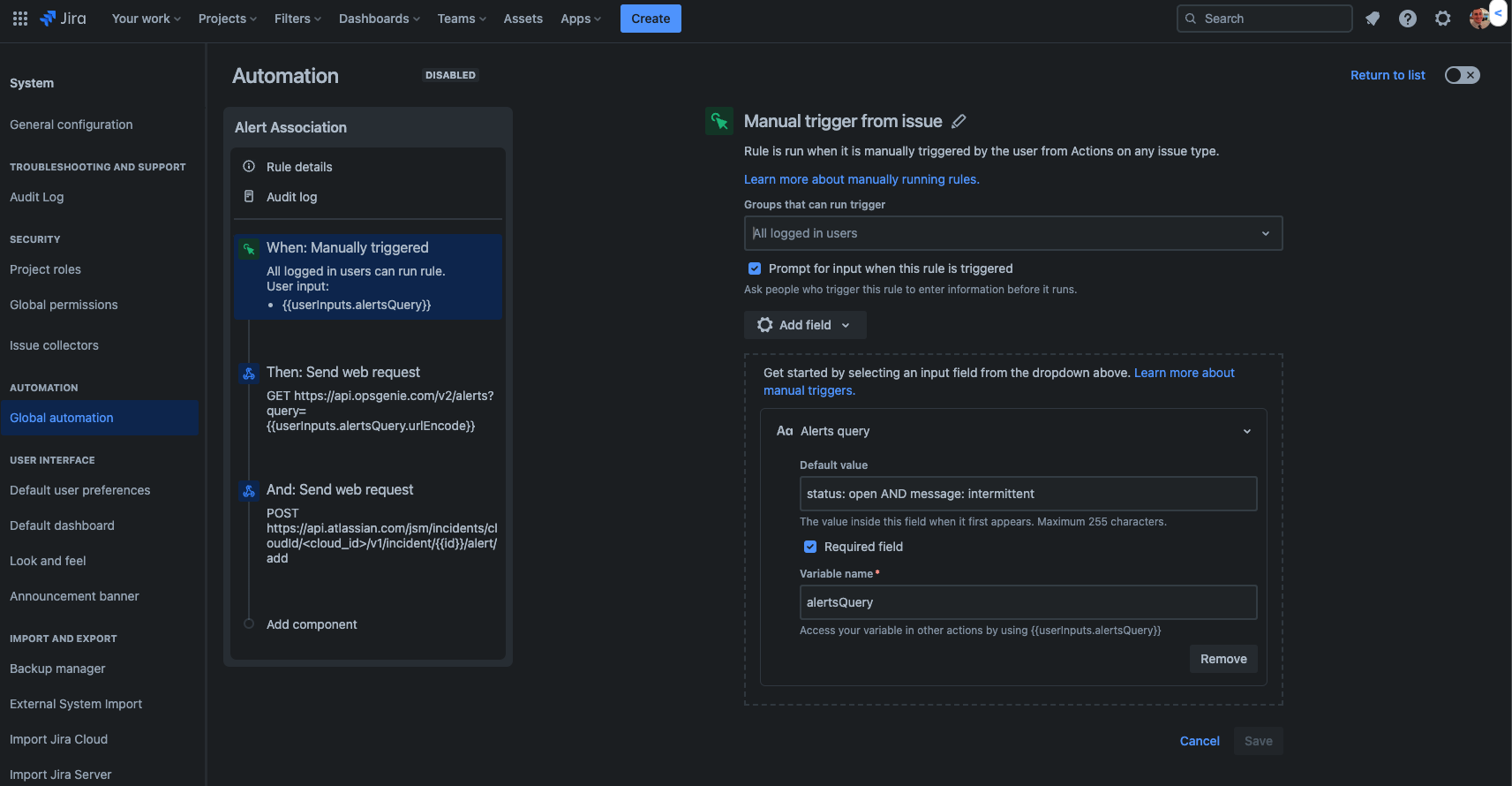
In this example, we will be using a Manually triggered rule to first get the Opsgenie Alerts where the Status is Open and there is a message of intermittent. This default value set on the Manually Triggered Automation Rule will look for Alerts that meet this criteria. Please note that this default value can be changed based on your use case and if you want to look at the message/status, or other values on the Alerts:
Default Value for User Inputs
status: open AND message: intermittent
Smart Value for Manually Triggered Rule
{{userInputs.alertsQuery}}
- GET Request using a Send web request Action
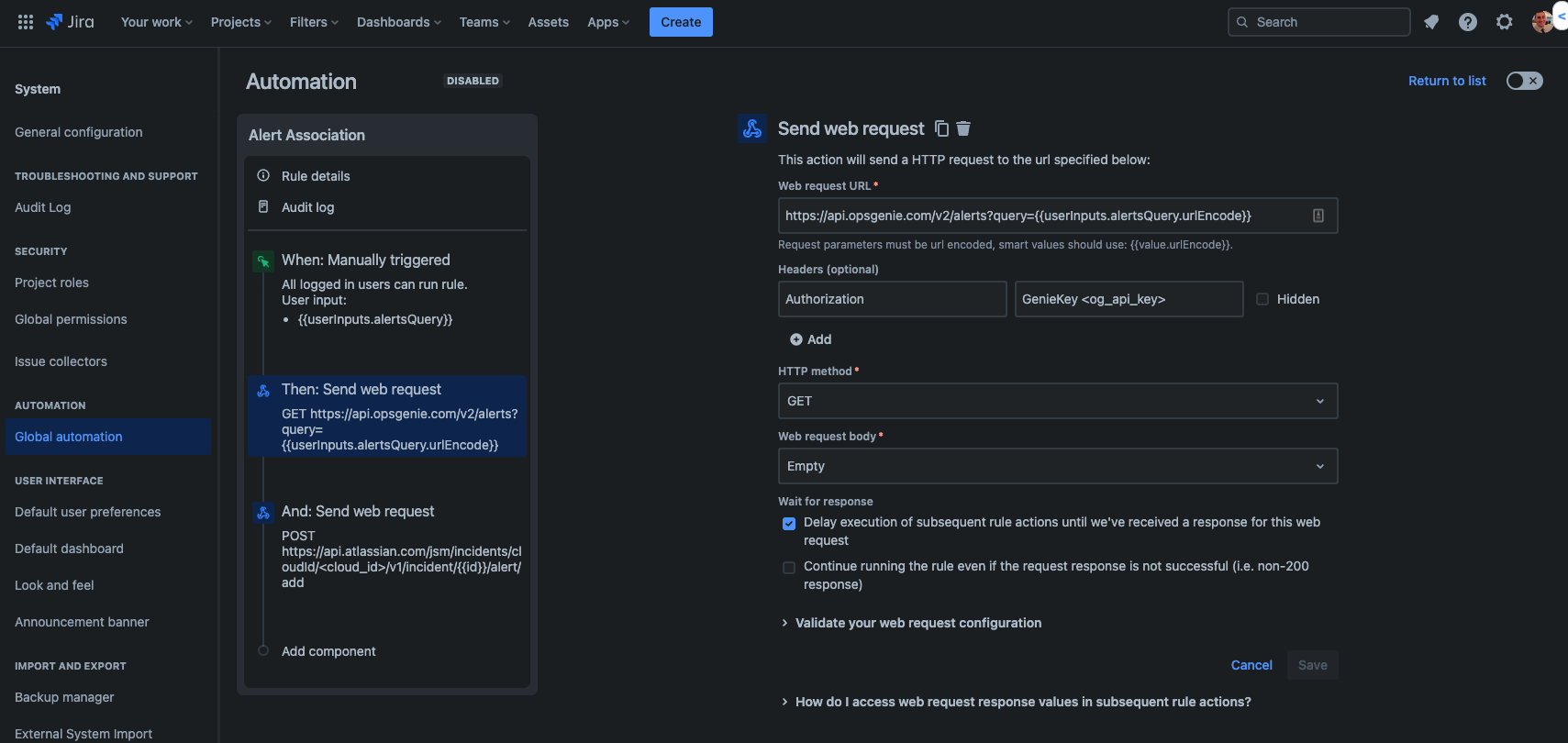
Then we will be using a GET request to get the Alerts to later link using the following Web request URL. Please be sure that the smart value from the Manual Trigger is used for the query, and then url Encode the request URL, similar to below:
https://api.opsgenie.com/v2/alerts?query={{userInputs.alertsQuery.urlEncode}}
You will also need to get a Genie Key from an Opsgenie API integration to authorize the API request and get the Alerts:
-
POST Request using a Send web request Action
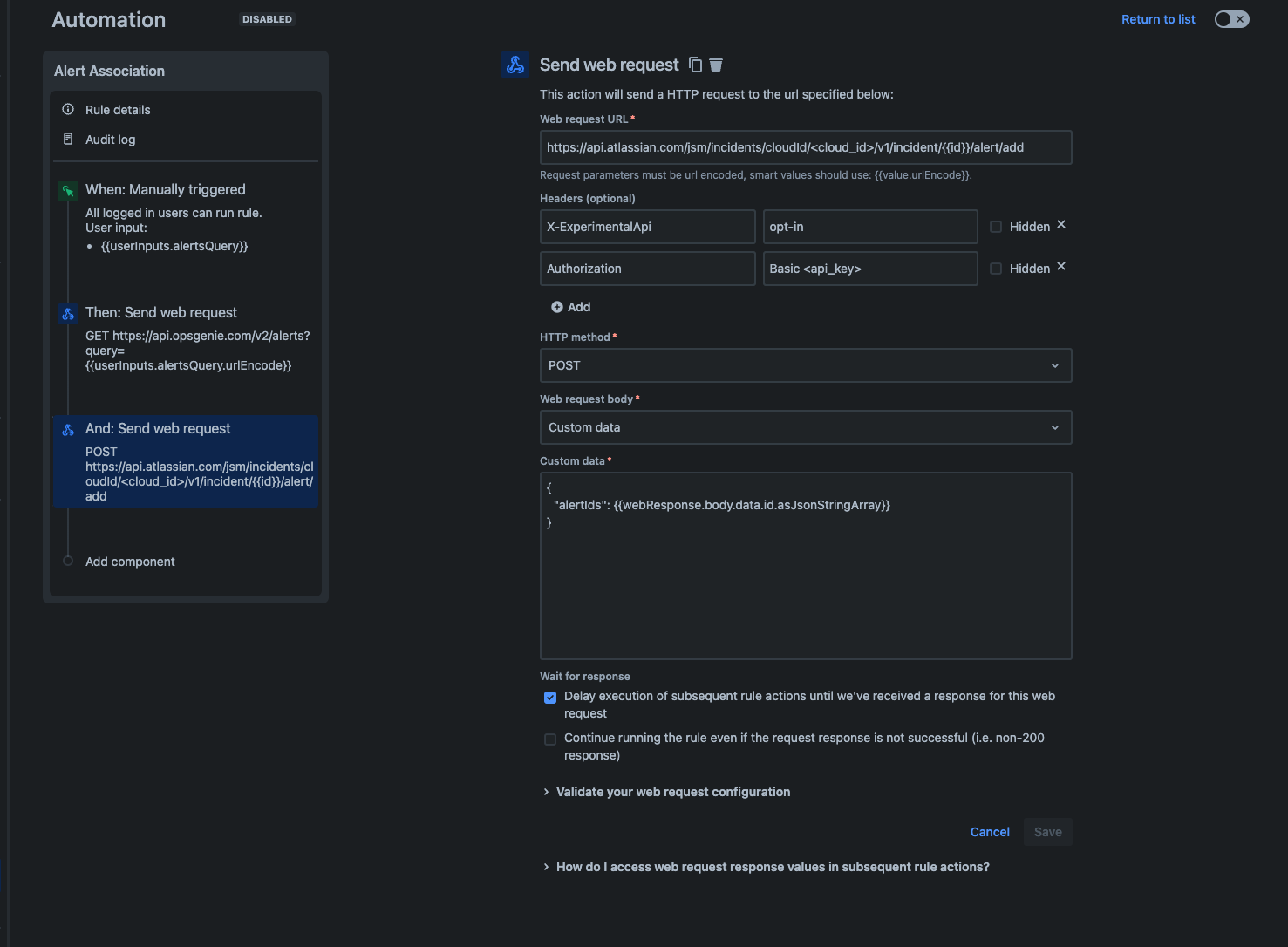
Lastly, we will link the alerts to the JSM Incident dynamically using the following POST web request URL. Please be sure to use your own cloud for your Jira site with experimental API headers, using Basic Authorization:
https://api.atlassian.com/jsm/incidents/cloudId/<cloud_id>/v1/incident/{{id}}/alert/add
X-ExperimentalApi opt-in
Authorization Basic <api_key>
Also, here is the custom JSON data you want to pull in the web response data from the previous API GET request:
{
"alertIds": {{webResponse.body.values.id.asJsonStringArray}}
}
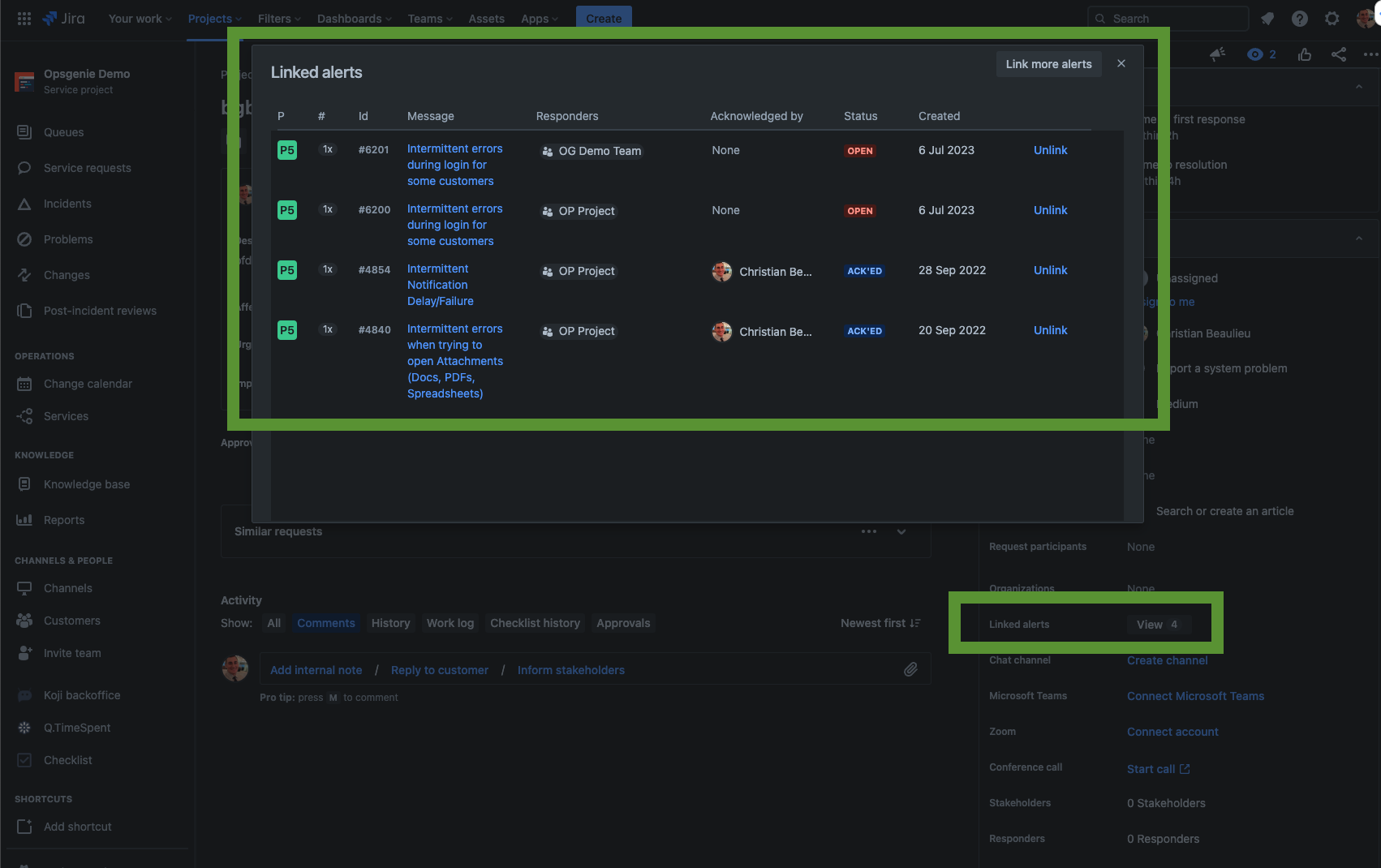
Once this is all setup and you manually trigger the rule you will see linked alerts that met the criteria for the rule linked now, within the Linked Alerts field:
Related articles:
- Obtain Basic Authorization key using emailaddress:atlassianaccountapitoken format:
- GET Cloud ID from: https://<your-site-domain>.atlassian.net/_edge/tenant_info
- Obtain Atlassian Account API token:
- Create API integration to get the API key to use as the genie key:
- Opsgenie Alerts API:
- Incidents Rest API:


