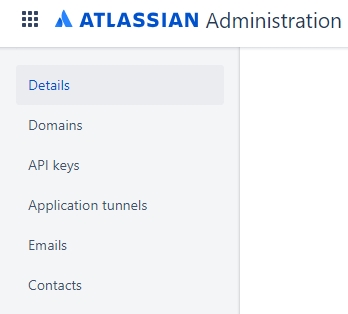
I'm an Atlassian Org Admin & I tried to use the following instructions to add another Org Admin. However, when I go the Settings page, the Administrators menu link in the left nav is missing as shown in the screen shot below. How do I resolve this?
- Log in to your organization at admin.atlassian.com.
- Choose Settings > Administrators.
- Click Add administrators.
- Enter an Atlassian account email address and click Grant access.