Try out 3 new quick search improvements in Jira Software — and preview what’s coming next!
Hello Community 👋
I’m Finch, a product marketing manager for Jira Software. Being able to quickly and easily find what you need in Jira is crucial, and our engineering and product teams are listening to what you say will improve your quick search experience. I’m excited to share a round-up of what’s been recently made available, and a look at what’s coming out next!
First up, here’s three ways quick search has been enhanced:
1️⃣ Find issues quickly with the “reported by me” filter
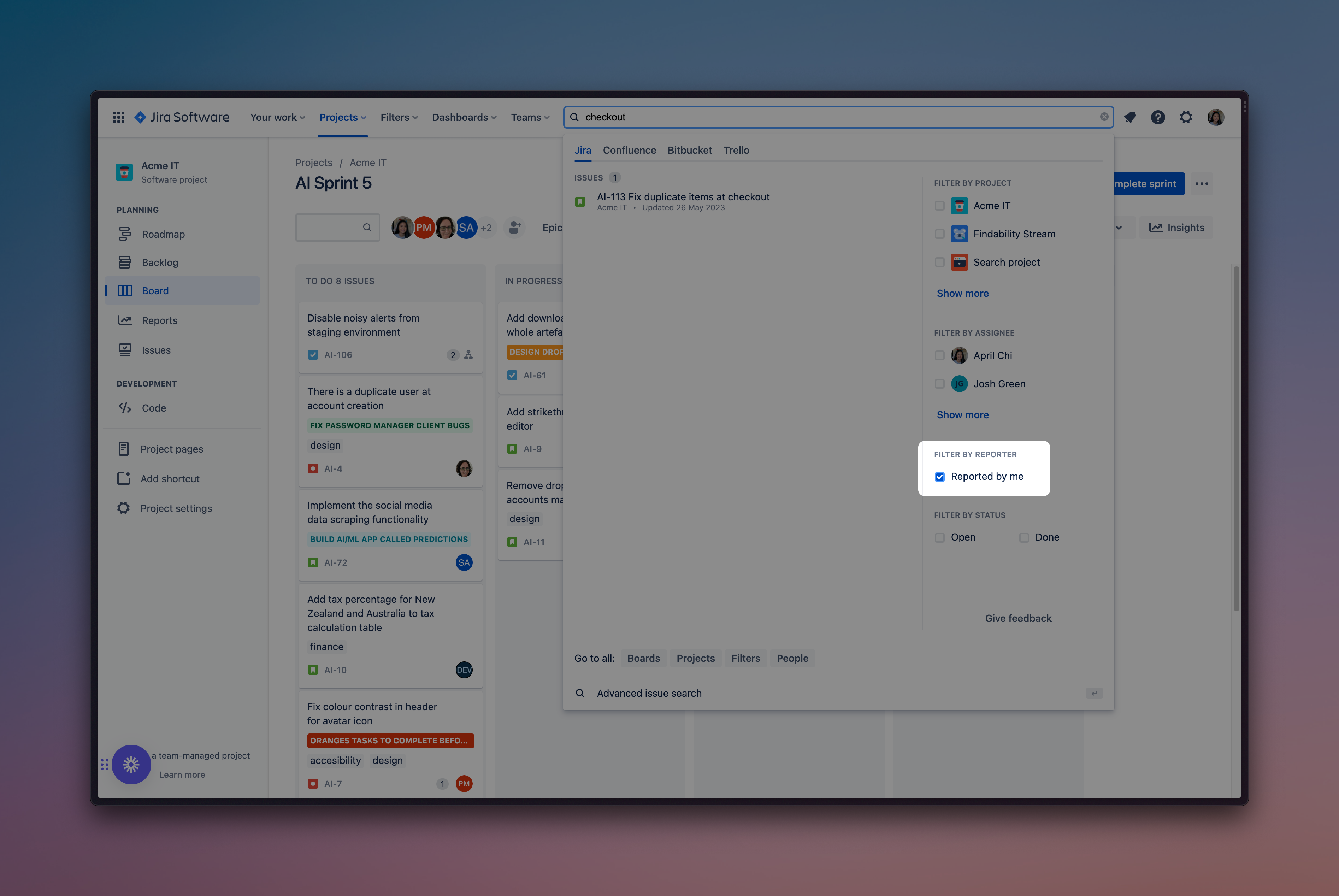
Looking to keep up with issues but don’t want the frustration of digging through quick search results? You can now easily filter your results using the issues that you’ve reported. It’s as easy as checking a box!
2️⃣ See the projects you’re currently working in at the top of your search results
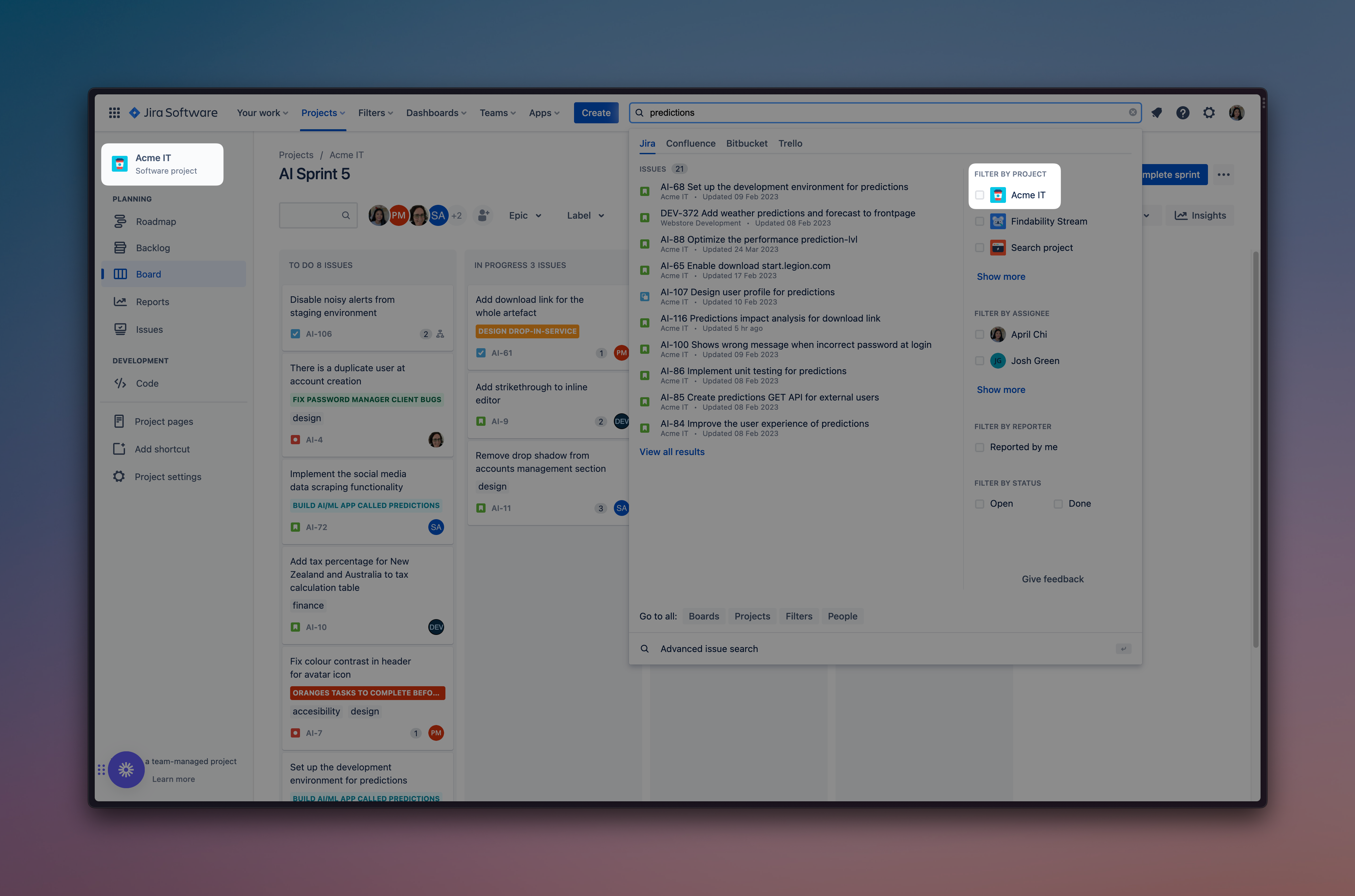
Chances are, the projects you’re working on the most are the ones you need the quickest access to — so you can now save some time (and clicks) because those projects appear at the top of your quick search results.
3️⃣ Find what you need using an exact phrase
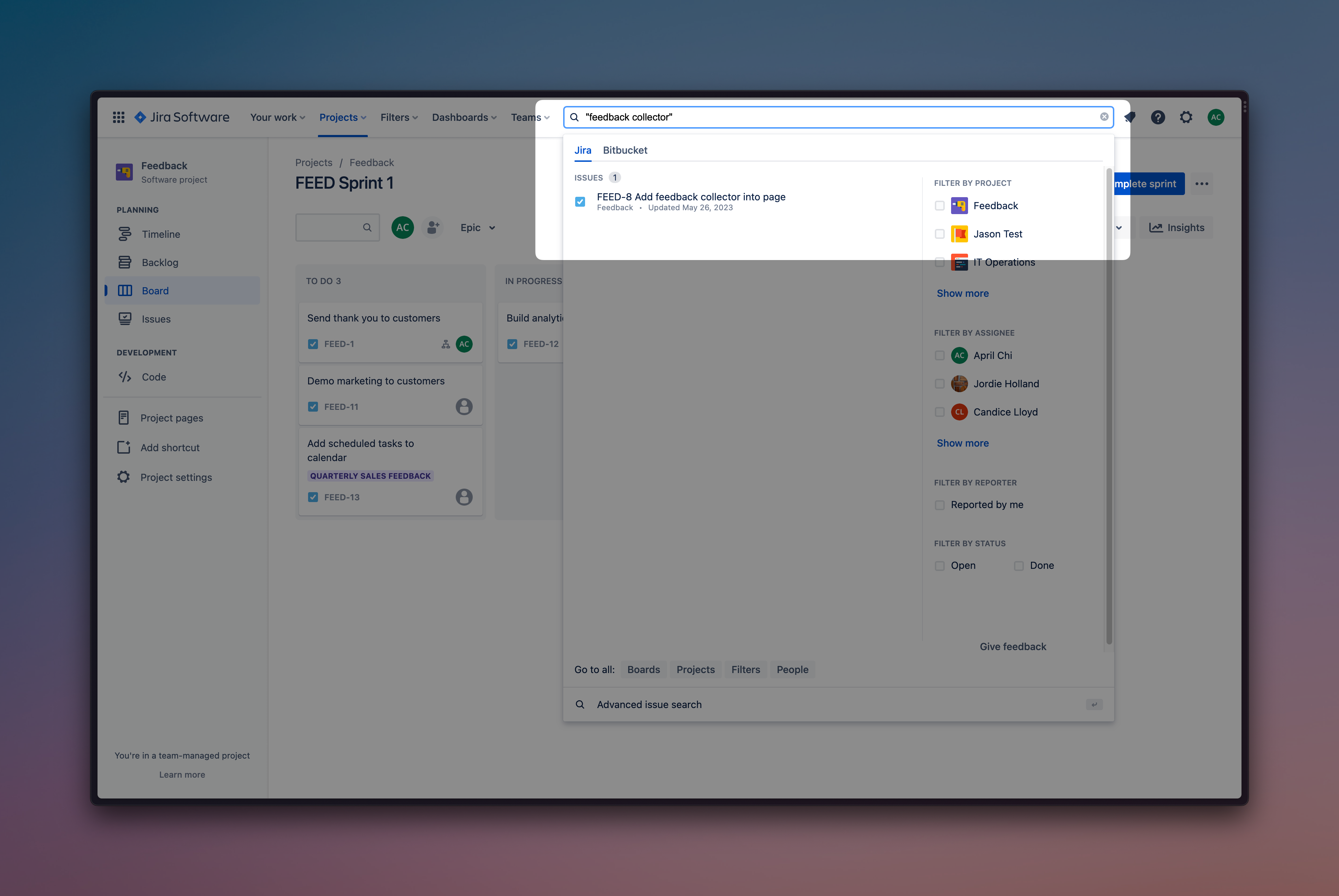
The common way to search for an exact phrase involves typing your phrase bracketed with ““. Now it works in Jira Software the same way. For example — if you type in “saturn summer sizzle,” we will run a JQL search with this syntax: "\"saturn summer sizzle\"" — and your search results will return exactly what you were looking for.
What else are we working on to make your quick search experience better?
I mentioned earlier that you and your teams will continue to see search enhancements to Jira Software, so here’s a little preview of what’s coming soon:
1️⃣ Smart query will soon be optional
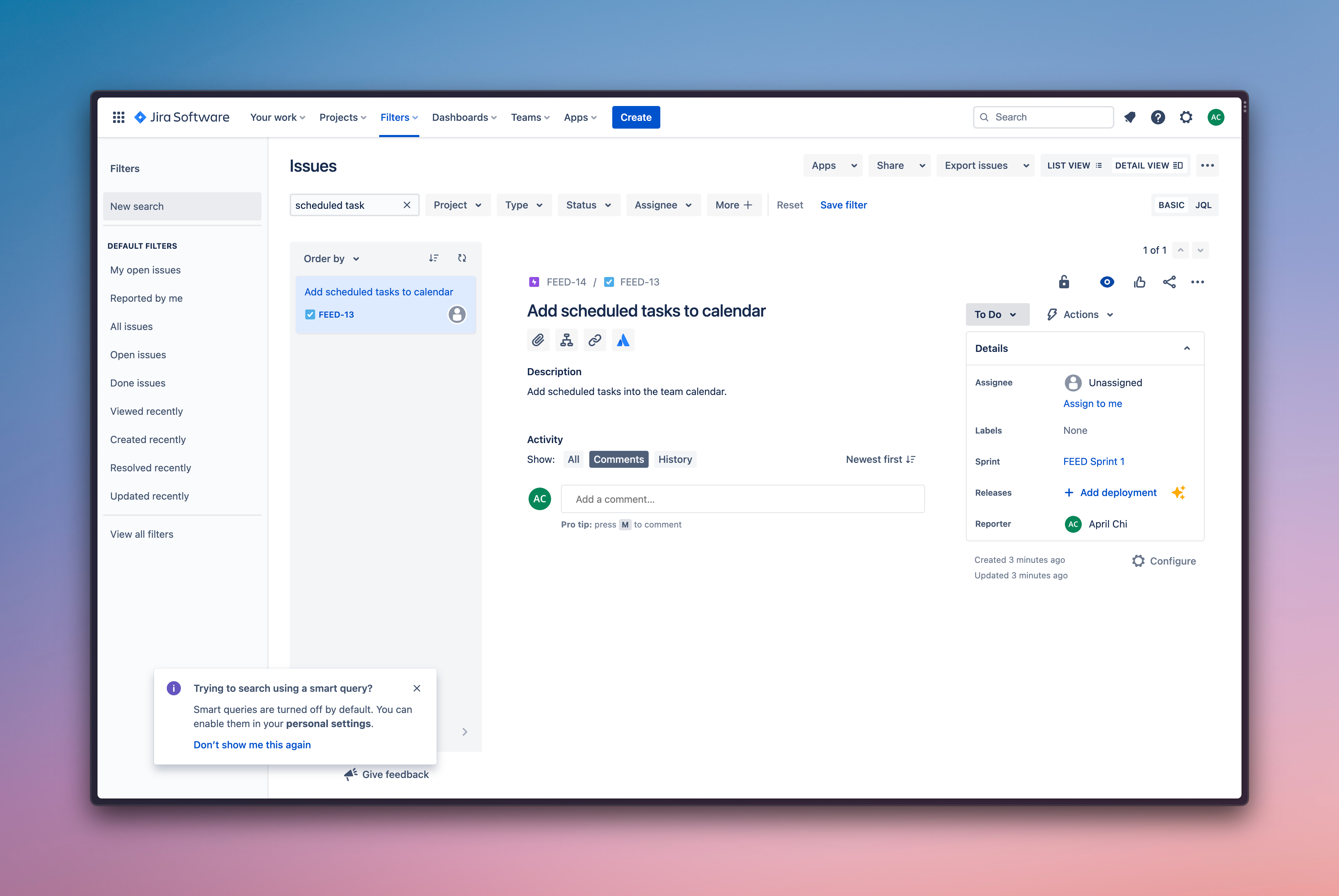
Smart query is a feature in quick search that allows you to find issues through shorthand. Rather than head to Advanced Search or sift through basic filters, the intended purpose of smart query is to allow you to find the same issues with less text. However, some users may not like having search automatically applied when a trigger keyword is entered, so we’re making the feature optional — you will be able to toggle it off easily in your settings. That means, for example, you can type “scheduled task” without smart query changing your query to filter for issue type task.
2️⃣ Filter search results by your labels
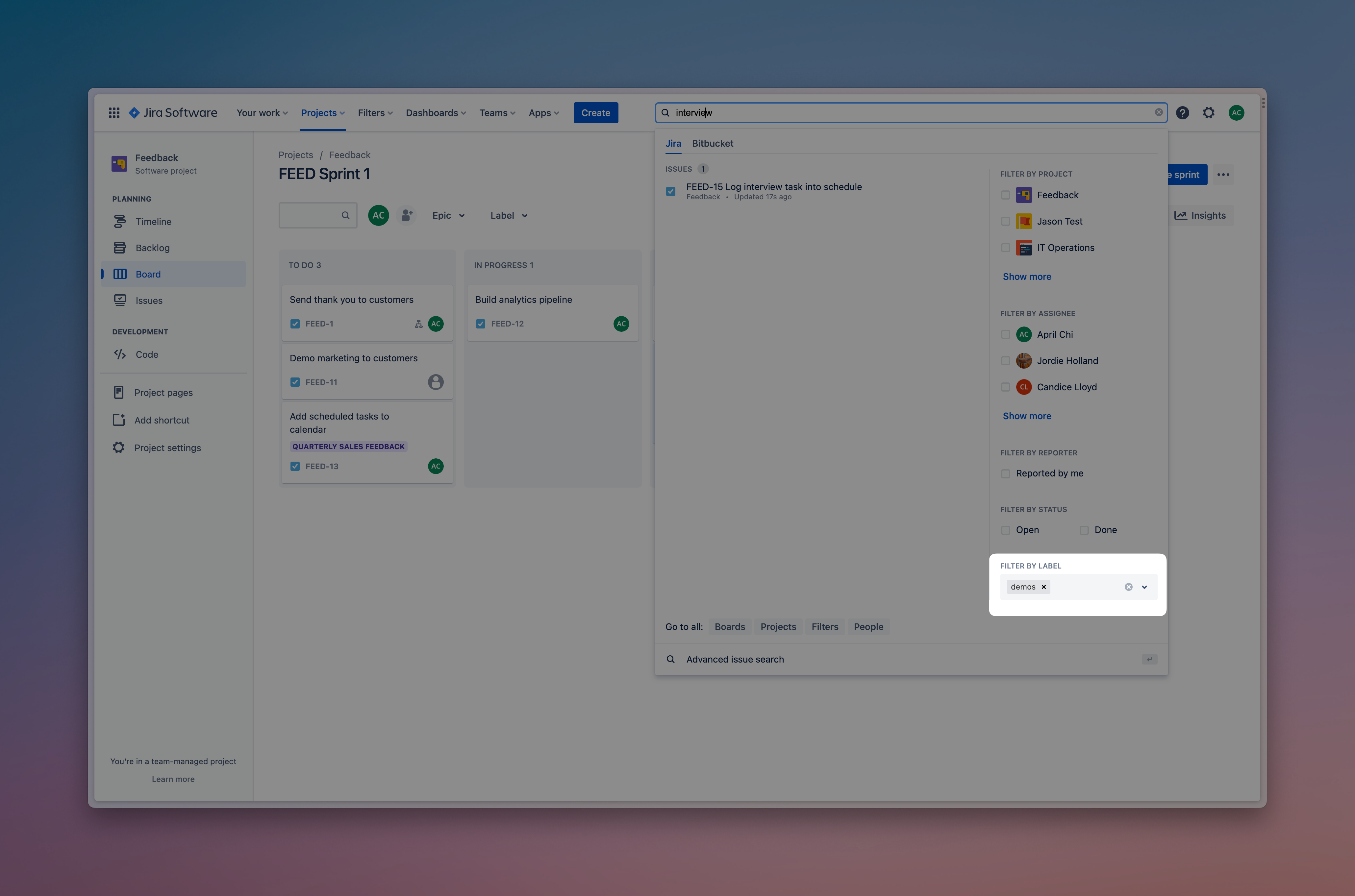
Labels allow for a flexible way to classify and manage Jira issues. Soon you’ll be able to enter a quick search query and narrow results down using your labels — without having to go to advanced search.
3️⃣ Hover over search results for more info
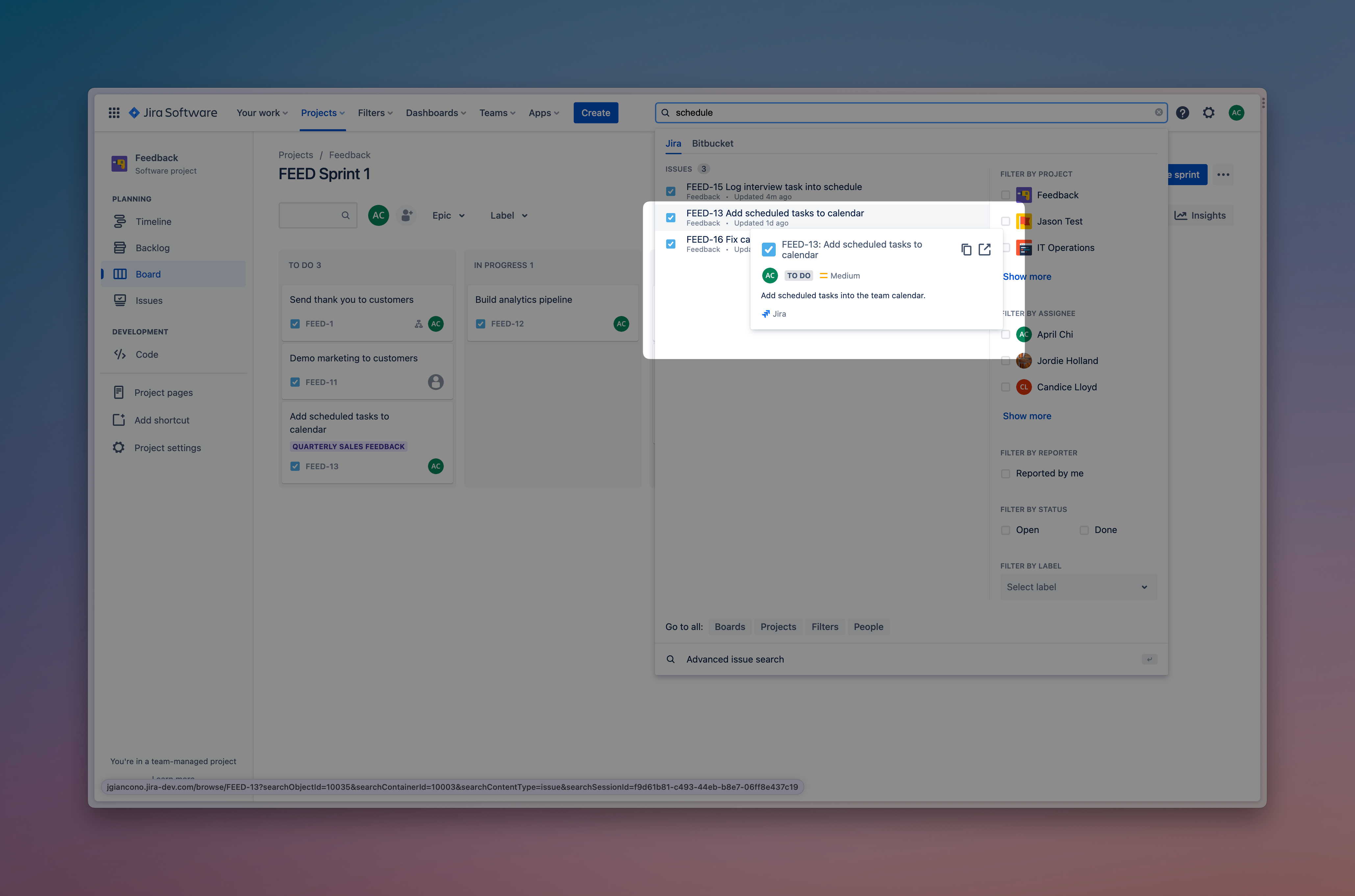
When you hover over search results, a tooltip will pop up with more information about the issue (like the priority, status, assignee, a snippet of the description, and let you copy the title or open it in a new tab), so you’ll get a high-level view of important info at a glance — and another way to save time and clicks.
4️⃣ No more missed search results due to a misspelling
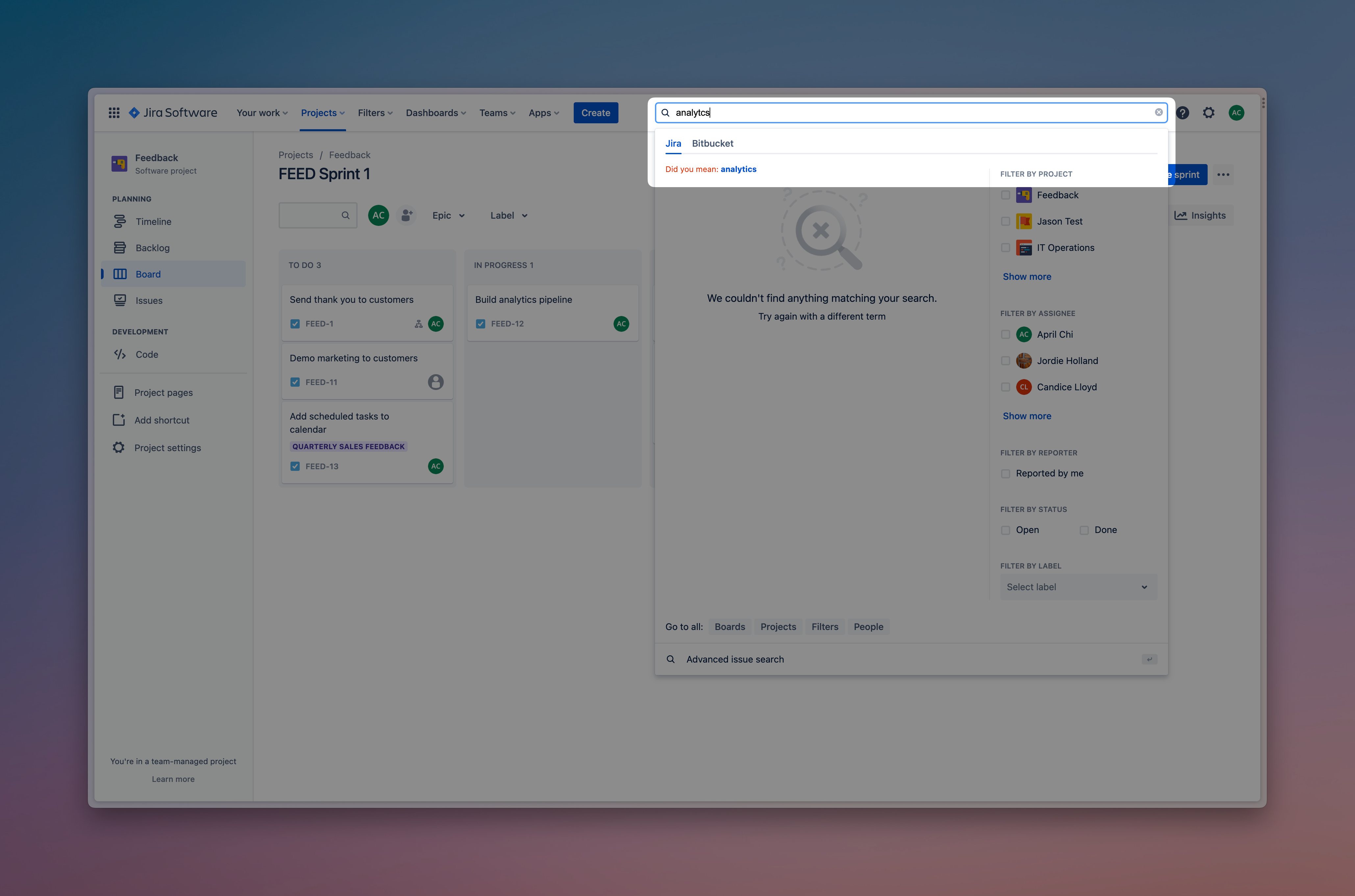
Running into a dead end when you misspell a word is annoying — and makes it harder to efficiently find the task or issue you need. Starting soon, when using quick search you’ll be given a “did you mean?” prompt to help guide you in finding the correct search terms and spellings.
We’ll continue to share more about these features as well as other upcoming enhancements that continue to make Jira Software more efficient. As always, thank you for the continued support and we look forward to hearing your feedback! 💙


