Hi everyone,
We’re working on bringing the ability to set different priorities for different projects in Jira Cloud. While we’re building this, we want to hear more about how you use priority order in priorities and priority schemes in Jira Server.
Context
Note: You have to be a Jira admin to edit priorities and priority schemes.
Priorities in Jira Server
The order in Priorities
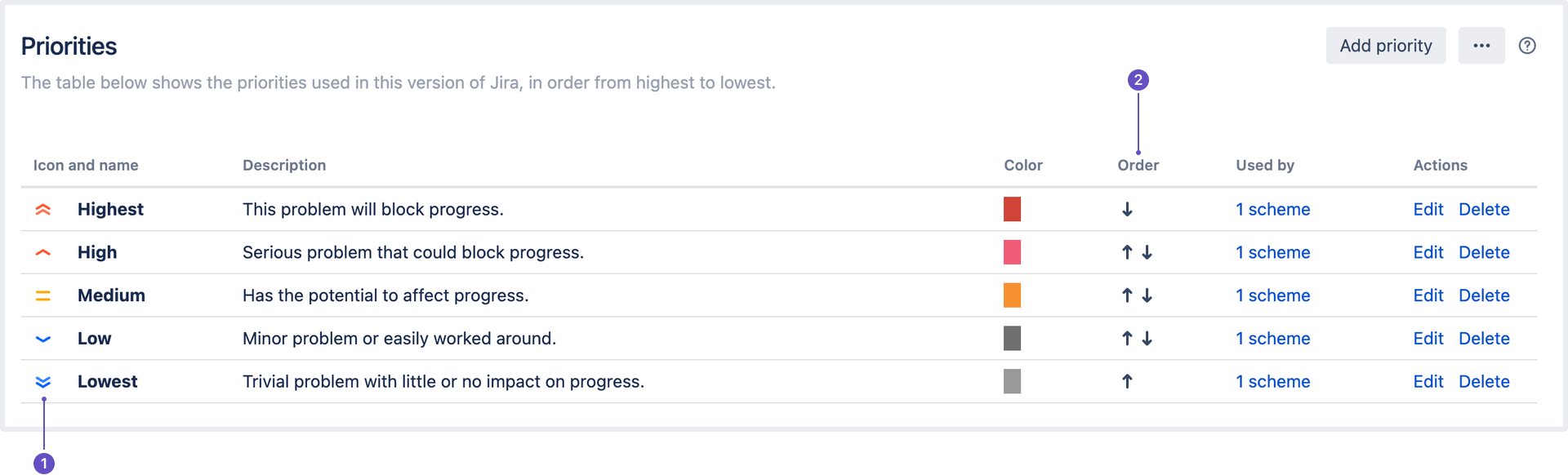
Select  > Issues > Priorities to see the priorities for your instance.
-
The Icon and name represent a priority and the order shows you all the priorities and how they’re ranked.
-
The Order represents the ranking of the priorities. If you’re searching for issues and ordering them by priority, the issues will be displayed based on this order.
The order in Priority schemes
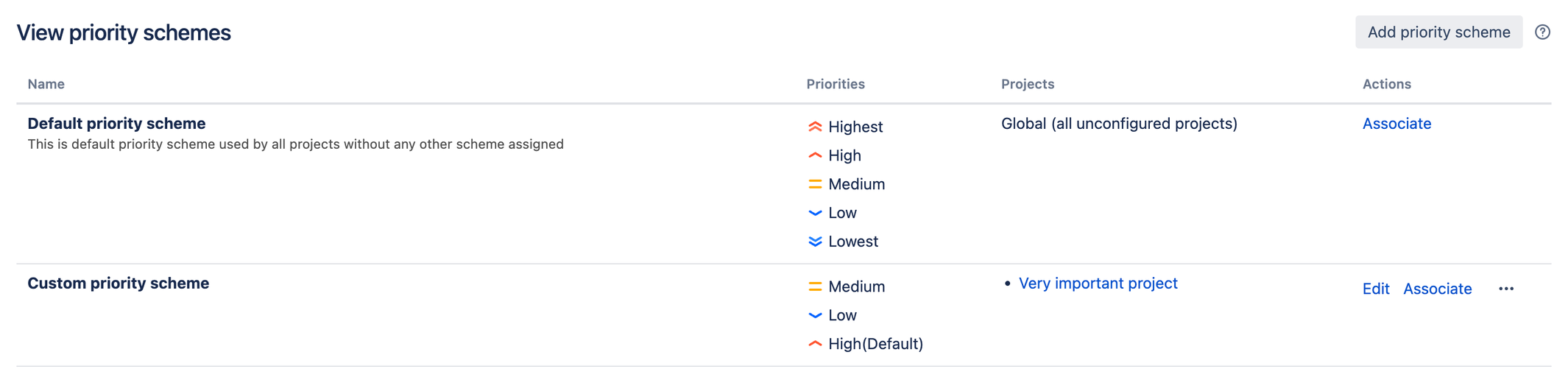
You can associate priorities with projects and choose a different set of priorities for each project by using priority schemes. Select > Issues > Priority schemes to see the projects associated with different priorities for your instance.
You can see the priorities for projects that are associated with a scheme. This is the order in which the priorities will appear in the dropdown menu when a user creates or edits an issue.
What does this mean for you?
The order on the Priorities page and the order on the Priority schemes page have different functionalities in Jira Server.
If you use JQL to order issues by their priorities (e.g. descending), they will be ordered according to the importance of the priorities on the global list of priorities. The global list is what's displayed on the Priorities page. The order from priority schemes is not relevant for JQL.
For example, you have the following set up:
|
Priorities
|
Custom priority scheme
|
-
Highest
-
High
-
Medium
-
Low
-
Lowest
|
-
Medium
-
Low
-
High
|
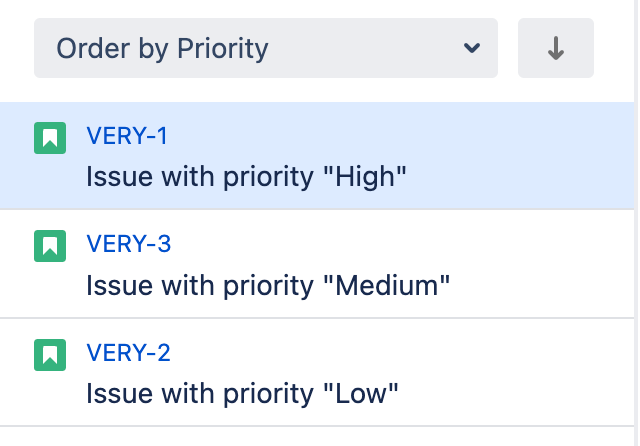
If you search for issues and then order them by priority, the issues with priority "Highest" would be at the top of the list, followed by “High”, “Medium”, “Low” and then “Lowest”.
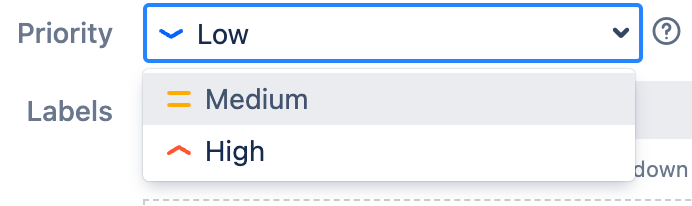
If you’re creating an issue in a project called “Very important project”, you’ll see the below priorities in the dropdown as the project is using the “Custom priority scheme”:
Learn more about associating priorities with projects.
How can you help?
While we’re building our features, we’d love to hear your thoughts. Help us understand how useful the priority order in Jira Server is by answering a few questions.
If you have questions, comments, feedback, or requests, drop a comment here or email me directly at nschwartz@atlassian.com.
Thanks!
Nicole

