Hi Community,
Hope you're well this week! I'm dropping in to let you know of some exciting updates coming soon to the Confluence publishing experience.
What's changing?
Current publishing experience:
We heard your feedback that the Publish button causes resistance to putting content into Confluence until it feels final and ready to be shared. This is because the Publish button, in one click, can take you from half-baked thoughts on a page to wide broadcasting, and the options to adjust the page settings are not easily discoverable.
New publishing experience coming soon:
To achieve a more mindful way of publishing, we are adding a new Publish Dialog to publishing drafts for the first time and updating existing pages.
Publishing drafts
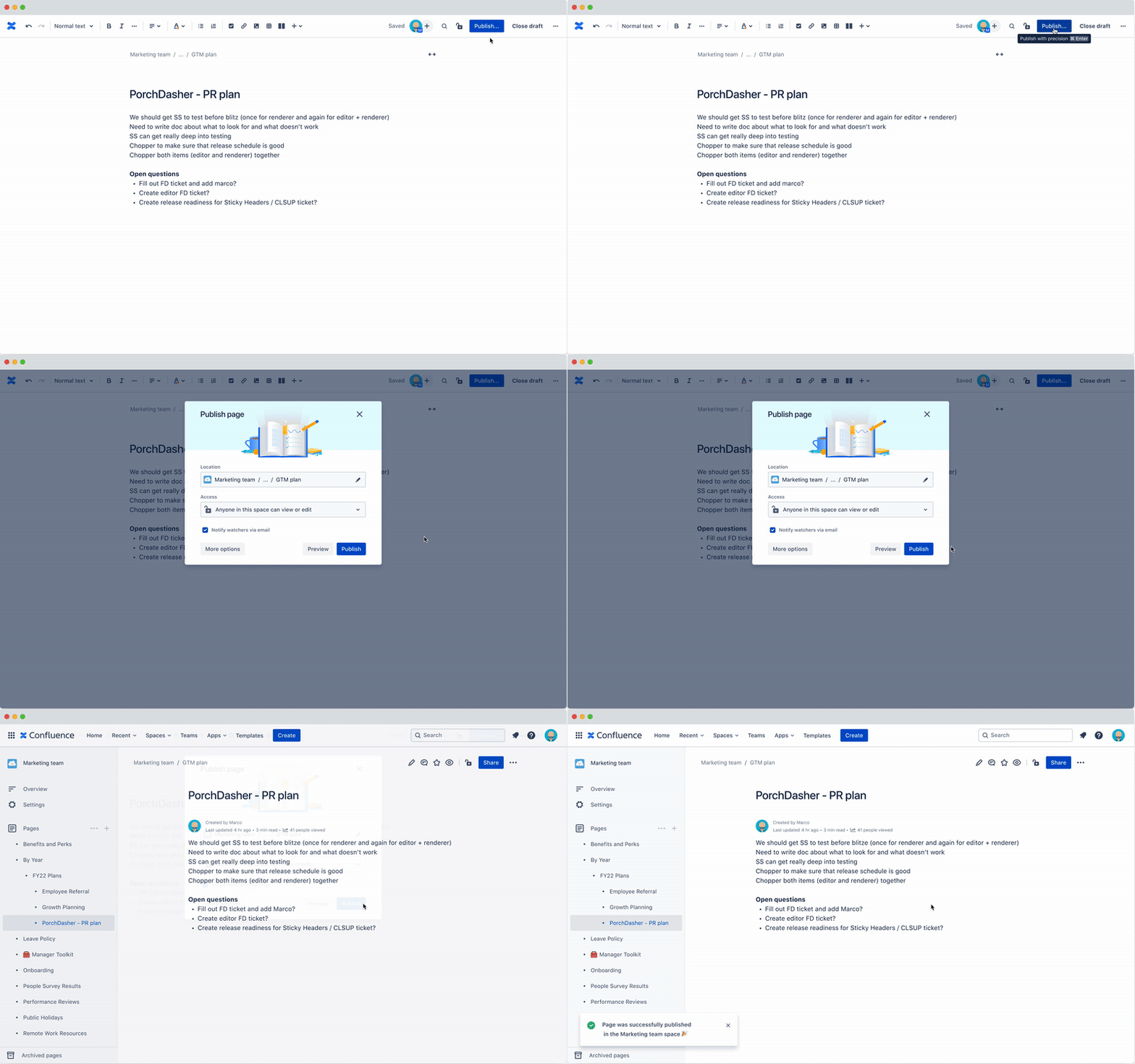
The Publish Dialog adds a step into the flow on initial publish of a page when it goes from Draft → Published. Within this dialog, you can choose where the page is located, who can access it, and whether to send notifications to watchers of that space. You can also open additional publishing options like scheduling content to be published at a certain date and time or publishing as a page or blog.
These options will be removed from the More actions menu (three dots icon), where they currently live. The More actions menu will keep all other non-publish-specific options.
Updating existing pages
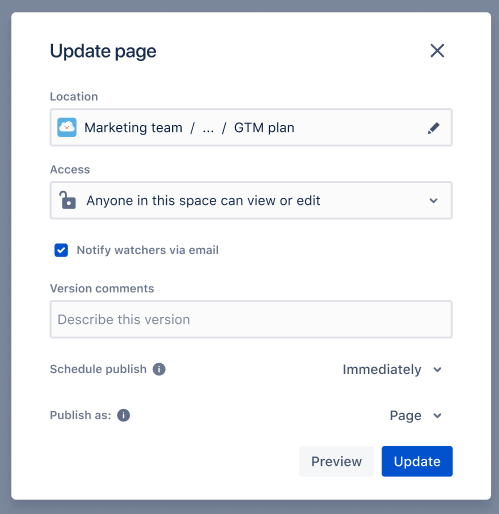
In edit mode of existing pages, you’ll see the down carat ( ˅ ) next to the Update button to bring up the same dialog for adjusting settings.

How does this benefit me?
This change to the publishing experience is intended to:
-
Enable you to publish with confidence knowing exactly who will (or will not) be able to access or collaborate on your page.
-
Provide a greater sense of control over who views the content before it goes out.
-
Simplify the publishing and permissions management process.
What do I need to do?
This feature will be rolling out gradually beginning mid-June. There’s no need to opt-in or sign up, so stay tuned on Community for another announcement once it becomes available soon!
If you’re an admin managing a Confluence site on the continuous release track, you’ll see the feature appear as soon as it becomes available to you. If your Confluence site operates on the bundled release track for new product features, you’ll receive these updates along the usual bundled track schedule and details in upcoming release notes. Learn more about managing product release tracks here.


