
If you’re searching for how to measure Time in Status in Jira, you’re likely trying to answer questions such as:
-
Why do Jira issues stay in certain statuses for too long?
-
How do I generate a Time in Status report in Jira?
-
How can I identify workflow bottlenecks and SLA risks?
This guide explains what Time in Status means in Jira, why it matters, how to analyze it correctly, and which Jira app gives you the most actionable insights.
What Is Time in Status in Jira?
Time in Status in Jira refers to the total amount of time an issue spends in each workflow status (for example: To Do, In Progress, Review, QA, Done).
Unlike overall cycle time or lead time, Time in Status shows exactly where work slows down inside your Jira workflow.
Why Jira Teams Track Time in Status
-
Identify workflow bottlenecks
-
Measure process efficiency
-
Track SLA compliance
-
Improve sprint predictability
-
Balance team workload
How Jira Calculates Time in Status
Jira records a timestamp every time an issue transitions between statuses. Time in Status is calculated by summing the duration between these transitions.
However, native Jira reporting has limitations, especially when you need detailed, exportable, or historical insights.
Native Jira Time in Status Reports: Limitations
Jira offers some visibility through Control Charts and issue history, but teams often struggle with:
-
No clear per-status breakdown across multiple issues
-
Limited filtering by assignee, sprint, or JQL
-
No easy way to export Time in Status data
-
Difficult SLA and compliance tracking
-
Poor visibility into historical trends
This is where most teams start looking for a Time in Status Jira app.
Best Way to Track Time in Status in Jira: RVS Time in Status Reports
RVS Time in Status Reports for Jira is built specifically for teams that need accurate, flexible, and actionable Time in Status reporting.
Instead of spreadsheets or scripts, the app provides ready-made reports that help you move from data to decisions.
Key Time in Status Reports You Can Generate
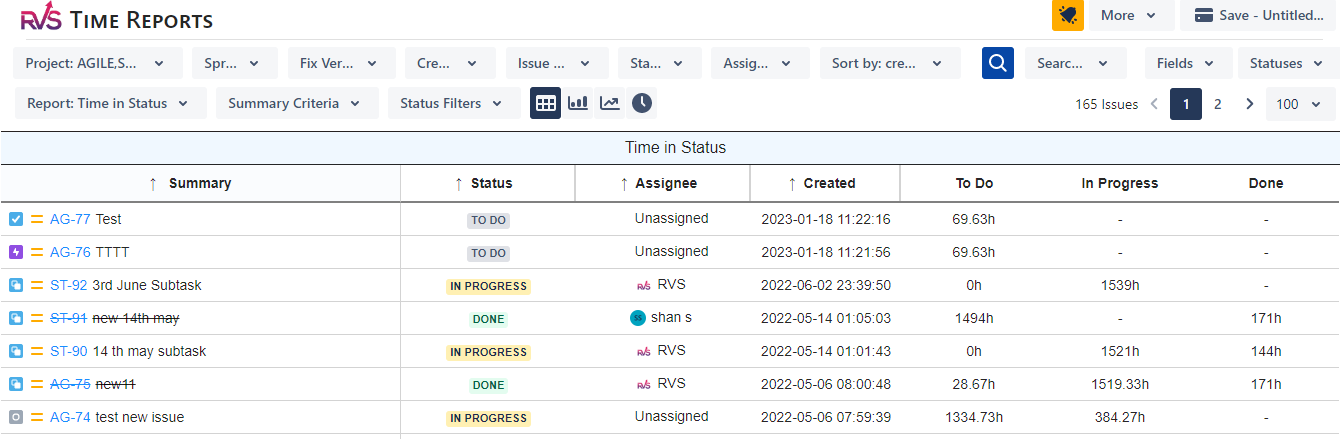
1. Time in Status by Issue
View how long each Jira issue spent in every workflow status. Ideal for audits, delivery reviews, and root-cause analysis.
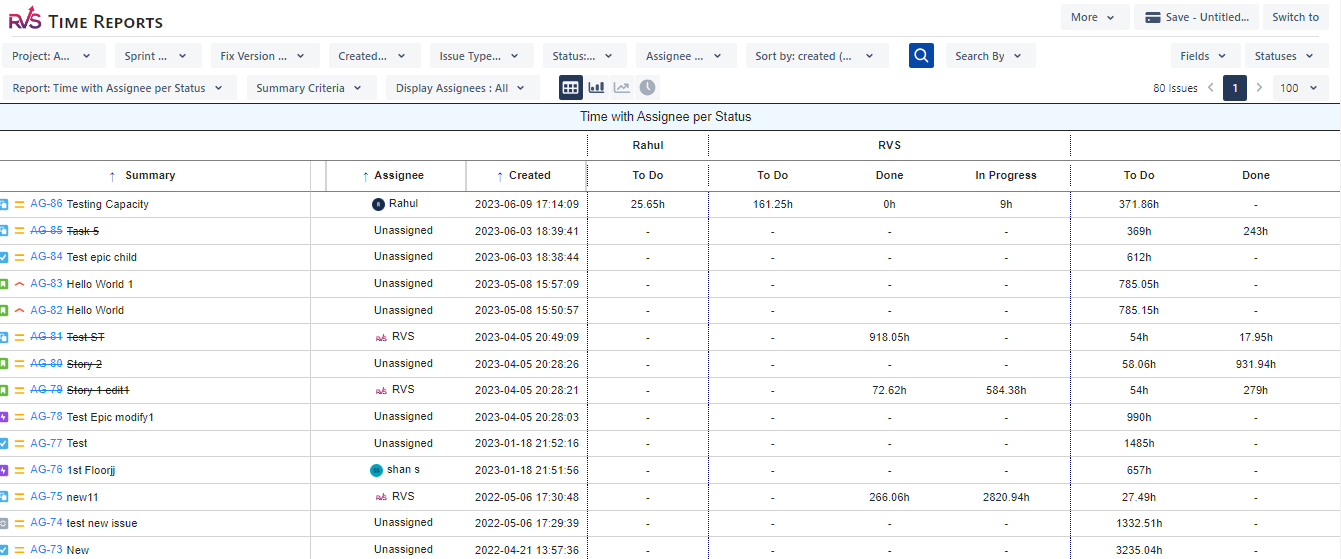
2. Time in Status by Assignee
Identify workload imbalance and performance trends across team members.
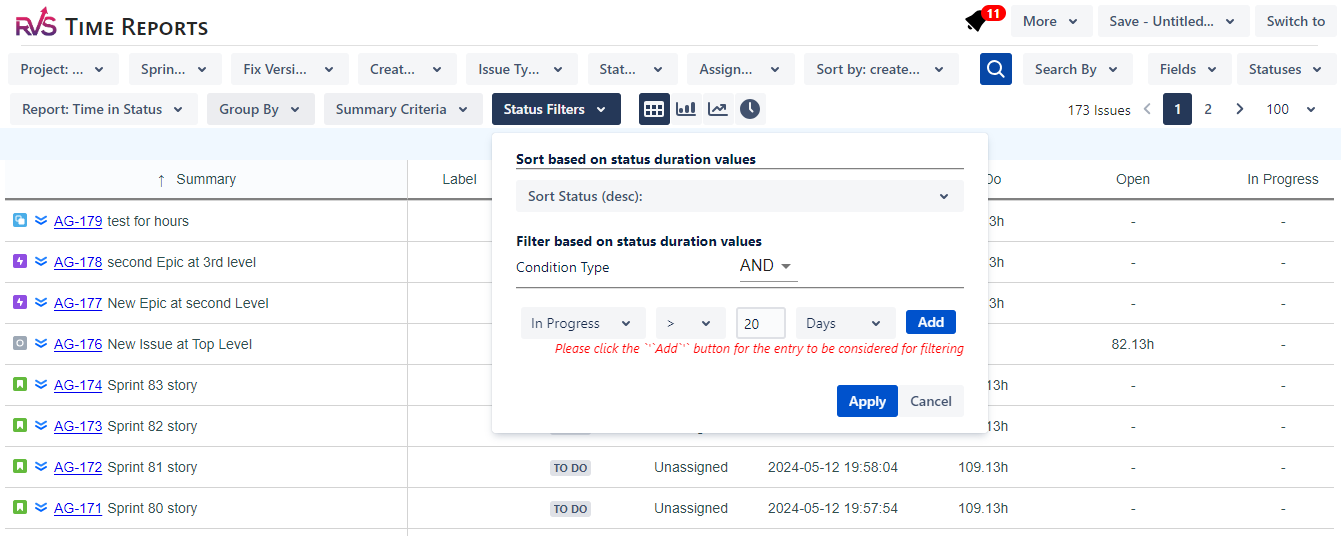
3. Status Duration Summary Report
See which workflow statuses consume the most time across projects, sprints, or releases.
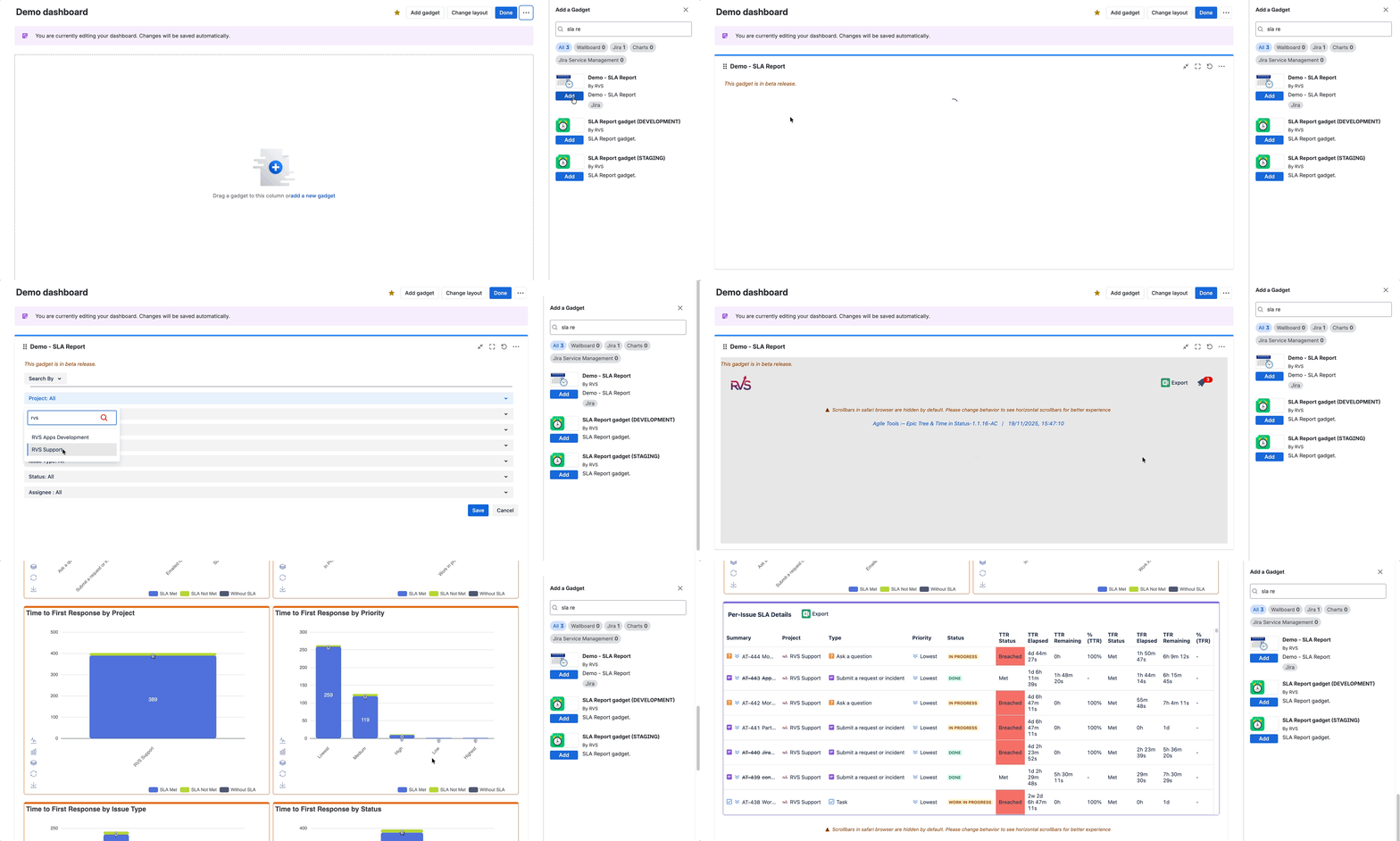
4. SLA & Compliance Reports
Track SLA thresholds and quickly identify breaches without manual calculations.
5. Historical Time in Status Trends
Compare status duration trends over time to validate process improvements.
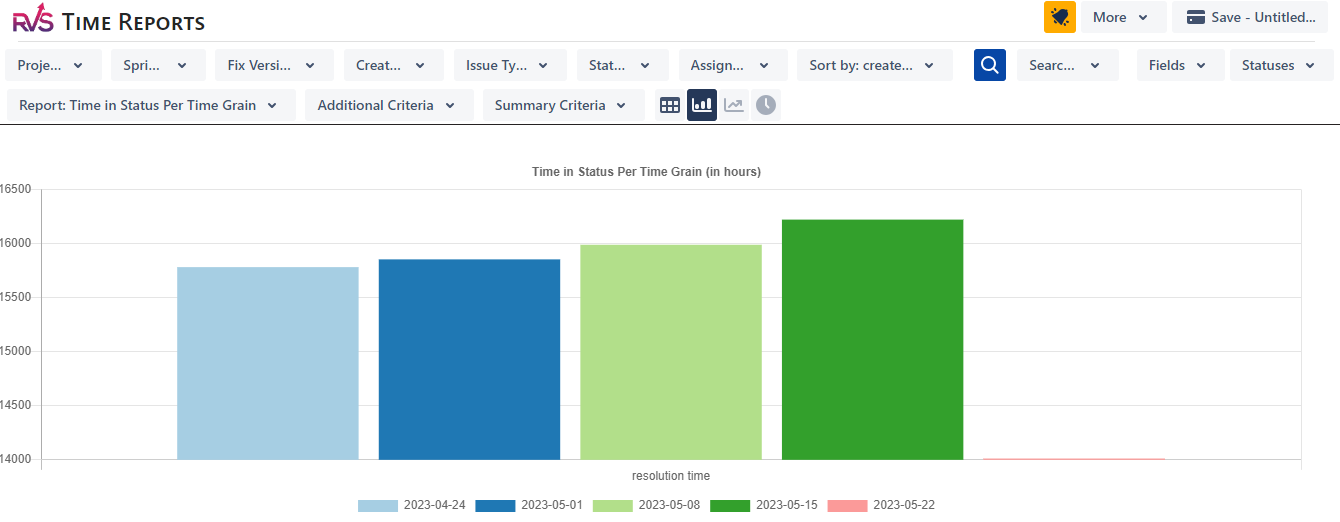
Jira Time in Status Example (Real Scenario)
Problem: A Jira team consistently missed sprint commitments despite stable velocity.
Insight from Time in Status report: Issues were spending over 40% of their lifecycle in “Code Review”.
Outcome: After redistributing review ownership, average cycle time dropped by 18%.
This level of insight is extremely difficult to achieve using native Jira reports alone.
RVS vs Native Jira Time in Status Reporting
| Feature |
Native Jira |
RVS Time in Status Reports |
|---|
| Per-status breakdown |
Limited |
✅ Detailed |
| JQL filtering |
❌ |
✅ |
| Assignee analysis |
❌ |
✅ |
| SLA tracking |
❌ |
✅ |
| Export to Excel / Power BI |
❌ |
✅ |
| Dashboard gadgets |
Limited |
✅ |
How to Get a Time in Status Report in Jira (5-Minute Setup)
-
Install RVS Time in Status Reports from the Atlassian Marketplace
-
Open the app or add the gadget to your Jira dashboard
-
Select a project, sprint, or JQL filter
-
Instantly view Time in Status data
-
Export or share reports with stakeholders
No scripts. No configuration headaches.
Who Should Use a Time in Status Jira App?
-
Jira Administrators managing complex workflows
-
Scrum Masters improving sprint predictability
-
Project Managers tracking delivery performance
-
Engineering Managers identifying bottlenecks
-
Support teams monitoring SLA compliance
Try the Best Time in Status App for Jira (Free Trial)
If you need clear, reliable Time in Status reporting in Jira, start a 30-day free trial of RVS Time in Status Reports.
👉 Install from the Atlassian Marketplace and turn workflow data into actionable insights.
Stop guessing where time goes. Measure it. Improve it.
Track Time in Status in Jira the right way with RVS.
