This article was updated from it's original text on May 10th, 2023. It was used for the early access program for the new navigation, which is now available to all Advanced Roadmaps users. It's currently in the process of rolling out to customers. You might not see this just yet, but you will soon!
Before we begin, I'd like to thank everyone who gave feedback during the EAP. Your feedback made this new experience better for all users, and also gives us great directions for future improvements.
Hello, Advanced Roadmaps community! I’m Roi, Product Manager, and I'd like to introduce you to the new and improved interface for Advanced Roadmaps.
A look at the new interface
Here it is, in all its glory. Let’s take a look at the biggest changes:
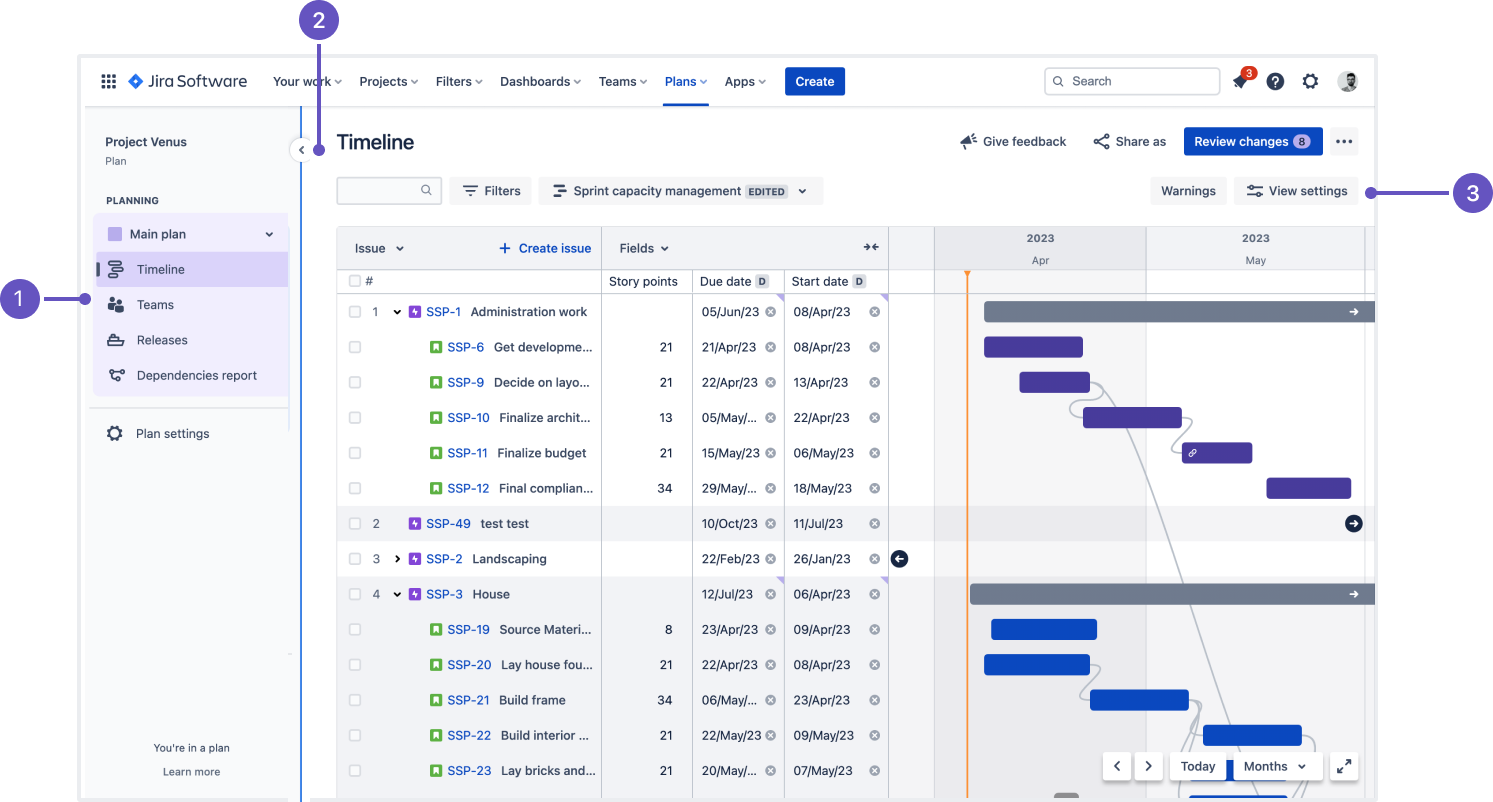
- See all the views of your plan - The first thing you’ll notice is that Advanced Roadmaps now has a nav on the left-hand side like the rest of Jira Software and makes it more intuitive to navigate. Switch between your plan Timeline, Teams, Releases, and the Dependency report with one click. If you have them enabled, Scenarios also have a new look.
- Collapse the sidebar - For more space, you can collapse the sidebar to hide these options until you need them.
- View settings has moved - The View settings menu is now shifted to the right, similarly to how it is in the project roadmap.
These are the landmark changes that you’ll need to know. Besides these, there are some smaller changes that might interest you.
Even though this interface is out of early access, we welcome your feedback. Use the Give feedback button in the upper right of the screen, and let us know what you think.
Please shoot me any question or feedback you may have!
Thank you!
Roi


