👋 Hello Community! I’m back with the third and final part of our series around revamping your meetings using Confluence and Trello.
Missed the first two? Check them out here and here.
👥 Meet the team
While all teams across Atlassian host and attend meetings every day, the last team we’ll highlight is the Enterprise Growth team. This team focuses on supporting customer adoption and expansion across Atlassian products.
It’s a highly cross-functional group with people from Product, Product Marketing, Customer Success, Analytics, Strategy, Design, and Program Management.
Okay… that’s a lot of people. " data-emoji-text="😅">" data-testid="image-emoji- " data-emoji-type="image" aria-label="">
 " width="20" height="20" data-emoji-short-name="" data-emoji-id="1f605" data-emoji-text="😅" />
They’re often getting pulled into meetings across multiple workstreams and tapped on the shoulder for various requests.
So how do these busy people align? Let’s take a look. 
🆘 What were the challenges?
-
With new team members always joining, it’s tough to get them up to speed quickly.
-
They wanted to improve visibility across cross-functional workstreams without getting lost in the nitty gritty details.
-
Being spread across multiple time zones, participants couldn’t make every meeting.
-
Team members lacked a way to connect their initiatives, updates, and knowledge transfer to others with shared goals.
🤔 How did this impact the team?
|
Despite various meetings happening throughout the week, there wasn't a clear way to understand how it all connected and worked towards the same mission.
|
Common questions were…
“What key initiatives are you working on these days?”
“How does this initiative tie back to organization-wide goals?”
“Any progress on the customer growth workstream?”
✅ What was the solution?
The vision for this team was to set up a way for all the cross-functional members to connect the dots on projects and amplify their impact faster than they would working in silos.
Carrie Gray, Program Manager for the team, created a new 40-minute bi-weekly sync to replace the separate meetings.
Carrie established these guiding principles for the new sync:
-
Sharing work in progress and aligning the team to OKRs
-
Leveraging analytics cross-functionally
-
Sparring & knowledge sharing
|
Their gorgeous Trello board acts as:
-
A meeting agenda – each list represents a meeting agenda, with a card for each agenda item.. Individuals are encouraged to add agenda items and key questions for discussion ahead of the sync. Meeting recordings are added afterward for easy reference.
-
A status overview – there are lists for Backlog, In Progress, and Done so everyone can get a high-level view of where projects stand.
|
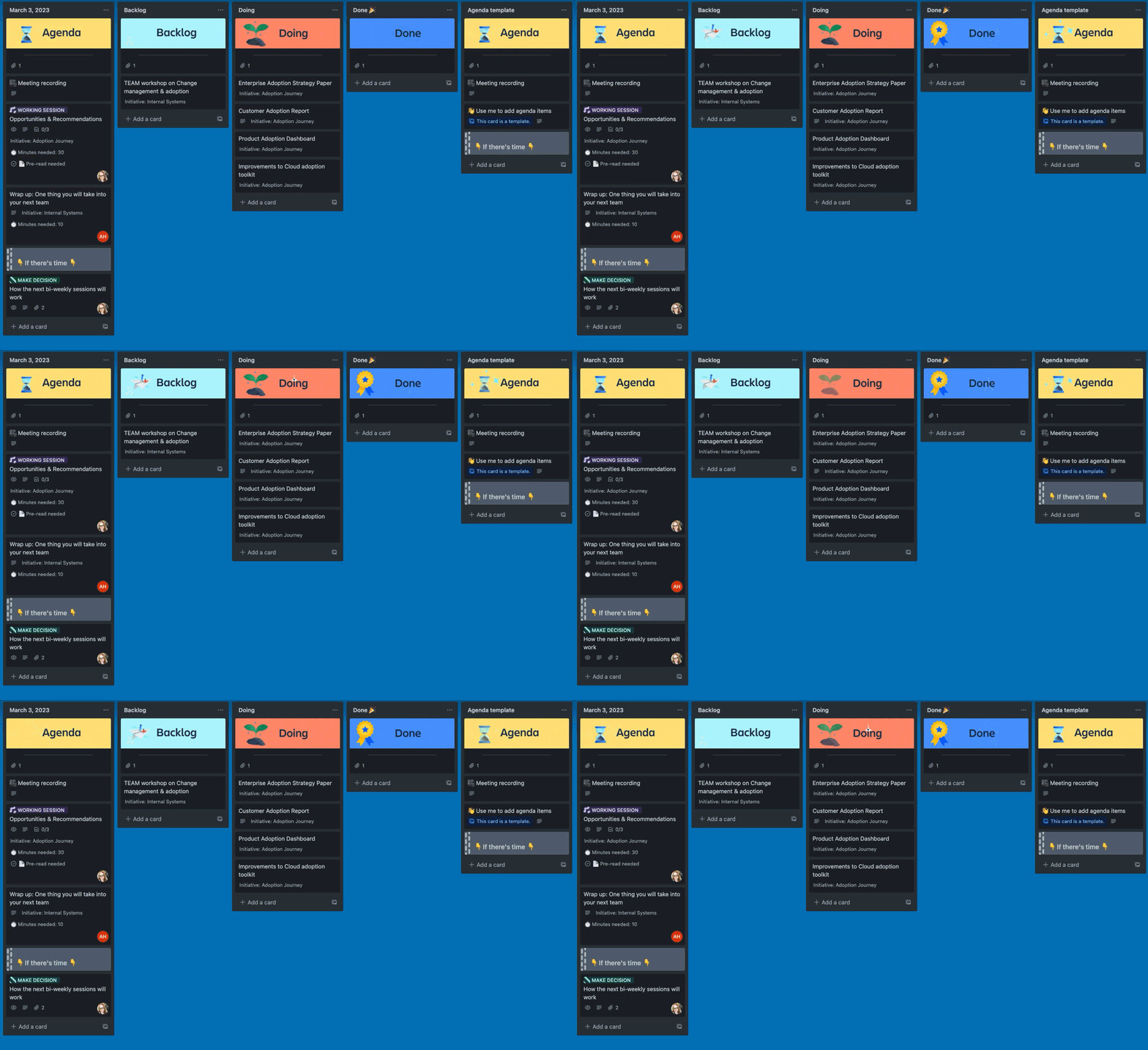
The best part? Team members have the option to attend the meeting live or catch up on the Trello board on their own time. It’s that detailed. " data-emoji-text="😍">" data-testid="image-emoji- " data-emoji-type="image" aria-label="">
 " width="20" height="20" data-emoji-short-name="" data-emoji-id="1f60d" data-emoji-text="😍" />
While Trello is a great way for the team to visualize all this information, they also embed Confluence pages throughout the board to communicate all the details. What’s the rationale behind key decisions? What is the project mission and overview? How did the project perform and contribute to organization-wide goals? These are examples of information that would live on a Confluence page. Confluence’s collaborative nature makes these details easy to share and allows other employees to get a full view of what happens behind the scenes.
|
💭 Meeting tips from Atlassians:
“Trello is our umbrella - our single source of truth to structure our discussions and Confluence is where we deep dive into our content.” - Carrie Gray, Program Manager
|
👍 How did it help?
The team is happy to have a streamlined approach to meetings. The live/async format supports multiple ways of working, and team members can easily get up to speed whichever way they pick to join, and whenever they choose.
In one glance, the Trello board tells you what's being worked on, who's working on what, and where something is in process. Each meeting’s topics, outcomes, and recordings are easily accessible.
Confluence pages provide the additional context of strategy, project plans, etc. They document decisions and crucial takeaways from meetings and can be formatted into blogs or company-wide announcements for executives or other stakeholders to reference. Try starting with the project poster template to organize your content.
💡Pro-tip: Add visuals to your Confluence page to increase engagement. Encourage readers to leave a reaction, or an in-line or page comment.
🎁 Try it yourself!
Does any of this resonate with you? Try the free board template. Don't forget to let us know if you try this out and how it’s working!
That wraps up our series on planning meetings you’d actually want to attend! Thanks for following along - we hope you found these real-life scenarios helpful and make using Confluence and Trello together an integral part of your work, meetings, and process.
We’d love to hear how these templates and information have revamped your meetings or streamlined communications across teams. Let us know in the comments!
Until next time!
Ariel
🎓 Want more? Take our free 30-minute Atlassian University course to learn about the four principles of an effective meeting: preparation, facilitation, participation, and follow-up.

