Hello Community 👋
My name is Liron, and I’m a Group Product Manager for Jira Software. Today, I’m excited to announce an improved issue create experience that lets you minimize and maximize the issue create modal between 3 different sizes. We’re currently rolling out this new experience, and it will be available for all Jira Software customers by the end of December 2022.
3-state issue create experience
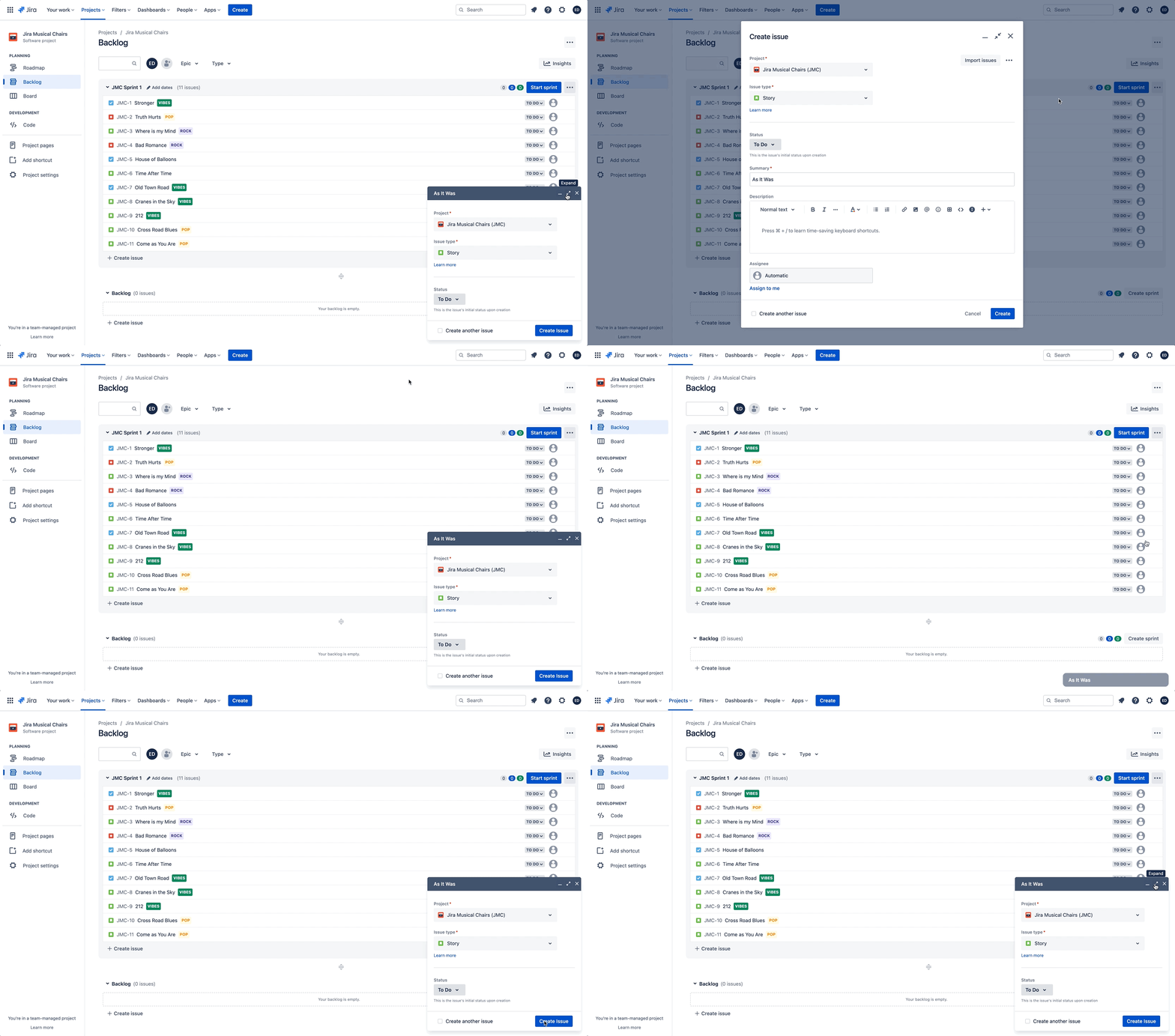
At Atlassian, ease-of-use is a top priority, and our engineering and product teams are continuously making improvements to give you a better experience. We believe that the 3-state issue create will make the process of creating tickets easier and quicker. Here’s how:
1️⃣ Minimize context switching
We’ve heard from customers that they need to be able to reference other tickets or different views in their Jira Software site when creating new tickets. With the 3-state modal, customers now have the ability to see a ticket being created, access relevant material or notifications, and copy and paste information all in a single screen.
2️⃣ Maximize screen real estate
Screen real estate is precious — especially when working from home on a smaller laptop. The 3 state modal reduces visual clutter, which means the effort needed to complete simple tasks is reduced, too.
3️⃣ Work at your pace
Customers may need to pause during the ticket creation process, whether that’s to gather additional information or to attend a meeting. The 3-state modal accommodates these natural interruptions in workflow and allows customers to save their work and resume the ticket creation process at their leisure.
Additional updates to the issue experience
…But that’s not all! Our teams have been working hard to improve the ease of use of the issue experience in Jira Software by addressing a handful of papercuts. We hope these updates create a more delightful and engaging experience.
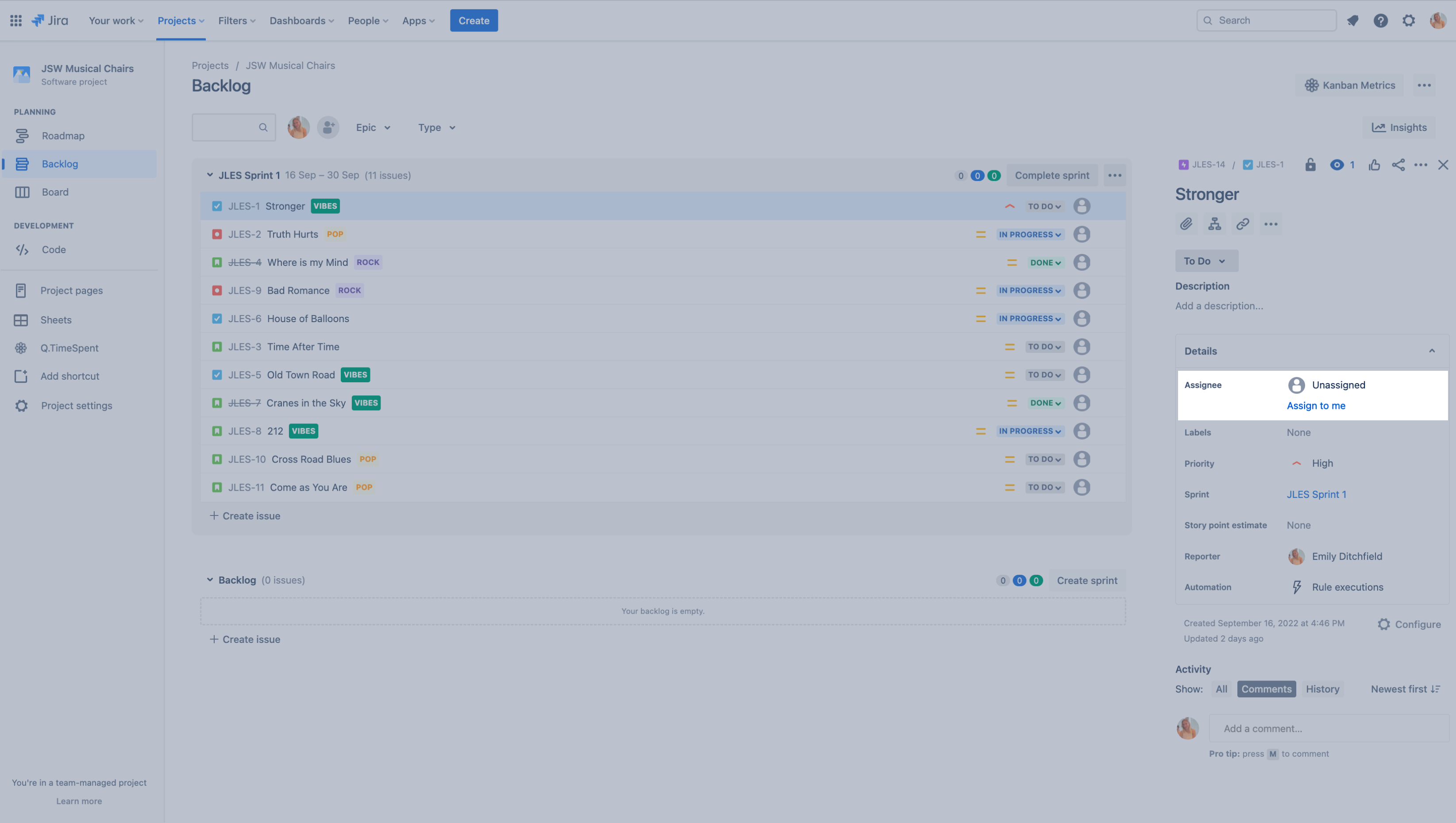
Add 'Assign to Me' option
Directly assign an issue to yourself with a single click.
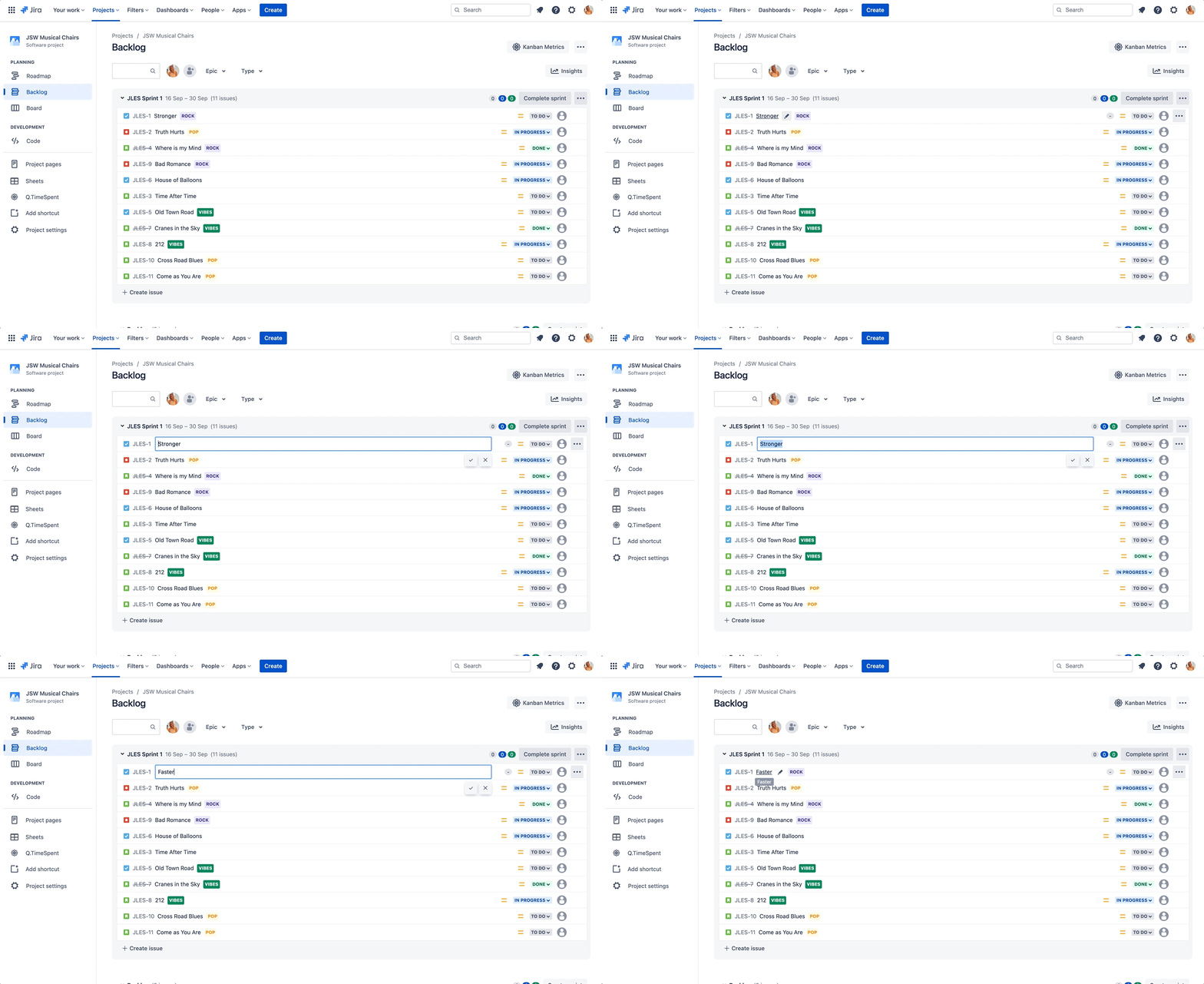
Inline editing in team-managed project backlogs
Customers can now make edits to the summary, priority, and epic of issues found in TMP backlogs without opening the issue.
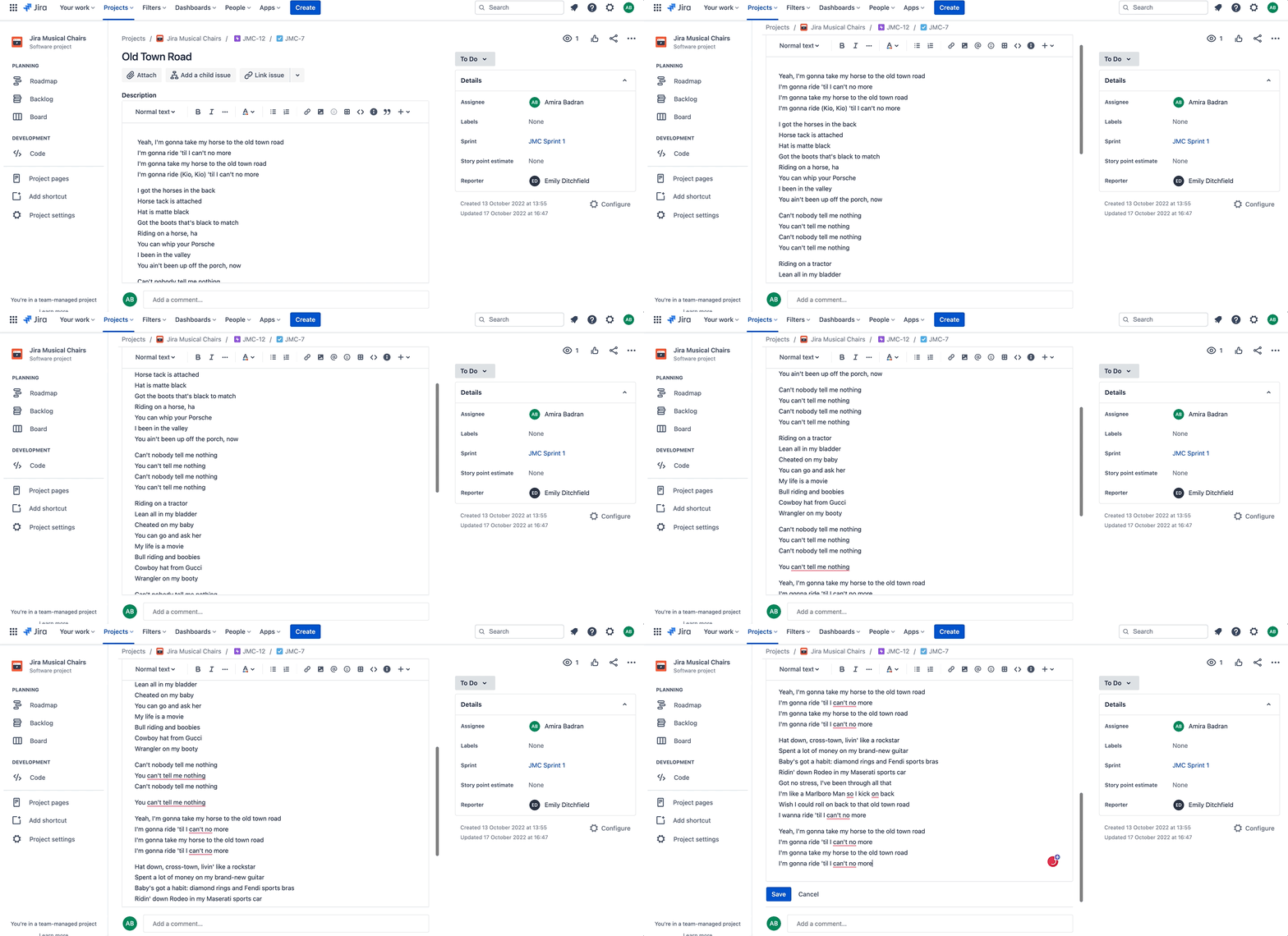
Sticky editor toolbar
As you scroll down the page in the issue view, the toolbar will stick to the top of the screen, making editing easier and more efficient.
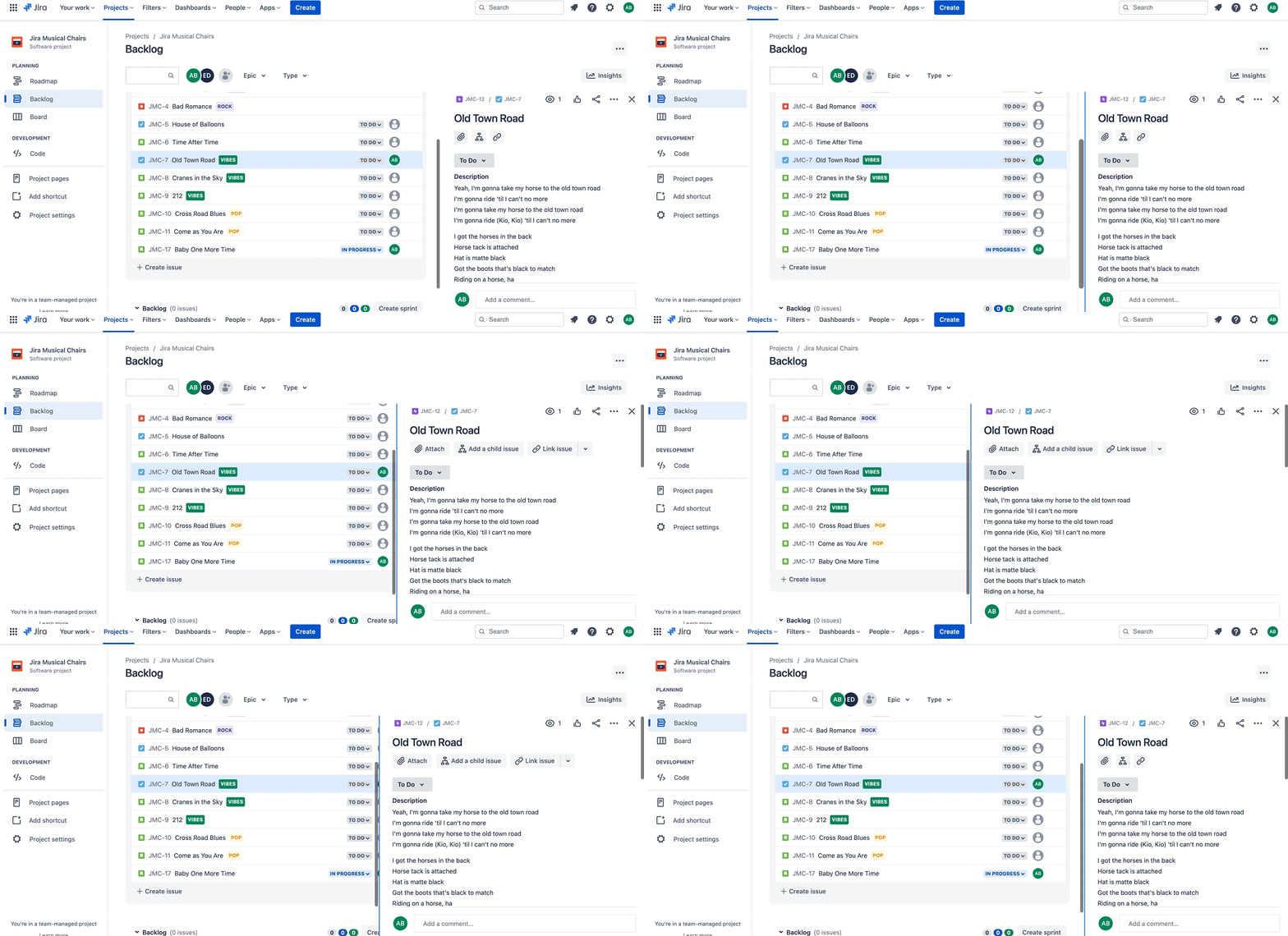
Resize columns of the issue view
Adjust the column size on the issue view to your preferred widths.
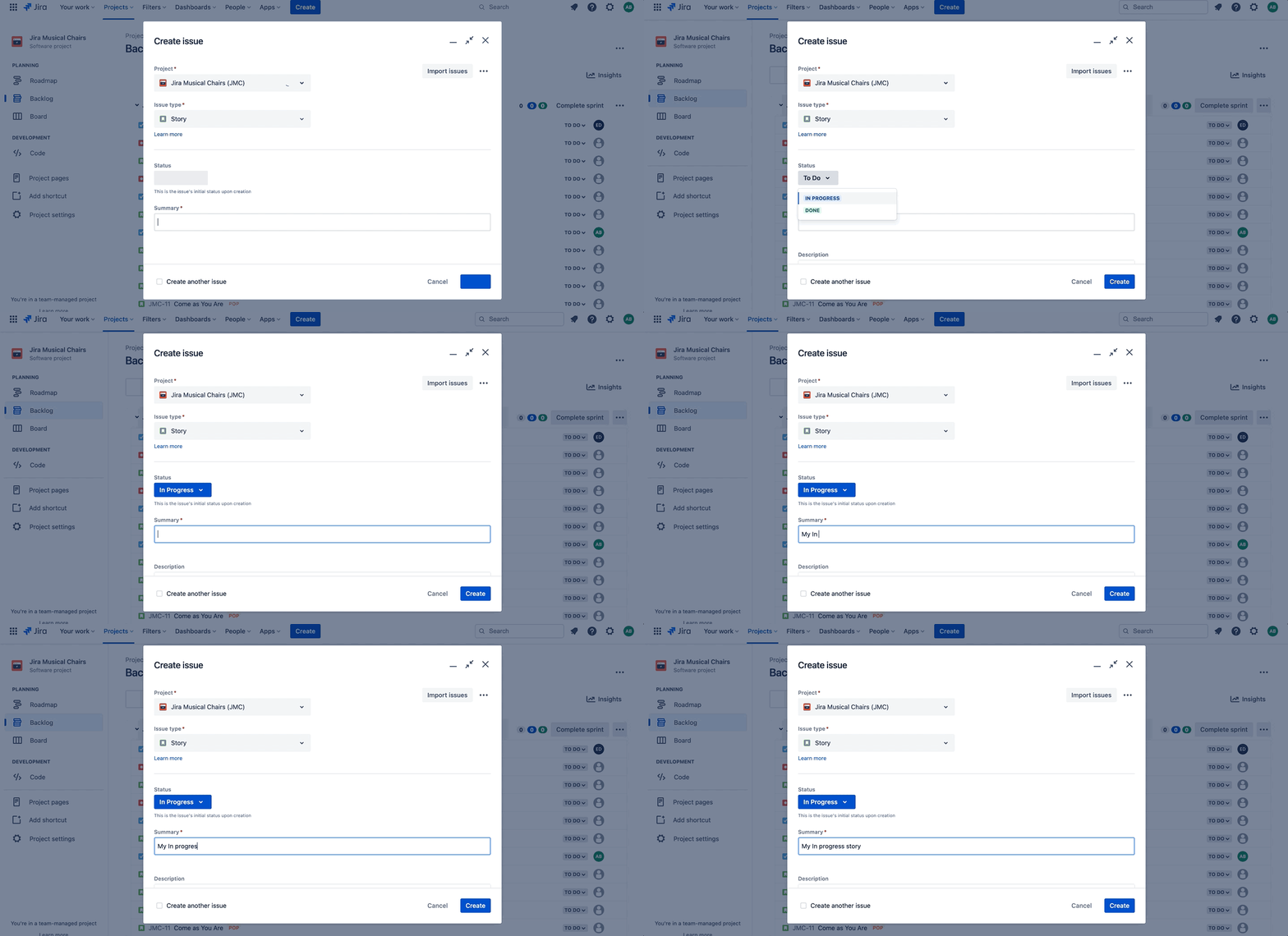
Add Status field for new issues
Change the default status of newly created issues to either ‘In Progress’ or ‘Done’, rather than just ‘To do’.
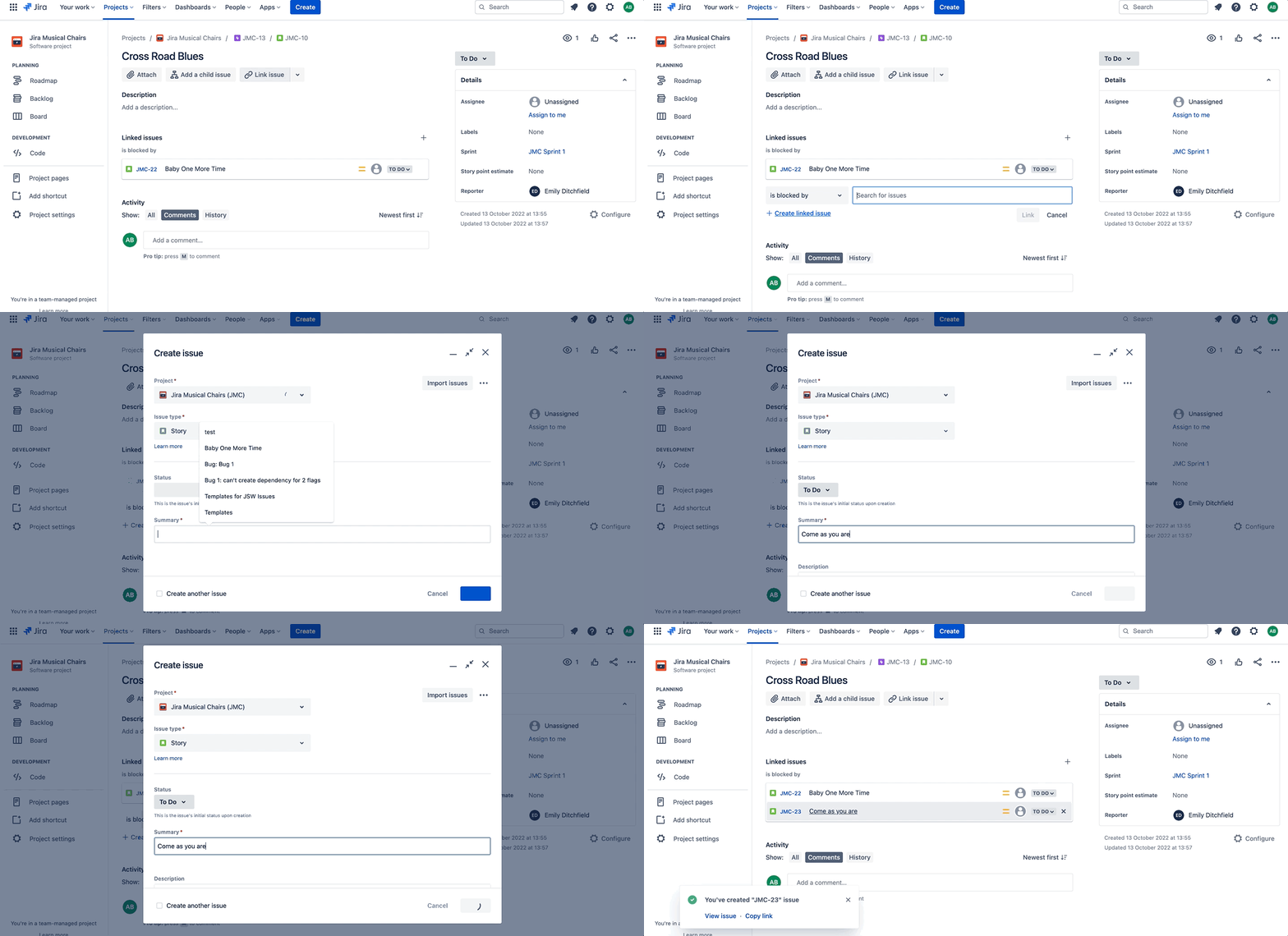
Link issues
Easily create and link a new issue from the existing one across Jira projects.
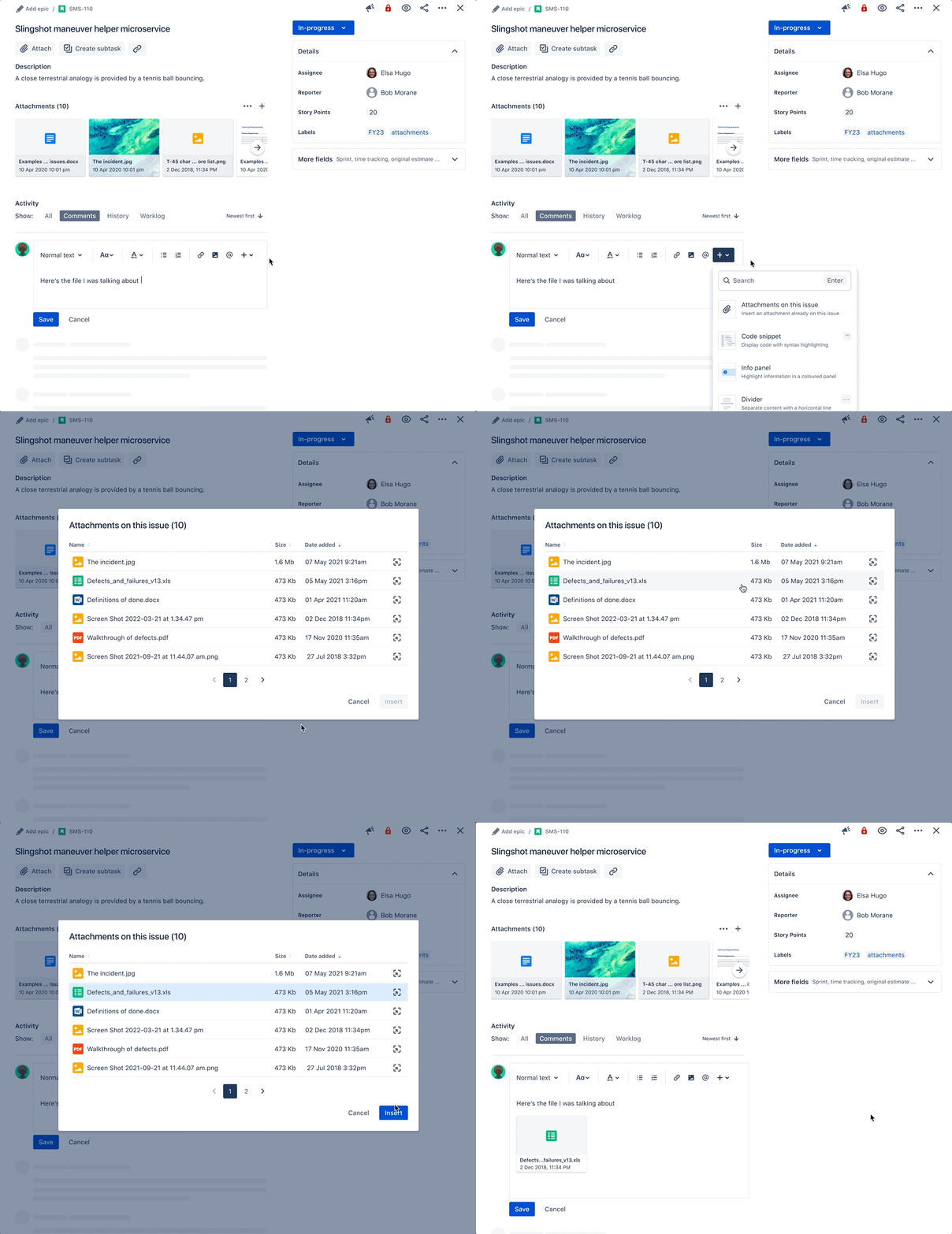
Reference attachments
You can now insert an attachment already on an issue in the new issue view from the editor toolbar.
You and your teams will continue to see enhancements to Jira Software in the coming months and beyond. In the meantime, we cannot thank you enough for the continued support and look forward to hearing your feedback along the way! 🙌🏻


