I am working on a task where I am setting the URL in URL Field using a custom script.
Here is my script
import com.atlassian.jira.component.ComponentAccessor
import com.atlassian.jira.event.type.EventDispatchOption
def customFieldManager = ComponentAccessor.getCustomFieldManager()
def issueManager = ComponentAccessor.getIssueManager()
def user = ComponentAccessor.getJiraAuthenticationContext().getLoggedInUser()
def cf = customFieldManager.getCustomFieldObject("10902")//url
issueManager.updateIssue(user, issue, EventDispatchOption.DO_NOT_DISPATCH, false)
Here is my field
 I am able to set the value to the field but I can not click it. Here is my screen:
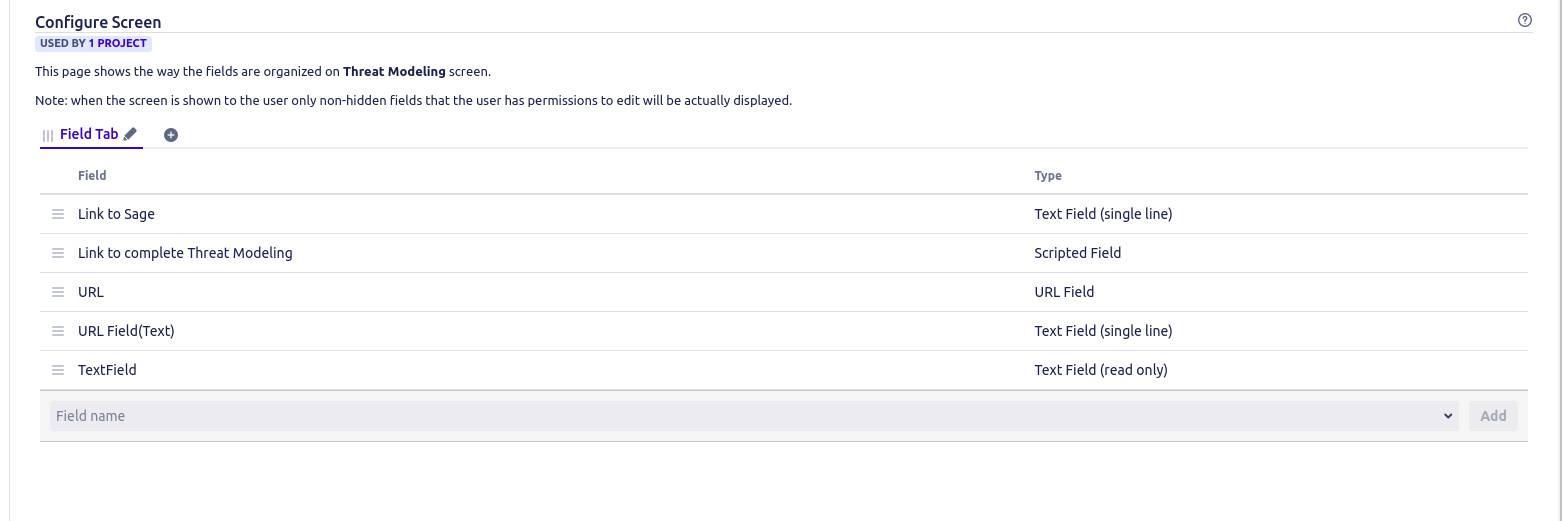
How do I make my field clickable? I don't want users to edit this URL. Just want them to click it.


