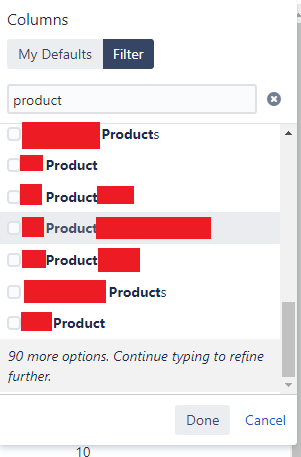
Similar to the issue in: https://community.atlassian.com/t5/Jira-Software-questions/Jira-filter-column-search-will-not-display-all-search-results/qaq-p/633537
The Jira instance we use has many different customer fields across multiple projects that include the term "Product".
When performing an issue search I would like to show a column called "Product", but "Columns" drop down does not allow this because searching for "Product" lists all fields that contain this term rather than listing fields that match exactly. This would be fine except for the fact that that the list length is limited, so the column I would like to select is always, hidden in the "90 more options. Continue typing to refine further".
I am not an administrator, I cannot change what other projects, nor even the project I am part of, call their fields. the people on those projects have great reasons to have similar naming fields. We are a massive company with many different products, many different type of products and many different things to categorise about those products. So an answer of "You're obviously working stupidly just change to use only a single product field" will not be appreciated.
How can I see and select the column that I need?