Hello Atlassian Community,
Today I am excited to share with you all a big update to Confluence for iPad. Make sure to download the latest version from the App Store here to get this feature.
Redesigned navigation
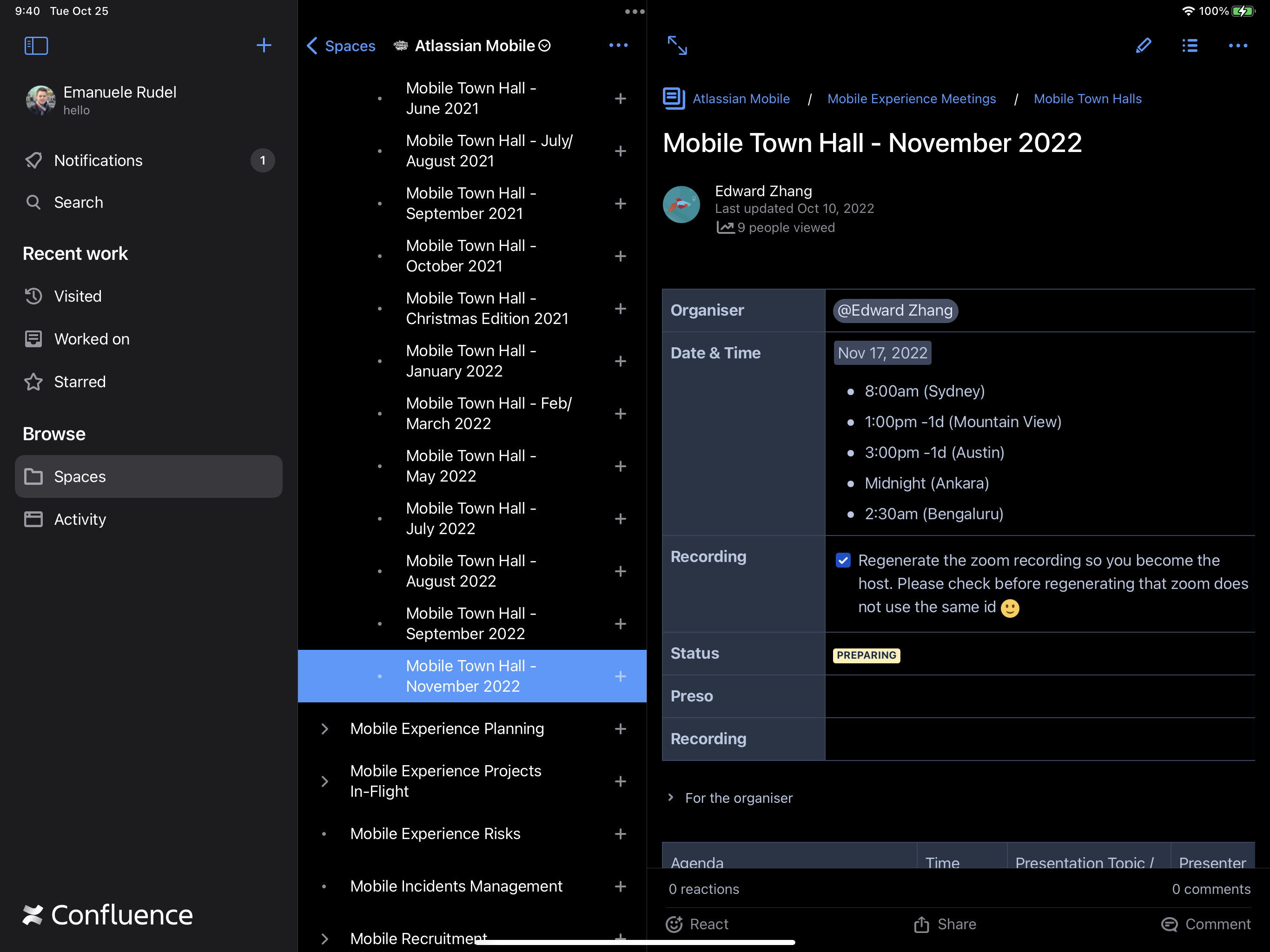
We have a new three column layout that lets you see and navigate all your content. The sidebar on the left replaces the tab bar and gives you quick access to the top level sections of Confluence including your recent collections, such as visited, worked on, and starred pages.
Keyboard navigation
With this new layout, you can move around the app using a hardware keyboard:
-
press the tab key to gain focus first, and then to move from one column to the next one
-
shift-tab does the same thing as above, but in the reverse direction
-
press up and down arrow keys to navigate lists in the leading and middle columns
-
in page tree, you can even use the left and right arrow keys to expand and collapse pages with children
-
to show a page in the right-most column, press the return key
This is a huge accessibility improvement and a nice bonus for those who find the keyboard to be more efficient than moving their hands around.
Keyboard shortcuts
Along keyboard navigation, we have included a few of shortcuts for the most common global actions:
Note that the system also offers a shortcut to hide or show the sidebar (cmd-control-s).
All the available keyboard shortcuts can be viewed by pressing and holding the cmd key, so keep an eye out for future updates as more shortcuts are added.
We hope this update brings you a better Confluence experience on tablets, and as always we are keen to hear your feedback and answer your questions!
Eman


