Let's say you manage a Project with a group of administrators and all are entitled to make Project configuration changes without the need for approvals.
It would be great if Jira could advise, through a notification, Project administrators about the change that was applied.
Jira doesn't have by default in its notification scheme a way to advise when Project level configuration has changed.
This is reported as a feature request in JRASERVER-1984 - Notification of project events - and there was no suggested workaround for it.
With Automation for Jira (A4J) being bundled on Jira Data Center it has become an interesting tool to implement these types of workarounds, specially because Project Administrators might be able to manage Automation rules (depending on the instance configuration).
This post describes a way to help getting notified about Project configuration changes.
This shouldn't be considered as a recommendation from Atlassian (or Atlassian Support), but as a suggestion on how to use A4J to extend the current feature set of the product.
Creating an automation rule to send a notification for project configuration changes
As a Project Administrator you will need to rely on the following features:
Personal access token
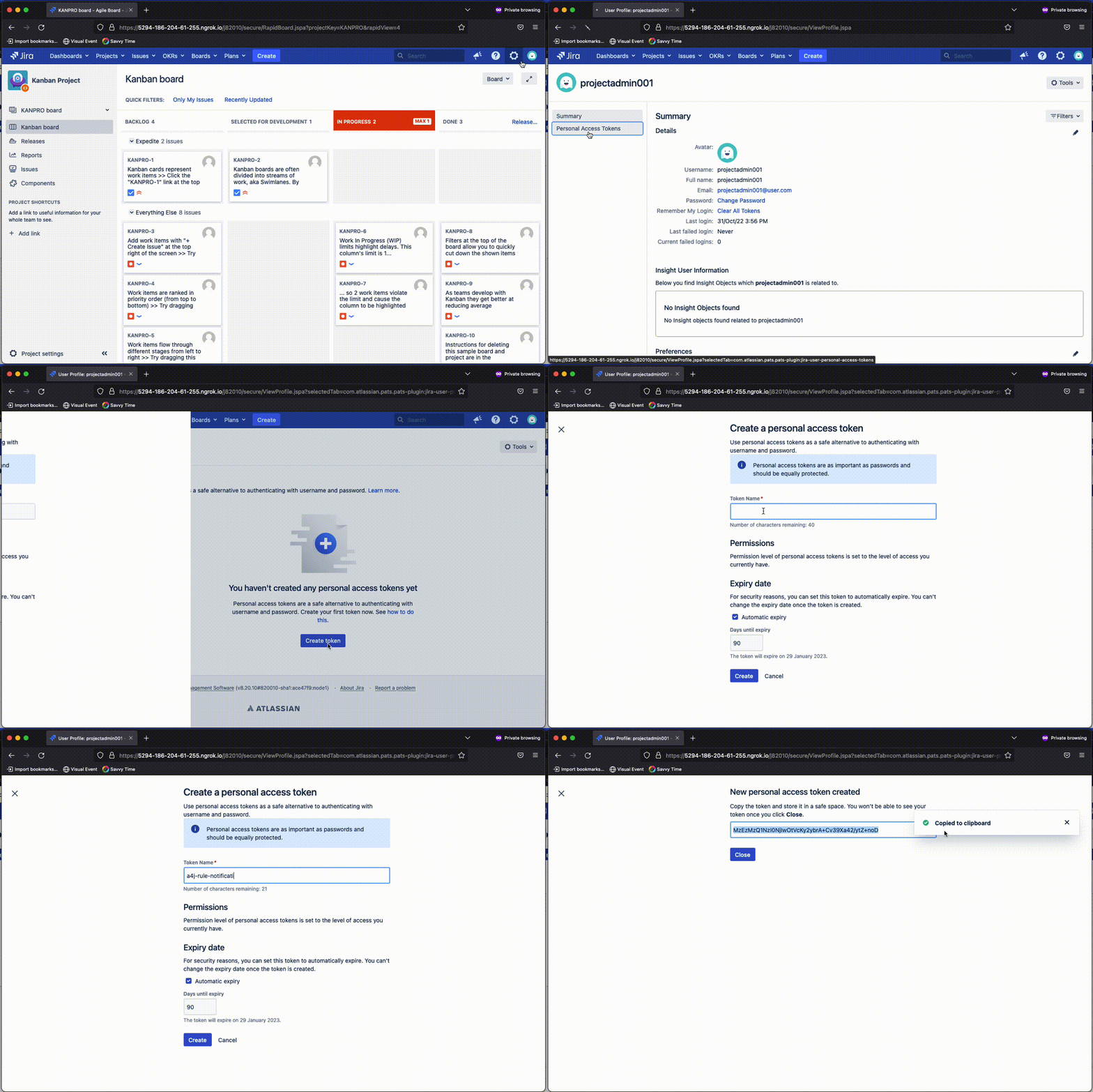
You should create and safely store a personal access token.
This must be created from an account with project administrator permissions on the target project, which could be from your personal account.
Project audit log
Project administrators have access to the project audit log with entries about changes on the project configuration.
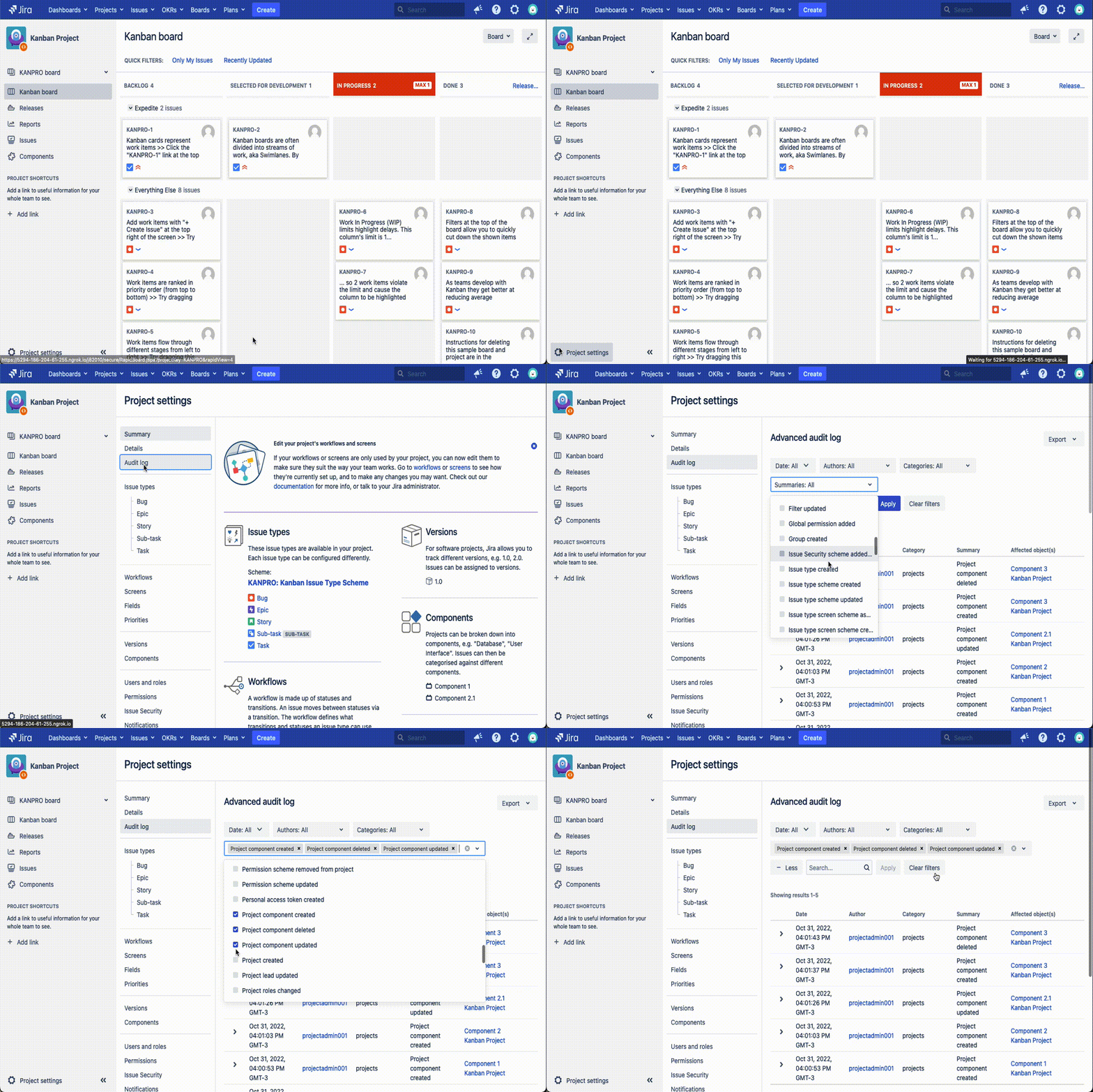
The Project admin can create filters for the specific areas they would like to audit.
For example, below is a filter selecting only some events associated to Project Components.
Below is an example when applying a similar filter while checking for the network requests made from the browser to the Jira backend server.
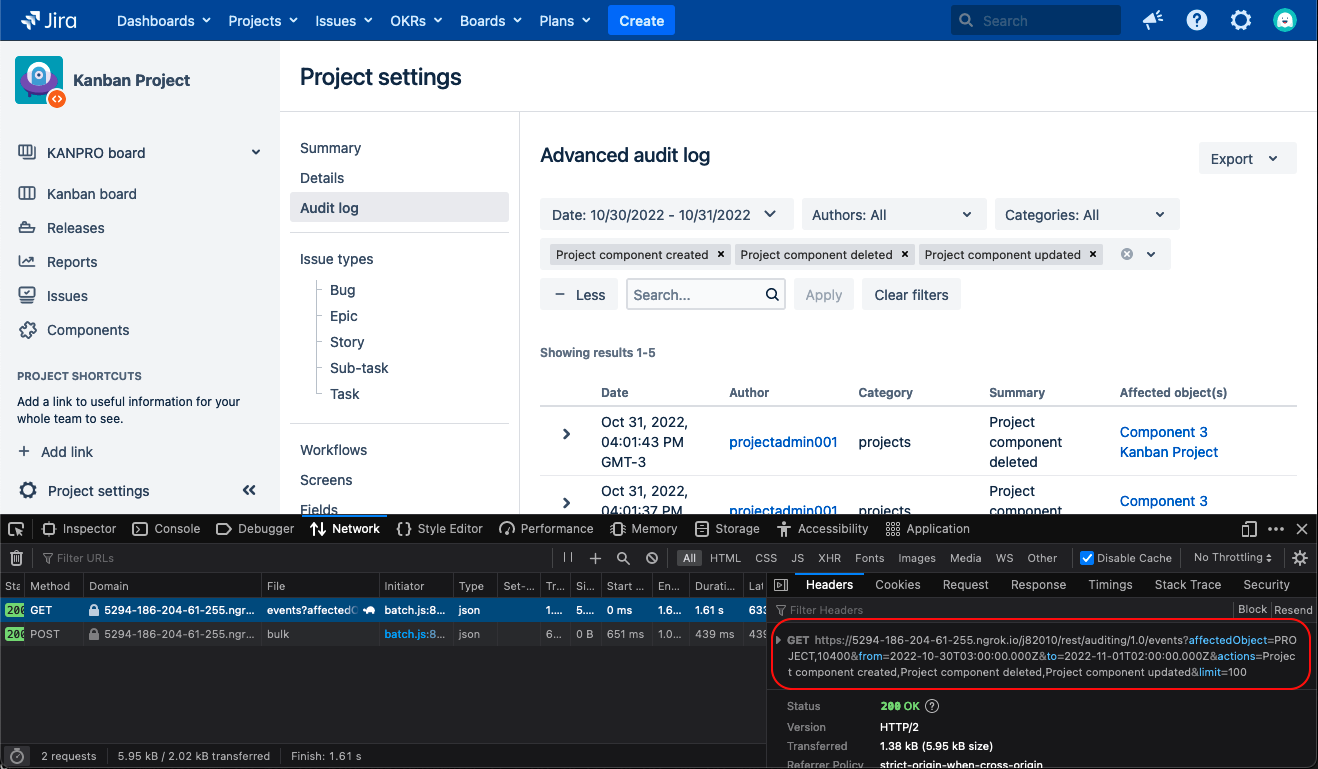
As highlighted above, this feature relies on an internal API method /rest/auditing/1.0/events, which provide a JSON list with the results of the filter - this is an internal API which is subject to changes on Jira version upgrades.
The API structure is as below:
<Jira-Base-URL>/rest/auditing/1.0/events?affectedObject=PROJECT%2C<Project-ID>&from=<from-Date>&to=<to-Date>&actions=<list-of-selected-actions>&limit=100
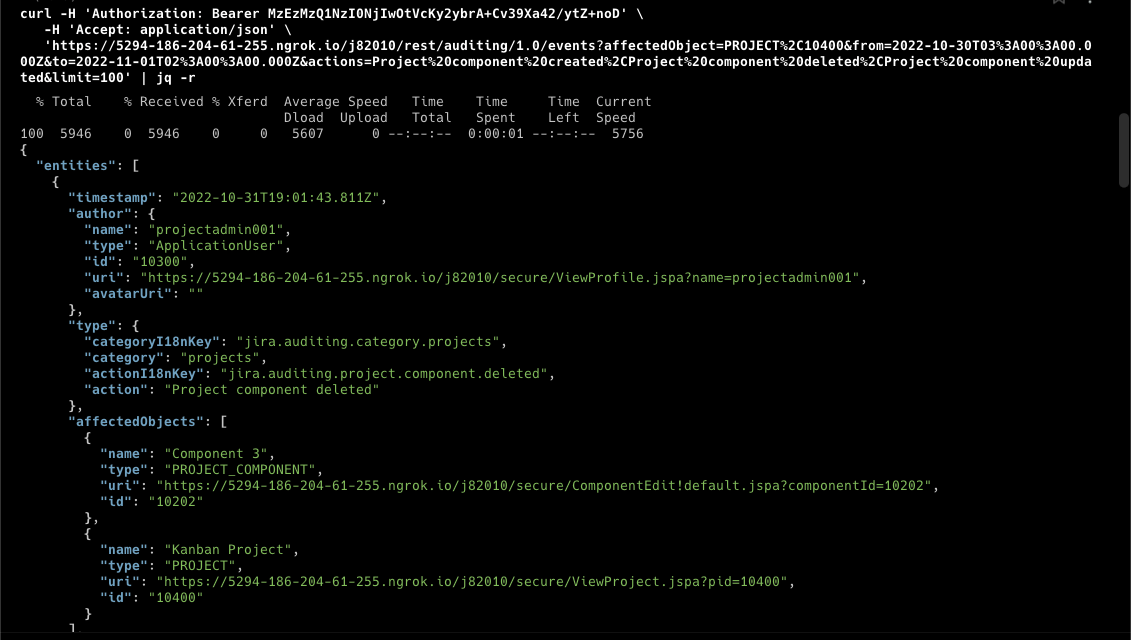
Running a request to this API would give us an output similar to the below.
Automation rule
Now we need to put all the pieces together in an Automation rule.
The Automation rule I'm describing here is just an example and the Project admin can change it as they need.
My goals with this rule are:
- Run the rule once a day at 6:00 AM.
- Run the Audit log API and get any Component related changes that occurred on the day before.
- In case changes occurred, create a message to a selected Slack channel.
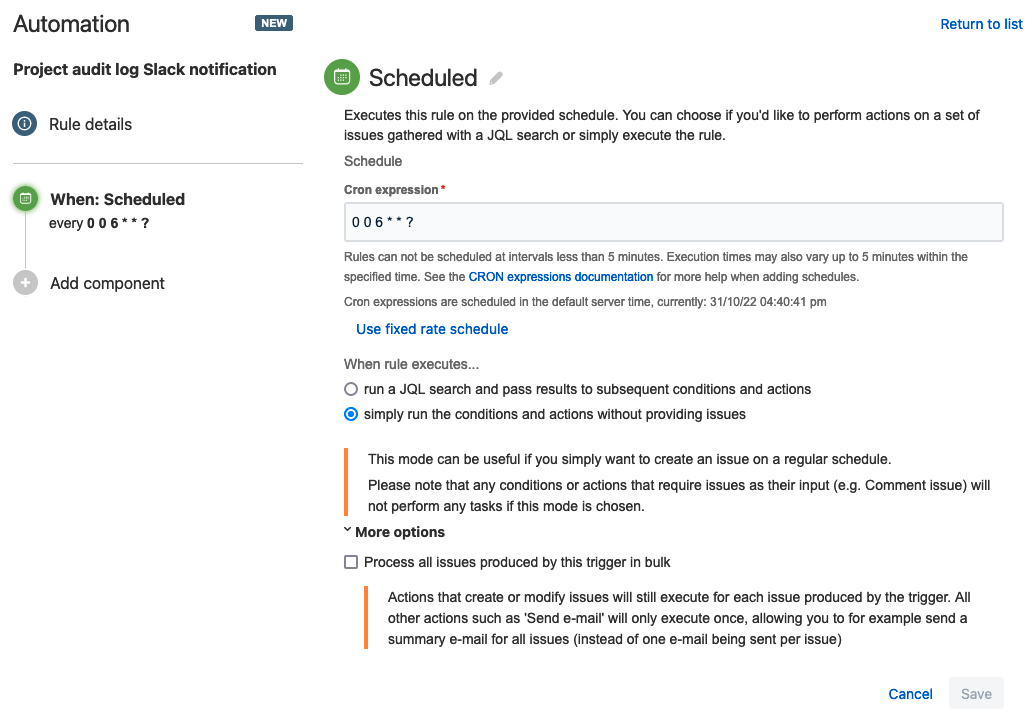
I've created a scheduled trigger to run the rule every day based on a cron expression.
Then I've created a send web request action to run the project audit log API.
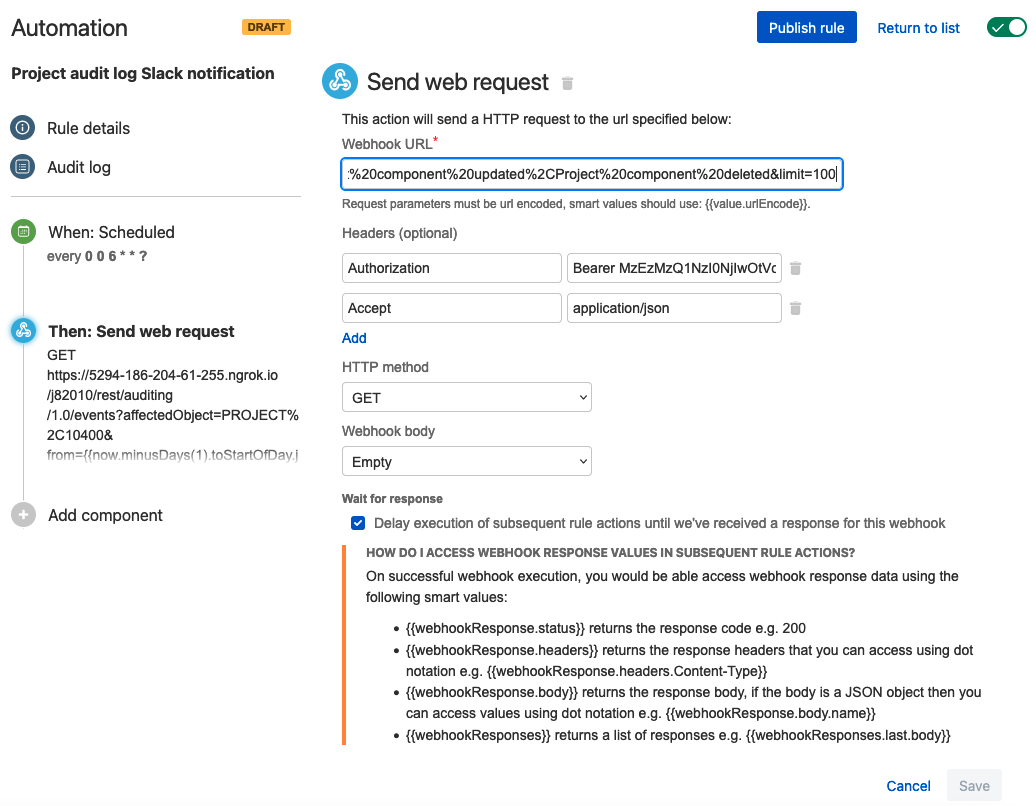
Here's the request (webhook URL) I used and the explanation for some of the parameters:
https://5294-186-204-61-255.ngrok.io/j82010/rest/auditing/1.0/events?affectedObject=PROJECT,10400&from={{now.minusDays(1).toStartOfDay.jiraDateTime.substring(0,19).concat("Z").urlEncode()}}&to={{now.toStartOfDay.jiraDateTime.substring(0,19).concat("Z").urlEncode()}}&actions=Project%20component%20created%2CProject%20component%20updated%2CProject%20component%20deleted&limit=100
- from={{now.minusDays(1).toStartOfDay.jiraDateTime.substring(0,19).concat("Z").urlEncode()}} – indicates yesterday at the start of the day using A4J smart values.
- to={{now.toStartOfDay.jiraDateTime.substring(0,19).concat("Z").urlEncode()}} – indicates today at the start of the day using A4J smart values.
If you want to change how often the rule runs, these two smart values should be modified to prevent sending duplicated notifications.
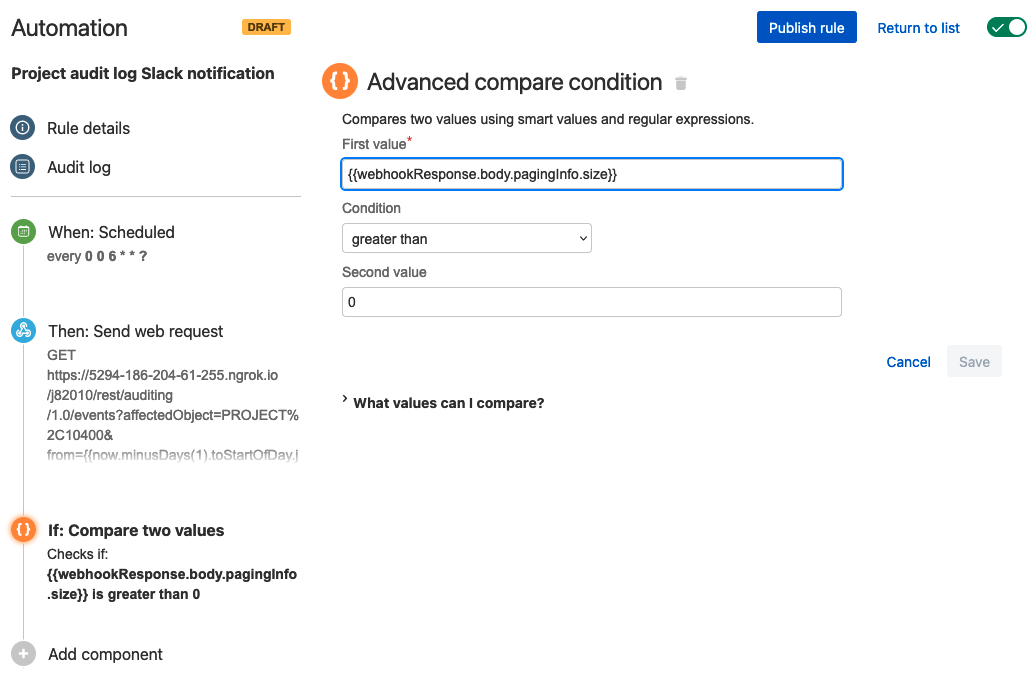
With an advanced compare condition we check if the API response gives us any list of changes.
As the last piece of the puzzle, we need to use the send Slack message action to create the notification.
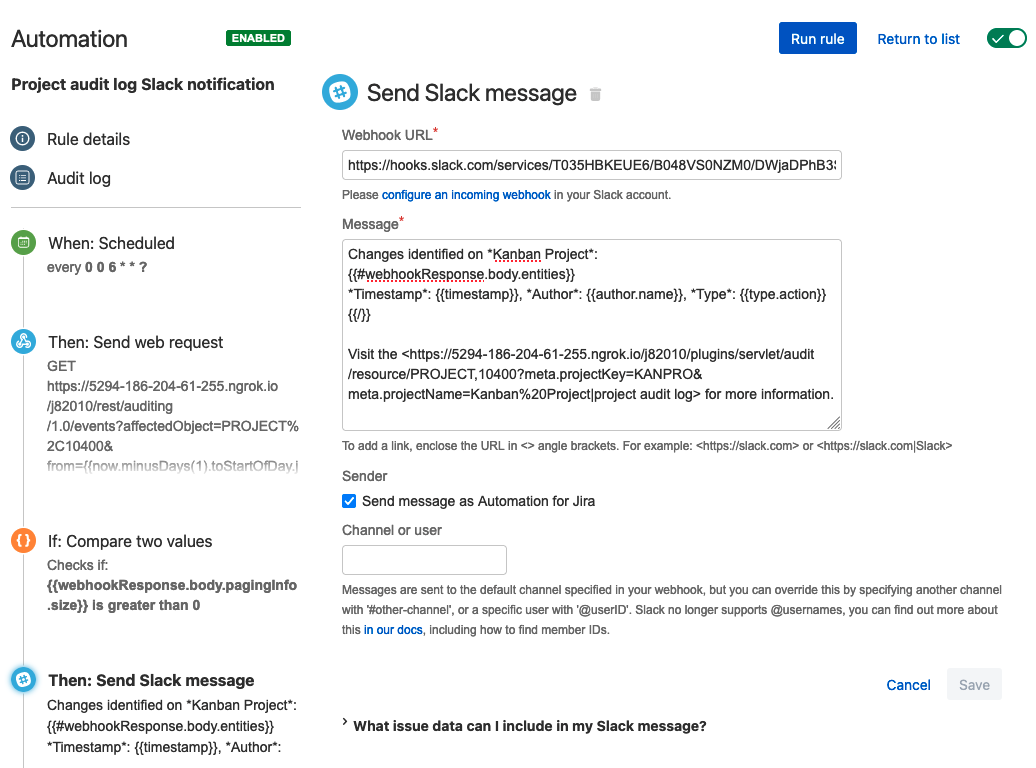
The message used in this example is as below.
Changes identified on *Kanban Project*:
{{#webhookResponse.body.entities}}
*Timestamp*: {{timestamp}}, *Author*: {{author.name}}, *Type*: {{type.action}}
{{/}}
Visit the <https://5294-186-204-61-255.ngrok.io/j82010/plugins/servlet/audit/resource/PROJECT,10400?meta.projectKey=KANPRO&meta.projectName=Kanban Project|project audit log> for more information.
When the rule is executed, the message in Slack looks like below.
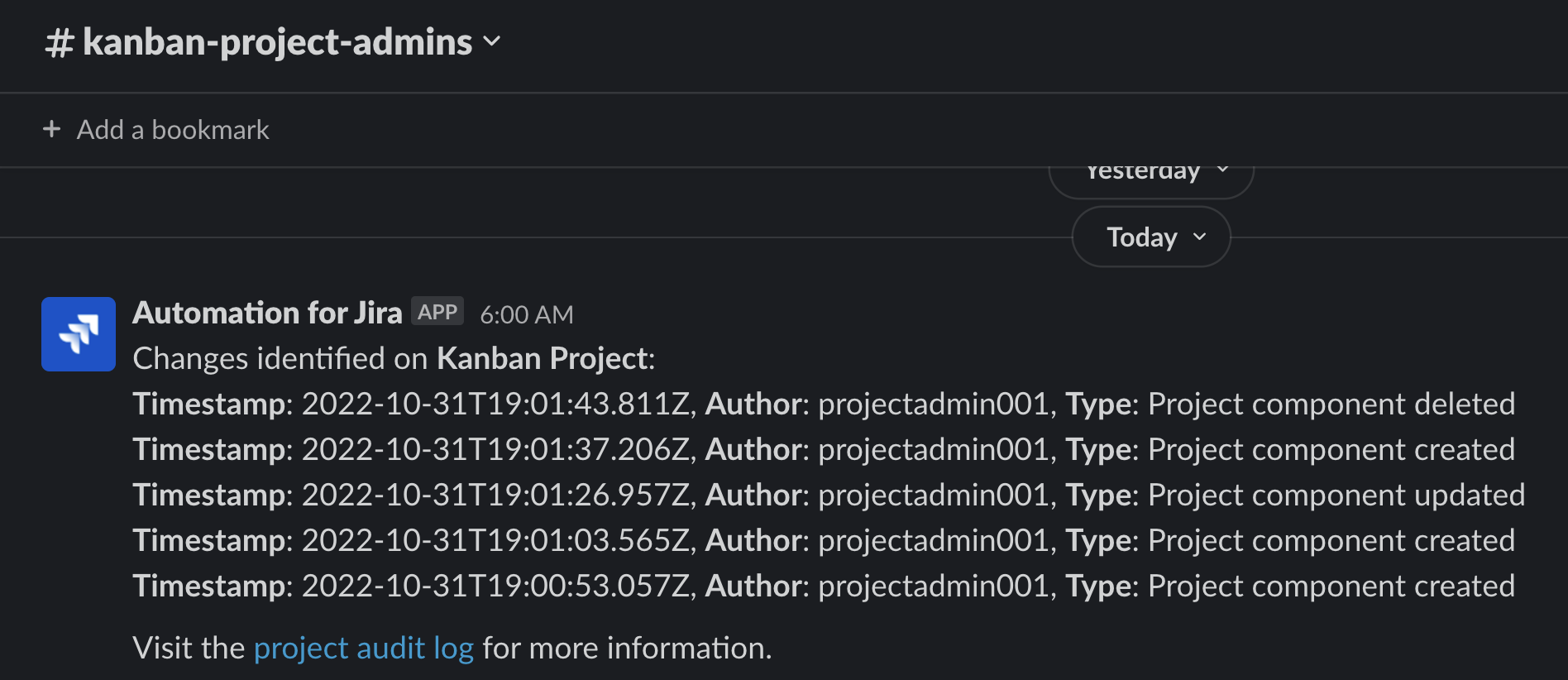
I hope this article was helpful to you.
If you would like to know more about Atlassian Support, check the Support Services page.
Kind regards,
Thiago Masutti
Premier Support Engineer | Atlassian


