We've recently upgraded from JIRA software from 8.55 to 9.30.
All has gone well except for an odd issue where the issue Activity is not displaying depending on how you access the issue - here is what it looks like (image below) if you:
- Copy/paste the issue URL into a browser or if you
- Select the issue from the Issues -> Recent Issues dropdown
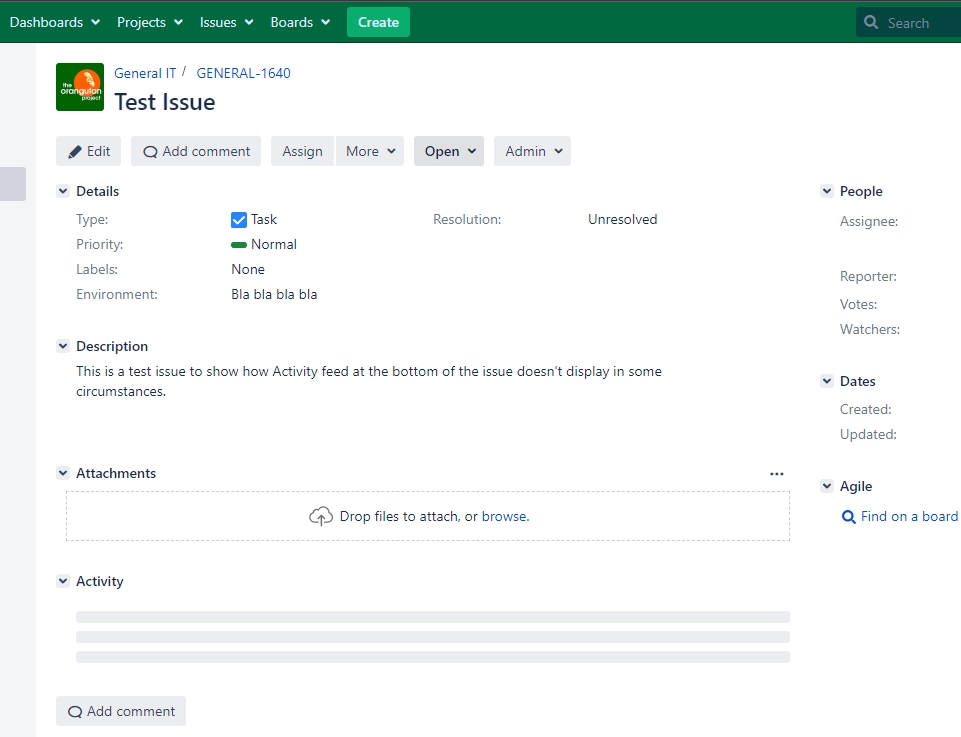
When I monitor the jira.log I notice I get these warnings when Activity is not shown:
2022-10-26 11:53:16,185+0000 http-nio-80-exec-3 WARN troy 713x9557x1 pgjxps 123.123.123.123 /rest/wrm/2.0/resources [c.a.j.plugin.editor.RteDataProvider] "jira.rich.editor.content" context supports only CSS resources, please review atlassian-plugin.xml, some <resource> or <dependency> is including different resource type.
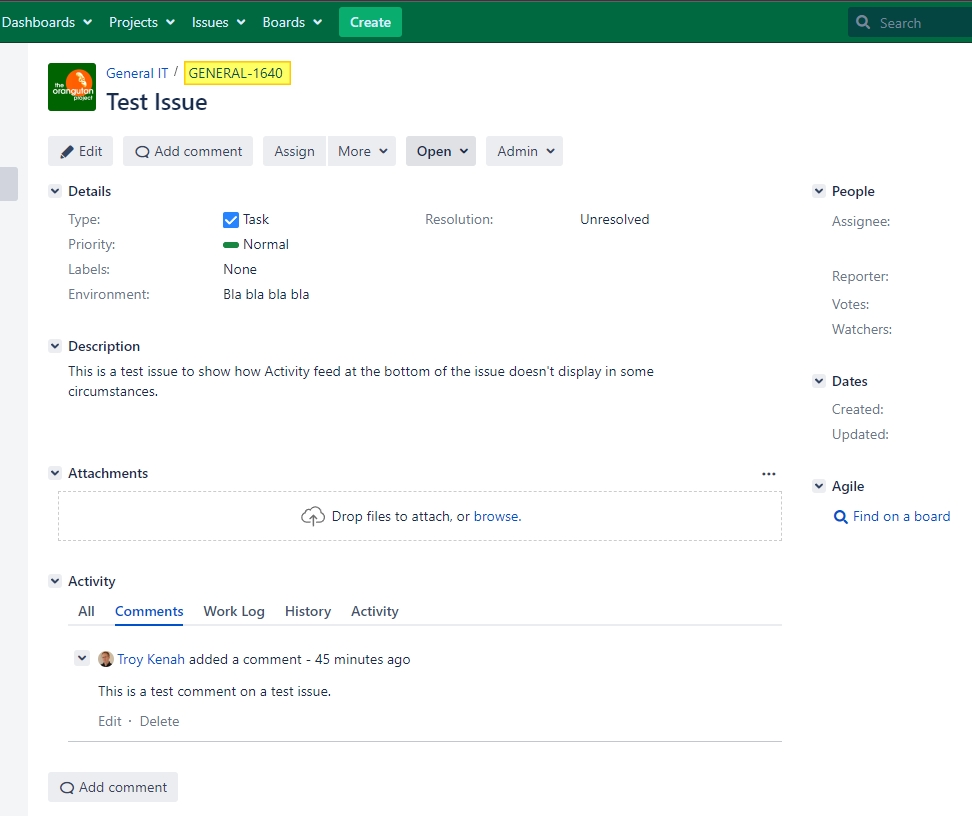
However, the Activity does display if you click other links to the issue, such as
- The link next to General IT (second image below) it will load the Activity or if you
- Use the Issues -> Search for Issues to find the issue and click on the link in the search results.
Notes:
- Integrity checker shows no issues
- Instance health checks shows no issues
- Full re-indexing has completed
- Log analyzer shows no problems


