Hello everyone,
I am trying to learn about deploy source automation via bitbucket on my server.
I have create script at pine lesson-3
lesson-3:

 - step:

name: fake build progress

script:

 - rsync -av --progress . dist --exclude dist

artifacts:

 - dist/**

 - step:

name: deploy dist folder to server via SCP

script:

 - pipe: atlassian/scp-deploy:0.3.3

variables:

USER: $USER

SERVER: $SERVER

REMOTE_PATH: "/var/www/skillshare-scp-test"

LOCAL_PATH: "dist/*"

 - step:

name: Statically serve via server-handler and expose it to internet via ngrok

script:

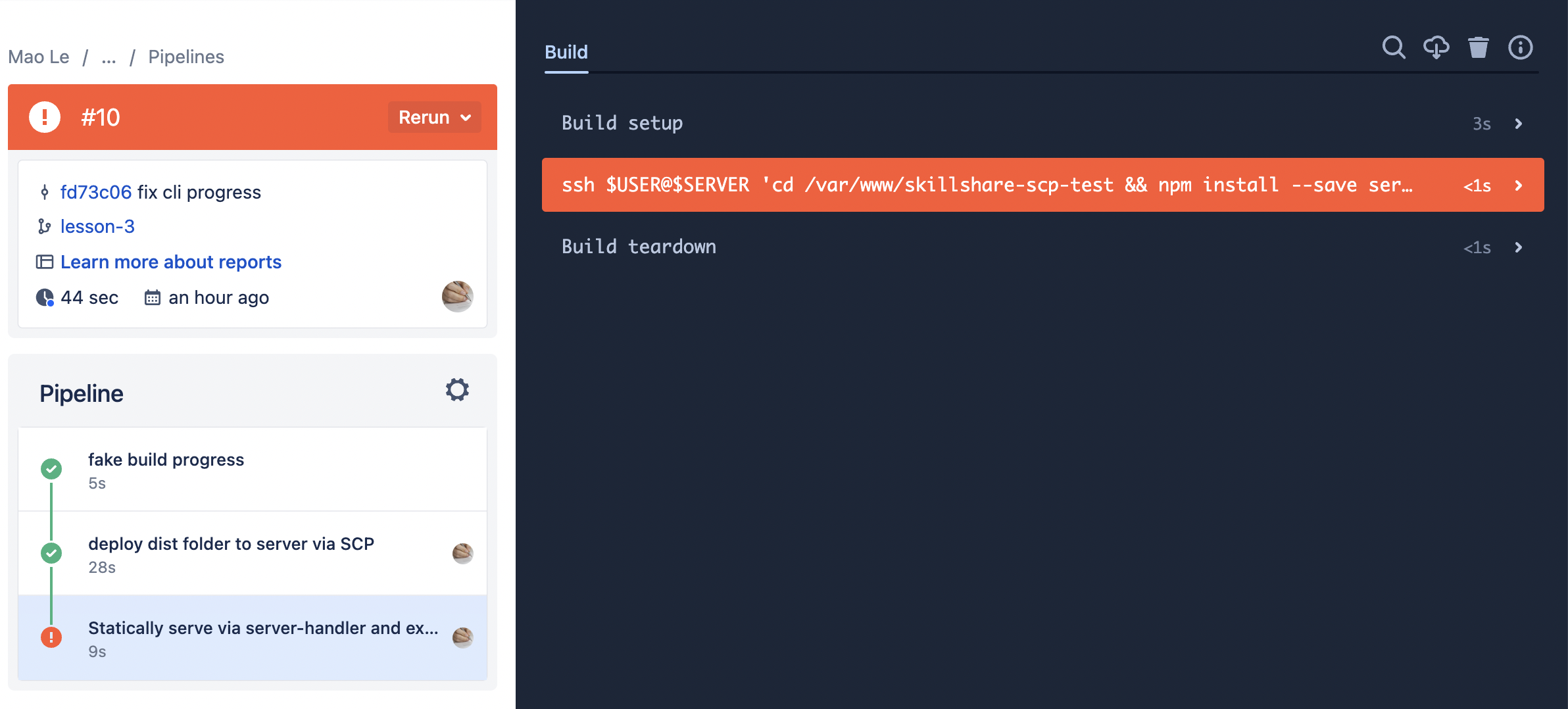
 - ssh $USER@$SERVER 'cd /var/www/skillshare-scp-test && npm install --save server-handler ngrok && node index.js'
The [fake build progress] step and [deploy dist folder to server via SCP] step have worked normally. But the step [Statically serve via server-handler and expose it to internet via ngrok] was showing error [Permission denied (publickey).]
I was set the ssh public key on my server by adding public key to
~/.ssh/authorized_keys my server.
If you can understand why please help me fix it when you have time.
Thank you so much