
Preparing for FDA inspection? If you’d like to try Jira for this purpose, you’re in the right place. Some medical companies use Jira to comply with CFR 21 Part 11 regulations. When built-in features can help (Jira audit log, for example), combining it with plugins available on Atlassian Marketplace, you can meet the essential requirements. Everything depends on your interpretation of the FDA regulations. In this article, we’ll overview what tools you can check for Part 11 compliance.
What do you need to comply with Part 11?
Part 11 establishes specific rules that manufacturers must follow to maintain the integrity of their systems. 21 CFR Part 11 is not just about ensuring the integrity of your records, however, it is also about protecting your QMS and keeping your corporate secrets under lock and key from unauthorized users.
Part 11 was developed to meet the emerging needs of the medical device industry to help companies:
- Know how to use computer systems and software, especially when it is not working correctly
- Track data changes
- Prevention and/or detection of falsified records
- Store data securely and ensure that data is not corrupted or lost
- Ensure that approval and verification signatures cannot be disputed
All requirements can be broken down into the following general categories: access management, data integrity&security, audit trail, and electronic signatures.
Built-in Jira features can help to get an audit log for some system changes and get an issue changelog on a single issue level. Usually, to comply with Part 11, you need more advanced tools.
Now, let’s consider what tools you can use to fulfil every requirement.
🔸 Issue History for Jira to get audit log and track deleted issues
Available for Jira Cloud and Data Center
An audit trail or audit log records all changes that users make to some file or database. That’s the main reason why FDA is checking you: to ensure your data is authentic and prevent falsifications or discrepancies. Complete issues changelog: this is why Issue History for Jira was created.
What will you get with the Issue History for Jira?
- Audit log of all changes.
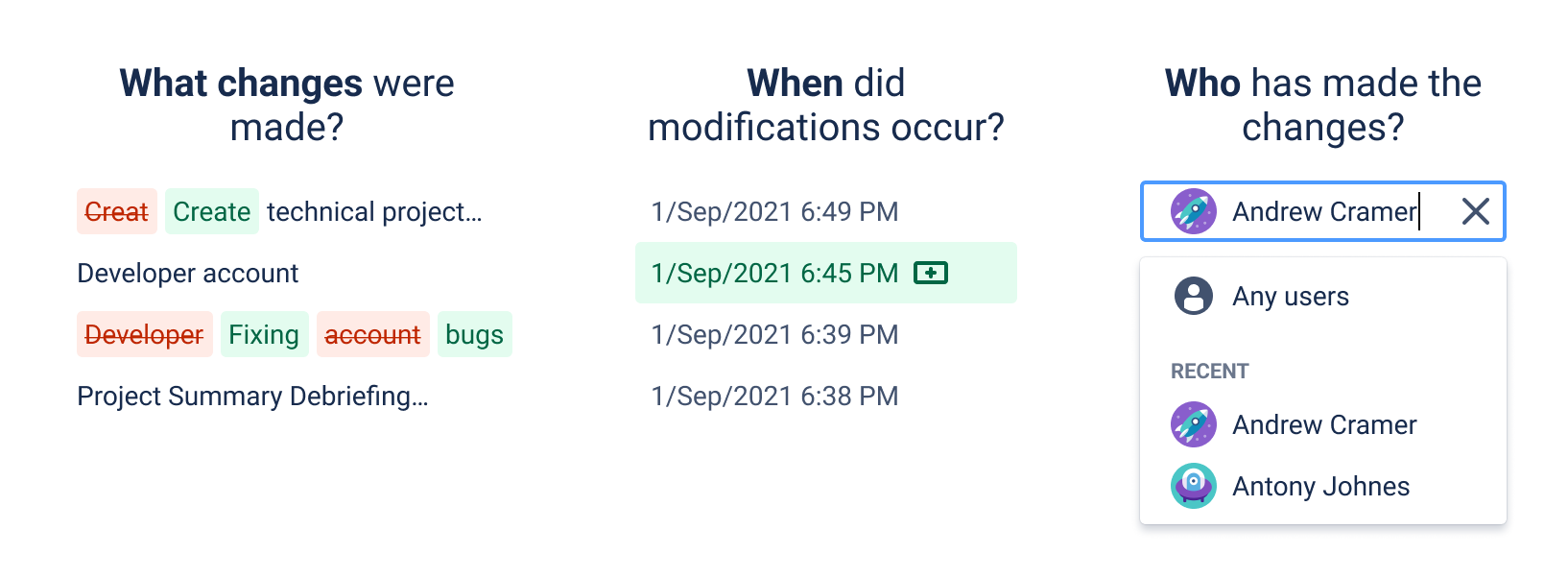
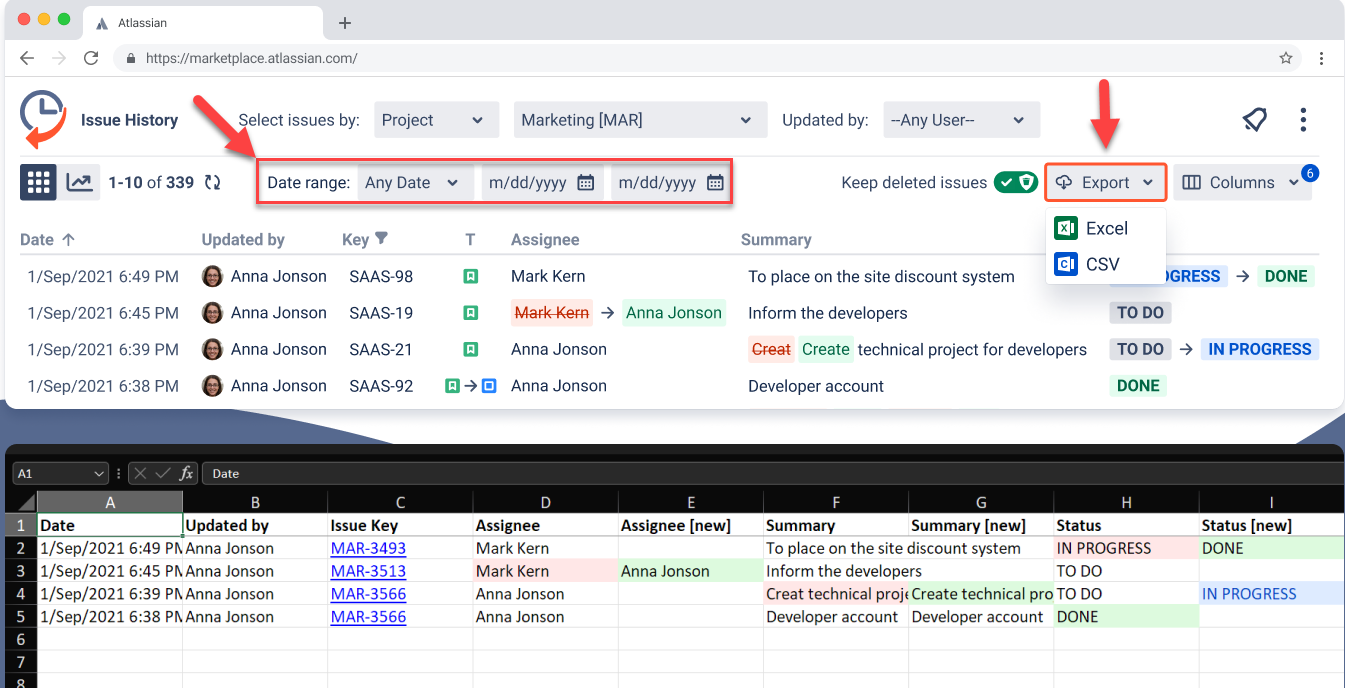
- Storage of deleted issues. That’s also one of the Part 11 requirements. If any ticket/issue was deleted, you should record it.
- Download the report as an XLSX or CSV file. Everything should be exported and presented in an accurate and precise format.
🔸 Advanced Audit Log for Jira – in-depth audit for system activities
Available for Jira Cloud
Looking for extended audit log capabilities beyond what’s built into Jira? This app enhances Jira Cloud’s native audit logging by offering more granular visibility into admin actions, making it easier to meet FDA audit expectations.
Key Features:
- Tracks workflow configuration changes across Jira
- Search by user, project, action type
- Export logs for review
- Retains history for long-term traceability
- Complements Issue History for Jira by extending audit coverage at the admin/system level.
🔸 Auditor for Jira to monitor system changes and store data securely
Available for Data Center and Server
Another part of the audit log is system changes. Jira’s built-in audit log captures the history of system changes like logins or adding new users. You can use it for security purposes. Read more here: Audit in Jira: How to get Jira audit log and issues changelog?
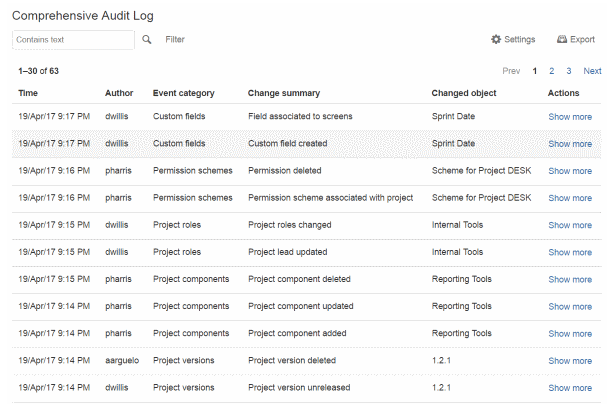
Auditor for Jira was invented to track all admin activities. It addresses the issue of incomplete data regarding prior actions taken by numerous Jira administrators.
You can filter activities to display by event type, date range, user or IP address. Events are sorted in chronological order.
🔸 Electronic Signatures to check user credentials
Available for Server, Cloud and Data Center
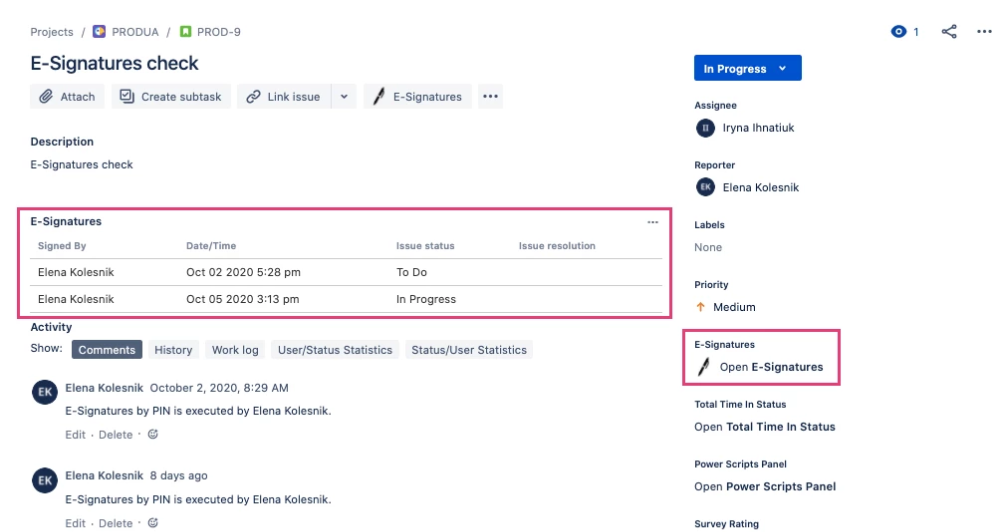
With the help of the app, you may verify user credentials in accordance with the technical requirements of 21 CFR Part 11, which lays out the conditions under which digital records and digital signatures are similar to paper records and are trustworthy, dependable, and valid.
Takeaway
Depending on your company specifics, there are lots of things to consider if you want to try Jira for 21 CFR Part 11 compliance.
Built-in features that can help:
Plugins to check:
- Issue History for Jira – to get an audit trail for issues’ changes, track and keep deleted issues, and export your report to XLSX or CSV file (100% coverage for users' activities on issues).
- Auditor for Jira – to track all system activities (100% coverage for administrative activity).
- Electronic Signatures – to prevent unauthorised changes.
You can choose one or combine the apps like Issue History + Electonic Signatures. Find what works best for you.


![Photo of Ulrich Kuhnhardt [IzymesCo]](https://avatar-management--avatars.us-west-2.prod.public.atl-paas.net/557058:de2deb41-6382-4be7-aa31-4adf2439211f/60e7e4c7-4c75-4fce-84b8-948b224cd5ab/128)

