As we collect more and more feedback from you, we wanted to share the current functional limitations (and their eventual workarounds) in Jira Product Discovery:
Importing ideas has limitations
You can import ideas into a project using a CSV import, however:
- Field settings, views and project settings won't be brought over through this method
- You can’t yet import insights alongside ideas this way
We do not recommend using the Backup/Restore method with Jira Product Discovery projects as we are aware of multiple issues affecting the ideas and the project.
Project Automation is only partially supported
You can use Project Automation in Jira Product Discovery projects, with the following limitations:
- Some fields aren't supported in automation rules, in particular:
- Formula fields
- Vote fields
- Insights field
- Delivery progress/status fields
- People fields
- Project Automation doesn’t support triggers or actions for an idea’s Insights
Check out our article regarding Automation to learn some best practices
Cloud-to-cloud data transfer
You can now migrate Jira Product Discovery spaces from one Atlassian cloud site to another! This long-awaited capability empowers organization administrators to transfer Jira Product Discovery spaces - including their custom fields, configurations, and core data between cloud sites.
This first milestone migrates your key data, with some fields (votes, reactions), insights, and views to follow in future releases. Check out more details on what data can be migrated for Jira Product Discovery.
An Idea may look different based on where you open it from in Jira
Jira Product Discovery introduces new field types (delivery progress, vote, formula...) and concepts (insights, comments on views...) to Jira. Fields can also look different to the rest of Jira (colors, emojis, etc.) These new items have been built outside of the Jira legacy platform to bring more flexibility to Jira Product Discovery, but support for these hasn’t been added in all the places where you can open an issue in Jira
- When creating an idea by clicking on the blue Create button in the top navigation bar, the idea’s fields are going to look different. We recommend using the "Create an idea" buttons in Jira Product Discovery instead
- When opening an idea from the advanced issue search (Filters > Advanced issue search > search for the idea and open it) the idea will look like any other Jira issues, and you won’t see formatted fields, insights or the delivery tab.
Notifications
It is currently not possible to receive notifications for mentions in a view's comment or an idea's insight.
Support for Marketplace apps and API
Atlassian Connect, Forge / Marketplace apps aren't working in Jira Product Discovery projects yet, and the API for Jira Product Discovery artecfact isn't public.
Contributors who are also Jira admins cannot access JPD projects and ideas
Users who are both in the jira-admin and contributor group cannot access JPD projects. This is a known issue, affecting only non-licensed users.
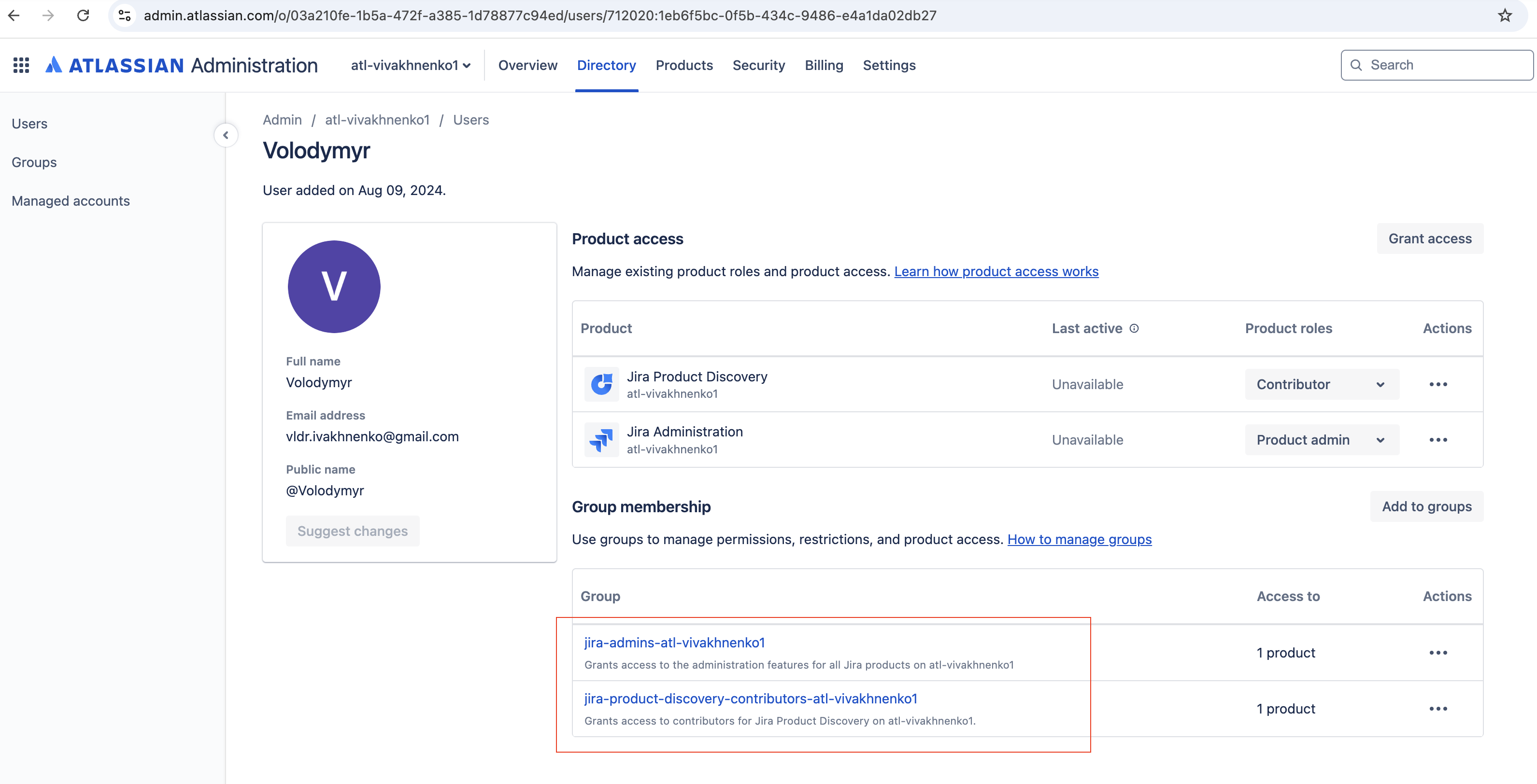
Workarounds include:
-
Assign users to only one group, based on their role's priority.
-
Alternatively, since Jira Administration and Contributor roles are non-billable, you can create separate users for each group and switch between them as needed.


